Pinterest Analytics for Service Providers: Which Metrics Actually Matter

beige feminine office with Pinterest Analytics on the laptop

Pinterest Analytics for Service Providers: Which Metrics Actually Matter

And Which Ones Are Lying to You

If you’ve been on Pinterest for a few months and you’re not sure if it’s actually working, you’re probably looking at the wrong numbers.

I get it. You open Pinterest analytics, see monthly views going up and down, and think “is this even doing anything?” That’s the most common thing I hear from service providers who are new to the platform.

The truth is, some Pinterest metrics will tell you exactly how your strategy is performing. Others will send you into a spiral for no reason. Let’s sort out which is which.

Before we dig in, make sure you grab my free Visibility Vault at learn.jenvazquez.com/resources. There are over 25 Pinterest + marketing tools inside, and specifically look for the Pinterest Analyzer. It’ll make everything I’m about to share way more actionable.

The Number Everyone Watches (And Misunderstands): Monthly Views

Everyone checks monthly views. And almost everyone misunderstands them.

Monthly views are an impressions metric. It tells you how many times your pin appeared on Pinterest, whether that was in the home feed, in search results, or on someone else’s board. But here’s the thing: just because your pin was served up doesn’t mean anyone actually saw it. It could have appeared on the sixth page of someone’s home feed and never been scrolled to.

These numbers can spike when one pin gets reshared by someone with a larger following. They can drop when Pinterest is testing your new content in small batches. Fluctuations are completely normal and are not a sign that something is broken.

Here’s what I really want you to hear: impressions are not the number that tells you whether your strategy is actually working.

A service provider with 50,000 monthly views and 200 outbound clicks is actually doing worse than someone with 8,000 monthly views and 400 outbound clicks.

Views without clicks do not book you clients.

The Metrics That Actually Matter

Outbound Clicks (The Money Click)

When someone sees your pin in the feed and clicks on it, that’s a pin click. But the outbound click is what happens next. That’s people leaving Pinterest and landing on your website.

This is the metric that most directly connects to leads, signups, and clients. It’s also the last metric to start growing. The order is typically: impressions first, then saves, then pin clicks, then outbound clicks. It can take some months. But even if outbound clicks are growing slowly, your strategy is working.

I like to call outbound clicks the “money click” because you’re that much closer to booking someone. It doesn’t mean they’ll instantly hire you, especially if you have a high-ticket service. But it means there’s enough interest. Your keywords did their job and got you found. Now it’s your chance to nurture that person, whether they grabbed a lead magnet, checked out your services page, or went to follow you on Instagram or TikTok to learn more about you.

Profile Visits

This tells you whether people are finding your pins interesting enough to want to see more of your content. Growing profile visits means growing brand recognition on the platform.

Saves

When someone saves your pin, Pinterest takes that as a very strong signal of relevance. Saves tell the algorithm to keep surfacing your content to similar audiences. A healthy save rate is a really good sign.

Now, saves don’t always mean someone is about to book you. In the wedding industry, for example, it could be a 16-year-old pinning your image to a future wedding board because they love the dress. But what saves do tell you is that Pinterest is indexing your pins properly and sending them out to people. That’s a great signal.

Outbound Click Rate

This is your link clicks divided by your impressions. Even if your monthly views are low, a healthy outbound click rate means the people who are seeing your content are interested enough to act on it.

Quality over quantity, every single time.

What Does a Realistic Growth Timeline Look Like?

This isn’t exact science, but here’s the average of what I see across my service-based business clients:

  • Months 1 and 2: Quiet. Low impressions, low clicks. Pinterest is indexing your content and running small test batches. This is completely normal.
  • Months 3 and 4: Impressions start rising. You might notice one or two pins getting more traction than the rest. Pay attention to those.
  • Months 5 and 6: Link clicks start moving. Website traffic from Pinterest becomes visible in your analytics.
  • Beyond month 6: The compounding effect kicks in. Old pins start to resurface. Traffic builds without you having to create more content. The library you built in months 1 through 6 is now working around the clock.

Most people quit in months two and three. That’s right before the momentum shifts. Stay consistent. I cannot say that enough.

>> WANT HELP UNDERSTANDING YOUR PINTEREST NUMBERS? JOIN THE CLUB <<

Inside The Club, we do live Q+A sessions every month where you can bring your analytics, share your screen, and get real-time feedback on what’s working and what to adjust. Plus monthly trainings to keep your strategy sharp. Join at learn.jenvazquez.com/club.

Using Google Analytics Alongside Pinterest

Pinterest analytics shows you what’s happening on the platform. Your website analytics show you what happens after the click. You need both.

In Google Analytics, look for Pinterest as a traffic source under referral or acquisition data. A heads up: you’ll see multiple Pinterest sources listed (pinterest.com, pinterest.ca, mobile Pinterest, desktop Pinterest). Scroll through all of them and add them up for a more accurate picture.

Also know this: Pinterest analytics and Google Analytics will never perfectly match. They measure things differently. Someone could click an outbound link and immediately close the window. Pinterest counts that as an outbound click, but they never actually loaded your page. Always default to Google Analytics for the most accurate view of who actually made it to your website.

Once you’re in Google Analytics, look at:

  • Which pages Pinterest is sending people to
  • How long they’re staying
  • Whether they’re signing up, clicking to a service page, or booking a call

A click that leads to a five-second bounce is very different from a click that leads to a signup. Knowing which pages convert helps you create more content like the ones that are actually working.

Early Positive Signs to Watch For

Even in the first few months, before link clicks really start moving, there are signs that tell you the foundation is building:

  • One pin consistently getting more impressions than the others. That’s Pinterest telling you it likes that content. Study what’s different about it and create more like it. It could be the image, the colors, or the keywords.
  • Profile visits climbing slowly. People are discovering you and wanting to see more. That’s brand recognition growing.
  • Saves increasing on a specific board. That topic is resonating. Lean into it.

Marketing is all about testing. If a pin takes off, make more pins for a different blog using the same keyword approach. Or go back to a blog from two months ago and create fresh pins for it. Test the same keywords, test different colors, test different images. The goal is to figure out what’s driving those impressions and do more of it.

Here’s a bonus tip: sometimes your pin will stand out because it’s visually different from the feed. If you search for anything wedding-related on Pinterest, the entire feed is pastel. When I was a wedding photographer, I’d make pins with a black background and white text, or use my bright pink brand color, specifically to stand out in that sea of pastels.

When Should You Actually Adjust Your Strategy?

The biggest mistake I see is people pivoting too early. They’ll be three months in, assume something’s wrong, and change their strategy. That throws you right back into Pinterest’s testing phase, and you lose all the momentum you were building.

Pick a strategy. Move forward. Don’t change it for at least three to four months.

If after six solid months of consistent pinning you’re still seeing zero outbound clicks and no website traffic from Pinterest, that’s when something may need to change. But it’s usually one of these four things:

Keyword Gaps

Your content exists but isn’t optimized for what your ideal client is actually searching for. Go back to keyword research and update your pin titles and descriptions.

Content Mismatch

What you’re creating isn’t what your ideal client is looking for on Pinterest. Look at which pins are getting saved and lean into those topics.

Destination Problems

Your pins are getting clicks, but people are bouncing fast. The page they land on doesn’t deliver on what the pin promised, or there’s no clear next step. Think about what someone sees above the fold on your landing page. If that doesn’t pull them in, there’s nothing Pinterest can do about it. Fix the landing page.

Inconsistency

Posting 20 pins in one week and then disappearing for three weeks breaks the compounding pattern and sends signals to Pinterest that you’re not trustworthy. Steady and consistent always beats bursts followed by gaps.

Don’t Have Time to Manage All of This Yourself?

If you’ve been watching this series and thinking “this sounds great but I genuinely do not have time to manage all of this,” that is literally what my agency does.

We manage Pinterest for service providers who want the results without doing it all themselves. We handle the strategy, the pinning, the scheduling, all of it.

>> BOOK A DISCOVERY CALL <<

What’s Coming Next

One thing that dramatically improves Pinterest performance is having brand images that actually stop the scroll. Not just on Pinterest, but everywhere. The visual matters a lot, especially on a search engine that’s built around images.

Next week I’m talking about how brand photography fits into your entire marketing system, including how to plan your next photo session so you always have Pinterest-ready content to work with.

Go introduce yourself on Pinterest, Instagram, or TikTok. I’ll be cheering you on from over here! 📣
How to Find + Use Pinterest Keywords That Actually Get Your Content Found

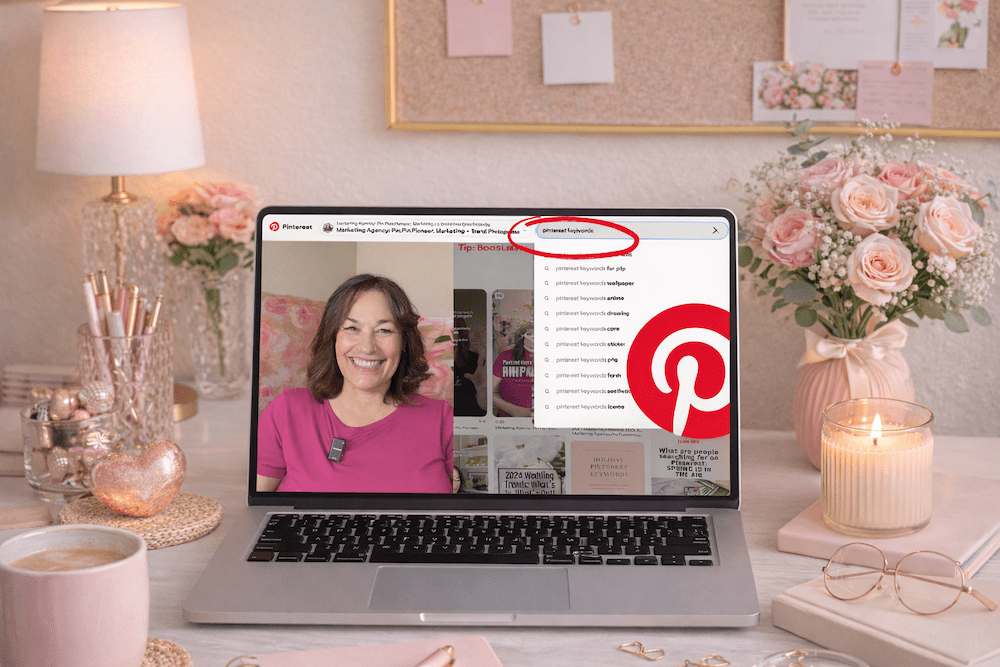
image of a feminine pink office with a laptop and on the screen is a video of How to Find + Use Pinterest Keywords That Actually Get Your Content Found.

How to Find + Use Pinterest Keywords That Actually Get Your Content Found

The Foundational Skill Every Service Provider Needs on Pinterest

If your content isn’t showing up on Pinterest, keywords are probably why.

The good news? Pinterest actually makes keyword research easier than almost any other platform. You just have to know where to look.

Keywords are the skill that makes everything else on Pinterest actually work. Without the right keywords, your pins exist, but nobody can find them. With the right keywords, your content shows up in front of exactly the right people consistently over time.

Before we proceed, I want to ensure you’re aware of my free resource library, the Visibility Vault. It has Pinterest tools, marketing tools, a masterclass, keyword resources, and marketing templates, over 25 different tools, all free at learn.jenvazquez.com/resources. Go grab it and follow along.

Why Keywords Matter on Pinterest

Pinterest is a search engine, and like any search engine, it relies on keywords to understand what your content is about and who to show it to.

So when someone types “how to get more clients as a photographer” into Pinterest, the platform scans billions of pieces of content and decides which ones match that search.

If your content doesn’t include that language, you’re invisible for that entire search. If it does, you have a chance to show up and keep showing up for months, and oftentimes for years.

Where to Find Keywords: The Pinterest Search Bar

The fastest and most reliable way to find Pinterest keywords is in the Pinterest search bar itself. Here’s how:

  • Go to Pinterest and click the search bar
  • Type in a broad topic related to your business
  • Before you even hit enter, Pinterest will start suggesting completions (just like Google)

Those suggestions are real searches that real people are typing in right now. And they’re typically listed in order of search volume.

Here’s an example. Type in “brand photography” and you might see:

  • brand photography ideas for small business
  • brand photography tips
  • brand photography poses
  • brand photography flat lay

Those are your keywords. Now hit enter and you’ll see colored tiles or bubbles appear right underneath the search bar. Those are Pinterest’s guided search categories. They show you exactly how people are narrowing their searches.

Screenshot them all. Or write them down on a keyword builder. This is free keyword research built right into the platform.

Secondary Research: Look at Performing Pins

Find a pin in your niche that is performing well. High saves, good engagement, and lots of outbound clicks are what I look at.

Read the title and description carefully. What words are they using? What phrases keep showing up?

This isn’t about copying. It’s about understanding what language is already working so you can use it authentically in your own content.

If you’ve been posting nonstop and still wondering “where are the clients?”… you’re not alone.

The problem isn’t your effort—it’s where you’re putting it.

Social media content fades fast.
Search-based content builds over time.

In this free live masterclass, Search vs. Social: Build a Visibility System That Brings Consistent Leads, you’ll learn how to stop chasing daily posts and start creating content that actually works for you long-term.

We’ll break down how Pinterest + SEO work together to bring in steady traffic and leads—without the constant grind.

If you’re tired of spinning your wheels and ready for a smarter, simpler way to get found… this is for you.

Where to Put Your Keywords

Finding keywords is only half of it. Placement is what activates them. Here are the 7 places your keywords need to live:

1. Your Display Name

Keywords in your name help Pinterest understand what you’re about from the jump.

2. Your Bio

Write it using the language your ideal client would search, not your job description. Their search terms are a win for you every time.

3. Board Titles

Every board title is indexed. Name boards the way your ideal client would actually type into the search bar, not the way you’d label a folder.

4. Board Descriptions

Two to three sentences per board using your keywords naturally. Think human-read paragraphs, not a list of terms stuffed together. Keyword dumping looks spammy and can hurt your ability to get found.

5. Pin Titles

This is one of the most important spots. Lead with your keyword phrase. Something like “Pinterest Marketing Tips for Service Providers: How to Get Started.”

6. Pin Descriptions

Two to four sentences. Use your primary keyword plus one or two related phrases. Write it like a human. The keywords should be clearly there, not forced.

7. The Content You Link To

If your blog post title and headings also use those keywords, Pinterest gets even more signals that your content matches the search. Everything reinforces everything else.

>> WANT ONGOING PINTEREST SUPPORT? JOIN THE CLUB <<

If you want monthly Pinterest trainings, live Q+A sessions, and a place to actually ask your keyword questions in real time, The Club is where I drop all of it. Come hang out at learn.jenvazquez.com/club.

How Much Is Too Much? Avoiding Keyword Stuffing

A common mistake is keyword stuffing, which means cramming in as many keywords as possible until the description reads like a robot wrote it.

Pinterest is smart enough to catch this, and it does not help your ranking at all.

The goal is natural language that includes your keywords intentionally. Read your pin description out loud. If it sounds weird, rewrite it. Real humans write it. Keywords support it. That’s the balance.

Local vs. Global Keywords

This is especially important for local service providers like photographers, wedding planners, coaches, or fitness pros serving a specific area.

Use both. Here’s why:

  • Global keywords like “brand photography tips” reach a broad audience and can drive referrals or education sales
  • Local keywords like “brand photographer San Jose” or “brand photographer Bay Area” reach people actively looking to book locally

I see a lot of local service providers using only generic keywords, and that’s not going to be enough to grow your business. I did this right from the beginning, and I think that’s what made a difference for me growing my business on Pinterest.

Local keywords also work for people who are traveling to your area. Someone in New York planning a trip to San Jose might search for a photographer in San Jose. If you’re using local keywords, you get found by people all over the world who come to your area.

Both serve a purpose. If you only use local, you’re missing out on the general searches that could really help you. Build your keyword strategy to include both. It’s your best chance at the fastest growth on Pinterest.

How Often Should You Revisit Keyword Research?

Keyword research is not a one-and-done task. Do a refresh every three to six months.

Search behavior changes. New terms emerge. What your ideal client is searching for in January might be slightly different by summer. Stay updated and keep your content compounding instead of plateauing.

Keywords are how Pinterest finds your content. Get them right, and your pins will keep working long after you publish them.

What to Learn Next

Now that you know how to build your strategy and how to use keywords, the next question I hear all the time is: how do I actually know if any of this is working?

That’s exactly what we’re covering next week. I’ll break down which Pinterest numbers actually matter, which ones are misleading, and what a healthy growth timeline really looks like so you don’t quit right before the good stuff happens.

Go introduce yourself on Pinterest, Instagram, or TikTok. I’ll be cheering you on from over here! 📣
📌 DON’T FORGET TO SAVE IT!

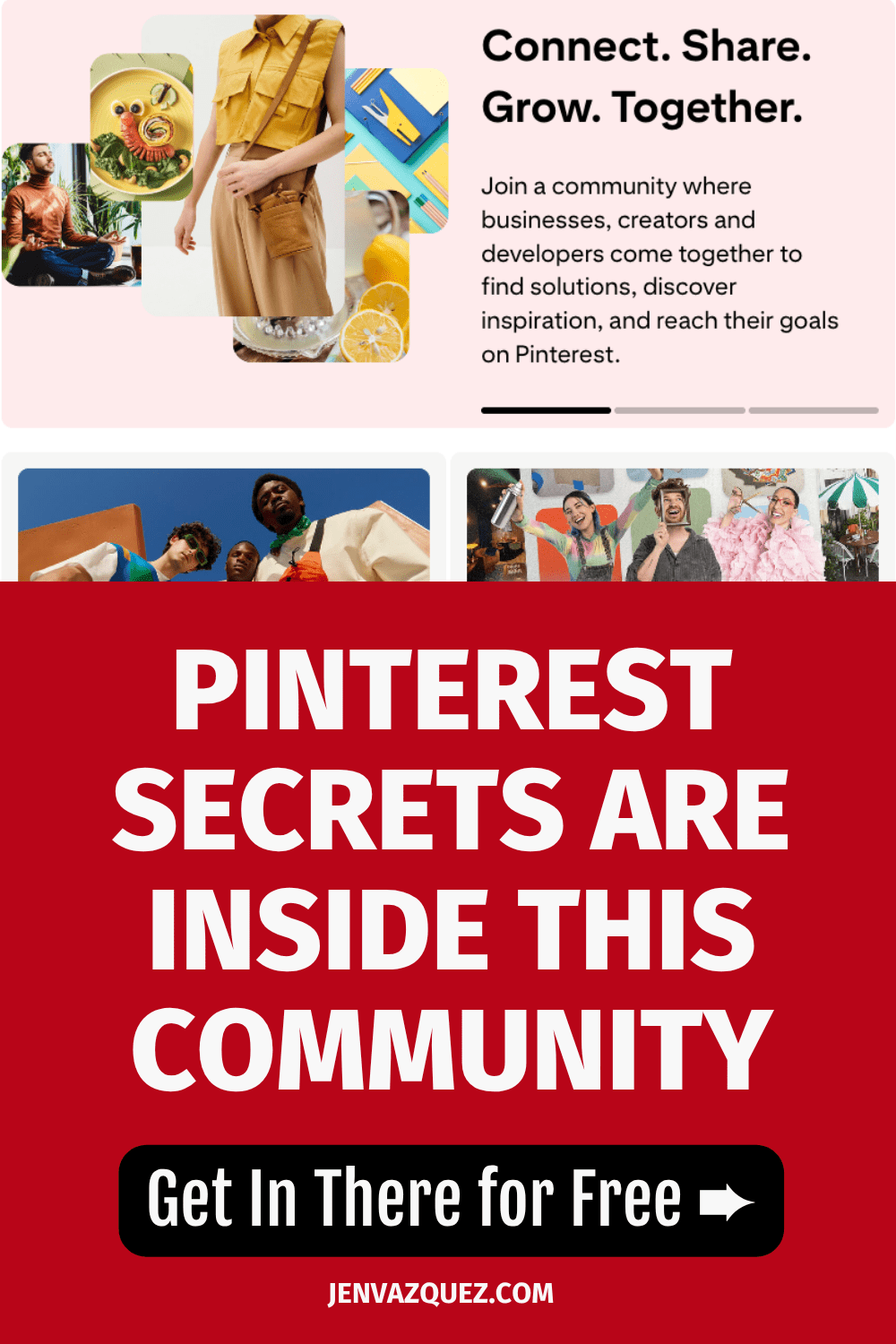
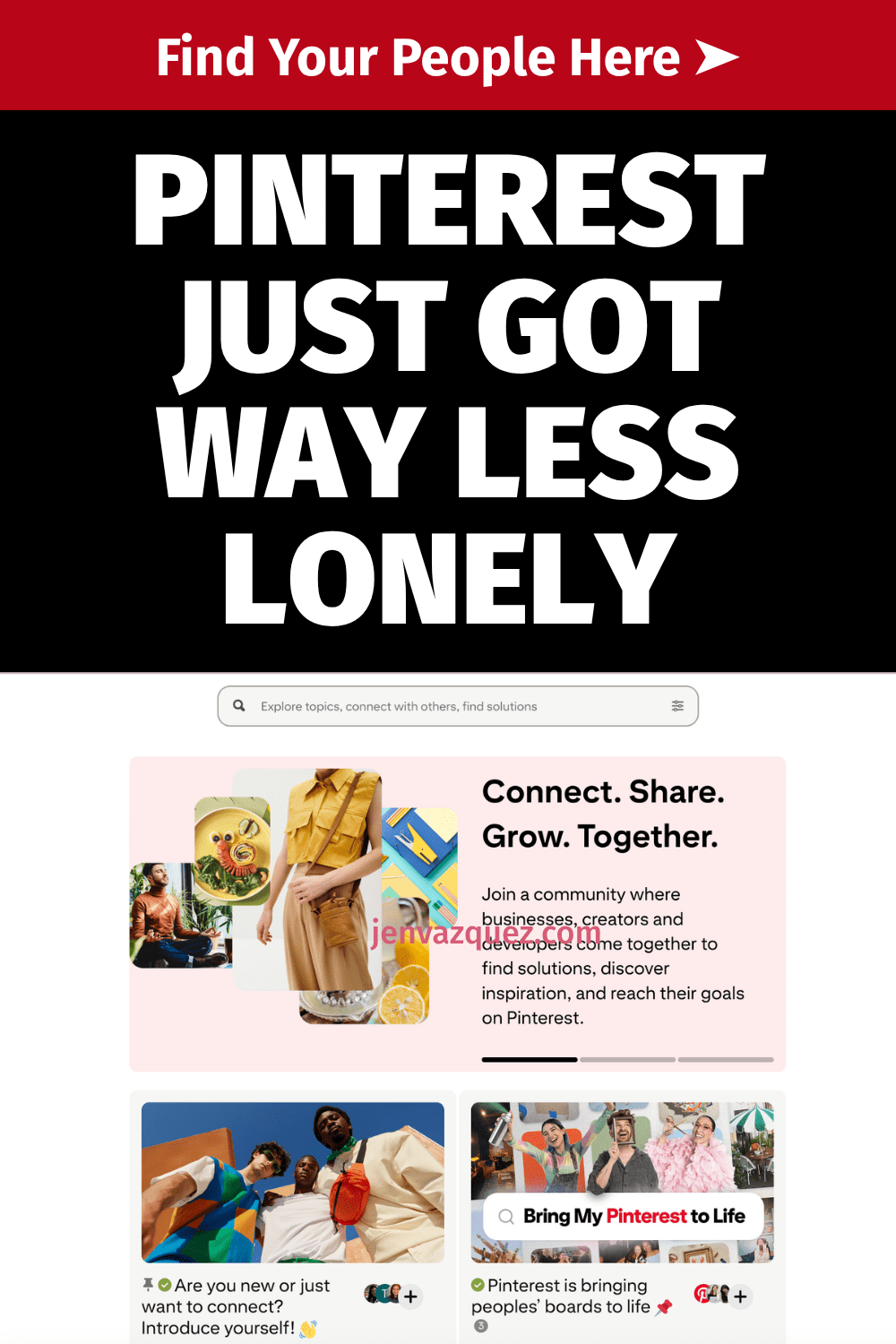
Why You Need to Join the Pinterest Business Community (PBC)

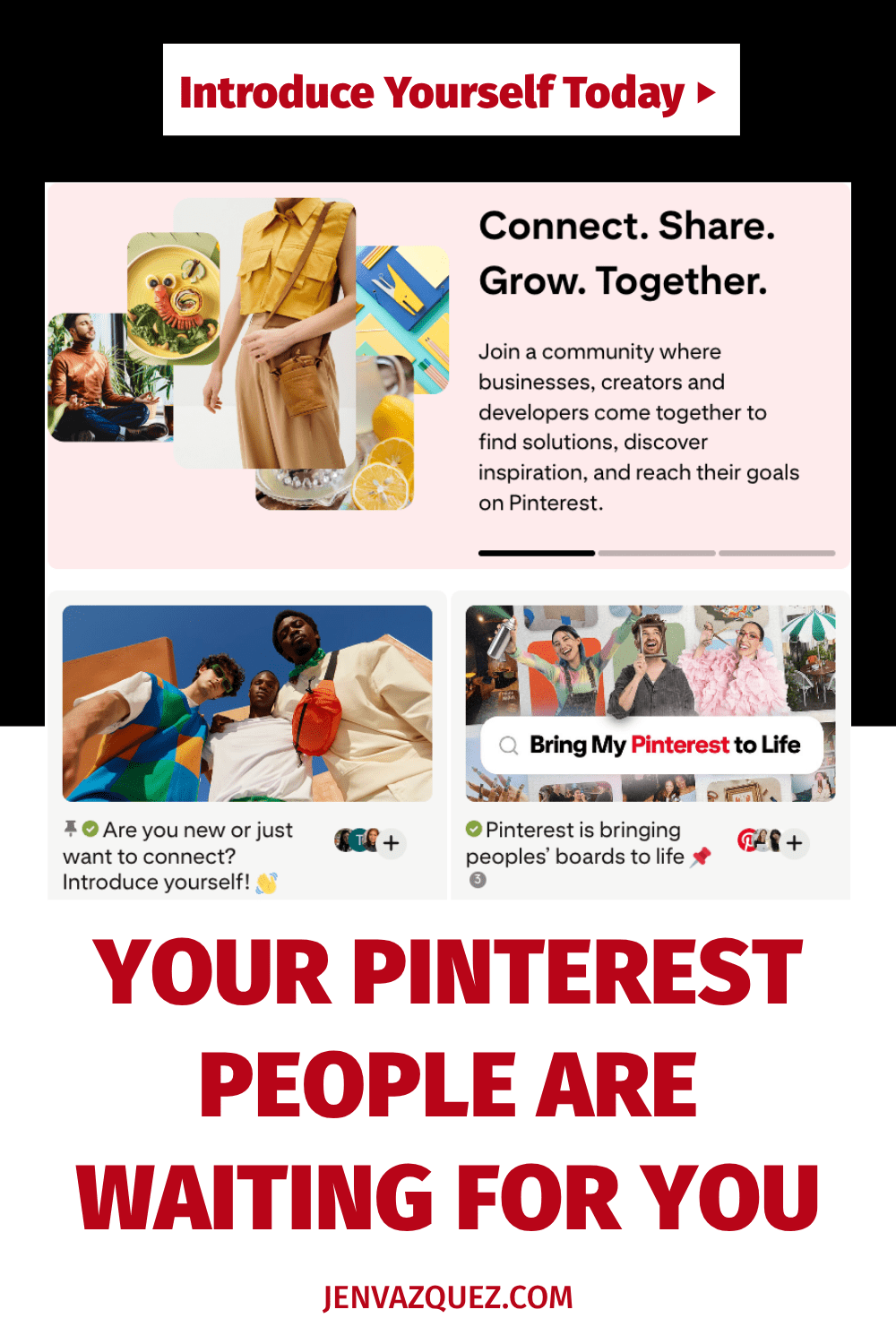
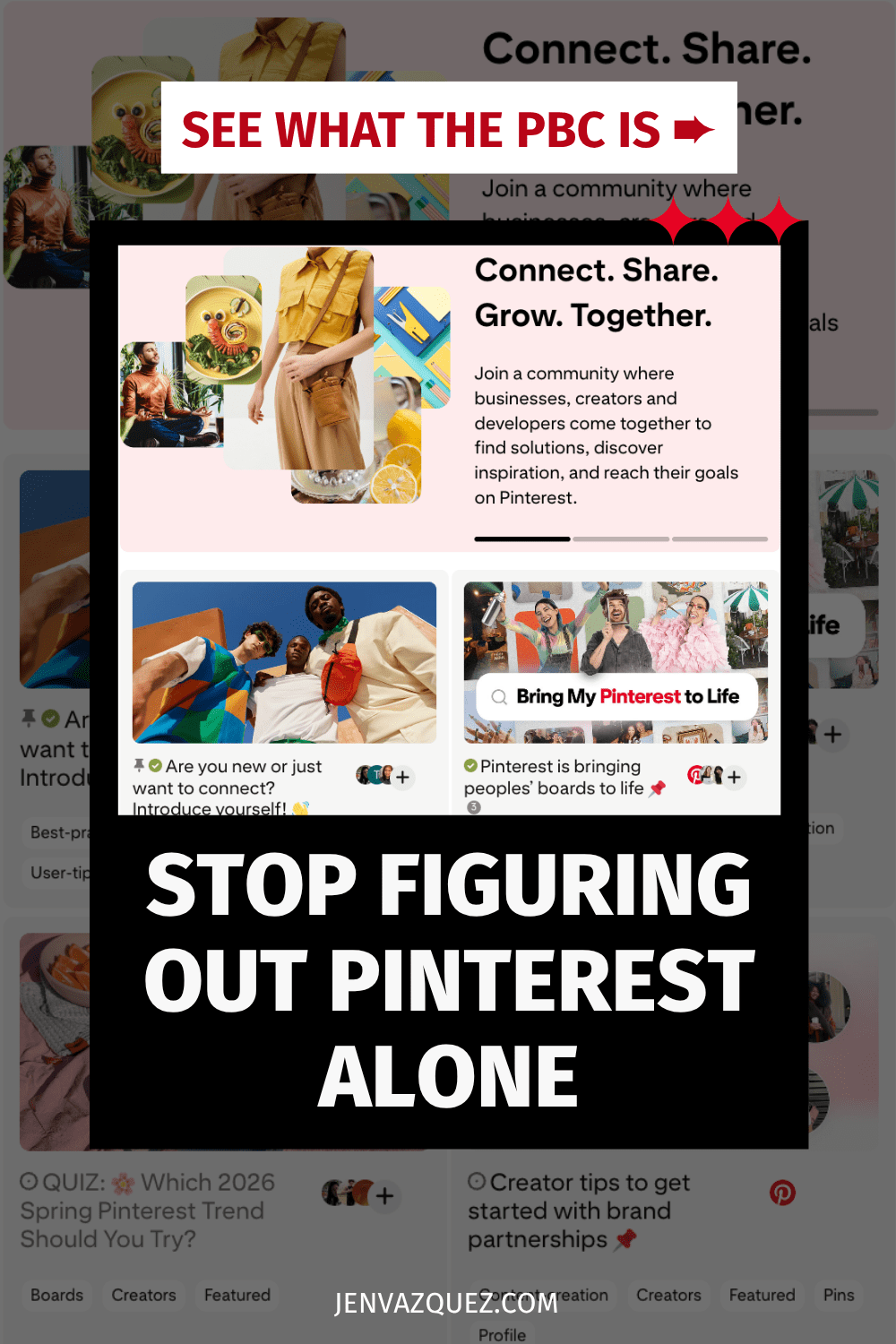
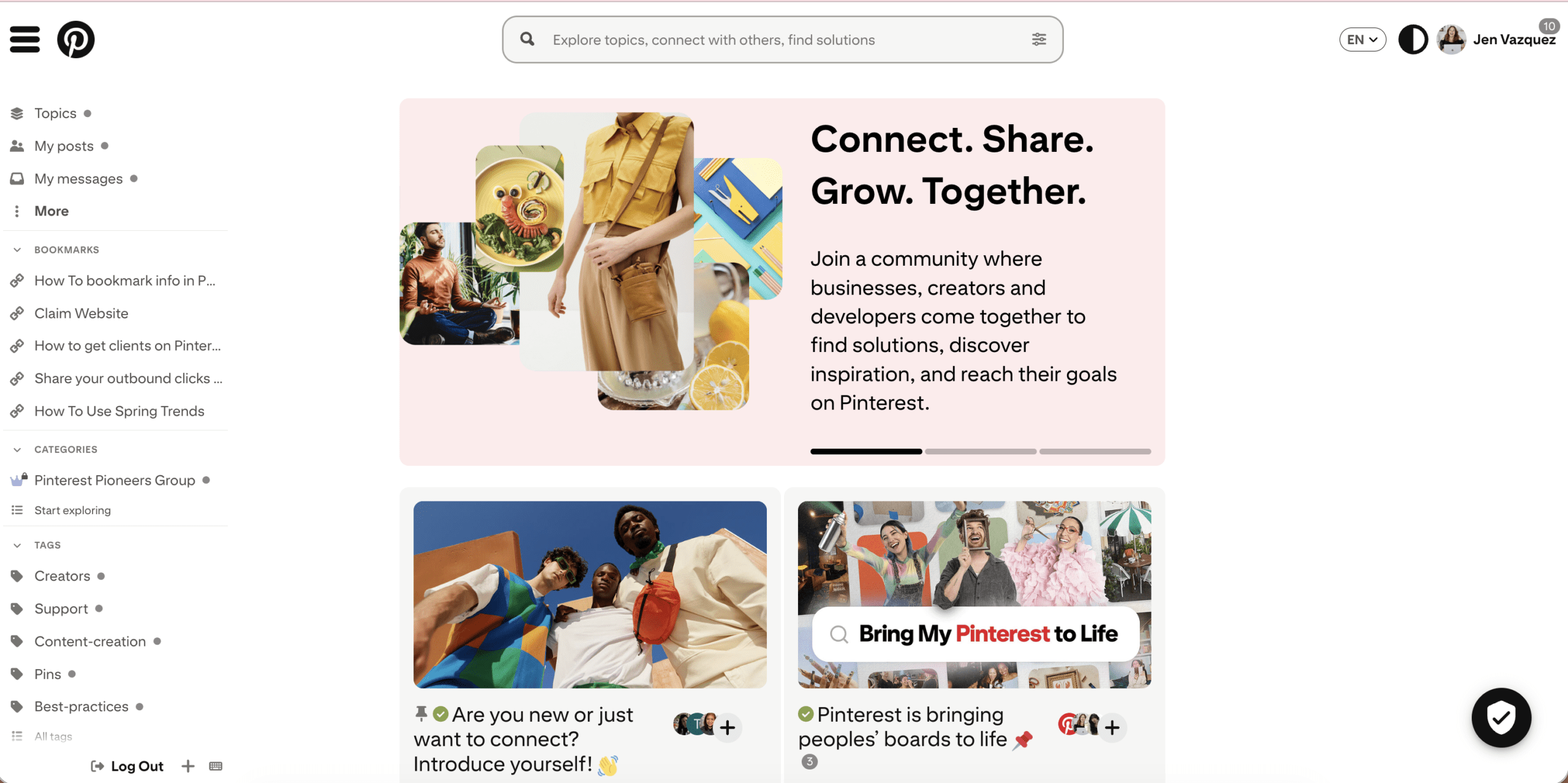
An image of the Pinterest Business Community

Why You Need to Join the Pinterest Business Community (PBC)

If you’re using Pinterest for your business, this free community might be the best-kept secret you’re sleeping on.

Okay, real talk. When I first started using Pinterest to grow my photography business back in 2009, I was pretty much winging it. There wasn’t a whole community of business owners talking strategy, sharing what was working, or helping each other troubleshoot. You just… figured it out alone.

That’s why I’m genuinely excited every time I get to tell someone about the Pinterest Business Community — because it’s the resource I wish had existed when I was starting out.

Let me break down what it is and why you should be in there.

What Is the Pinterest Business Community?

The Pinterest Business Community (PBC) officially launched in 2019 as a dedicated space for creators, business owners, and marketers to connect, ask questions, and share real Pinterest strategies that actually work.

It’s not a Facebook group. It’s not just another place to dump your links and hope someone clicks. It’s an actual community run by Pinterest, designed to help you level up how you’re using the platform for your business.

Whether you’re brand new to Pinterest or you’ve been pinning for years, there’s always something to learn and someone to connect with.

Why You Should Join the PBC

You’ll finally have people to talk Pinterest with.

If you’re like most of my clients, you’re surrounded by people who either don’t use Pinterest at all or who use it the way everyone does — casually scrolling for recipes and home inspo. The PBC is full of business owners who are using Pinterest with purpose. To grow visibility, drive traffic, and bring in leads without relying on social media alone. That’s your people.

You’ll get real answers to real questions.

The PBC already has tons of helpful conversations about topics like product pins, video pins, SEO strategy, pin design, and more. You can search by topic or just browse what other members are talking about. And if you have a question that isn’t answered yet? Ask it. That’s the whole point.

You’ll get behind-the-scenes info that isn’t always shared elsewhere.

One of the best things about the PBC is that you’ll find platform updates and insights that don’t always make it into your regular news feed. When Pinterest makes changes (and they do), the PBC is usually one of the first places those conversations happen.

Want Expert Help?

The Club is Jen’s monthly membership with live coaching, fresh strategy, and a community of female service providers who are done winging it. The Club is a monthly membership you can join and stop at anytime.

You can make a real difference for someone else.

Here’s something I really love about this community. If you’ve been using Pinterest for a while and you’ve figured some things out, you have the ability to help someone who’s just starting. Sharing what you know and helping another business owner avoid the mistakes you made? That’s a good use of five minutes.

How to Get Started

If you’re new to the PBC, here’s where I’d start:

Check out the Community Guidelines first to learn about how things work. The vibe is helpful conversations, not self-promotion, and that’s actually what makes it so good.

Head to the Introduce Yourself section and share what you do. People do connect and network in there, so don’t skip this step.

Keep your PBC profile updated so other members can find you, know what you’re about, and reach out if there’s a connection to be made.

And honestly? Don’t be shy. Ask your questions, share your wins, jump into conversations. That’s how you get the most out of it.

One Last Thing

Pinterest is a search engine, not social media. The strategies that work here are different from what you’re doing on Instagram or TikTok. Join the free community with other businesses using Pinterest.  Don’t forget to say “Hi!” to me!

Go introduce yourself on Pinterest, Instagram, or TikTok. I’ll be cheering you on from over here! 📣
 

📌 DON’T FORGET TO PIN IT!

graphic with words The Free Pinterest Community You Are Missing

How to Build a Pinterest Strategy from Scratch for Service Providers

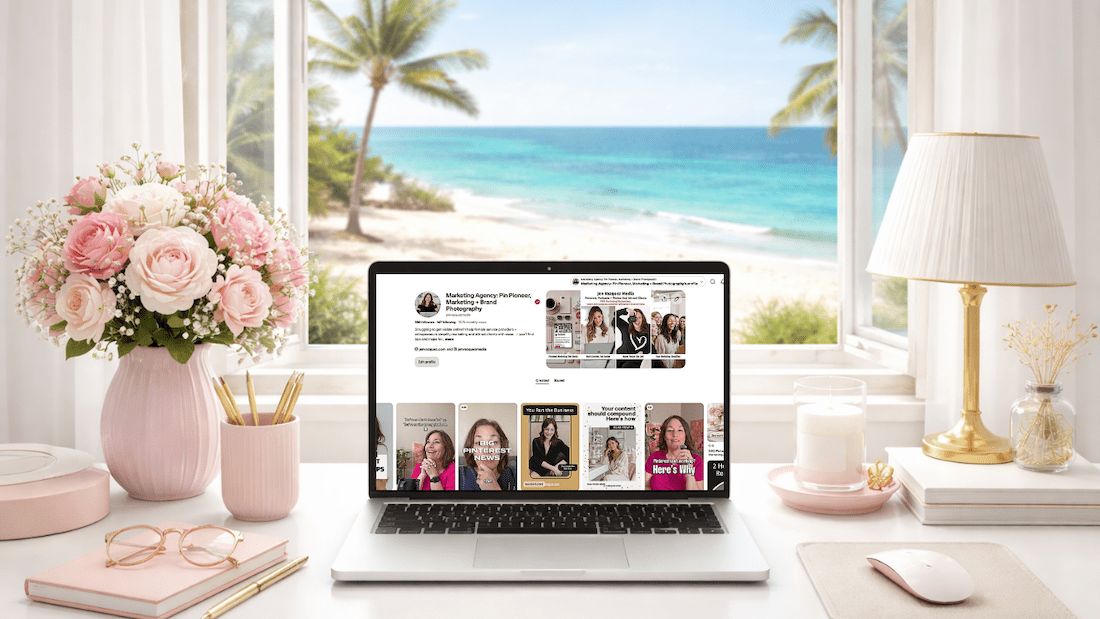
feminine desk with laptop with Pinterest on the screen and a window to a tropical beach

How to Build a Pinterest Strategy from Scratch If You’re a Service Provider

Because Almost All Pinterest Advice Is Built for Bloggers

If you’ve been putting off Pinterest because you don’t know where to start, you’re not alone. And honestly? The confusion makes sense. Almost all Pinterest advice out there is built for blogging businesses or product businesses, and it does not translate the same way when you’re selling a service.

So let’s fix that.

Pinterest is what I’ve built my business on since 2009. It’s how I grew my photography business to six figures, and it’s the reason Jen Vazquez Media even exists. I’m also a Pinterest Pioneer, which means Pinterest actually tapped me to help educate in their business community. So when I say this platform works, I am not guessing.

Let’s build your strategy.

First: Understand What Pinterest Actually Is

This is the single most important thing to understand before building anything.

Pinterest is not social media. It’s a search marketing platform.

I know that sounds like a weird thing to say, but this distinction changes everything about how you use it. Pinterest is a visual search engine. People don’t go there to scroll and see what you had for breakfast. They go there to search, to find solutions, and to discover things they’re already looking for.

That means your content doesn’t disappear in 24 hours, as it does on Instagram or TikTok. It gets indexed. It gets found over and over again, just like Google with your blogs or YouTube with your videos. Sometimes for months. Sometimes for years.

That is an extreme power that Pinterest has that none of the social media platforms actually have. And that’s why the strategy we’re building here looks completely different from anything social media teaches you.

Step 1: Clarify Your Message

Before you pin a single thing, you need to be clear on three things:

  • Who you actually serve. Get specific. If you’re trying to speak to everyone, you end up speaking to no one.
  • What problem do you solve? Not your job title, but the actual problem your client has that you can fix.
  • What outcome are they wanting? What does life look like after they work with you?

For me, it’s female service providers who want more leads and more traffic to their content. For my photography side, it’s female entrepreneurs in the Bay Area. Those are specific audiences with specific needs.

Pinterest rewards clarity. If your message is vague or confusing, your content can’t compound. It has nowhere to go.

Step 2: Optimize Your Pinterest Profile for Search

Your Pinterest profile is searchable from day one. Every word matters.

Your Display Name

Include your name plus a keyword or two about what you do. Something like: Jen | Pinterest Marketing for Service Providers. (Quick note: Pinterest doesn’t let you use the word “Pinterest” in your display name, so I use “Pin Marketing.” You gotta do what you gotta do to get found.)

Your Bio

Write your bio like a search result. What do you do? Who do you help? What will they get from following you? Use the exact words your ideal client would type into a search bar.

Pro tip: Ask your clients what they’d actually type in to find someone like you. You can also use an Instagram story with a question box to crowdsource this.

Your Link

Send people somewhere with a very clear next step. A freebie, a service page, or a landing page in the description of your Pinterest profile. Traffic without direction is just noise.

Want help with Pinterest?

If you want ongoing help while you build this out, The Club is a membership where I drop new Pinterest trainings every single month, plus live Q+As and the strategy and accountability to keep you moving forward at an affordable price, month to month.

Step 3: Build Keyword-Rich Boards

Your boards are searchable. Name them the way your ideal client would type into that search bar, not the way you’d organize a personal Pinterest account.

Skip cute board names like “My Faves” or “Inspo.” Instead, use something like:

  • Pinterest Marketing Tips for Service Providers
  • Brand Photography Ideas for Female Entrepreneurs
  • Marketing Strategies for Coaches

Every board also has a description field. Pinterest doesn’t force you to fill it in, but you absolutely should. Go back into each board, click the three dots, edit it, and write at least two to three sentences. Think about all the different things you’ll pin to that board and weave those keywords into the description.

Aim for 8 to 12 boards that are clearly relevant to your business. Not 40 random boards with a scattered focus. And if there’s a service you want to do more of, create two boards around that topic.

One more tip: every Pinterest account should have a board with your business name. Mine is “Jen Vazquez Media.” Everything I pin goes there. It helps people who search for your business name on Pinterest actually find your content and your account.

Step 4: Create Content That Answers Real Searches

Here’s the mindset shift that makes Pinterest finally click.

Stop thinking about what you want to share. Start thinking about what your ideal client is actually searching for.

Ask yourself: What does my ideal client type into Pinterest when they need what I offer?

Some examples:

  • Brand photographer: “What to wear to a brand photo session?”
  • Business coach: “How to get more clients as a coach online.”
  • Pinterest strategist: “How to use Pinterest to grow my service business.”

Your pin titles, pin descriptions, and the content you link to should all be answering those real searches. Not what sounds good to you, but what people are actually typing into the search bar.

And here’s something that surprised me: for brand photographers, the bigger search isn’t “brand photographer [city].” It’s “[city] brand photography.” The order matters. So you really want to know what your clients are searching for. Ask them. Put the question in your weekly email. Use Instagram stories. That’s the sweet spot of everything on Pinterest.

Step 5: Pin Consistently, Not Constantly

You do not need to pin 30 times a day. That advice is outdated and honestly exhausting.

For service providers, what Pinterest rewards is consistent quality content that earns engagement over time. Start with 5 to 10 pins per week. I always recommend a minimum of one pin per day.

The majority of your pins should link to your own content. It used to be years ago, the recommendation was 80% other people’s content and 20% yours. That is long gone. The only exception is if you partner with someone on something or if you value someone’s education that you don’t teach yourself.

Your pins will mostly be linking to blog posts, videos, podcast episodes, service pages, and your lead magnet. That lead magnet piece is the best way to grow your email list through Pinterest.

Consistency over time is what builds compounding traffic. Not volume.

Step 6: Connect Pinterest to Your Larger System

Pinterest is a traffic driver. It sends people somewhere. So the question is: where?

The strongest Pinterest strategies connect to a very clear path:

  • Pin to a blog post, which leads to an email sign-up for your freebie
  • Pin to a service page
  • Pin directly to a discovery call booking page

Every single pin should have a bigger purpose. Traffic without direction is just noise, and you will not convert people without a clear next step.

Common Mistakes to Avoid

  • Pinning mostly other people’s content. This builds their audience, not yours.
  • Skipping keyword research. Keywords are not optional. If Pinterest doesn’t know what your content is about, it cannot surface it in search. Period.
  • Quitting in month two or even month six. Pinterest is a slow start but a strong finish platform. Most people stop right before the compounding kicks in. Don’t be that person.
  • Treating Pinterest like Instagram. Trending audio, daily posting pressure, chasing the algorithm. None of that applies. This is a search engine. Approach it like one.
  • Following outdated advice. If any Pinterest content, even mine, is more than six months old, it could be outdated. Be thoughtful about that.

What’s a Realistic Timeline?

I always want to give you an honest average answer on this, but full disclosure, it can change depending on your business goals and your industry.

  • Months 1 and 2: Typically quiet. Pinterest is indexing your content. This is normal and does not mean it’s broken.
  • Months 3 and 4: Impressions start rising.
  • Months 5 and 6: Link clicks start moving in.
  • Beyond that: Compounding traffic. Old pins resurfacing. Content you built months ago keeps driving results.

That timeline is exactly why consistency matters more than anything else on this platform. Pinterest isn’t about going viral. It’s about showing up in the right searches until traffic compounds.

What to Learn Next

Now that your strategy foundation is in place, the single most important tactical skill you need next is knowing how to find and use keywords. Because without the right keywords, none of this works. Your content exists, but nobody finds it. That’s exactly what we’ll be covering next week.

Ready to Build Your Pinterest + SEO Visibility System?

How much time did you spend on social media this week creating content? And how many of those posts are still working for you right now, still driving traffic today?

That’s the thing about social media. You create it, it disappears, and you start over every single week.

The Quiet Growth Accelerator is a 12-week program I created with my friend and SEO expert Cinthia Pacheco. Together, we help service providers build a Pinterest + SEO visibility system that actually compounds over time. Your content keeps getting found. Your dream clients keep showing up. And you’re not chained to the posting hamster wheel to make it happen.

We’re talking done-for-you audits, a custom keyword list built for your niche, a simple two-hour-a-week system, and one-on-one support from both Cinthia and me for the entire 12 weeks.

>> CHECK OUT THE QUIET GROWTH ACCELERATOR <<

Go introduce yourself on Pinterest, Instagram, or TikTok. I’ll be cheering you on from over here! 📣
 

📌 DON’T FORGET TO PIN IT!

Pinterest Spring 2026 Trend Report: What It Means for Your Marketing (and How to Use It)

Pinterest Spring 2026 Trend Report: What It Means for Your Marketing (and How to Use It)

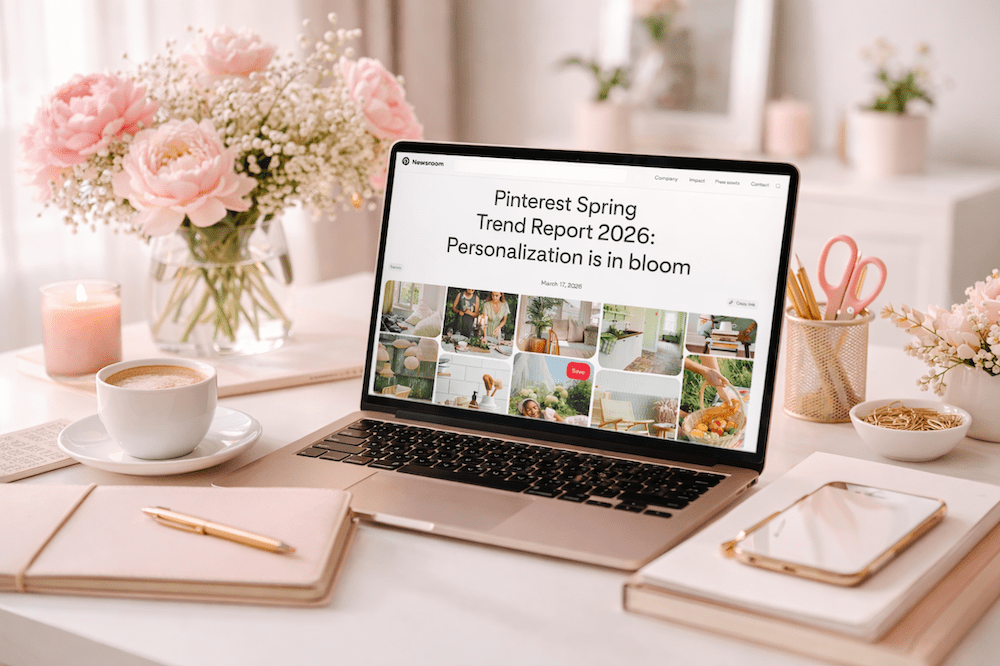
feminine pale pink office with laptop and spring trends on the laptop talking about Pinterest Spring Trends

Pinterest Just Told You Exactly What to Create This Spring

Every quarter, Pinterest drops a trend report that basically hands you a content roadmap. And most people scroll right past it.

But here’s the thing. Pinterest isn’t guessing. They’re pulling this data from the actual search behavior of over 600 million monthly active users. These are people who are actively planning what to buy, what to try, and what to do next. That’s not social media scrolling. That’s search intent.

The Spring 2026 Trend Report just came out, and the theme is clear: people want to feel good about their lives right now, not overhaul everything. They’re choosing comfort over perfection, personality over trends, and small meaningful upgrades over massive life changes.

If you’re a service provider wondering what to pin, what to blog about, or how to position your offers this season, this report is your cheat sheet.

Let me walk you through the four big trends and, more importantly, exactly how to use them in your marketing.

Trend 1: Curated Comfort + Micro-Makeovers

What Pinterest Is Seeing

The all-white-everything era? Done. Gen Z and younger millennials are leading a shift toward bold, personality-filled spaces. They’re not waiting for the dream house or a big renovation budget. They’re making their current spaces feel like THEM with color, vintage finds, and low-lift changes.

Some of the search numbers are wild. “My room, my rules” is up 415%. “Dark cottagecore kitchen” jumped 915%. “Grandma core kitchen” is up 545%. Searches for cozy reading nooks in small spaces climbed 455%.

The vibe? Comfort over status. Playfulness over approval. Personal over trendy.

How to Use This in Your Marketing

This trend is about small, meaningful upgrades, and that’s the exact energy your marketing should tap into.

  • If you’re a photographer: Create content around “mini brand refresh” sessions or quick visual updates. Think “5 brand photos you can take in your living room” or “how to style a cozy workspace for your brand shoot.” These topics align perfectly with what people are already searching.
  • If you’re a designer or creative: Pin content around small but impactful visual changes. Website mini-makeovers, brand color refreshes, or “one change that transforms your homepage” type content will do well right now.
  • If you’re a coach or strategist: Frame your offers around micro-upgrades, not total transformations. “One small marketing shift that changes everything” lands better right now than “overhaul your entire strategy.”

Keywords to use on your pins: micro-makeover, small space refresh, cozy workspace, brand refresh ideas, personalized branding

Trend 2: Spring Soups, Not Spring Diets

What Pinterest Is Seeing

Here’s a trend I 100% love. Pinterest users are ditching the “spring detox” mentality and leaning into comfort food with a creative, modern twist. Eggplant parmesan is up 785%. Clam chowder recipes climbed 315%. And leftover spaghetti recipes? Up 570%.

People are also getting into low-waste, budget-friendly cooking. Searches for using up leftovers and pantry staple meals are rising fast. On the entertaining side, breakfast grazing boards are up 180% and picnic content is climbing across the board.

The mood: cozy, creative, and shareable. Not restrictive, not complicated.

How to Use This in Your Marketing

Even if you’re not a food blogger, this trend tells you something important about what your audience wants right now. They want ease, creativity, and permission to enjoy things.

  • If you’re in the wellness or nutrition space: This is your moment. Content around nourishing meals (not restrictive ones), simple recipes for busy people, and “what I actually eat in a day” will resonate. Anti-diet framing is huge right now.
  • If you’re an event planner or photographer: Create pin content around low-stress entertaining. Garden party picnics, backyard movie nights (up 130%!), and brunch setups are trending. Think styled flat lays of grazing boards or outdoor gathering setups.
  • For ANY service provider: The underlying message is: your audience wants comfort and creativity without overwhelm. Apply that energy to how you talk about your services. “Simple systems that feel good” is always going to outperform “grind harder.”

Keywords to use on your pins: easy spring recipes, comfort food ideas, simple entertaining, low-stress gathering ideas, backyard party setup

Trend 3: Tiny Sanctuaries + Intentional Connection

What Pinterest Is Seeing

People are craving “micro escapes” that fit into real life. Not a two-week vacation. A 10-minute garden break. A balcony makeover. A reading nook in a closet (yes, really, and it’s up 55%).

Searches for garden inspiration are up a massive 940%. Balcony makeover ideas climbed 165%. And the social calendar is shifting toward easy, intentional gatherings. Evening garden parties are up 210%, and simple garden parties are up 65%.

On the self-care side, Sunday reset routines are trending, with “Sunday reset list” up 65% and “Sunday reset aesthetic” up 55%. It’s less about doing the most and more about feeling your best.

How to Use This in Your Marketing

This is the trend that should make every service provider pay attention, because the underlying desire here IS your ideal client’s desire: I want to enjoy my life without it being complicated.

  • If you’re a photographer: Outdoor mini sessions in gardens, patios, or cozy nook setups are gold right now. Pin content around “spring brand photos in your backyard” or “how to use your outdoor space for brand content.”
  • If you’re a coach or service provider: Create blog posts or pins around “reset routines” for your niche. A “Sunday marketing reset” checklist, a “weekly business reset” workflow, or a “quarterly strategy refresh” guide all tap into this trend perfectly.
  • Keywords to use on your pins: Sunday reset routine, weekly business reset, spring refresh, simple self-care, intentional planning, micro escape ideas

Trend 4: Spring Cleaning is the New Self-Care

What Pinterest Is Seeing

Spring cleaning used to mean an exhausting all-day marathon. Not anymore. People are searching for small, manageable resets that feel supportive instead of punishing.

“Cleaning list by room step by step” is up 175%. “Fridge organization aesthetic” climbed 375%. “Small space laundry room organization” jumped 390%. And “natural cleaning” searches surged 545%.

Even cleaning motivation is getting a makeover. “Before and after cleaning” content is rising, and “reset day aesthetic” is up 170%. People are turning maintenance into momentum, and they want it to FEEL good, not just look good.

How to Use This in Your Marketing

This is the trend that translates most directly to how you sell your services. Because what people want from spring cleaning is the exact same thing they want from their marketing: clarity, organization, and a fresh start that doesn’t take over their whole week.

  • For your Pinterest account specifically: Create a “Pinterest spring cleaning” blog post or lead magnet. Walk people through cleaning up their boards, refreshing their keywords, and updating their profile for the new season. This is exactly what people are searching for.
  • For your services: Frame your offers as a “refresh” or “reset” rather than an overhaul. A Pinterest audit becomes a “Pinterest spring refresh.” A coaching session becomes a “marketing reset day.” The language matters.
  • For your content: “Before and after” style content performs really well on Pinterest. Show a Pinterest profile before and after optimization. Show a content workflow before and after simplifying it. This is the kind of content people save AND click.

Keywords to use on your pins: spring marketing refresh, Pinterest spring cleaning, marketing reset checklist, organize your content, fresh start marketing plan, before and after marketing

The Bigger Picture: Why This Report Matters for Service Providers

Here’s what I want you to take away from all of this.

Pinterest’s trend data isn’t just about kitchens and garden parties. It’s a window into what your ideal clients are thinking, feeling, and wanting right now. And the message is loud and clear: people want things that are simple, personal, and manageable. They want to feel good, not overwhelmed. They want small wins, not massive overhauls.

That’s not just a trend. That’s the exact energy your marketing should have, too.

When you create pins, blogs, and content that matches what people are ALREADY searching for, you’re not shouting into the void. You’re showing up exactly where they’re looking. That’s the difference between search marketing and social media. And it’s why Pinterest works.

I created a cheatsheet for you in my Visibility Vault.  Get it for FREE!

Want Help Putting This Into Action?

If you’re looking at this list thinking, “Okay, this is great, but I don’t have time to figure out all the keywords and create all the pins,” I get it. That’s exactly why I do what I do.

Check out The Club for monthly Pinterest trainings, fresh strategy, and a community of service providers who are growing their businesses with search marketing.

Let us manage Pinterest for you  If you want it handled for you by an expert, let’s talk about Pinterest management.

>> EXPLORE THE CLUB <<

>> BOOK A DISCOVERY CALL <<

Get The Report From Pinterest

Straight from Pinterest, here are the trends.


📌 DON’T FORGET TO PIN IT!

If this was helpful, save it to your Pinterest board so you can come back to it. And share it with a fellow service provider who needs to hear that Pinterest is doing the hard work of telling us what to create. We just have to listen.

My Favorite Business Tools for Running and Growing Your Business

My Favorite Business Tools for Running and Growing Your BusinessMy Favorite Business Tools for Running and Growing Your Business

My Favorite Business Tools for Marketing (and running) Your Business

Ready to level up your marketing game and reclaim your time?  I’m all about finding the right tools to help you work smarter, not harder. Because let’s be honest, time is money, and who doesn’t want more of both? Get ready to dive into my top picks for streamlining your business and boosting results.

Let’s get this efficiency party started!

Let’s be real – running a business is a wild ride, and finding your perfect marketing flow? That can feel like finding a needle in a haystack (while juggling flaming chainsaws… blindfolded).

But worry not! I’m here to help you ditch the overwhelm and conquer those marketing goals. 

And finding the PERFECT business tools for YOU? It’s kinda like finding the perfect pair of power heels. Gotta try a few on til you find the ones that make you wanna strut!

That’s why I’m spillin’ the beans on my fave tools in alpha order.   

NOTE:  **This post contains affiliate links, meaning that if you choose to click through and make a purchase, I will receive a small commission at no cost to you.**

AddEvent

(FREE + Paid) Click Here

AddEvent can easily share your events and calendars using our amazing.  It includes add-to-calendar buttons, beautiful embeddable widgets, RSVP, and subscriber tools.

The most used and trusted add-to-calendar button on the internet since 2012.  You can add a beautiful add-to-calendar button to your website, give your users a simple way to save your event to their calendars, increase attendance, and make it a success.

Aftershoot

(PAID!) Click Here

I know you may be thinking what – why are you sharing this??!! Well, I’ve been a professional photographer since 2009 and launched my Pinterest Marketing business in 2018.  Without Aftershoot, I would never have time to run a second business.

Culling: I’ve been using Aftershoot to cull my images for years.  I’m shocked at how accurate it is to remove any blurry or eyes closed. I do view the closed eyes in case the photos in emotional but it takes the thousands of images I shot and gives a quarter to give to my client.  You can choose more or less too!   I’ve always had a problem with culling and took hours — this works as fast as 15 minutes for 3k images! 

Editing: Right now, if you are a culling client, Aftershoot is offering free editing as it’s in beta.  My images are 90% there then I fine-tune a few things.  With indoor consistent light, I rarely have to make changes!

Asana

(FREE! + Paid) Click Here

A smarter way to work! With Asana, you can drive clarity and impact at scale by connecting work and workflows to company-wide goals. Asana powers businesses by organizing work in one connected space. More than 100,000 paying organizations and millions of teams worldwide use Asana to focus on the work that counts.

I use this for my ToDo list and also for client work.


BIGVu

(FREE! + Paid) Click Here

Have trouble showing up online or tripping over your words? Want to make more effective videos? Use BIGVU! It’s a teleprompter plus it’s an all-in-one tool for scripting, recording, and styling professional videos. BIGVU helps you:

  • Write scripts instantly with AI. Just say what you want, and it’s done!
  • Record easily with a teleprompter, then trim with a single tap.
  • Add subtitles, cool effects, and your logo for a polished look.
  • Share your videos seamlessly across all your social channels.

I use the paid version as I love to use this and create videos for Instagram, TikTok, YouTube shorts, and Pinterest videos succinctly!

Buzzsprout

(FREE! + Paid) Click Here

Podcast Hosting Made Easy! Easy and powerful tools, with free learning materials, and remarkable customer support.  I used to use Anchor that got bought by Spotify which is now called Spotify for Podcasters.  The week I changed to buzzsprout, my I got my highest analytics to date!!  I’m not in the top 25% of podcasts with 208 podcast downloads in the last 7 days.  This software made all the difference with being able to add tags!

Canva

(FREE! + Paid) Click Here

This simple and amazing content creation site will help you to create all kinds of images, presentations, posters, infographics, social media images, and really anything you can think of.  There is a free version or you can pay for the pro version that gives you Pro stock photos and one click resizing and more. 

I use this daily from YouTube thumbnails, Instagram graphics, facebook graphics, blog graphics, and so much more!

ChatGPT

(FREE! + Paid) Click Here

Simply put, ChatGPT by OpenAi is trained to follow instructions in a prompt and provide a detailed response.  I’ve been using it since it launched in November 2022 and in February of 2023 I started paying $20 monthly for the Pro version because it is so much faster and I never have a problem getting in.

I use it for blogs, client emails, newsletters, creating titles for blogs and YouTube videos, TikTok scripts, and Instagram reels (different).  I’m telling you this is incredible.  Here’s a video on how I use it with tips and warnings to ensure you are using it correctly.

Claude (MY FAV)

(FREE! + Paid) Click Here

Can I share something I’m genuinely obsessed with right now? Claude. I pay for it, and the Cowork function has completely changed how I work. It handles things in the background while I’m focused on something else, which means more gets done without me doing more.

What really got me, though? It remembers my preferences. No em dashes. No emojis. My content comes out clean and ready to use. If you’re still spending time editing AI output to make it sound like you, this one is worth a look.

CloudSpot.io

(FREE! + Paid) Click Here

Build a thriving photography business on a budget! For just $3, get the tools you need to streamline your workflow, impress clients, and sell your work. Start with a free trial and experience the difference yourself.

Sell your photos with ease! Set up your own customizable storefront, offer prints, products, and digital downloads, and keep 100% of your profits. Clients will love the professional galleries and simple, secure download options.

Manage your business like a pro. Create contracts, send invoices, and track important insights about your clients and sales – all in one easy-to-use platform. Spend less time on paperwork and more time behind the camera with these powerful business management tools.

ConvertKit (Known Now as Kit)

(FREE! + Paid) Click Here

I don’t use ConvertKit (Kit) anymore now that I use FG Funnels for this and so much else, but years ago when I went from Mailchimp to ConvertKit, my open rate jumped 20%!

This is free to start and I used it free for years! The analytics are great and you can A/B test email subject lines.  Check it out!

Descript

(Free+Paid) Click Here

There’s a new way to make videos and podcasts. A good way. Descript is a simple, powerful, and fun way to edit. One tool for your full workflow. Descript is the only tool you need to write, record, transcribe, edit, collaborate, and share your videos and podcasts.

Instead of a timeline type of editing, when you have a video it pulls in a script.  Delete a word and the video is edited.  It is insanely cool and makes it so easy to be consistent with creating video content to market your business..

Listen to my podcast about it here and I’m sharing a video soon!

Dropbox

(PAID!) Click Here

Simplify file sharing and streamline your workflow with Dropbox!

  • Deliver a seamless client experience: Easily share large videos, photos, PDFs, and documents without any frustrating size limits or clunky downloads.
  • Budget-friendly storage: Forget about expensive storage plans. Dropbox offers an affordable solution that won’t break the bank.
  • Work from anywhere: Access and send your files from your computer, phone, or tablet – stay productive on the go.
  • Collaborate effortlessly: Create shared folders where clients can directly upload the photos, videos, or documents you need

Say goodbye to complicated file transfers. Try Dropbox and discover the difference!  I use Dropbox for gathering photos, docs, and videos for my annual summit Creative Marketing Summit and Marketing Strategy Academy Podcast for guests

Ready to Stop Guessing and Start Seeing Results?

That’s exactly what marketing coaching is for. Whether you want a done-for-you strategy, a one-time intensive, or ongoing support, there’s an option that fits your life and your goals.

Élevae Visuals

(PAID!) Click Here 

Tired of generic stock photos that don’t reflect your brand? Élevae Visuals (formerly Social Squares) is the solution! Their exclusive library of 8,000+ images is designed specifically for female entrepreneurs, giving you the perfect visuals for social media, websites, and more.

Forget the expense of custom photoshoots! With Élevae, you’ll find bright, on-brand images in all the colors you need. Plus, they don’t just offer photos – you’ll get expert marketing tips, captions, and access to a supportive community of like-minded businesswomen.

As a professional photographer, I ONLY use Élevae for my stock photo needs beyond my own photography. Elevate your brand and book more clients with Élevae Visuals.

Fathom

(FREE+Paid) Click Here

Fathom records, transcribes, highlights, and summarizes your meetings so you can focus on the conversation. Get setup in minutes.

I’ve tried many notetakers (you’ll see Otter in this list) but I love Fathom as I just set it and forget it as a Zoom user.  I hook it up via the apps in my Zoom and it automatically records the video (great backup) and gives a summary but also lists the questions asked during the call.  One click and I can share it with those that were on the call.  This is a no-brainer.

FG Funnels

(PAID!) Click Here

This software changed my business! (And my bottom line.)

Every year, I invest in my business. It’s a year-end tradition. In 2022, I discovered FG Funnels, and honestly, it might be the best decision I’ve ever made.

Imagine this: a single platform that builds gorgeous sales pages, automates your email campaigns, AND sets up your lead magnets, courses, or memberships – all without breaking the bank!

FG Funnels streamlined my entire process. Forget juggling multiple tools for email, scheduling, and courses! It does it all, saving me time and serious money.

Want to hear the best part? FG Funnels has incredible features, but the price tag is what sold me. Intrigued? I bet you are! Check it out and send me an email if you want more information.

Google Gemini

(FREE) Click Here

Google Gemini is a cutting-edge AI language model that’s changing how we work and create. It can generate different creative text formats, translate languages, provide comprehensive summaries, assist with coding, and much more. 

Unlike ChatGPT, Gemini boasts multimodality, seamlessly understanding and processing various input types like text, images, and video. This, along with its access to real-time information through Google Search, makes Gemini even more versatile and informative. 

Whether you need help brainstorming, writing content, or streamlining research, Gemini is a powerful tool designed to boost your productivity and unlock your creativity. 

I literally use this EVERY SINGLE DAY!

Google Workspace

(PAID!) Click Here

Imagine ditching that generic email address and upgrading to one that reflects my business. That’s just the start with Google Workspace! I get all the tools I need to streamline how I work – my own custom email, shared calendars, video meetings, secure cloud storage, and of course, the familiar Docs, Sheets, spreadsheets, and Slides for easy collaboration. 

It’s like having my own digital office assistant! Want to see if it’s right for you? Check it out to elevate your business.

Instacart

(PAID!) Click Here

Okay, I’ll admit – I used to loathe grocery shopping. Now, thanks to Instacart, I’m a total convert! It’s the ultimate time-saving tool. Think about it: someone else does the shopping while I tackle other stuff on my to-do list. I can either pick up my groceries or have them delivered right to my door. Hours of my life back every week? Yes, please! 

If you’re always feeling crunched for time, Instacart might just become your favorite life hack, too.

LastPass

(FREE! + Paid)  Click Here

Remember how frustrating it is when you need a password and can’t find it? LastPass totally saved me from that headache! It’s my password lifesaver, and I use it for all my clients.

The best part? I can securely share passwords with my family, so nobody’s locked out of any of our apps like Hulu, Amazon…you name it.

Pin Inspector 

(FREE!) Click Here

Okay, fellow Pinterest marketers, I’ve stumbled on a game-changer! Pin Inspector is like having my own Pinterest detective agency. It helps me uncover what’s secretly working like crazy on the platform – hot trends, top-performing pins, even those sneaky ads that are crushing it. And hey, who doesn’t love a discount? Use code PIN20 at checkout for $20 off.

Disclaimer: Since it’s not a Pinterest ‘approved’ third party platform, I would not connect my Pinterest to the app.  You can still do so much with it! 

Stripe

(PAID!) Click Here

As my online business started taking off, payments were a total nightmare. Then I found Stripe. It’s like the backbone of my digital sales – customers can pay seamlessly, I get my money quickly, and the whole system just works.

Whether you’re just launching your online store or running a full-fledged e-commerce empire, Stripe makes the money side of things a breeze.

Tailwind

(FREE!) Click Here

Okay, fellow marketers, let’s talk about social media sanity! I’ve been a Tailwind user since 2018, and even after testing all the competition, nothing comes close. It’s my secret weapon for Pinterest, Instagram, and Facebook. Scheduling? Done. Optimal posting times? Tailwind’s got my back. Plus, their Communities feature is fantastic for growth.

But here’s the game-changer: Tailwind Create and Ghostwriter. Think killer graphics and engaging captions in a flash. Honestly, I’ve scaled back using Canva and ChatGPT because Tailwind does it so well for social media! Full disclosure: I work with Tailwind on education, but I’d shout their praises from the rooftops even if I didn’t!

Voxer

(FREE!) Click Here

Okay, if you’re constantly juggling communication, Voxer is about to change your life. Think of it as the ultimate walkie-talkie for your smartphone! I’m ditching endless text threads and using it for everything. Quick chats with my VA? Check. Speedy client updates? Done. Connecting with my Masterminds, memberships, and coaching? Yep!

And who wouldn’t want to talk versus type things out anyway? It’s crazy efficient and way more personal than just texting.

Summary

Give one or more of these tools a whirl and see which ones light your fire! 🔥

Rememberthe right tools + my proven methods = a streamlined marketing machine that fuels your success (and lets you get back to that zone of genius)!

Let me know if you want to explore how I can help you bring your business growth vision to life!

Don’t Forget To Pin It!

My Favorite Business Tools for Running and Growing Your Business
My Favorite Business Tools for Running and Growing Your BusinessMy Favorite Business Tools for Running and Growing Your Business 2