Pinterest Analytics for Service Providers: Which Metrics Actually Matter

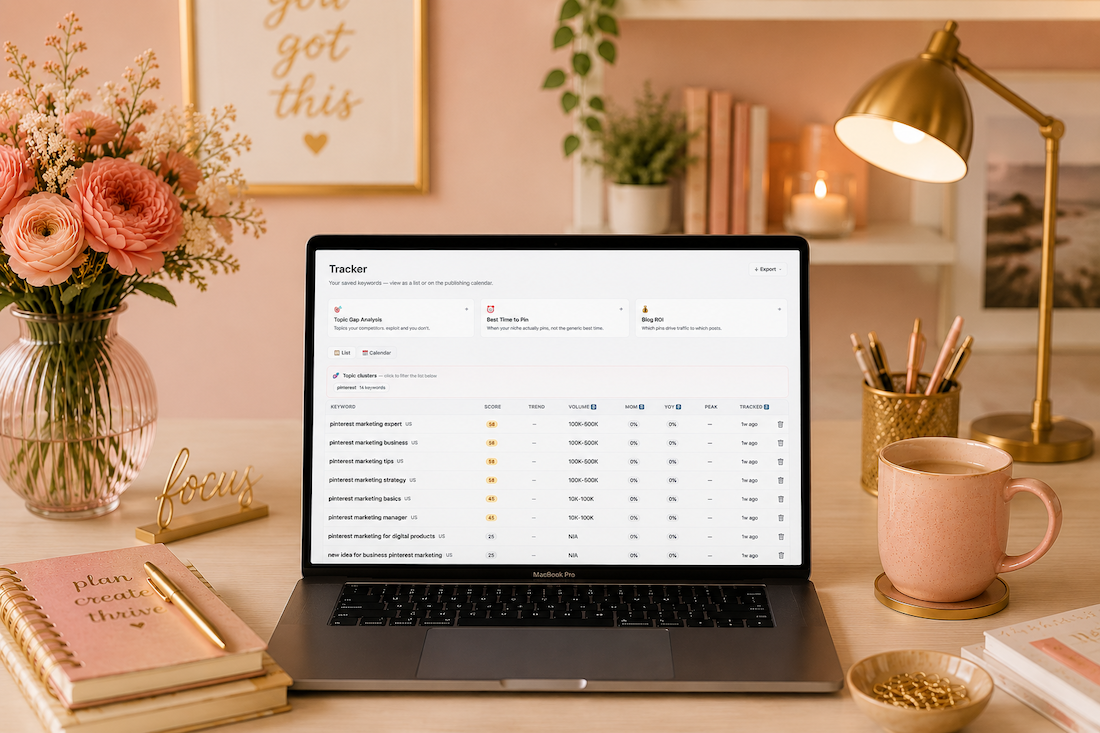
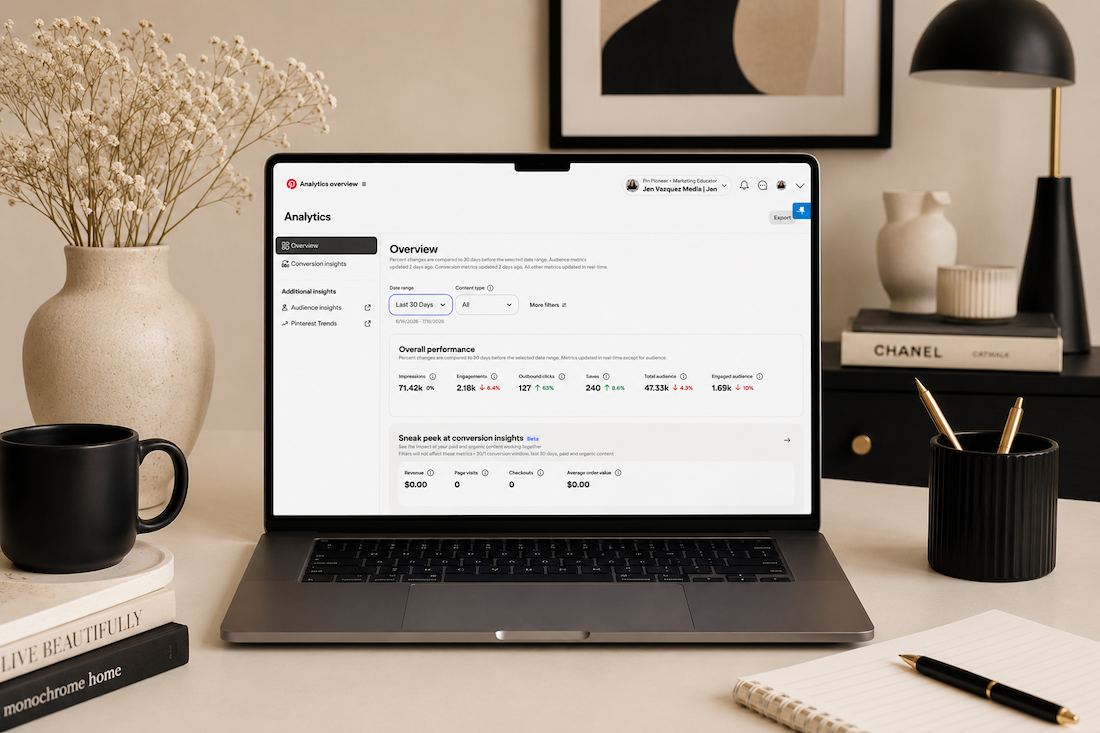
beige feminine office with Pinterest Analytics on the laptop

Pinterest Analytics for Service Providers: Which Metrics Actually Matter

And Which Ones Are Lying to You

If you’ve been on Pinterest for a few months and you’re not sure if it’s actually working, you’re probably looking at the wrong numbers.

I get it. You open Pinterest analytics, see monthly views going up and down, and think “is this even doing anything?” That’s the most common thing I hear from service providers who are new to the platform.

The truth is, some Pinterest metrics will tell you exactly how your strategy is performing. Others will send you into a spiral for no reason. Let’s sort out which is which.

Before we dig in, make sure you grab my free Visibility Vault at learn.jenvazquez.com/resources. There are over 25 Pinterest + marketing tools inside, and specifically look for the Pinterest Analyzer. It’ll make everything I’m about to share way more actionable.

The Number Everyone Watches (And Misunderstands): Monthly Views

Everyone checks monthly views. And almost everyone misunderstands them.

Monthly views are an impressions metric. It tells you how many times your pin appeared on Pinterest, whether that was in the home feed, in search results, or on someone else’s board. But here’s the thing: just because your pin was served up doesn’t mean anyone actually saw it. It could have appeared on the sixth page of someone’s home feed and never been scrolled to.

These numbers can spike when one pin gets reshared by someone with a larger following. They can drop when Pinterest is testing your new content in small batches. Fluctuations are completely normal and are not a sign that something is broken.

Here’s what I really want you to hear: impressions are not the number that tells you whether your strategy is actually working.

A service provider with 50,000 monthly views and 200 outbound clicks is actually doing worse than someone with 8,000 monthly views and 400 outbound clicks.

Views without clicks do not book you clients.

The Metrics That Actually Matter

Outbound Clicks (The Money Click)

When someone sees your pin in the feed and clicks on it, that’s a pin click. But the outbound click is what happens next. That’s people leaving Pinterest and landing on your website.

This is the metric that most directly connects to leads, signups, and clients. It’s also the last metric to start growing. The order is typically: impressions first, then saves, then pin clicks, then outbound clicks. It can take some months. But even if outbound clicks are growing slowly, your strategy is working.

I like to call outbound clicks the “money click” because you’re that much closer to booking someone. It doesn’t mean they’ll instantly hire you, especially if you have a high-ticket service. But it means there’s enough interest. Your keywords did their job and got you found. Now it’s your chance to nurture that person, whether they grabbed a lead magnet, checked out your services page, or went to follow you on Instagram or TikTok to learn more about you.

Profile Visits

This tells you whether people are finding your pins interesting enough to want to see more of your content. Growing profile visits means growing brand recognition on the platform.

Saves

When someone saves your pin, Pinterest takes that as a very strong signal of relevance. Saves tell the algorithm to keep surfacing your content to similar audiences. A healthy save rate is a really good sign.

Now, saves don’t always mean someone is about to book you. In the wedding industry, for example, it could be a 16-year-old pinning your image to a future wedding board because they love the dress. But what saves do tell you is that Pinterest is indexing your pins properly and sending them out to people. That’s a great signal.

Outbound Click Rate

This is your link clicks divided by your impressions. Even if your monthly views are low, a healthy outbound click rate means the people who are seeing your content are interested enough to act on it.

Quality over quantity, every single time.

What Does a Realistic Growth Timeline Look Like?

This isn’t exact science, but here’s the average of what I see across my service-based business clients:

  • Months 1 and 2: Quiet. Low impressions, low clicks. Pinterest is indexing your content and running small test batches. This is completely normal.
  • Months 3 and 4: Impressions start rising. You might notice one or two pins getting more traction than the rest. Pay attention to those.
  • Months 5 and 6: Link clicks start moving. Website traffic from Pinterest becomes visible in your analytics.
  • Beyond month 6: The compounding effect kicks in. Old pins start to resurface. Traffic builds without you having to create more content. The library you built in months 1 through 6 is now working around the clock.

Most people quit in months two and three. That’s right before the momentum shifts. Stay consistent. I cannot say that enough.

>> WANT HELP UNDERSTANDING YOUR PINTEREST NUMBERS? JOIN THE CLUB <<

Inside The Club, we do live Q+A sessions every month where you can bring your analytics, share your screen, and get real-time feedback on what’s working and what to adjust. Plus monthly trainings to keep your strategy sharp. Join at learn.jenvazquez.com/club.

Using Google Analytics Alongside Pinterest

Pinterest analytics shows you what’s happening on the platform. Your website analytics show you what happens after the click. You need both.

In Google Analytics, look for Pinterest as a traffic source under referral or acquisition data. A heads up: you’ll see multiple Pinterest sources listed (pinterest.com, pinterest.ca, mobile Pinterest, desktop Pinterest). Scroll through all of them and add them up for a more accurate picture.

Also know this: Pinterest analytics and Google Analytics will never perfectly match. They measure things differently. Someone could click an outbound link and immediately close the window. Pinterest counts that as an outbound click, but they never actually loaded your page. Always default to Google Analytics for the most accurate view of who actually made it to your website.

Once you’re in Google Analytics, look at:

  • Which pages Pinterest is sending people to
  • How long they’re staying
  • Whether they’re signing up, clicking to a service page, or booking a call

A click that leads to a five-second bounce is very different from a click that leads to a signup. Knowing which pages convert helps you create more content like the ones that are actually working.

Early Positive Signs to Watch For

Even in the first few months, before link clicks really start moving, there are signs that tell you the foundation is building:

  • One pin consistently getting more impressions than the others. That’s Pinterest telling you it likes that content. Study what’s different about it and create more like it. It could be the image, the colors, or the keywords.
  • Profile visits climbing slowly. People are discovering you and wanting to see more. That’s brand recognition growing.
  • Saves increasing on a specific board. That topic is resonating. Lean into it.

Marketing is all about testing. If a pin takes off, make more pins for a different blog using the same keyword approach. Or go back to a blog from two months ago and create fresh pins for it. Test the same keywords, test different colors, test different images. The goal is to figure out what’s driving those impressions and do more of it.

Here’s a bonus tip: sometimes your pin will stand out because it’s visually different from the feed. If you search for anything wedding-related on Pinterest, the entire feed is pastel. When I was a wedding photographer, I’d make pins with a black background and white text, or use my bright pink brand color, specifically to stand out in that sea of pastels.

When Should You Actually Adjust Your Strategy?

The biggest mistake I see is people pivoting too early. They’ll be three months in, assume something’s wrong, and change their strategy. That throws you right back into Pinterest’s testing phase, and you lose all the momentum you were building.

Pick a strategy. Move forward. Don’t change it for at least three to four months.

If after six solid months of consistent pinning you’re still seeing zero outbound clicks and no website traffic from Pinterest, that’s when something may need to change. But it’s usually one of these four things:

Keyword Gaps

Your content exists but isn’t optimized for what your ideal client is actually searching for. Go back to keyword research and update your pin titles and descriptions.

Content Mismatch

What you’re creating isn’t what your ideal client is looking for on Pinterest. Look at which pins are getting saved and lean into those topics.

Destination Problems

Your pins are getting clicks, but people are bouncing fast. The page they land on doesn’t deliver on what the pin promised, or there’s no clear next step. Think about what someone sees above the fold on your landing page. If that doesn’t pull them in, there’s nothing Pinterest can do about it. Fix the landing page.

Inconsistency

Posting 20 pins in one week and then disappearing for three weeks breaks the compounding pattern and sends signals to Pinterest that you’re not trustworthy. Steady and consistent always beats bursts followed by gaps.

Don’t Have Time to Manage All of This Yourself?

If you’ve been watching this series and thinking “this sounds great but I genuinely do not have time to manage all of this,” that is literally what my agency does.

We manage Pinterest for service providers who want the results without doing it all themselves. We handle the strategy, the pinning, the scheduling, all of it.

>> BOOK A DISCOVERY CALL <<

What’s Coming Next

One thing that dramatically improves Pinterest performance is having brand images that actually stop the scroll. Not just on Pinterest, but everywhere. The visual matters a lot, especially on a search engine that’s built around images.

Next week I’m talking about how brand photography fits into your entire marketing system, including how to plan your next photo session so you always have Pinterest-ready content to work with.

Go introduce yourself on Pinterest, Instagram, or TikTok. I’ll be cheering you on from over here! 📣

How to Find + Use Pinterest Keywords That Actually Get Your Content Found

image of a feminine pink office with a laptop and on the screen is a video of How to Find + Use Pinterest Keywords That Actually Get Your Content Found.

How to Find + Use Pinterest Keywords That Actually Get Your Content Found

The Foundational Skill Every Service Provider Needs on Pinterest

If your content isn’t showing up on Pinterest, keywords are probably why.

The good news? Pinterest actually makes keyword research easier than almost any other platform. You just have to know where to look.

Keywords are the skill that makes everything else on Pinterest actually work. Without the right keywords, your pins exist, but nobody can find them. With the right keywords, your content shows up in front of exactly the right people consistently over time.

Before we proceed, I want to ensure you’re aware of my free resource library, the Visibility Vault. It has Pinterest tools, marketing tools, a masterclass, keyword resources, and marketing templates, over 25 different tools, all free at learn.jenvazquez.com/resources. Go grab it and follow along.

Why Keywords Matter on Pinterest

Pinterest is a search engine, and like any search engine, it relies on keywords to understand what your content is about and who to show it to.

So when someone types “how to get more clients as a photographer” into Pinterest, the platform scans billions of pieces of content and decides which ones match that search.

If your content doesn’t include that language, you’re invisible for that entire search. If it does, you have a chance to show up and keep showing up for months, and oftentimes for years.

Where to Find Keywords: The Pinterest Search Bar

The fastest and most reliable way to find Pinterest keywords is in the Pinterest search bar itself. Here’s how:

  • Go to Pinterest and click the search bar
  • Type in a broad topic related to your business
  • Before you even hit enter, Pinterest will start suggesting completions (just like Google)

Those suggestions are real searches that real people are typing in right now. And they’re typically listed in order of search volume.

Here’s an example. Type in “brand photography” and you might see:

  • brand photography ideas for small business
  • brand photography tips
  • brand photography poses
  • brand photography flat lay

Those are your keywords. Now hit enter and you’ll see colored tiles or bubbles appear right underneath the search bar. Those are Pinterest’s guided search categories. They show you exactly how people are narrowing their searches.

Screenshot them all. Or write them down on a keyword builder. This is free keyword research built right into the platform.

Secondary Research: Look at Performing Pins

Find a pin in your niche that is performing well. High saves, good engagement, and lots of outbound clicks are what I look at.

Read the title and description carefully. What words are they using? What phrases keep showing up?

This isn’t about copying. It’s about understanding what language is already working so you can use it authentically in your own content.

If you’ve been posting nonstop and still wondering “where are the clients?”… you’re not alone.

The problem isn’t your effort—it’s where you’re putting it.

Social media content fades fast.
Search-based content builds over time.

In this free live masterclass, Search vs. Social: Build a Visibility System That Brings Consistent Leads, you’ll learn how to stop chasing daily posts and start creating content that actually works for you long-term.

We’ll break down how Pinterest + SEO work together to bring in steady traffic and leads—without the constant grind.

If you’re tired of spinning your wheels and ready for a smarter, simpler way to get found… this is for you.

Where to Put Your Keywords

Finding keywords is only half of it. Placement is what activates them. Here are the 7 places your keywords need to live:

1. Your Display Name

Keywords in your name help Pinterest understand what you’re about from the jump.

2. Your Bio

Write it using the language your ideal client would search, not your job description. Their search terms are a win for you every time.

3. Board Titles

Every board title is indexed. Name boards the way your ideal client would actually type into the search bar, not the way you’d label a folder.

4. Board Descriptions

Two to three sentences per board using your keywords naturally. Think human-read paragraphs, not a list of terms stuffed together. Keyword dumping looks spammy and can hurt your ability to get found.

5. Pin Titles

This is one of the most important spots. Lead with your keyword phrase. Something like “Pinterest Marketing Tips for Service Providers: How to Get Started.”

6. Pin Descriptions

Two to four sentences. Use your primary keyword plus one or two related phrases. Write it like a human. The keywords should be clearly there, not forced.

7. The Content You Link To

If your blog post title and headings also use those keywords, Pinterest gets even more signals that your content matches the search. Everything reinforces everything else.

>> WANT ONGOING PINTEREST SUPPORT? JOIN THE CLUB <<

If you want monthly Pinterest trainings, live Q+A sessions, and a place to actually ask your keyword questions in real time, The Club is where I drop all of it. Come hang out at learn.jenvazquez.com/club.

How Much Is Too Much? Avoiding Keyword Stuffing

A common mistake is keyword stuffing, which means cramming in as many keywords as possible until the description reads like a robot wrote it.

Pinterest is smart enough to catch this, and it does not help your ranking at all.

The goal is natural language that includes your keywords intentionally. Read your pin description out loud. If it sounds weird, rewrite it. Real humans write it. Keywords support it. That’s the balance.

Local vs. Global Keywords

This is especially important for local service providers like photographers, wedding planners, coaches, or fitness pros serving a specific area.

Use both. Here’s why:

  • Global keywords like “brand photography tips” reach a broad audience and can drive referrals or education sales
  • Local keywords like “brand photographer San Jose” or “brand photographer Bay Area” reach people actively looking to book locally

I see a lot of local service providers using only generic keywords, and that’s not going to be enough to grow your business. I did this right from the beginning, and I think that’s what made a difference for me growing my business on Pinterest.

Local keywords also work for people who are traveling to your area. Someone in New York planning a trip to San Jose might search for a photographer in San Jose. If you’re using local keywords, you get found by people all over the world who come to your area.

Both serve a purpose. If you only use local, you’re missing out on the general searches that could really help you. Build your keyword strategy to include both. It’s your best chance at the fastest growth on Pinterest.

How Often Should You Revisit Keyword Research?

Keyword research is not a one-and-done task. Do a refresh every three to six months.

Search behavior changes. New terms emerge. What your ideal client is searching for in January might be slightly different by summer. Stay updated and keep your content compounding instead of plateauing.

Keywords are how Pinterest finds your content. Get them right, and your pins will keep working long after you publish them.

What to Learn Next

Now that you know how to build your strategy and how to use keywords, the next question I hear all the time is: how do I actually know if any of this is working?

That’s exactly what we’re covering next week. I’ll break down which Pinterest numbers actually matter, which ones are misleading, and what a healthy growth timeline really looks like so you don’t quit right before the good stuff happens.

Go introduce yourself on Pinterest, Instagram, or TikTok. I’ll be cheering you on from over here! 📣

📌 DON’T FORGET TO SAVE IT!

Pinterest Spring 2026 Trend Report: What It Means for Your Marketing (and How to Use It)

Pinterest Spring 2026 Trend Report: What It Means for Your Marketing (and How to Use It)

feminine pale pink office with laptop and spring trends on the laptop talking about Pinterest Spring Trends

Pinterest Just Told You Exactly What to Create This Spring

Every quarter, Pinterest drops a trend report that basically hands you a content roadmap. And most people scroll right past it.

But here’s the thing. Pinterest isn’t guessing. They’re pulling this data from the actual search behavior of over 600 million monthly active users. These are people who are actively planning what to buy, what to try, and what to do next. That’s not social media scrolling. That’s search intent.

The Spring 2026 Trend Report just came out, and the theme is clear: people want to feel good about their lives right now, not overhaul everything. They’re choosing comfort over perfection, personality over trends, and small meaningful upgrades over massive life changes.

If you’re a service provider wondering what to pin, what to blog about, or how to position your offers this season, this report is your cheat sheet.

Let me walk you through the four big trends and, more importantly, exactly how to use them in your marketing.

Trend 1: Curated Comfort + Micro-Makeovers

What Pinterest Is Seeing

The all-white-everything era? Done. Gen Z and younger millennials are leading a shift toward bold, personality-filled spaces. They’re not waiting for the dream house or a big renovation budget. They’re making their current spaces feel like THEM with color, vintage finds, and low-lift changes.

Some of the search numbers are wild. “My room, my rules” is up 415%. “Dark cottagecore kitchen” jumped 915%. “Grandma core kitchen” is up 545%. Searches for cozy reading nooks in small spaces climbed 455%.

The vibe? Comfort over status. Playfulness over approval. Personal over trendy.

How to Use This in Your Marketing

This trend is about small, meaningful upgrades, and that’s the exact energy your marketing should tap into.

  • If you’re a photographer: Create content around “mini brand refresh” sessions or quick visual updates. Think “5 brand photos you can take in your living room” or “how to style a cozy workspace for your brand shoot.” These topics align perfectly with what people are already searching.
  • If you’re a designer or creative: Pin content around small but impactful visual changes. Website mini-makeovers, brand color refreshes, or “one change that transforms your homepage” type content will do well right now.
  • If you’re a coach or strategist: Frame your offers around micro-upgrades, not total transformations. “One small marketing shift that changes everything” lands better right now than “overhaul your entire strategy.”

Keywords to use on your pins: micro-makeover, small space refresh, cozy workspace, brand refresh ideas, personalized branding

Trend 2: Spring Soups, Not Spring Diets

What Pinterest Is Seeing

Here’s a trend I 100% love. Pinterest users are ditching the “spring detox” mentality and leaning into comfort food with a creative, modern twist. Eggplant parmesan is up 785%. Clam chowder recipes climbed 315%. And leftover spaghetti recipes? Up 570%.

People are also getting into low-waste, budget-friendly cooking. Searches for using up leftovers and pantry staple meals are rising fast. On the entertaining side, breakfast grazing boards are up 180% and picnic content is climbing across the board.

The mood: cozy, creative, and shareable. Not restrictive, not complicated.

How to Use This in Your Marketing

Even if you’re not a food blogger, this trend tells you something important about what your audience wants right now. They want ease, creativity, and permission to enjoy things.

  • If you’re in the wellness or nutrition space: This is your moment. Content around nourishing meals (not restrictive ones), simple recipes for busy people, and “what I actually eat in a day” will resonate. Anti-diet framing is huge right now.
  • If you’re an event planner or photographer: Create pin content around low-stress entertaining. Garden party picnics, backyard movie nights (up 130%!), and brunch setups are trending. Think styled flat lays of grazing boards or outdoor gathering setups.
  • For ANY service provider: The underlying message is: your audience wants comfort and creativity without overwhelm. Apply that energy to how you talk about your services. “Simple systems that feel good” is always going to outperform “grind harder.”

Keywords to use on your pins: easy spring recipes, comfort food ideas, simple entertaining, low-stress gathering ideas, backyard party setup

Trend 3: Tiny Sanctuaries + Intentional Connection

What Pinterest Is Seeing

People are craving “micro escapes” that fit into real life. Not a two-week vacation. A 10-minute garden break. A balcony makeover. A reading nook in a closet (yes, really, and it’s up 55%).

Searches for garden inspiration are up a massive 940%. Balcony makeover ideas climbed 165%. And the social calendar is shifting toward easy, intentional gatherings. Evening garden parties are up 210%, and simple garden parties are up 65%.

On the self-care side, Sunday reset routines are trending, with “Sunday reset list” up 65% and “Sunday reset aesthetic” up 55%. It’s less about doing the most and more about feeling your best.

How to Use This in Your Marketing

This is the trend that should make every service provider pay attention, because the underlying desire here IS your ideal client’s desire: I want to enjoy my life without it being complicated.

  • If you’re a photographer: Outdoor mini sessions in gardens, patios, or cozy nook setups are gold right now. Pin content around “spring brand photos in your backyard” or “how to use your outdoor space for brand content.”
  • If you’re a coach or service provider: Create blog posts or pins around “reset routines” for your niche. A “Sunday marketing reset” checklist, a “weekly business reset” workflow, or a “quarterly strategy refresh” guide all tap into this trend perfectly.
  • Keywords to use on your pins: Sunday reset routine, weekly business reset, spring refresh, simple self-care, intentional planning, micro escape ideas

Trend 4: Spring Cleaning is the New Self-Care

What Pinterest Is Seeing

Spring cleaning used to mean an exhausting all-day marathon. Not anymore. People are searching for small, manageable resets that feel supportive instead of punishing.

“Cleaning list by room step by step” is up 175%. “Fridge organization aesthetic” climbed 375%. “Small space laundry room organization” jumped 390%. And “natural cleaning” searches surged 545%.

Even cleaning motivation is getting a makeover. “Before and after cleaning” content is rising, and “reset day aesthetic” is up 170%. People are turning maintenance into momentum, and they want it to FEEL good, not just look good.

How to Use This in Your Marketing

This is the trend that translates most directly to how you sell your services. Because what people want from spring cleaning is the exact same thing they want from their marketing: clarity, organization, and a fresh start that doesn’t take over their whole week.

  • For your Pinterest account specifically: Create a “Pinterest spring cleaning” blog post or lead magnet. Walk people through cleaning up their boards, refreshing their keywords, and updating their profile for the new season. This is exactly what people are searching for.
  • For your services: Frame your offers as a “refresh” or “reset” rather than an overhaul. A Pinterest audit becomes a “Pinterest spring refresh.” A coaching session becomes a “marketing reset day.” The language matters.
  • For your content: “Before and after” style content performs really well on Pinterest. Show a Pinterest profile before and after optimization. Show a content workflow before and after simplifying it. This is the kind of content people save AND click.

Keywords to use on your pins: spring marketing refresh, Pinterest spring cleaning, marketing reset checklist, organize your content, fresh start marketing plan, before and after marketing

The Bigger Picture: Why This Report Matters for Service Providers

Here’s what I want you to take away from all of this.

Pinterest’s trend data isn’t just about kitchens and garden parties. It’s a window into what your ideal clients are thinking, feeling, and wanting right now. And the message is loud and clear: people want things that are simple, personal, and manageable. They want to feel good, not overwhelmed. They want small wins, not massive overhauls.

That’s not just a trend. That’s the exact energy your marketing should have, too.

When you create pins, blogs, and content that matches what people are ALREADY searching for, you’re not shouting into the void. You’re showing up exactly where they’re looking. That’s the difference between search marketing and social media. And it’s why Pinterest works.

I created a cheatsheet for you in my Visibility Vault.  Get it for FREE!

Want Help Putting This Into Action?

If you’re looking at this list thinking, “Okay, this is great, but I don’t have time to figure out all the keywords and create all the pins,” I get it. That’s exactly why I do what I do.

Check out The Club for monthly Pinterest trainings, fresh strategy, and a community of service providers who are growing their businesses with search marketing.

Let us manage Pinterest for you  If you want it handled for you by an expert, let’s talk about Pinterest management.

>> EXPLORE THE CLUB <<

>> BOOK A DISCOVERY CALL <<

Get The Report From Pinterest

Straight from Pinterest, here are the trends.


📌 DON’T FORGET TO PIN IT!

If this was helpful, save it to your Pinterest board so you can come back to it. And share it with a fellow service provider who needs to hear that Pinterest is doing the hard work of telling us what to create. We just have to listen.

Why Pinterest Courses Don’t Work for Service-Based Business Owners

Why Pinterest Courses Don’t Work for Service-Based Business Owners

And What Actually Gets Results

If you’ve taken a Pinterest course and still aren’t seeing traffic or clients from Pinterest, you’re not alone. And the problem probably isn’t you.

Most Pinterest courses don’t actually work the way people expect them to. Not because the strategies inside them are wrong. But because Pinterest success requires something that courses just really can’t provide.

After working with service-based business owners since 2018, I kept seeing the same pattern over and over. People would take Pinterest courses from really well-known educators, learn the strategy, understand the basics — but when it came time to actually implement that strategy in their own business? Things would stall.

Let’s talk about why that happens.

The Real Problem with Pinterest Courses

There are a lot of really smart educators teaching Pinterest. And many Pinterest courses contain great information. I’m not knocking other educators at all.

But the issue isn’t the information. It’s not the strategy. It’s what happens after the course ends.

Most Pinterest courses follow a pretty similar structure. You learn keyword strategies, pin design, scheduling strategies, and content planning. You go through the lessons, take in the information, feel excited about the possibilities. Then you sit down to apply it to your own business — and that’s when the questions start:

  • Am I using the right keywords?
  • Am I finding the keywords the right way?
  • How many pins should I be posting? (This varies wildly — anywhere from 1 to 20 pins a day depending on your business and industry.)
  • Why isn’t my traffic growing yet?
  • Is Pinterest supposed to take this long?
  • Should I change my strategy?

Most courses can’t answer those questions. Not because they’re bad courses — but because every business is different, and courses rarely provide personalized feedback. 

Sure, some have a community where you can ask a question. But it’s really hard to answer a specific Pinterest question about your business without knowing everything about your business and your ideal client.

A Real Example: Why a Pinterest Course Didn’t Work for My Client

Let me share a story from one of my clients. We’ll call her Lisa.

Before working with me, Lisa had purchased a very well-known Pinterest course. She went through the entire program — not once, but twice — because she thought she missed something the first time. She followed the strategy exactly as it was taught.

And it still wasn’t working for her.

This wasn’t because the course was bad. The problem was that she had no way to get feedback specific to her business.

Most Pinterest Courses Are Built for Bloggers

When we started digging into Lisa’s strategy, something became really clear. The course she’d taken was heavily built around a blogging business model. That works great if you are a blogger focused on ad revenue or affiliate traffic.

But Lisa was a service-based business owner. Her goal wasn’t just traffic — it was booking clients.

Most Pinterest courses advertise themselves as being for everyone or for creatives. But the examples and strategies inside are often designed with bloggers in mind. Service-based business owners operate very differently, and that mismatch can make implementation really confusing.

Ready to See How Pinterest Can Actually Work for You?

I just created a free Pinterest masterclass that walks through the strategy step by step. Inside, I’m going to cover:

  • How Pinterest drives long-term traffic
  • The biggest mistakes business owners make on the platform
  • How to build a strategy that works for you and your business — and actually brings in leads

What Happened When We Changed Her Approach

Once Lisa joined my program, we shifted the focus from learning more information to actually implementing a strategy that worked for her business, her goals, and her life.

She didn’t want to be pinning all week long. She wanted a specific time block, and she could only give about an hour.

The Follow-Up Question That Changes Everything

One of the first things I asked her to do was start asking new clients a deeper question. And this is a mistake almost everyone makes.

When you ask a new client “How did you find me?” and they say something like Instagram or TikTok — that’s not usually the full story.

I started doing this research with my own clients back in 2021. What I found was that about 83% of the time, the quick answer wasn’t the real answer.

When Lisa started asking follow-up questions, the real story came out. Many of these people had actually found her through Pinterest, a Google search, or a blog post. But when people think about where they found you, they usually give credit to the platform they were on when they decided to reach out.

That actually makes sense, right? Someone discovers you on Pinterest, clicks through to your website, reads your content, and then goes and follows you on Instagram. When they finally reach out, they think “I found her on Instagram.”

But Pinterest and search were doing the actual discovery work. They were doing the heavy lifting.

From 5 Hours a Week to 3 Hours a Month

During the seven months Lisa worked with me, we focused on refining her Pinterest strategy. Not starting over. Not guessing. Refining — because she had support and guidance on what to adjust.

She worked on Pinterest three times a month, only an hour each time. Three hours a month total.

We also created a simple marketing workflow that dramatically cut her marketing time. Before working together, she was spending about five hours every week trying to keep up with marketing. Most of that was on social media, and very little on Pinterest — because she had so many unanswered questions.

After we streamlined things, she only needed three hours a month. And with that extra time? She now spends it volunteering at her child’s school.

That’s the kind of result most business owners actually want. Not just traffic — but a marketing system that works without taking over their life.

Pinterest Success Isn’t an Information Problem

This experience reinforced something I’ve believed for years. Pinterest success usually isn’t an information problem — it’s an implementation problem.

Most business owners already have access to more information than they could ever use. You can go to YouTube University, read blogs, take courses, listen to podcasts, even ask AI tools. Information is everywhere.

But execution is where most people struggle. Sometimes they’re just a couple of questions away from getting it right — once they have somebody who actually understands their business and goals.

Pinterest success requires three things:

  • Knowledge
  • Implementation
  • Consistency

Courses usually provide the first one. But the other two are where most people need the most help.

Why I Built My Membership Instead of a Course

This is exactly why I created my Pinterest membership back in 2018. When everyone was telling me to “make a Pinterest course,” I said no.

I wanted to create something different. A space where business owners could actually implement what they learned — with real support.

Inside the membership, we do live trainings, live Q+A sessions, and live masterclasses. When someone gets stuck, they can ask questions and I can even share my screen and show them exactly what I’m talking about. We’re not just typing in a community and hoping we get the right answer.

We address strategy adjustments as your business changes, your goals shift, or your available time changes. And when motivation starts to drop, there’s built-in accountability to keep going.

The goal isn’t just to learn Pinterest. The goal is to actually use Pinterest to bring in clients.

How Pinterest Actually Works (It’s Not Social Media)

If Pinterest has felt confusing, slow, or like it just hasn’t worked the way you expected — it’s usually because Pinterest operates very differently than social media.

Pinterest isn’t about trends the way TikTok or Instagram are. You don’t have to constantly post to stay visible.

Pinterest is about creating searchable content that compounds over time. Think about it — whenever you search for something on Google, Pinterest results come up almost every single time.

That’s the power of the platform. Your content keeps working for you long after you hit publish.

Pinterest courses aren’t necessarily bad. But courses alone typically aren’t enough to create real results. Pinterest isn’t just about learning a strategy — it’s about implementing that strategy consistently until it compounds. That’s the part most business owners need support with.

Ready to See How Pinterest Can Actually Work for You?

I just created a free Pinterest masterclass that walks through the strategy step by step. Inside, I’m going to cover:

  • How Pinterest drives long-term traffic
  • The biggest mistakes business owners make on the platform
  • How to build a strategy that works for you and your business — and actually brings in leads

📌 DON’T FORGET TO PIN IT!

women sitting at desk in feminine home office we're talking about Why Pinterest Courses Don't Work for Service-Based Business Owners

Why Your Brand Photos Aren’t Converting (And How to Fix It)

Brand photography and product photography talking about how these photos can help you market your business

Why Your Brand Photos Aren’t Converting (And How to Fix It)

Your brand photos might look amazing.

But if they aren’t leading to bookings or sales, the issue usually isn’t quality.

It’s strategy.

Photos Influence Buying Decisions Before Copy Ever Does

Before someone reads your website.
Before they compare packages.
Before they click “book now.”

They’ve already decided how they feel about your brand.

Photos communicate trust.

They signal comfort, familiarity, professionalism, and clarity — or they signal confusion. And confusion never converts.

Brand Photos Are About Comfort, Not Perfection

I hear this all the time:

“I’ll book photos after I lose 15 pounds.”

But brand photography isn’t about looking perfect. It’s about showing people what it feels like to work with you.

People want to feel familiar with you before they reach out. That ease matters more than polish.

If you never take the photos, you’re making it harder for people to trust you.

Product Photos Quietly Answer Buying Questions

Product photography does something similar.

It answers silent questions like:

Is this high quality?
Does this fit my life?
Can I picture myself using this?

Clarity sells. Confusion doesn’t.

Your images are doing the selling before your copy ever speaks.

When Beautiful Photos Still Don’t Work

Even stunning images won’t convert if they aren’t aligned with:

– Your messaging
– Your offers
– Your brand positioning
– Your audience

Photos should work with your marketing system — not separately from it.

That’s why I always start with a full brand dive before photographing anything. Because visuals without strategy are just decoration.

And decoration doesn’t drive decisions.

If you’re a service provider or product-based business in the Bay Area (or traveling here), and you want photos that actually support your marketing, I’d love to work with you. And no matter where you are in the world, I have clients ship me the products, and I photograph them. Send me an email, and I’ll share the info. 

Your photos aren’t just images. They’re part of the decision-making process.

📌 DON’T FORGET TO PIN IT!
Website designer and former makeup artist Kim Baker Gomez at The Sunlight Space in Los Altos, California by Bay ARea Photographer Jen Vazquez
Annabell Lindo of ShiftWell slicing lemons detail shot at The Sunlight Space in Los Altos California by Jen Vazquez Media
Two champagne classes cheersing while I discuss how brand photos help you to market your business
Hair product by Velia Beauty Co. on a bathroom wall background
Happy New Year! with champagne bottle, glasses
Photograph of Meemzy Magic kits for young kids while I discuss how photos can help you market your business.
women holding a pillow to sell her services on helping children sleep happy consulting
I captured my client who's a photographer (maiden mother crone). she wanted to feature her oracle cards as well as her camera.
a women in white shirt and jeans holding a coffee cup and that's the focus of the image while I talk about how brand photos help you to market your business

Why Pinterest Feels Slow (And Why That’s Actually a Good Sign for Your Business)

Pinterest analytics on a laptop illustrating long-term Pinterest growth and performance trends

Why Pinterest Feels Slow (And Why That’s Actually a Good Sign for Your Business)

If Pinterest feels quiet right now, I want you to hear this loud and clear: that doesn’t mean it’s broken. And it definitely doesn’t mean you’re doing anything wrong.

This is one of the most common moments where people start second-guessing everything. And it’s usually the exact moment they quit Pinterest… right before it starts working.

Hey, I’m Jen Vazquez. I help service providers use Pinterest in a way that actually leads to clients — not

Pinterest Is Not Instant Feedback (And That’s the Point)

Pinterest isn’t social media. I know I say that all the time, but it matters here.

Pinterest is a search marketing platform — just like YouTube. And search takes time.

When you post a pin, Pinterest doesn’t blast it out and judge it in 24 hours. It quietly tests it behind the scenes. It shows it to small groups, watches who saves it, learns what searches it belongs in, and gathers data.

That phase feels invisible. And honestly? That’s where most people get uncomfortable.

Quiet Does Not Mean Broken

Let’s reframe the silence.

Quiet doesn’t mean Pinterest isn’t working.
Quiet usually means Pinterest is learning.

And learning takes time.

This is why so many people quit Pinterest right before it starts working. They assume that if they don’t see fast results, it must not be worth the effort.

But Pinterest isn’t designed for urgency or panic. It’s designed for long-term visibility.

Feeling stuck or confused by your marketing?

My Marketing Coaching Calls are perfect if you want a second set of expert eyes on your strategy. We can look at Pinterest, walk through your analytics, simplify your marketing workflow, and get clear on your overall visibility — together on a private video call. You’ll leave with real clarity and a clear action list for what to do next.

Instagram Rewards Speed. Pinterest Rewards Consistency.

Instagram gives you instant feedback. You post something, and within minutes you know if it hit or flopped. Then 48 to 72 hours later? It’s gone.

Pinterest works differently.

Pinterest is more like a snowball rolling downhill. It starts small. It picks up a little traction. Then a little more. And over time, it turns into something that keeps working without you having to push every single day.

If you’re showing up consistently, talking about clear topics, and sending people somewhere helpful, you are building something — even if it feels slow right now.

Why Stopping Early Is the Real Mistake

The biggest mistake I see isn’t bad pins or wrong keywords.

It’s stopping too soon.

People assume silence means failure. So they quit. And they never get to the part where Pinterest actually starts compounding.

Pinterest is a long game. But it’s one that keeps paying you back — with traffic, leads, and visibility that doesn’t disappear overnight.

Build for the Long Term (Not the Spike)

If you want to understand how long-term visibility really works — not just on Pinterest, but across your entire marketing — I’d love to invite you to the Creative Marketing Summit 2026.

It’s our fourth year, Tailwind is sponsoring again for the fourth year in a row, and it’s a free online event built to help your marketing actually lead somewhere. Not just look busy.

You can grab your free ticket at creativemarketingsummit.com.

And if Pinterest feels slow right now? Stay consistent. Stay the course. Or reach out if you want help building a system that fits your real life.

fingers on a laptop keyboard with pinterest analytics on the screen | Why Pinterest Feels Slow (And Why That's Actually a Good Sign for Your Business) by Jen Vazquez Media