Pinterest Marketing for Service Providers: How to Attract Clients While You Sleep

flatlay workspace for female entrepreneur jvm stock photos

Pinterest Marketing for Service Providers: How to Attract Clients While You Sleep

If you’ve been posting your heart out on Instagram chasing trends and still not seeing consistent leads, I totally get it. Here’s the truth — your dream clients are probably hanging out somewhere quieter… somewhere they’re actually looking for help, not just scrolling for entertainment.

Yep, I’m talking about Pinterest.

I’ve used Pinterest to grow my own six-figure business and helped hundreds of female service providers like photographers, wedding pros, coaches, and other creatives. And the best part? You don’t need to dance on Reels or spend every waking moment online.

In this post, I’m breaking down exactly how to use Pinterest to attract clients and build a marketing system that keeps working even when you’re not.

Create Consistent Content Without the Burnout

Pinterest loves fresh content — but that doesn’t mean you need to post every single day, but you need pins going out each day.

The secret is consistency that fits your life.

Most of my clients spend about one hour a week on Pinterest marketing using my batching system. They repurpose blog posts, videos, podcast episodes, lead magnets, and services into multiple Pins that drive traffic all week long.

You don’t have to start big — once a week is enough when it’s done strategically. Think of Pinterest as your long-game traffic engine. You post once, and it keeps bringing you visitors for months (and often years).

Pro tip: Use a scheduler like Tailwind and batch your Pins all at once. It’s like setting your marketing on cruise control.

Speak to What They’re Searching For

The magic of Pinterest is that people come to it with a goal. They’re planning, researching, or dreaming about something they want to do next.

So before you create, ask yourself this:

“What is my ideal client typing into that search bar when they’re ready to take action?”

If you’re a wedding photographer, it might be San Jose vineyard wedding inspiration.  If you’re a coach, maybe it’s how to get clients without social media.

Create content that answers these searches directly. When you solve a problem or ease a pain point, you naturally build trust — and that’s where the conversion begins.

I love using my Feel, Felt, Found storytelling method:

“I know how you feel. I’ve felt that way too. But here’s what I found that really works.”

It connects, educates, and converts all at once.

Want help with Pinterest?

The Club is where service providers learn how to make Pinterest their lead-generating bestie. You’ll get monthly action plans, keyword sessions, and strategy support to grow your traffic, leads, and visibility—without spending hours online.

Use Keywords Like a Pro

Pinterest isn’t a social media platform — it’s a visual search engine. Think of it as SEO with prettier pictures.

Your captions, titles, and even image file names help Pinterest understand who to show your content to. Here’s how to start:

  • Write down short-tail keywords like Pinterest marketing or Bay Area brand photography.
  • Then add long-tail keywords like Pinterest for service providers or how to grow your coaching business with Pinterest.

Sprinkle them naturally throughout your Pin titles, descriptions, profile, and even on the text overlay of your Pins. And remember: keywords aren’t about gaming the system — they’re about helping Pinterest connect your content with the right people.

Pro tip: Inside The Club, we do keyword brainstorm sessions a few times a year to help members find the perfect words for visibility and growth.

Make Your Visuals Work Harder

Pinterest is visual, but that doesn’t mean you need fancy designs. You just need clarity.

Here’s what works best for service providers:

  • Use your brand colors, fonts, and website address for recognition.
    Keep designs clean and text easy to read on mobile.
  • Add a headline that solves a pain point (How to Book Clients from Pinterest).
  • Include a simple call-to-action like Learn More or Download Free.

You can create gorgeous, on-brand Pins in Canva in minutes — no design degree needed.

If you want a head start, grab my Canva customizable 10 free Pin templates. 

Pro tip: Mix static and video Pins for your blogs, freebies, and services to keep your content fresh and engaging.

Convert the Clicks

Traffic is great — but it means nothing without conversions. Most Pinterest users are new to your business, so your job is to guide them toward a small win.

Here’s how to optimize for conversions:

  1. Link to related content like blogs, podcasts, or YouTube videos.
  2. Add a freebie or email opt-in to capture leads.
  3. Include a clear call-to-action (CTA) in every post — and put it in the middle of your blog since not everyone reads to the end.

Pinterest is the top of your funnel — the start of a relationship that leads to sales later.

One of my photography clients doubled her bookings just by linking her free wedding guide and inquiry form to every single Pin. No ads. No daily posting. Just a smart Pinterest system.

Ready to Bring in Clients While You Sleep?

Pinterest isn’t about luck — it’s about strategy, consistency, and systems that do the work for you.

If you’re ready to stop guessing what to post and start generating clients with ease, check out The Club, where we build your Pinterest strategy together step-by-step.

Or if you’d rather hand it off completely, explore my Pinterest Management Services and let my team handle it for you.

Either way, Pinterest can become your silent sales machine — and I’ll show you exactly how to make that happen.

DON’T FORGET TO PIN IT!

A Pin that says Stop Scrolling, Start Growing Pinterest Marketing for Service Providers
A Pin Saying "Pinterest That Converts Pinterest Marketing for Service Providers"
A Pin saying, "Attract Clients While You Sleep Pinterest Marketing for Service Providers"
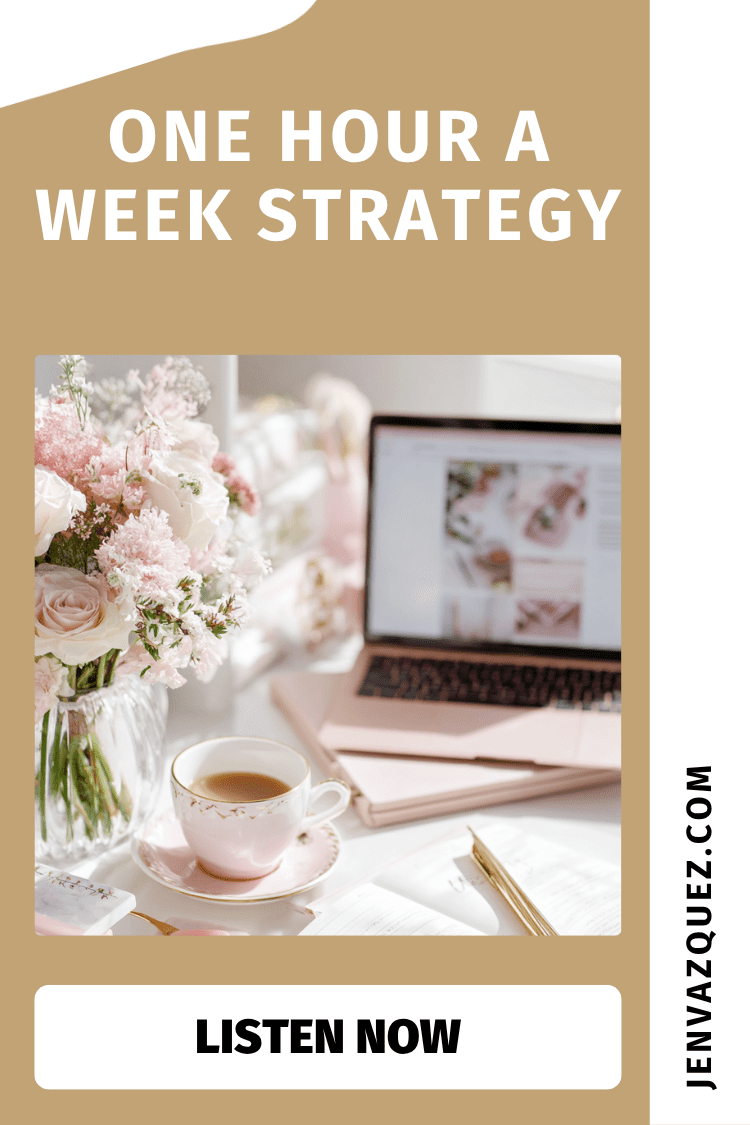
A Pin saying, "One Hour a Week Strategy Pinterest Marketing for Service Providers"
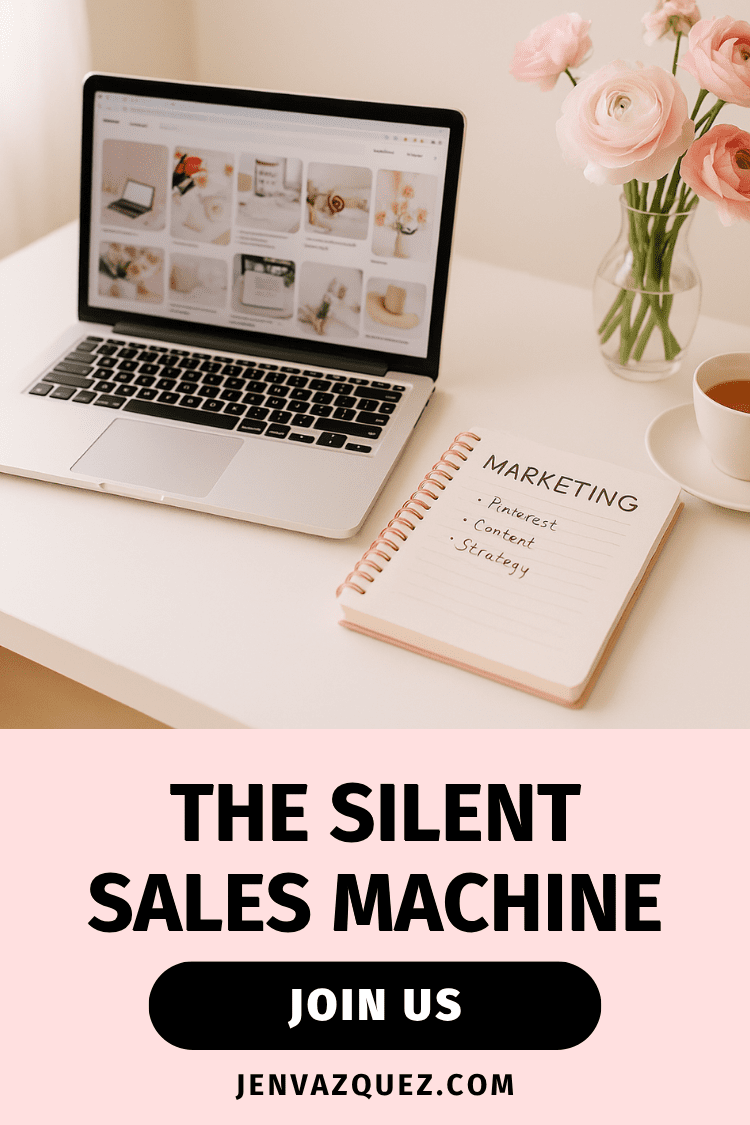
A Pin saying The Silent Sales Machine Pinterest Marketing for Service Providers

Smarter AI, Calmer Marketing: Real Workflows We’re Using Right Now

36 | Smarter AI, Calmer Marketing: Real Workflows We’re Using Right Now on Marketing Duo Podcast

Hey there! Welcome to the Marketing Duo Podcast—your go-to for smart, actionable strategies and mindset shifts that help ambitious female founders work smarter, not harder. I’m Jen from Jen Vazquez Media and I’m here with my girl Cinthia from Digital Bloom IQ.

We’re talking real-life ways we’ve been using AI (yes, ChatGPT!) to streamline work, protect our energy, and make marketing feel lighter. Everything we share today is something we’ve actually used—in our businesses, with clients and students, and in our day-to-day lives.

How I turned ChatGPT into my “Second Brain” for tasks

Confession: if it’s not happening in the moment, I don’t always remember the details. So I asked ChatGPT: “I’m going on a podcast—list the ways I’ve used you over the last two weeks for business and personal.” Boom—eight clear examples.

My favorite: I created a project called ✅ Tasks. Anytime I think of a to-do, I dictate it, and it adds it to my running list. Each morning I say, “List my tasks with numbers,” then I reorder by priority. I clean it up at night—remove what’s done, move ideas to a separate bucket, and keep it all tidy. I even set an automatic Monday 9:00 AM email reminding me to review. I’ve tried project managers, calendar blocks, and Notes…nothing captured everything. This does.

Weekly planning that actually respects your energy

Cinthia uses an assistant thread to plan her week. She screenshots her calendar and—because it “knows” how she works—it’ll gently say, “Too many calls. Create more spaciousness.” (Can we get an amen?) She also reflects weekly: “Here’s how I spent my hours—summarize and suggest changes.” It’s the outside perspective we all need when we’re in the jar and can’t read the label.

Launch calendars + content that finally flow

I mapped a full launch calendar—programs, events, my digital product shop—then had ChatGPT align monthly content so everything points to the same focus. It’s now a living project called Strategy & Planning where I talk things out, share struggles, and get fresh ideas on demand. Cinthia does the same for launches—AI gets the ball rolling, then we edit. It simplifies the messy middle.

Speaking of AI! Want to make your Pins irresistible without spending hours on copy?

Grab Pin Copy Lite GPT inside my Visibility Shop and start creating keyword-rich titles and descriptions in minutes. It’s the easiest way to get found on Pinterest—no guesswork, just copy that clicks.

Real life, real support: routines, meals, and weekends

For weekends with her daughter, Cinthia keeps a “3-year-old activities” thread. She’ll ask for games and a simple day plan around meals and naps. It even writes cozy moments like “cuddle time” that shift the mood before the day starts.

On my side, I revived a lighter version of bulk meal prep: choose three freezer-friendly meals every two weeks. ChatGPT helps pick recipes, doubles them correctly (because doubling is not always 1:1!), suggests safe substitutions, and keeps it all easy.

Health support—with common-sense boundaries

We both use AI to research gentle, home-based options—think cough support or supplement timing—alongside doctors, not instead of them. I have RA and Hashimoto’s, so I asked ChatGPT to review my prescriptions and supplements, then propose timing that won’t conflict. Result: more energy and less inflammation in just two weeks. We’re not giving medical advice here—just showing how AI helps us ask better questions and stay organized for our appointments.

Mindset, journaling, and kinder self-talk

Cinthia uses a journaling assistant that is wildly nurturing. It offers breath work, reflective prompts, even “write a poem to your heart” moments that build compassion and patience. AI can help us be more ourselves—crazy, right? I’ve even used it for in-the-moment grounding tools with my family; again, not a replacement for professionals, but absolutely empowering.

Testimonials: shorter, stronger, and actually collected

I had long, beautiful testimonials and needed shorter versions for my site—without losing the client’s voice. ChatGPT distilled them perfectly. Then I admitted I’m awkward asking for testimonials (same?) and had it build a short Google Form with smart questions, plus email prompts to send at the happiest moment in the client journey. Now I’m finally collecting the right words at the right time.

Your turn (and we might feature you!)

If you’re using AI in a unique way, DM us on Instagram @marketingduopodcast. We’d love to feature your ideas in a future episode and give you all the credit. This is about making life and business lighter—together.

DON’T FORGET TO PIN IT!

AI Task System That Actually Sticks 36 _ Smarter AI, Calmer Marketing_ Real Workflows We’re Using Right Now on Marketing Duo Podcast with Cinthia Pacheco and Jen of Jen Vazquez Media
Kinder Mindset, Better Marketing 36 _ Smarter AI, Calmer Marketing_ Real Workflows We’re Using Right Now on Marketing Duo Podcast with Cinthia Pacheco and Jen of Jen Vazquez Media
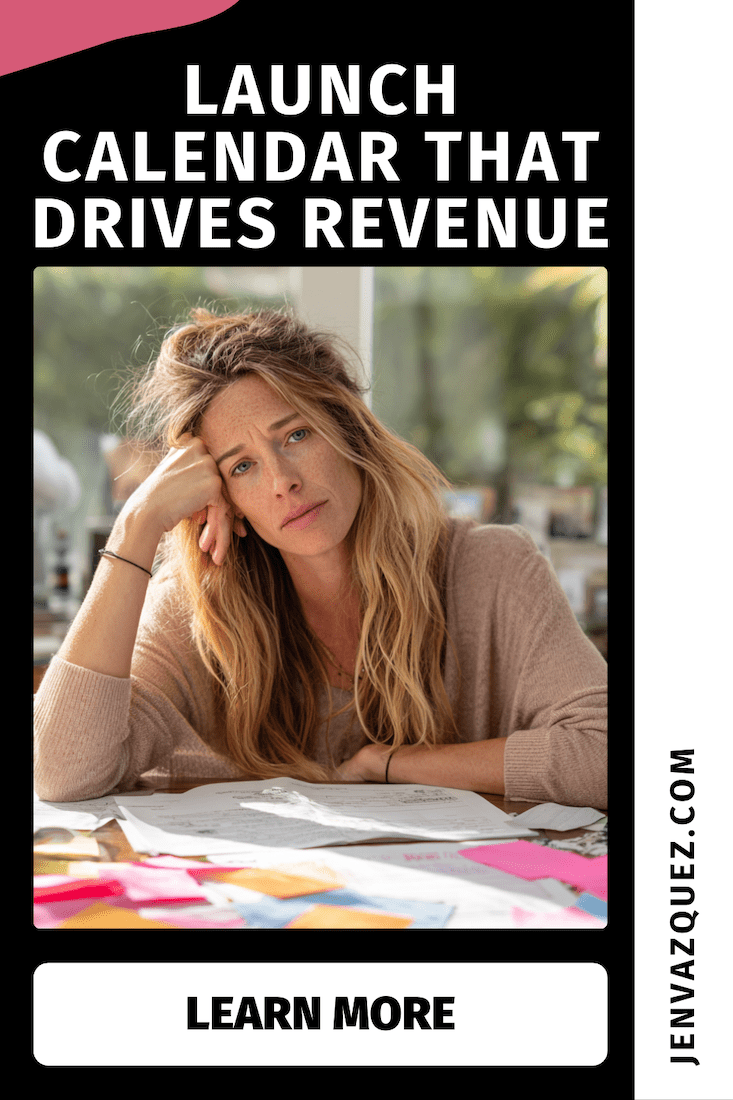
Launch Calendar That Drives Revenue 36 _ Smarter AI, Calmer Marketing_ Real Workflows We’re Using Right Now on Marketing Duo Podcast with Cinthia Pacheco and Jen of Jen Vazquez Media
Plan Your Week with Energy in Mind 36 _ Smarter AI, Calmer Marketing_ Real Workflows We’re Using Right Now on Marketing Duo Podcast with Cinthia Pacheco and Jen of Jen Vazquez Media
Testimonials—Short, Strong, Done 36 _ Smarter AI, Calmer Marketing_ Real Workflows We’re Using Right Now on Marketing Duo Podcast with Cinthia Pacheco and Jen of Jen Vazquez Media

3 Pinterest Mistakes That Are Costing You Traffic (and How to Fix Them)

3 Pinterest Mistakes That Are Costing You Traffic (and How to Fix Them)<br />
 on Marketing Strategy Academy with host Jen Vazquez Media

3 Pinterest Mistakes That Are Costing You Traffic

If you’re spending time on Pinterest but not getting the traffic or leads you hoped for, you’re not alone. Most service providers make the same three mistakes—and the good news? They’re 100% fixable. Today, we’re breaking them down so you can start turning those pins into clicks (and clients).

Mistake #1: Vague, Generic Pin Titles

Pinterest needs clarity, not mystery. If your pin says “My Morning Routine” or “Wedding Tips”, it’s competing with thousands of other vague titles. Instead, use keyword-rich titles that match exactly what your dream client is searching for.

Examples:

  • Instead of Wedding Tips, use 5 Things to Include in Your Fall Wedding Timeline
  • Instead of Brand Photography Session, use What to Wear for Your Brand Photoshoot: 5 Easy Outfit Ideas

Quick Fix: 

Use Pinterest’s search bar to see what people are typing in your niche. Then mirror that language for your titles so your pins stand out in search.

Mistake #2: Linking Pins to Your Homepage

If your pin leads to your homepage instead of the exact content it promises, you’re losing people fast. When someone clicks for Brand Photoshoot Ideas but lands on a generic homepage, they’ll click away in seconds.

Quick Fix:

Always link your pins to:

  • A dedicated blog post
  • A free lead magnet landing page
  • A service page or contact form

The key is to make the destination match the promise of the pin. It’s better for your audience and for Pinterest’s algorithm.

Want Pinterest to bring you leads while you’re off living your life?

That’s exactly what happens inside The Club. You’ll get simple, proven Pinterest workflows that fit your schedule, so you can grow your traffic, leads, and sales without the marketing overwhelm.

Mistake #3: Inconsistent or Random Pinning

Pinning in bursts and then disappearing tells Pinterest you’re not consistent, and the platform rewards consistency.

Quick Fix:

Batch your pinning once a week. Choose one piece of content (blog, video, podcast, or freebie) and create 3–5 different pins for it. Use Tailwind or Pinterest’s native scheduler to drip them out over the week. This keeps your account active without daily effort.

Your Next Steps

If you’ve made these mistakes, you’re in good company. Pinterest is forgiving, and fixing these now will get you back on track.

Checklist:

  • Write specific, keyword-rich titles
  • Link every pin to matching content
  • Create a weekly batching and scheduling workflow

With these small tweaks, your traffic can grow steadily and with less effort. If you want a ready-made Pinterest workflow that saves time and gets results, that’s exactly what we do in The Club. 

DON’T FORGET TO PIN IT!

3 Pinterest Mistakes That Are Tanking Your Traffic (and How to Fix Them Fast) by Jen Vazquez Media

The 3 Pinterest Metrics That Actually Matter for Service Providers

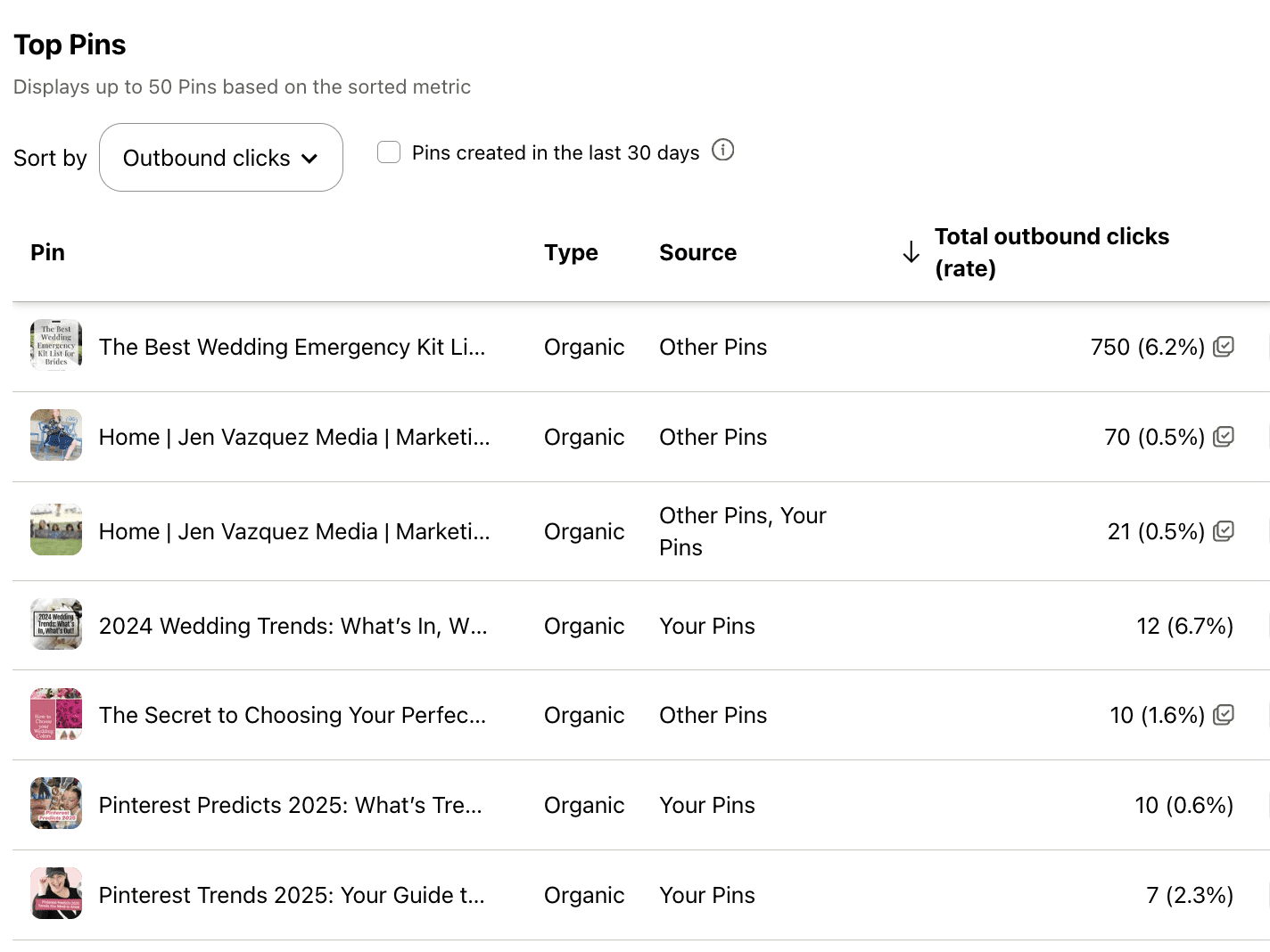
Screenshot of Pinterest Analytics to talk about The 3 Pinterest Metrics That Actually Matter for Service Providers

Well, hey there. Be honest—have you ever opened your Pinterest analytics and thought, “What the heck do all these numbers even mean?” You’re not alone. In fact, I hear this from so many clients and students inside my programs.

So today, let’s break it down. I’m going to show you exactly which Pinterest metrics matter most—especially if you’re a service provider trying to get more leads from your content. We’ll skip the fluff and focus on what actually moves the needle in your business.

Why Pinterest Analytics Matter

You’re probably already showing up on Pinterest, creating fresh pins, maybe sharing your blog posts or free resources—but how do you know it’s working?

That’s where analytics come in.

Tracking just a few key metrics can help you figure out what content is connecting and where to spend your energy. It doesn’t have to be complicated. You only need to focus on three simple data points each month—and that’s what we’re diving into today.

Metric #1: Outbound Clicks

Outbound clicks are what I like to call the “money clicks.” These are people who found your pin, clicked it, and landed on your website. That is a big deal.

It’s the number one metric I track for my Pinterest management clients because clicks show your content is doing its job. It’s not just being seen—it’s driving action.

Now, if you’re getting a lot of clicks but not a lot of conversions, it might be time to take a closer look at your website. Make sure it’s easy to navigate, clearly speaks to your ideal client, and helps them take that next step with you.

Because here’s the truth: no matter how pretty your pins are, if they’re not sending people to your site, they’re not working.

Metric #2: Saves

Saves often get overlooked, but they matter more than you think. When someone saves your pin, it tells Pinterest that your content is valuable—and Pinterest will show it to more people.

A click means, “I want this now.”
A save means, “I need this later.”

Both are important, but saves help expand your reach and visibility. Even if someone doesn’t take action right away, you’re still staying top of mind—and that’s how you build trust over time.

I'm on #TeamWater -- Wanna Join?

Why are we doing this? Around the world, 1 in 10 people do not have access to clean water. Imagine not having access to clean water — it’s something so many of us take for granted.

Together, with our charity partner WaterAid and a huge team of creators, we’re on a mission to change that.

How? Over 3,000 creators signed up to join #TeamWater, doing what they do best to help us bring clean water to 2M people for decades.

Metric #3: Impressions (with Context)

Impressions show how many people saw your pin. But don’t obsess over this number.

Think of impressions as a pulse check. If they’re growing steadily month over month, that’s a good sign your keyword strategy is working. But remember, impressions don’t mean much unless they lead to clicks or saves.

So yes, keep an eye on them—but don’t treat them like your most important metric.

My Monthly Pinterest Analytics Workflow

Here’s exactly what I do—and what I teach my Pinterest Strategy Club members to do each month:

  1. Check Pinterest analytics monthly—not weekly or randomly.
  2. Find your top 3 pins based on outbound clicks.
  3. Create 1 to 2 fresh pins for each using different titles, images, or keywords.
  4. Check your top 5 blog posts in Google Analytics.
  5. Create 1 to 2 new pins for each of those as well.

That’s it. You’re leaning into what’s already working and building momentum with half the effort.

Want Help?

If checking analytics feels like just one more thing to manage, you’re not alone. That’s why I offer Pinterest Management Services—so you can get results without adding more to your plate.

Prefer to DIY but want guidance? My Pinterest Strategy Club is for you. We walk you through everything, including how to read your analytics, spot trends, and update your strategy over time.

All the links are in the description below.

Final Thought

If this helped take the mystery out of Pinterest metrics, leave a comment and tell me:  Which metric will you focus on this month?

Because seeing what’s clicking (literally) might be the key to getting more leads from your content—without burning out.

DON’T FORGET TO PIN IT!

The 3 Pinterest Metrics That Actually Matter for Service Providers

25 Must-Know Pinterest Marketing Answers for Service Providers Who Want More Leads

Everything You’ve Wanted to Know About Pinterest Marketing—Answered in One Place

Hey, hey! If you’ve ever found yourself Googling how does Pinterest marketing even work? or wondering why your pins aren’t doing anything, friend, this one’s for you.

I’m sharing the top 25 questions I get asked constantly—by clients, students, and curious service providers sliding into my DMs. And I’m giving you the real answers, with zero fluff, so you can finally start using Pinterest to bring in traffic, grow your email list, and make your marketing actually work for you (even when you’re off sipping margaritas).

Let’s dive in. Grab your fave drink—coffee, tea, tequila… no judgment here!

1. Is Pinterest a social media platform?

Nope! It’s a visual search engine—think Google or YouTube. It’s designed for discovery, not engagement. That means your content has a much longer shelf life. I’m talking years of traffic from one pin.

2. How long does it take to see results?

Anywhere from 6 weeks to 6 months depending on your niche and consistency. It’s a long game like blogging, but so worth it.

3. How often should I pin?

Start with one pin a day. That’s all you need. Consistency beats volume, every time.

4. What does pinning consistently mean?

It means fresh, valuable content going out daily—either scheduled with Pinterest or Tailwind. You don’t need to be online every day, but your pins should be.

5. Can you pin too much?

Yes! More than 30 pins a day could trigger Pinterest’s spam filter. Stick to intentional, helpful, keyword-rich content.

6. How much third-party content should I pin?

A little is fine—especially when you’re just starting. But long-term, focus on pinning your own content.

7. Should I re-pin my own pins?

Not really. Instead, make a new pin with a fresh image for the same link. Pinterest loves new content.

8. What time of day should I pin?

Use Google Analytics to see when your site gets traffic, or let Tailwind choose optimal times for you. Bonus: update your schedule every few months.

9. Should I start pinning even if I don’t have much content?

YES. Start now. Every client I’ve worked with says they wish they started sooner. Even 3–5 blog posts is enough to get going.

10. Do I need a blog to succeed on Pinterest?

No—but it helps. You can pin podcasts, YouTube videos, freebies, and more. If you hate writing, repurpose your video or podcast into a blog post.

✨ Need help turning all this Pinterest info into an actual strategy?

That’s exactly what we do inside Pinterest Strategy Club! It’s my cozy little corner of the internet where I go live three times a month to teach, answer questions, and help service providers like you finally make Pinterest work without the overwhelm.

Think: smart strategies, done-with-you support, and a marketing plan you can actually stick to. You don’t need to figure this out alone—and you definitely don’t need to spend hours Googling. Come join us!

11. What are monthly viewers?

That’s how many people saw your pins. It’s a vanity number. Focus on outbound clicks and saves instead.

12. How many boards should I have?

Start with 10 niche boards. Aim for 3–5 relevant boards per blog or content piece so you can pin each post multiple times.

13. Do followers matter on Pinterest?

Not really. Most traffic comes from search, not followers. But followers don’t hurt either!

14. Should I niche down my Pinterest account?

Absolutely. Keep your boards and pins aligned with your niche so Pinterest knows who to show your content to. Secret personal boards!

15. What is Pinterest SEO?

It’s keyword optimization—using the words your audience searches for in your pins, boards, profile, and even file names.

16. Where do I use keywords?

Everywhere! Profile name, profile description, board titles, board descriptions, pin titles, pin descriptions, website copy—yep, even the name of the image file you upload.

17. How do I find Pinterest keywords?

Use Pinterest search, guided bubbles, Pinterest Trends, and even the Ads tool for keyword ideas. I also have a free keyword builder at learn.jenvazquez.com/resources!

18. Should I use hashtags?

Nope. Pinterest doesn’t use or prioritize them anymore. Focus on writing keyword-rich descriptions that feel human.

19. What are group boards and should I join them?

They’re shared boards with multiple contributors. Only join niche-relevant, active boards with good SEO. Skip spammy or catch-all boards.

20. How many group boards should I join?

No magic number—just be picky. Quality over quantity, always.

21. What size should my pins be?

Pinterest recommends a 2:3 ratio like 1000x1500px. Avoid square or landscape pins—they get lost in the feed.

22. Where can I find images for pins?

Use your phone (near a window!), hire a brand photographer, or use paid stock. Avoid free stock images—they’re overused and don’t stand out.

23. Can I still grow on Pinterest without ads?

YES! I’ve never paid for ads on either of my accounts. Organic growth is totally doable with a smart, consistent strategy.

24. How do I know if my pins are working?

Check Pinterest and Google Analytics monthly. Track outbound clicks, pin clicks, saves, impressions, and followers. I use my own Pinterest Analyzer to make this easy!

25. Should I be using Tailwind?

YES if you want to save time. I save 5+ hours per client weekly by batch-scheduling with Tailwind. It helps with consistency, analytics, and strategy.

Final Thoughts

There you have it—25 answers to the questions I get every dang week. Pinterest works if you work it smartly.

Want to make Pinterest your lead-gen machine? Join me in Pinterest Strategy Club—where I go live 3x a month and help you finally figure this thing out.

Which tip was your fave? Comment below or message me—I’d love to hear it!

Don’t Forget To Pin It!

jen vazquez in a black and white striped sweater holding an apple iphone talking about 25 Must-Know Pinterest Marketing Answers for Service Providers Who Want More Leads
Jen Vazquez holding a mirophone wearing a black shirt that is shoulderless talking about pinterest marketing
Jen Vazquez walking downtown in los gatos california in a black and white striped sweater talking on a cell phone
Jen Vazquez holding a microphone in a black shirt shoulderless talking about Pinterest SEO Basics by Jen Vazquez Media on Marketing Strategy Academy Podcast
Jen Vazquez in a black and white striped sweater holding a cell phone talking about. Can You Use Pinterest Without Blogging_ by Jen Vazquez of Marketing Strategy Academy Podcast