
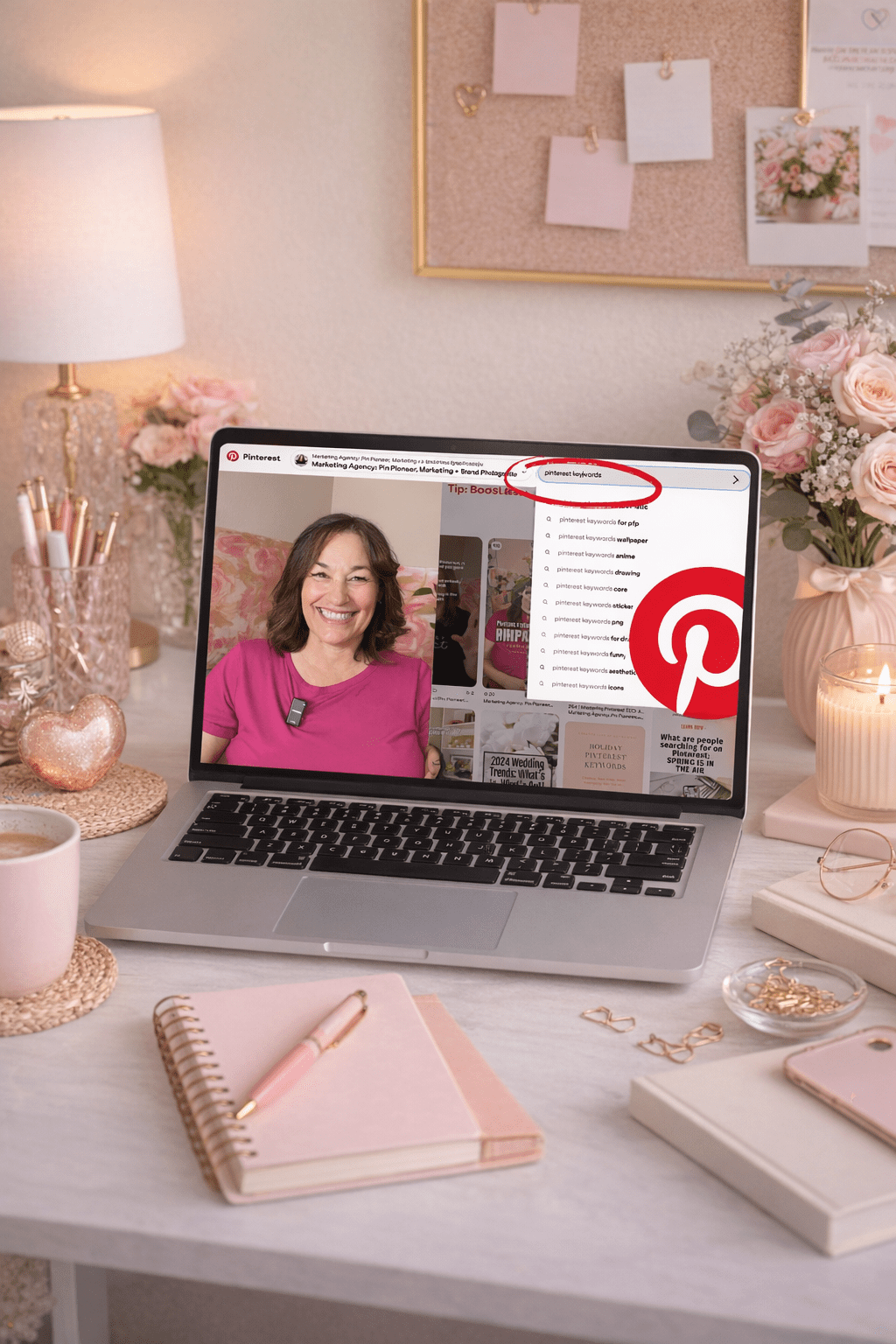
25 Must-Know Pinterest Marketing Answers for Service Providers Who Want More Leads

Everything You’ve Wanted to Know About Pinterest Marketing—Answered in One Place

Hey, hey! If you’ve ever found yourself Googling how does Pinterest marketing even work? or wondering why your pins aren’t doing anything, friend, this one’s for you.

I’m sharing the top 25 questions I get asked constantly—by clients, students, and curious service providers sliding into my DMs. And I’m giving you the real answers, with zero fluff, so you can finally start using Pinterest to bring in traffic, grow your email list, and make your marketing actually work for you (even when you’re off sipping margaritas).

Let’s dive in. Grab your fave drink—coffee, tea, tequila… no judgment here!

1. Is Pinterest a social media platform?

Nope! It’s a visual search engine—think Google or YouTube. It’s designed for discovery, not engagement. That means your content has a much longer shelf life. I’m talking years of traffic from one pin.

2. How long does it take to see results?

Anywhere from 6 weeks to 6 months depending on your niche and consistency. It’s a long game like blogging, but so worth it.

3. How often should I pin?

Start with one pin a day. That’s all you need. Consistency beats volume, every time.

4. What does pinning consistently mean?

It means fresh, valuable content going out daily—either scheduled with Pinterest or Tailwind. You don’t need to be online every day, but your pins should be.

5. Can you pin too much?

Yes! More than 30 pins a day could trigger Pinterest’s spam filter. Stick to intentional, helpful, keyword-rich content.

6. How much third-party content should I pin?

A little is fine—especially when you’re just starting. But long-term, focus on pinning your own content.

7. Should I re-pin my own pins?

Not really. Instead, make a new pin with a fresh image for the same link. Pinterest loves new content.

8. What time of day should I pin?

Use Google Analytics to see when your site gets traffic, or let Tailwind choose optimal times for you. Bonus: update your schedule every few months.

9. Should I start pinning even if I don’t have much content?

YES. Start now. Every client I’ve worked with says they wish they started sooner. Even 3–5 blog posts is enough to get going.

10. Do I need a blog to succeed on Pinterest?

No—but it helps. You can pin podcasts, YouTube videos, freebies, and more. If you hate writing, repurpose your video or podcast into a blog post.

✨ Need help turning all this Pinterest info into an actual strategy?

That’s exactly what we do inside Pinterest Strategy Club! It’s my cozy little corner of the internet where I go live three times a month to teach, answer questions, and help service providers like you finally make Pinterest work without the overwhelm.

Think: smart strategies, done-with-you support, and a marketing plan you can actually stick to. You don’t need to figure this out alone—and you definitely don’t need to spend hours Googling. Come join us!

11. What are monthly viewers?

That’s how many people saw your pins. It’s a vanity number. Focus on outbound clicks and saves instead.

12. How many boards should I have?

Start with 10 niche boards. Aim for 3–5 relevant boards per blog or content piece so you can pin each post multiple times.

13. Do followers matter on Pinterest?

Not really. Most traffic comes from search, not followers. But followers don’t hurt either!

14. Should I niche down my Pinterest account?

Absolutely. Keep your boards and pins aligned with your niche so Pinterest knows who to show your content to. Secret personal boards!

15. What is Pinterest SEO?

It’s keyword optimization—using the words your audience searches for in your pins, boards, profile, and even file names.

16. Where do I use keywords?

Everywhere! Profile name, profile description, board titles, board descriptions, pin titles, pin descriptions, website copy—yep, even the name of the image file you upload.

17. How do I find Pinterest keywords?

Use Pinterest search, guided bubbles, Pinterest Trends, and even the Ads tool for keyword ideas. I also have a free keyword builder at learn.jenvazquez.com/resources!

18. Should I use hashtags?

Nope. Pinterest doesn’t use or prioritize them anymore. Focus on writing keyword-rich descriptions that feel human.

19. What are group boards and should I join them?

They’re shared boards with multiple contributors. Only join niche-relevant, active boards with good SEO. Skip spammy or catch-all boards.

20. How many group boards should I join?

No magic number—just be picky. Quality over quantity, always.

21. What size should my pins be?

Pinterest recommends a 2:3 ratio like 1000x1500px. Avoid square or landscape pins—they get lost in the feed.

22. Where can I find images for pins?

Use your phone (near a window!), hire a brand photographer, or use paid stock. Avoid free stock images—they’re overused and don’t stand out.

23. Can I still grow on Pinterest without ads?

YES! I’ve never paid for ads on either of my accounts. Organic growth is totally doable with a smart, consistent strategy.

24. How do I know if my pins are working?

Check Pinterest and Google Analytics monthly. Track outbound clicks, pin clicks, saves, impressions, and followers. I use my own Pinterest Analyzer to make this easy!

25. Should I be using Tailwind?

YES if you want to save time. I save 5+ hours per client weekly by batch-scheduling with Tailwind. It helps with consistency, analytics, and strategy.

Final Thoughts

There you have it—25 answers to the questions I get every dang week. Pinterest works if you work it smartly.

Want to make Pinterest your lead-gen machine? Join me in Pinterest Strategy Club—where I go live 3x a month and help you finally figure this thing out.

Which tip was your fave? Comment below or message me—I’d love to hear it!

Don’t Forget To Pin It!

jen vazquez in a black and white striped sweater holding an apple iphone talking about 25 Must-Know Pinterest Marketing Answers for Service Providers Who Want More Leads
Jen Vazquez holding a mirophone wearing a black shirt that is shoulderless talking about pinterest marketing
Jen Vazquez walking downtown in los gatos california in a black and white striped sweater talking on a cell phone
Jen Vazquez holding a microphone in a black shirt shoulderless talking about Pinterest SEO Basics by Jen Vazquez Media on Marketing Strategy Academy Podcast
Jen Vazquez in a black and white striped sweater holding a cell phone talking about. Can You Use Pinterest Without Blogging_ by Jen Vazquez of Marketing Strategy Academy Podcast

Mastering Pinterest SEO: A Beginner’s Guide to Boosting Your Visibility

Pinterest on cell social squares photo

Mastering Pinterest SEO: A Beginner’s Guide to Boosting Your Visibility

When most people think of Pinterest, they picture beautifully curated boards filled with recipes, DIY projects, and outfit ideas. But for businesses and creators, Pinterest is so much more—it’s a visual search engine with massive potential for driving organic traffic to your website. If you’re not optimizing your Pinterest presence, you’re missing out on a key opportunity to grow your audience.

In this guide, we’ll break down the essential strategies for mastering Pinterest SEO, even if you’re just starting out. By the end, you’ll know exactly how to optimize your profile, pins, and boards to enhance discoverability and drive results.

1. Understanding Pinterest as a Search Engine

Pinterest isn’t just a social media platform; it’s a powerful search engine where users actively seek inspiration, ideas, and solutions.

Think of Pinterest users as proactive searchers, not passive scrollers. They’re typing in keywords like “wedding decor ideas,” “easy weeknight dinners,” or “how to start a podcast.” When you optimize your content with the right keywords, you’re positioning your business to be found by these eager searchers.

Key takeaway: Treat Pinterest like Google but with a visual twist—keywords are your best friend.

2. Optimizing Your Pinterest Profile for SEO

Your Pinterest profile is the foundation of your SEO strategy. A well-optimized profile tells Pinterest (and users) exactly who you are and what value you provide.

Profile Name and Bio:

  • Use a clear, keyword-rich profile name.
    Example: Instead of “Jane Doe,” try “Jane Doe | Wedding Photographer in San Francisco.”
  • Write a concise bio that highlights what you do and includes a primary keyword.
    Example: “Helping brides plan their dream weddings with stunning inspiration and expert tips.”

Profile Picture: Choose a professional and branded profile picture that aligns with your business. Remember people buy from people..

Claim Your Website: Claiming your website not only boosts your credibility but also unlocks valuable insights in Pinterest Analytics. Go to Settings > Claim > Enter your website URL to get started.  You can watch my video on how to do it here.

3. Researching and Using Keywords

Keywords are the backbone of Pinterest SEO. They guide users to your content.

How to Research Keywords:

  • Use the Pinterest search bar to explore popular suggestions. For example, type in “meal planning,” and Pinterest will have a drop down menu and you should grab all those phrases (long tail keywords)..
  • Utilize tools like Pinterest Trends, Google Keyword Planner, or Answer the Public for deeper insights.

Where to Use Keywords:

  • Pin titles and descriptions: Add relevant keywords naturally to describe the content.
    Example: Instead of “My Favorite Dinner,” use “Quick and Easy Dinner Recipes for Busy Weeknights.”
  • Board titles and descriptions: Optimize your board names like “Budget-Friendly Home Decor Ideas” instead of “My Home Stuff.”
  • Profile bio and alt text: Incorporate keywords to describe your images and brand.
  • The Name of Your Pin Graphic: People don’t think about this but what you name a pin that you create is also searchable with those keywords. 
  • Text On The Pin Graphic:  Yes Pinterest can read the words on your pin graphic so use keywords there.

FREE Pinterest Marketing Tools

Get Instant Access to 21+ Tools and 8 Masterclasses for FREE!

Are you ready to effectively use Pinterest marketing to grow your business? Look no further! We’ve curated a collection of over 15 essential Pinterest marketing tools and 8 expert-led masterclasses and challenges, all designed to help you succeed on this dynamic platform.

4. Creating SEO-Friendly Pins

Your pins are the heart of your Pinterest strategy. Make them count.

Design Tips for High-Performing Pins:

Writing Optimized Titles and Descriptions:

  • Titles should be clear, engaging, and keyword-rich.
    Example: “5 Tips for DIY Wedding Centerpieces” is more effective than “DIY Wedding.”
  • Write descriptions that tell a story and include keywords naturally.

5. Optimizing Pinterest Boards for SEO

Your boards are more than a place to save pins—they’re another opportunity to showcase your expertise.

Name Boards Strategically: Instead of generic names like “weddings,” go for specific, searchable names like “Spring Weddings in California”

Write Detailed Board Descriptions: Describe what users can find in the board using relevant keywords.
Example: “Explore modern kitchen designs with sleek appliances, innovative layouts, and space-saving solutions” And use all the 500 characters you are allowed to use different keywords that will result in more eyeballs on your content.

6. Tracking Your SEO Success on Pinterest

Once you’ve optimized your profile and content, track your progress to see what’s working.

Using Pinterest Analytics:

  • Monitor key metrics like impressions, pin clicks, saves, and the most important for businesses using Pinterest to market their business, outbound clicks. Get your free Pinterest Analyzer here.
  • Analyze your top-performing pins to identify trends.

Adjust Your Strategy:

  • Experiment with different keywords and pin designs.
  • See the pins in analytics that get the most outbound clicks and create more pins to that content with new images and keywords
  • Repin high-performing content (after a few months) to keep it active.  This should be done sparingly. Fresh new content is what Pinterest and Pinterest users crave.

7. Common Pinterest SEO Mistakes to Avoid

  • Keyword stuffing: Avoid overloading descriptions with just keywords. It looks spammy and doesn’t help rankings. Write a description that is something your best friend could read and understand.
  • Ignoring trends: Stay updated on Pinterest Trends to discover what’s popular.
  • Neglecting old content: If you have boards you have’t pinned to in 6 months, make pins for that board or consider merging it with another board that is used often.

Take the First Step Toward Pinterest Success

Pinterest SEO may seem overwhelming at first, but by starting with these basics, you’ll be well on your way to driving organic traffic and growing your audience. Remember, it’s all about consistency—optimize your profile, use keywords effectively, and track your results.

Ready to take your Pinterest strategy to the next level?

 Let’s work together to create a tailored plan that drives leads and saves you time.

Don’t Forget to Pin It!

Top 10 Mistakes to Avoid in Pinterest Affiliate Marketing

Pinterest Pin with text: Top 10 Mistakes to Avoid in Pinterest Affiliate Marketing by Jen Vazquez Media

Affiliate marketing on Pinterest is a goldmine of opportunities for service providers, but only if you play your cards right. While it’s easy to get started, there are common mistakes that can sabotage your efforts before you see results. Let’s dive into the top 10 mistakes to avoid and actionable tips to help you succeed in Pinterest affiliate marketing.

1. Skipping Pinterest’s Rules

The Mistake: Jumping in without reviewing Pinterest’s policies on affiliate links can lead to account suspension.

The Fix: Read Pinterest’s Affiliate Guidelines to understand what’s allowed. Always disclose affiliate links in your pin descriptions with phrases like “This pin contains affiliate links, which means I may earn a small commission at no cost to you.” Transparency builds trust and keeps you compliant.

2. Using Low-Quality Images

The Mistake: Posting blurry or poorly designed pins that don’t catch anyone’s attention.

The Fix: Invest time in creating high-quality, vertical pins with eye-catching visuals and readable text. Use free tools like Canva to design professional-looking pins that stand out in the feed.

3. Ignoring Keyword Research

The Mistake: Not optimizing your pin descriptions, titles, or boards for search.

The Fix: Treat Pinterest like a search engine. Research keywords using Pinterest’s search bar, and incorporate them naturally into your pin titles, descriptions, and board names. This helps your content get discovered by the right audience.

4. Overloading Pins with Affiliate Links

The Mistake: Flooding Pinterest with affiliate links can look spammy and turn off your audience.

The Fix: Balance your affiliate pins with helpful, non-affiliate content. Share tips, ideas, or solutions that naturally lead to your affiliate links. Aim for a mix of value-driven and promotional content.

5. Not Creating Multiple Pin Designs

The Mistake: Relying on a single pin design for each affiliate link limits your reach.

The Fix: Create 3-5 pin variations for each affiliate product using different designs, headlines, and imagery. This keeps your content fresh and increases the chances of your pins being seen by different users.

Join the Pinterest Trends Challenge

Ready to take your Pinterest strategy to the next level? The Pinterest Trends Challenge is designed to help you discover and leverage the hottest trends on Pinterest to drive traffic and generate leads. Over the course of this challenge, you’ll learn how to identify seasonal and evergreen trends, create optimized content, and strategically pin to stay ahead of the competition. Whether you’re new to Pinterest or looking to refine your strategy, this challenge will give you the tools and insights you need to turn Pinterest into your lead-generating powerhouse. Don’t miss out—join today and start transforming your Pinterest game!

6. Neglecting Analytics

The Mistake: Failing to check which pins and strategies are working means you’re flying blind.

The Fix: Regularly review Pinterest Analytics to see which pins are driving the most traffic and clicks. Double down on what works and tweak what doesn’t to optimize your strategy.

7. Not Having a Clear Niche

The Mistake: Pinning about everything and anything confuses your audience and dilutes your impact.

The Fix: Focus on a specific niche that aligns with your expertise and interests. Niching down helps you attract a more targeted audience who are more likely to trust your recommendations.

8. Forgetting to Add Call-to-Actions (CTAs)

The Mistake: Not guiding your audience on what to do next results in fewer clicks on your affiliate links.

The Fix: Add clear CTAs like “Click to learn more” or “Shop now” in your pin designs and descriptions. A little nudge goes a long way in encouraging engagement.

9. Ignoring Seasonal Trends

The Mistake: Posting irrelevant content during peak seasonal searches can hurt your visibility.

The Fix: Plan your content calendar around seasonal trends and holidays. For example, if you’re promoting fitness gear, create pins for “New Year’s fitness goals” in December.

10. Not Building Trust with Your Audience

The Mistake: Coming across as overly salesy or pushing services that don’t align with your audience’s needs.

The Fix: Only promote services or products you genuinely believe in and that align with your niche. Share personal experiences or reviews to build credibility and trust with your audience.

Final Thoughts

Affiliate marketing on Pinterest can be a game-changer for your business if done right. Avoid these common pitfalls, and focus on creating value-packed content that resonates with your audience.

Ready to up your Pinterest game? Check out my Pinterest Challenge to learn how to create a strategic and successful Pinterest plan that drives results. Let’s turn those pins into profits!

Don’t Forget to Pin It!

Pinterest pin with text: Avoid These 10 Affiliate Marketing Mistakes on Pinterest Jen Vazquez Media
Pinterest Pin Text: Common Pinterest Mistakes That Kill Affiliate Marketing Success by Jen Vazquez Media
Pinterest Pin Text: Pinterest Affiliate Marketing Do’s and Don’ts_ The Top 10 Mistakes Jen Vazquez Media
Pinterest pin text: The Biggest Pinterest Affiliate Marketing Mistakes to Avoid by Jen Vazquez Media
Pinterest Pin text: Top 10 Pinterest Mistakes That Hurt Your Affiliate Marketing Efforts by Jen Vazquez Media

Here is more information that may be helpful!

Why You Shouldn’t Just Create Pins Once

Pinterest pin with text: Why You Shouldn’t Just Create Pins Once 2025 by Jen Vazquez of Jen azquez Media Pinterest Manager

Think you can post a pin once and forget about it? That mindset could be costing you valuable traffic and leads. While Pinterest is often seen as a “set-it-and-forget-it” platform, the truth is, successful accounts build their reach through consistent and strategic pinning over time. Let’s break down why pinning once isn’t enough and what you can do instead to maximize your Pinterest strategy.

1. The Pinterest Algorithm Loves Fresh Content

Pinterest’s algorithm rewards accounts that consistently upload fresh content. This doesn’t mean you need to create brand-new content daily, but you do need to keep your profile active. Here’s why:

  • Fresh Pins Boost Visibility: When you upload a new pin or a new version of an existing pin, Pinterest prioritizes it in search results and users’ feeds.
  • Consistency Builds Trust: Regularly pinning signals to Pinterest that your account is active, which helps your overall reach.

Tip: Instead of pinning once, create multiple variations of your pin designs. Use different titles, images, or layouts to keep your content fresh and engaging.

2. People Engage Differently Over Time

Audience behavior on Pinterest changes with trends, seasons, and even time of day. If you post a pin once, you’re missing the chance to reach users who might engage with your content later.

  • Seasonal Trends Matter: Content can gain momentum months after it’s posted. For example, a summer photoshoot might take off in June, even if you pinned it in February.
  • Search Behavior Evolves: Users are always searching for new things. Regularly repinning and refreshing your content increases its chances of being discovered.

Example: A pin about “Fall Wedding Trends” might perform better in November when engagement season starts than when it’s originally pinned in May. By repinning, you’re keeping it relevant.

Join the Pinterest Trends Challenge

Ready to take your Pinterest strategy to the next level? The Pinterest Trends Challenge is designed to help you discover and leverage the hottest trends on Pinterest to drive traffic and generate leads. Over the course of this challenge, you’ll learn how to identify seasonal and evergreen trends, create optimized content, and strategically pin to stay ahead of the competition. Whether you’re new to Pinterest or looking to refine your strategy, this challenge will give you the tools and insights you need to turn Pinterest into your lead-generating powerhouse. Don’t miss out—join today and start transforming your Pinterest game!

3. Your Audience Needs Repetition

Marketing experts agree—people need to see something multiple times before they take action. This concept, called the Rule of 7, applies to Pinterest too.

  • Multiple Pins Increase Clicks: When you share variations of your pin over time, you’re giving your audience more opportunities to click, save, or engage.
  • Different Designs Speak to Different People: Some users may be drawn to a pin with bold text, while others prefer a minimalist design. By creating a variety of pins, you’re appealing to a broader audience.

Tip: Use scheduling tools like Tailwind to space out your pins so you stay consistent without overwhelming your followers.

4. Build a System for Long-Term Success

To make the most of Pinterest without feeling overwhelmed, create a batching and scheduling workflow. This ensures your content stays active even when you’re busy.

  • Batch Your Pins: Dedicate one day a month to create multiple pin designs for your latest content.
  • Schedule Strategically: Use Pinterest’s native scheduler or third-party tools to spread your pins out over weeks or months.
  • Repurpose Older Content: Don’t let older blog posts collect dust. Refresh their pins and give them new life.

Ready to Create a Winning Pinterest Strategy?

If you’re tired of pinning once and hoping for the best, it’s time to take a more strategic approach. Creating fresh content, repinning strategically, and maintaining consistency are the keys to building a successful Pinterest presence.

Need help? Join my Pinterest Challenge to learn how to create a simple yet powerful Pinterest strategy that drives traffic and generates leads. Let’s turn your Pinterest into a lead-generating machine!

Don’t Forget to Pin It!

Pinterest pin with text Fresh Pins_ The Secret to Pinterest Growth by Jen Vazquez of Jen azquez Media Pinterest Manager
Pinterest Pin with text: Maximize Pinterest Traffic with Smart Strategies
Pinterest Pin with text: Pinterest Marketing Made Easy by Jen Vazquez of Jen azquez Media Pinterest Manager
Pinterest Pin with text:  Why Consistency is Key to Pinterest Success by Jen Vazquez of Jen azquez Media Pinterest Manager
Pinterest Pin with text: The Rule of 7 for Pinterest Growth by Jen Vazquez of Jen Vazquez Media Pinterest Manager

Here is more information that may be helpful!

What to Do After Receiving Your Professional Brand Photos

You’ve just received your professional brand photos—congrats! These images are more than just pretty pictures; they’re powerful tools for elevating your business. Now, let’s make the most out of them! Here’s a step-by-step guide to using your brand photos to boost your online presence, attract clients, and strengthen your brand.

1. Add Them to Your Website

Your website is your digital storefront, so let your brand photos shine there first!

  • Homepage: Update your header image, about section, or hero banner with eye-catching photos that represent your brand’s vibe.
  • About Page: Use personable, relatable shots to introduce yourself and your team.
  • Services Page: Add images that illustrate your offerings in action or behind-the-scenes moments.
  • Testimonials Section: Pair testimonials with brand photos to create a cohesive, polished look.

2. Level Up Your Social Media Presence

Your brand photos are perfect for creating a professional and consistent look across social platforms.

  • Profile Picture & Cover Photo: Use a strong headshot or brand-related image for a cohesive first impression.
  • Content Creation: Pair your brand photos with valuable captions for posts, reels, or carousels. Think about sharing behind-the-scenes shots with tips about your business or a fun fact about you!
  • Stories & Highlights: Keep your brand present by using photos in Instagram highlights or daily stories.

3. Refresh Your Marketing Materials

From print to digital, your brand photos can help tie everything together.

  • Business Cards: A professional headshot or brand-related image adds a modern, personal touch.
  • Email Signatures: Include your photo in your email footer to humanize your communication.
  • Brochures & Flyers: Incorporate images that resonate with your audience and highlight your services.

4. Design Eye-Catching Lead Magnets

If you’re using a freebie or downloadable to attract leads, your brand photos can elevate its appeal.

  • E-books or Guides: Add your photos to the cover, introduction page, and throughout the content to align the visuals with your brand.
  • Workbooks or Templates: Use images to make the materials more visually engaging.

Landing Pages: Include your brand photos to personalize the lead magnet’s sign-up page.

Brand Photos for an Executive and Leadership coach, Corporate Trainer/Facilitator, and Speaker Kristen Brun by Bay Area California Jen Vazquez Photography

Need Photos?

We’d love to help you capture photos that not only let’s your brand stand out and help with visibility, but also that you love and that helps you book more clients!

Click Here

5. Boost Your Pinterest Strategy

Pinterest is a visual search engine, so your brand photos are perfect for driving traffic to your content.


  • Create Pins: Use your photos as part of your pin designs for blog posts, services, or freebies.


  • Profile Branding: Update your profile photo and banner with images that reflect your business.


  • Pin Graphics: Combine your photos with text overlays to share helpful tips, quotes, or service offerings.


6. Use Them in Ads (If Applicable)

While you don’t focus on Pinterest ads, your photos can work for other platforms.


  • Social Media Ads: Use photos for Facebook or Instagram ads to showcase your products or services.


  • Google Display Ads: Eye-catching photos can grab attention in a competitive digital space.


7. Enhance Your Blog Posts

Professional brand photos add a personal touch to your blog content.


  • Feature Images: Use photos to create a consistent look for your blog headers.


  • In-Content Photos: Add images that illustrate the topic or provide a behind-the-scenes perspective.


  • Author Bio Section: Include a headshot for a relatable, professional touch.


8. Create Consistent Branding for Your Presentations

Whether you’re presenting to clients, hosting webinars, or speaking at events, brand photos can elevate your materials.


  • Slide Decks: Use photos as slide backgrounds or in sections that introduce you and your business.


  • Workbooks or Worksheets: Add images to make your training materials more polished.


9. Update Online Directories or Professional Listings

If you’re featured on directories like LinkedIn, Google My Business, or niche-specific sites, use your updated photos to stand out and keep your profiles fresh.

10. Repurpose, Repurpose, Repurpose!

One of the best things about professional brand photos is how versatile they are.

  • Seasonal Content: Save some images to use in specific seasons or for campaigns.
  • Collaborations: Provide photos to collaborators or partners for marketing joint projects.
  • Thank You Notes or Holiday Cards: Incorporate them into your client communications.

Final Thoughts

Professional brand photos are an investment in your business, and the key to maximizing that investment is using them strategically. From your website to your social media and marketing materials, these images can help you make a lasting impression and connect with your ideal clients.

Got your brand photos but not sure where to start? Let’s chat! I can help you craft a strategy to get the most out of your stunning new visuals.