Why SEO + AI Content Matters for Female Founders in 2025

Why SEO + AI Content Matters for Female Founders in 2025 on Marketing Duo Podcast with Jen Vazquez and Cinthia Pacheco<br />

35 | Why SEO + AI Content Matters for Female Founders in 2025

Hey there! Welcome back to the Marketing Duo Podcast—where Cynthia from Digital Bloom IQ and I (Jen from Jen Vazquez Media) come together to share all the good stuff that helps female founders like you scale smarter, not harder.

This episode dives into a topic that’s evolving quickly: how AI is changing the way we approach SEO and content. If you’ve been stressing about keywords or wondering how AI search will affect your business visibility—this one’s for you.

SEO Isn’t Just About Keywords Anymore

Once upon a time, SEO advice was all about stuffing your content with keywords. Remember when the golden rule was “two to three words repeated everywhere”? Well, those days are behind us. Search engines—and AI models—are smarter now.

Instead of fixating on exact phrases, it’s about writing in a way that answers your audience’s questions clearly and naturally. Think about the intent behind the search, not just the literal words.

Why Intent is Everything

Intent is the new SEO power move. Rather than asking, “Did I use the right keyword enough times?” ask, “Does this piece of content actually give value to my ideal client?”

Google (and AI!) want to serve up content that’s helpful, not robotic. That means your blogs, podcasts, and videos should be framed around the problem your dream client is trying to solve.

Introducing the Search + AI Foundation Setup

Cynthia and her team at Digital Bloom IQ have created something really exciting—a Search + AI Foundation Setup. It’s a hands-on service where they go into your site and set up the foundational SEO and AI visibility you need to start ranking.

The best part? It’s low-cost, high-impact, and completely hands-off. They do the heavy lifting while you stay focused on running your business. It’s designed for solo entrepreneurs and small businesses who don’t have the bandwidth to manage SEO themselves but want results that bring in more clients.

Why This Matters for Female Service Providers

If you’re a service provider, you already know how important it is to get found online. Your dream clients are searching right now—and the way search is shifting means you want to be ready. AI-powered search will prioritize content that’s valuable, authentic, and set up with strong foundations.

So whether you’re brand new in business, pivoting services, or simply too busy to fuss with SEO, this is the perfect way to get your digital house in order before the busy season hits.

DON’T FORGET TO PIN IT!

Why SEO + AI Content Matters for Female Founders in 2025 on Marketing Duo Podcast with Jen Vazquez and Cinthia Pacheco
Why SEO + AI Content Matters for Female Founders in 2025 on Marketing Duo Podcast with Jen Vazquez and Cinthia Pacheco<br />

How to Build a Pinterest Keyword Strategy That Actually Works for Service Providers

How to Build a Pinterest Keyword Strategy That Actually Works for Service Providers<br />
 by Jen Vazquez Media

How to Build a Pinterest Keyword Strategy That Actually Works for Service Providers

If you’re a service-based business owner, here’s the truth: Pinterest can be your secret weapon, but only if you’re using the right keywords. Unlike Instagram or TikTok, Pinterest isn’t a social platform—it’s a visual search engine. That means your dream clients are searching for exactly what you offer. The question is—are you showing up in those searches?

Why Pinterest SEO Matters for Service Providers

Pinterest isn’t just for recipes and DIY inspo. It’s a powerhouse search engine where people are actively planning and looking for services—yes, even local ones. As a coach, photographer, or wedding pro, this is huge. Your content can drive traffic not just for weeks, but for years. I still get leads today from a pin I created ten years ago. That’s the magic of Pinterest SEO and keywords—evergreen content that works on autopilot.

What Long-Tail Keywords Actually Do for You

Short-tail keywords like “Pinterest marketing” are crazy competitive. But long-tail keywords—like “Pinterest marketing tips for wedding photographers”—narrow your reach to exactly who you want to work with. They have less competition, attract clients closer to booking, and they even boost your visibility on Google since Pinterest ranks so well there.

How to Find the Right Keywords Without Guessing

Start by searching the way your client would:

  • Use the search bar and jot down Pinterest’s auto-suggest results.
  • Pay attention to those colorful “search bubbles” (keyword gold!).
  • Check Pinterest Trends (trends.pinterest.com) to see what’s gaining traction.

And here’s a biggie—ditch your industry lingo. Clients aren’t searching for “eSessions,” they’re searching for “engagement photos San Jose.” Speak their language, not yours.

Build a Keyword Bank to Save Your Sanity

Once you gather ideas, build a keyword bank. This could be a simple doc where you list your core topics (like coaching, brand photography, marketing workflows, or AI) and all the variations you find in searches. A keyword bank means no second-guessing when it’s time to pin—you just grab what you need and keep moving.

Want to make it even easier? Grab my free keyword builder inside the Pinterest Vault.

Turn Pinterest Into Your Lead Machine

Stop guessing what to post on Pinterest and start seeing real results. With Pinfluence, I’ll optimize your profile, boards, and keywords so your content works on autopilot. Think of it as a power clean for your Pinterest—done-for-you SEO, a keyword bank you can actually use, and a strategy that attracts dream clients month after month.

Where to Use Keywords on Pinterest

Keywords aren’t just for pin titles and descriptions (though they’re essential there). Use them in:

  • Your board titles and descriptions
  • Your Pinterest profile (yes—even your name!)
  • The file name of your Canva graphics before uploading
    Basically, if it’s text, it’s searchable on Pinterest. Use it wisely, but keep it natural—remember, you’re writing for humans, not robots.

Make Pinterest Work for You on Autopilot

When you create a keyword-rich strategy upfront, you don’t need to overthink every single pin. Your content consistently appears in searches, generating leads while you focus on serving your clients. That’s how you market smarter, not harder.

So the next time you sit down to pin, ask yourself: Am I showing up for the keywords my dream clients are searching? If the answer’s no, let’s fix that. Check out Pinfluence here, and let’s turn your Pinterest into a lead-generating machine.

DON’T FORGET TO PIN IT!

Long-Tail Keywords Win How to Build a Pinterest Keyword Strategy That Actually Works for Service Providers | Jen Vazquez
Evergreen Pin Power How to Build a Pinterest Keyword Strategy That Actually Works for Service Providers | Jen Vazquez
Pinterest for Service Pros How to Build a Pinterest Keyword Strategy That Actually Works for Service Providers on Marketing Strategy Academy with Jen Vazquez
Pinterest SEO Secrets How to Build a Pinterest Keyword Strategy That Actually Works for Service Providers |  Jen Vazquez
Pinterest Keyword Bank How to Build a Pinterest Keyword Strategy That Actually Works for Service Providers | Jen Vazquez

Local SEO Tips for Service Providers: How to Book More Clients in Your Area

Simple local SEO tips to help service providers book more clients in their area. Learn how to use Google Business and keywords to get found fast. on Marketing Duo Podcast with Cinthia Pacheco and Jen Vazquez

34 | Local SEO Tips for Service Providers: How to Book More Clients in Your Area

Hey there! Welcome back to the Marketing Duo Podcast—the place where ambitious female founders learn smart, simple strategies to grow their businesses without burning out. Today, we’re talking about something that every local service provider must pay attention to: local SEO.

If you’ve ever wondered how to get more clients in your city (without spending all day posting on social media), this episode is for you. Whether you’re a photographer, therapist, or service provider with in-person clients, local SEO can help you get found right where you are.

Why Local SEO Matters

When someone searches “photographer near me” or “therapist in Albany,” Google is pulling from local results. That’s why having a Google Business Profile is so important—it’s free, powerful, and takes less than 20 minutes to set up. Even if you’re not fully local, Google still rewards you for using their tools.

I’ve personally booked clients like a competitive volleyball league and even Kaiser Permanente—just because they found me on Google Business. That’s the power of showing up where people are already searching.

How to Set Up Your Google Business Profile

Setting up your profile is simple:

  • Register your business and verify your location. (Sometimes it’s a text, other times a live video walk-through.)
  • Upload photos—your logo, your workspace, even your parking lot (yes, people care about parking!).
  • Add your services and starting rates. This saves time for you and your clients.

Don’t worry if you work from home—you can hide your address and just list your service area.

The Power of Reviews

Once your profile is live, reviews are the magic sauce. Ask your clients to leave a review right after working with you, and make it easy by giving them prompts like:

  1. How did you feel before working with me?
  2. How did you feel during the process?
  3. How do you feel now?

Always respond to reviews—good or bad. A thoughtful response to a negative review can actually build more trust than ignoring it.

Use Location-Specific Keywords

On your website and even on Pinterest, include keywords tied to your area. For example, if you’re a Bay Area photographer, use variations like “Bay Area photographer,” “San Jose photographer,” and “Silicon Valley photographer.” This makes it easier for clients in those locations to find you.

You can also create location-specific service pages on your site. Example: “Acupuncture in Albany, New York.” These pages show Google exactly where you serve clients and boost your chances of showing up in local searches.

Final Thoughts

Local SEO isn’t complicated—it’s about meeting your dream clients where they already are. Start with a Google Business Profile, gather reviews, and add location-specific keywords to your content. The best part? These steps keep working for you long after you set them up.

Sign up for Cinthia’s help here:

DON’T FORGET TO PIN IT!

Simple local SEO tips to help service providers book more clients in their area. Learn how to use Google Business and keywords to get found fast on Marketing Duo Podcast

How I Cut My Instagram Stress and Boosted Engagement by 5000% with One Tool

How I Cut My Instagram Stress and Boosted Engagement by 5000% with One Tool by Jen Vazquez Media

How I Cut My Instagram Stress and Boosted Engagement by 5000% with One Tool

If you’ve ever felt like Instagram is eating your life, this one’s for you. I was DONE with the constant posting hamster wheel—posting three times a day just to stay visible? Nope, not sustainable. So in December 2024, I ran a little experiment to see if I could still grow without giving up my sanity.

Spoiler: I found a tool that completely changed the way I show up online. And the results? Mind-blowing. We’re talking engagement boosts of up to 5000% (yep, you read that right).

Here’s the story of how I automated Instagram, repurposed my content across multiple platforms, and reclaimed my time—all while actually growing.

Why I Had to Find a Better Way

I was tired. Tired of pouring hours into Instagram when the lifespan of a post is 24–48 hours. Meanwhile, Pinterest content I created YEARS ago was still bringing me leads. Instagram felt like a hamster wheel, and I was over it.

So I set out to see if there was a smarter way to show up consistently, without sacrificing hours every day.

Enter My Secret Weapon: RecurPost

In December, I started testing a tool called RecurPost. At first, I wasn’t sure—it felt too good to be true. But as I set up my libraries and automated my short-form video content, I realized this was exactly what I needed.

Here’s why it worked:

  • Automation – It schedules, posts, and even does ManyChat-style DMs for me.

  • Versatility – I can tweak captions for different platforms (because TikTok ≠ Instagram).

  • Repurposing – It stores content in “libraries” so I can keep evergreen posts running on autopilot.

Instead of disappearing content, I now have a system that grows with me.

Need Help?

Marketing Accelerator is my 1:1 coaching designed for service providers who are tired of spinning their wheels with marketing that feels messy and time-consuming. Together, we’ll simplify your strategy, create smart and easy workflows, then build a marketing plan that actually brings in leads—without the overwhelm.

Think of it as having a marketing bestie in your back pocket who helps you focus on what moves the needle so you can spend more time doing the work you love.

The Results That Shocked Me

Numbers don’t lie, so let’s talk results:

  • Facebook comments increased by 627%
  • LinkedIn engagement grew by 4778%
  • Instagram posts went up by 3964%
  • Instagram comments increased by 5986%
  • TikTok engagement jumped by 266%

And here’s the kicker: my Instagram reach flipped. Instead of 60% followers and 40% new eyeballs, I’m now seeing 70–80% new people finding me through Reels.

Why This Matters for Service Providers

If you’re a business owner who’s constantly juggling clients, family, and content creation—this tool is your best friend. It lets you:

  • Repurpose content so it works harder for you.
  • Stay consistent without burning out.
  • Show up everywhere your dream clients hang out.

I tell my students and clients all the time—visibility doesn’t have to cost your sanity. With the right system, you can book clients while your content works in the background.

Ready to Ditch Instagram Burnout?

RecurPost is only about $25/month for five platforms (less than your weekly coffee habit). You can even start with a free trial and load up your libraries to test it out.

Want help setting it up? You can join my Pinterest Strategy Club (we’ve done masterclasses on this!) or book a 1:1 coaching call where I’ll walk you through the process.

You don’t need to be glued to your phone to grow your business. Let’s get you off the posting hamster wheel once and for all.

DON’T FORGET TO PIN IT!

Instagram Automation for Service Providers! Discover the tool that saves time, grows reach, and helps you repurpose content everywhere.
How I Cut My Instagram Stress with RecurPost<br />
Learn how I automated Instagram and boosted engagement by 5000%—without burning out.
Instagram Automation That Works. Reclaim your time while still growing your business using my favorite content tool.
Instagram Growth Without Burnout. Find out how to show up everywhere your dream clients hang out—without being online 24/7.

5 Easy SEO Wins for Service Providers Who Want to Be Found on Google (Without the Tech Overwhelm)

5 Easy SEO Wins for Service Providers Who Want to Be Found on Google (Without the Tech Overwhelm) on Marketing Duo Podcast with Cinthia Pacheco and Jen Vazquez

5 Easy SEO Wins for Service Providers Who Want to Be Found on Google (Without the Tech Overwhelm)

Hey there! Welcome back to the Marketing Duo Podcast blog, where we’re all about making marketing feel simple, doable, and—dare I say—fun. If you’ve ever wondered how to start showing up on Google (and even in AI tools like ChatGPT) without needing to know code or become super techy, today’s post is your jam.

Here’s the thing: SEO doesn’t have to be scary. You don’t need a computer science degree, and you don’t need to overhaul your entire site overnight. What you do need are a few smart, simple steps that actually move the needle. Let’s dive in.

Step 1: Know How Your Audience Searches

Before you crack open a single SEO tool, talk to real humans. Ask your clients or business besties, “How would you search for my business?” You can do this in Facebook groups, discovery calls, or even add a “How did you find me?” question on your contact form. This kind of qualitative data is gold—and it’ll guide every other SEO decision you make.

Step 2: Update Your Title Tags and Meta Descriptions

Those little snippets you see on Google when you search? That’s your title tag and meta description. You can edit these in your site settings, and they tell Google (and your potential clients) what your page is about. Pro tip: make your titles keyword-rich and keep your descriptions enticing—like billboards on the internet highway.

Step 3: Check Your Site Speed

We are all impatient these days, and Google knows it. A slow-loading site can cost you traffic and clients. Use tools like Google Search Console or Pingdom to test your site speed. Then look at easy fixes like compressing images, removing old plugins, or upgrading your hosting. Think of it as decluttering your website closet.

Step 4: Connect Your Pages With Internal Linking

Google (and your visitors) love a site that’s easy to navigate. If someone is reading a blog about Pinterest, make sure they can easily find your Pinterest services too. Link related blogs together, add call-to-action buttons, and connect your content to your services. Not only does this boost your SEO, but it also keeps people on your site longer (which signals to Google that you’re worth ranking).

Step 5: Claim Your Google Business Profile

Especially if you’re a local service provider, this is non-negotiable. Claim your Google Business Profile, add your service area, and upload some photos. And don’t worry—you can hide your home address if you don’t want random folks showing up at your door. This one step alone can bring in amazing opportunities (I once booked a huge hospital client just because they found me there).

Bonus: Done-For-You SEO + AI Setup

If you’re reading this and thinking, “This all sounds great, but I don’t have time,” you’re not alone. That’s exactly why Cynthia created the Search + AI Foundation Setup. It’s a done-for-you, budget-friendly way to optimize your site so you can finally get found—without the overwhelm.

Remember, SEO is one of those magical marketing strategies where the work you do today keeps working for you tomorrow. Tidy things up now, and your future self will thank you big time.

Don’t Forget To Pin it!

5 Easy SEO Wins for Service Providers Who Want to Be Found on Google (Without the Tech Overwhelm) on Marketing Duo Podcast with Cinthia Pacheco and Jen Vazquez

Tailwind Pin Spacing Tool: Save Time and Prevent Pinterest Spam Filters

Tailwind Pin Spacing Tool: Save Time and Prevent Pinterest Spam Filters

Hey there! If you’ve ever found yourself dragging and dropping pins in your Tailwind queue—just trying to make sure they don’t go out back-to-back—you’re going to love this update. Not only does bunched-up pinning look messy, but it can also trigger Pinterest’s spam filters. Enter Tailwind’s brand-new Pin Spacing Tool. And trust me, it’s going to make your day.

This update is all about saving time, protecting your content from spam triggers, and letting your Pinterest strategy run smoother without you micromanaging every detail. So, let’s dive in.

What is Pin Spacing?

Pin spacing makes sure your content is automatically spread out across your Pinterest calendar. This is especially important when you’re pinning the same URL—like a blog post, lead magnet, or landing page—multiple times.

Instead of looking spammy or duplicative, Tailwind now does the work for you. No more doubling up on pins or setting off Pinterest’s red flags. Everything is nicely spaced, stress-free.

How the Tool Works Inside Tailwind

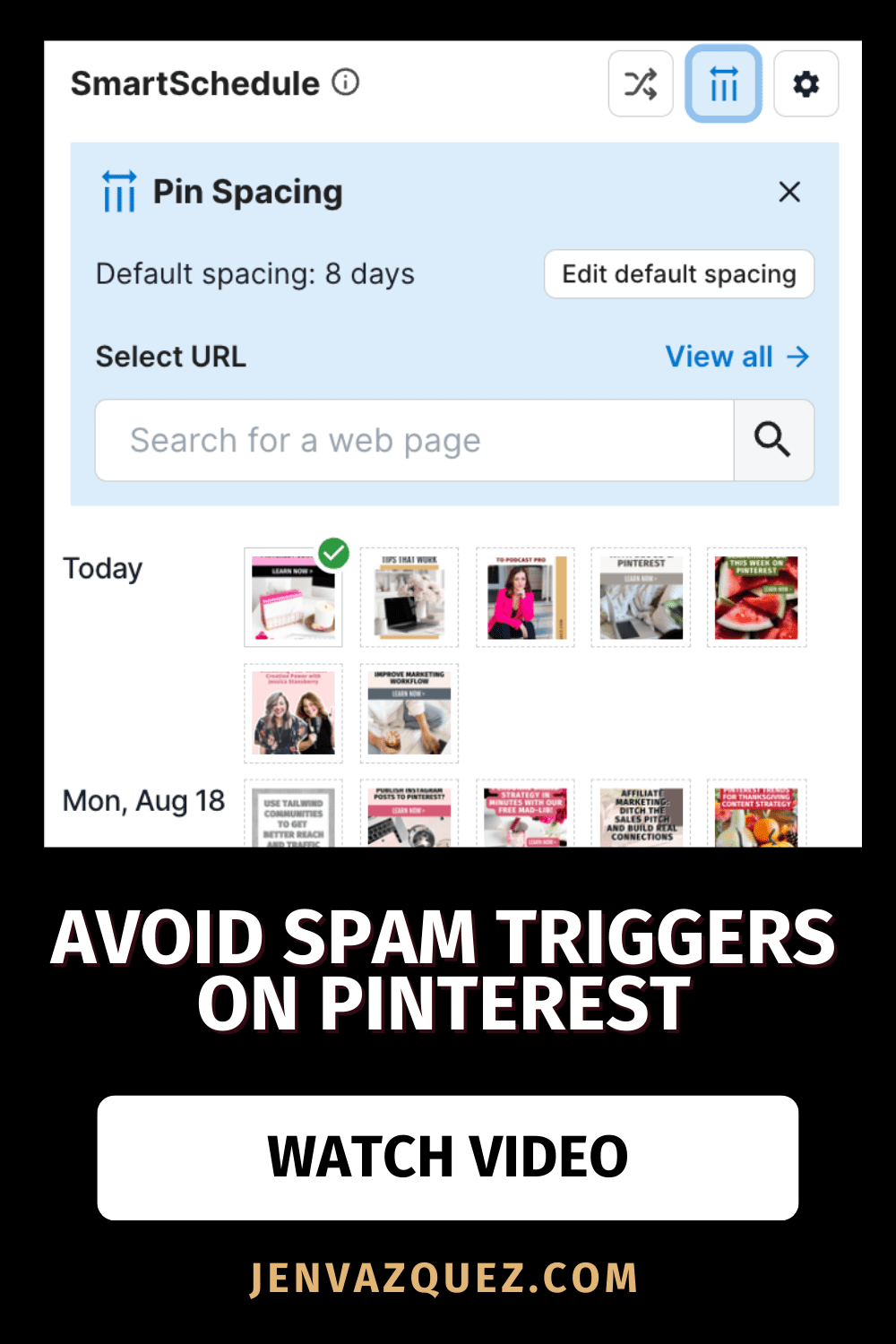
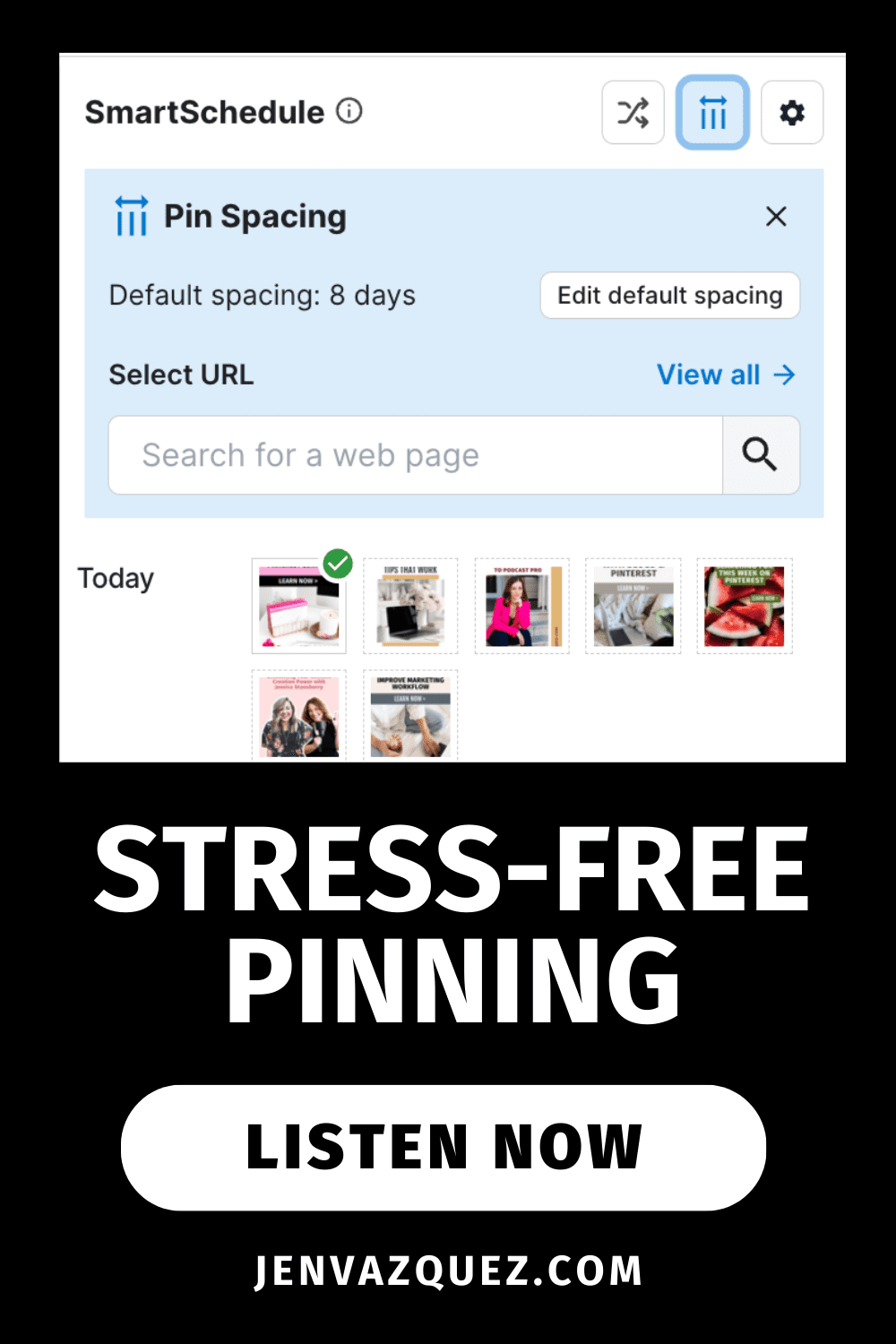
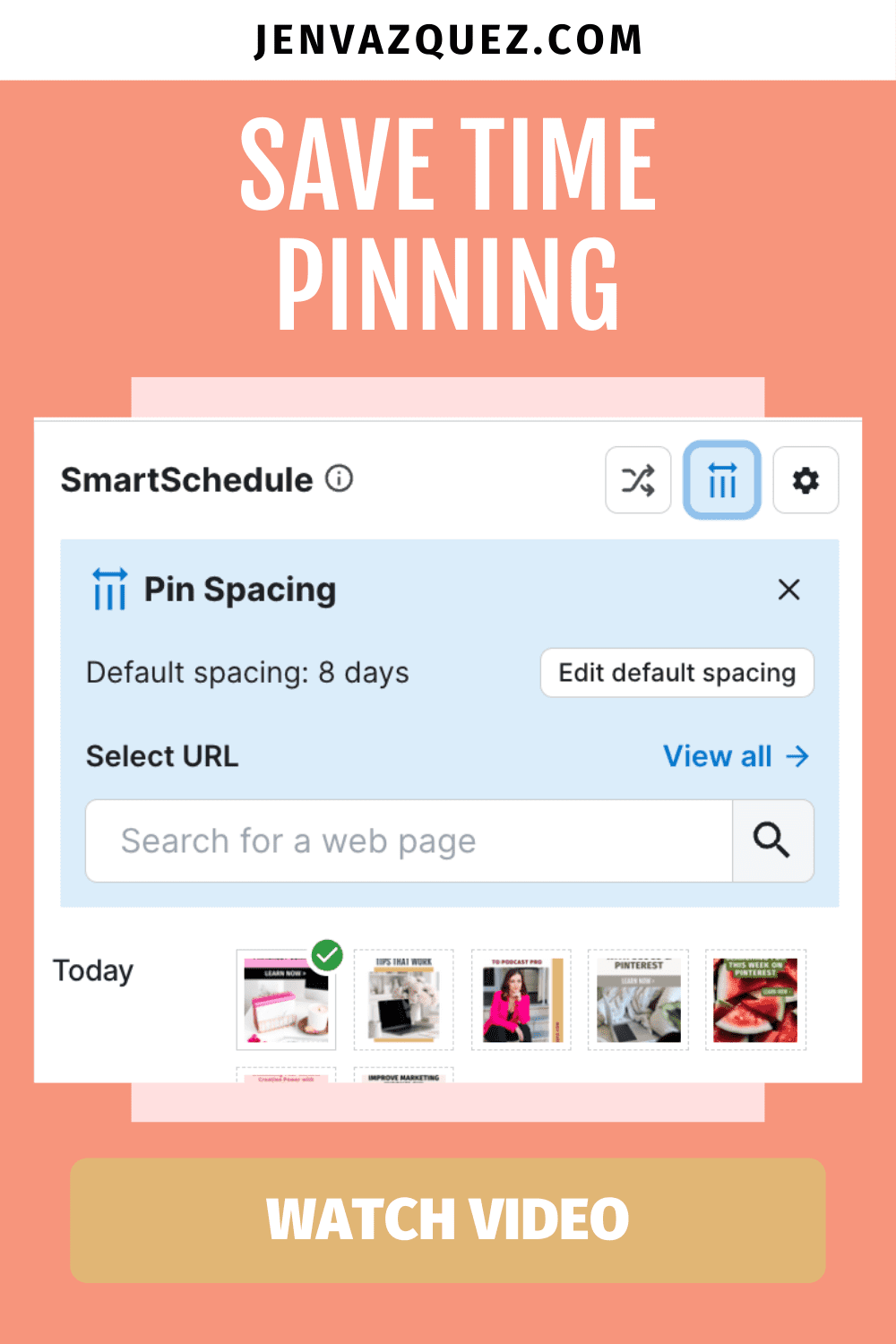
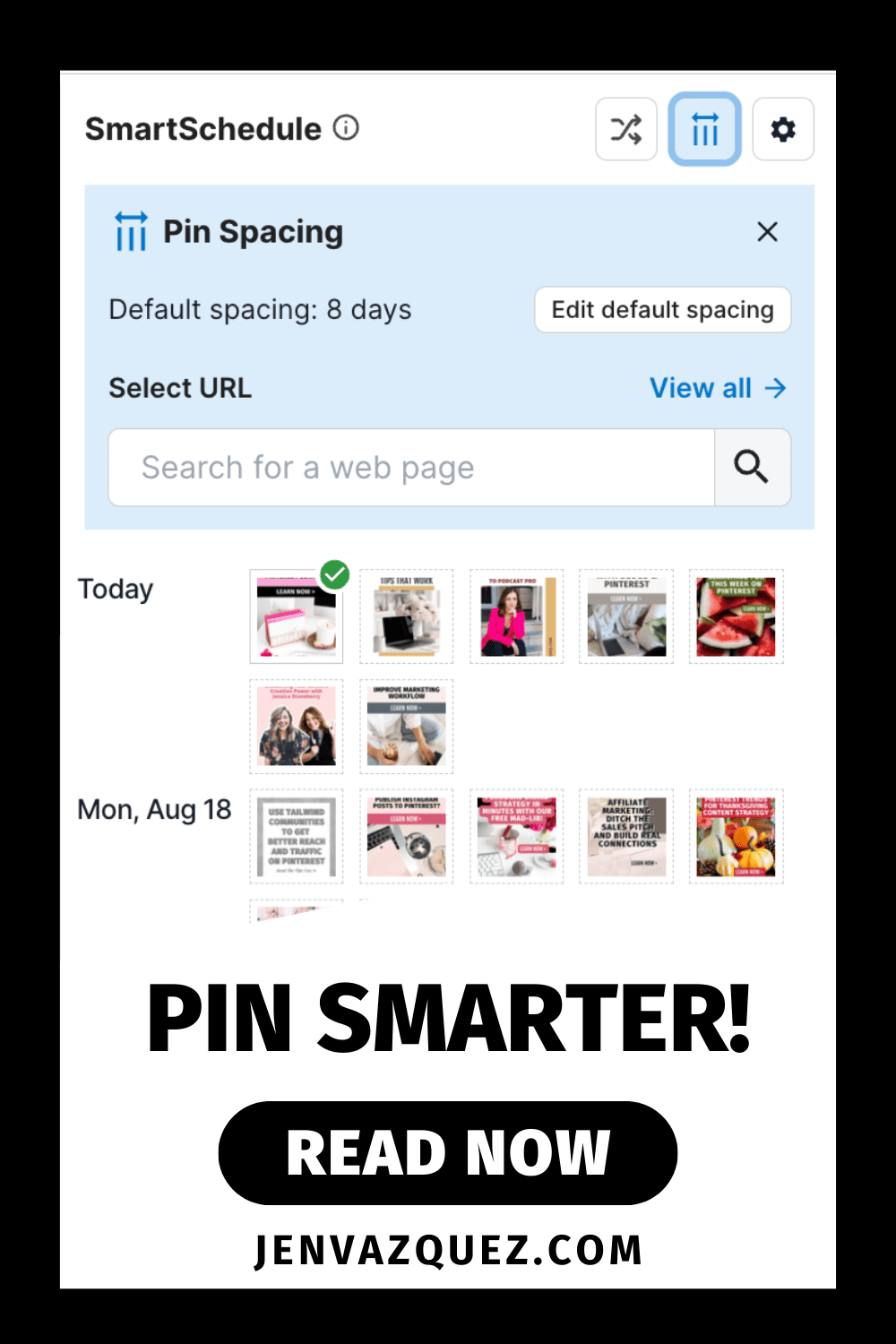
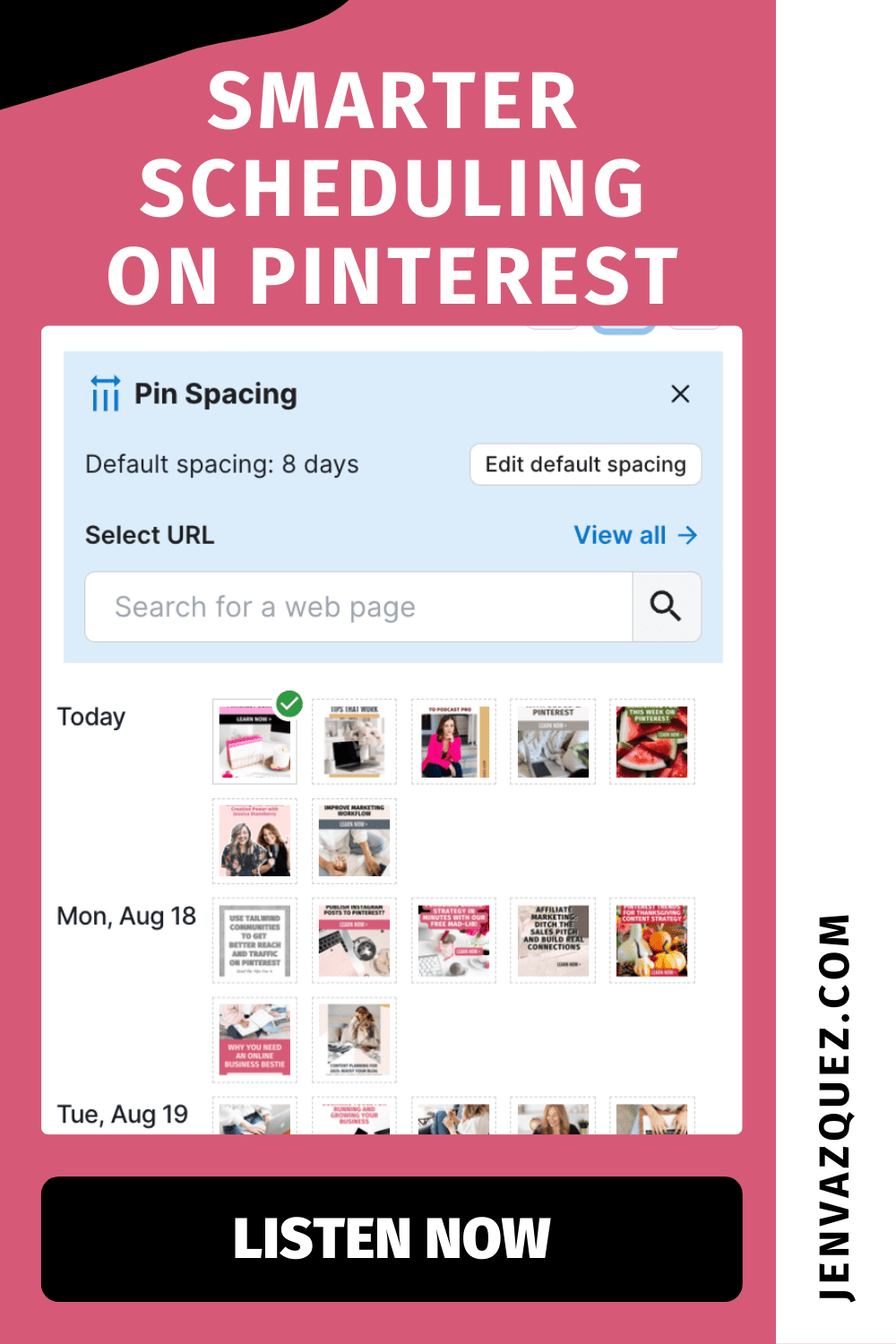
When you’re in Tailwind’s Pin Scheduler, you’ll now see a little blue button that tells you how many days are set between pins (like six days, for example). Instead of manually dragging pins and counting days, Tailwind handles the calculations.

You can adjust your default spacing (I love six or eight days) and unlock pins so the system can automatically reorganize your schedule. If you’re pinning only once a day, you might choose a smaller number like three or four days. The key is: no more manual stress, just smarter automation.

Ready to Simplify Your Pinterest Marketing?

If you’re tired of spending hours second-guessing your Pinterest strategy, you’ll love The Club (formerly Pinterest Strategy Club). It’s where service providers like you learn how to batch once, pin smarter, and actually get leads rolling in—without stressing over the algorithm. Join us and finally make Pinterest your easiest lead-gen tool.

Customizing Pin Spacing for Campaigns or Launches

Sometimes you want your pins going out faster—like when you’re promoting a time-sensitive offer, launch, or seasonal trend. Tailwind lets you customize spacing for specific URLs.

So, if you’ve got a blog about August trends, you can change those pins to go out every three or four days so the content stays relevant without dragging on into next year. It’s flexible, smart, and keeps your strategy aligned with your goals.

Why This Matters for Your Marketing Workflow

Here’s the best part: no more second-guessing your schedule, no more wasting 20 minutes dragging pins around, and no more worrying about spam triggers. Tailwind’s Pin Spacing Tool does the heavy lifting so you can focus on creating content that converts.

PRO TIP: Combine this feature with The Club and get pinning done twice a month with a Pinterest expert for any questions you may have.  Through that work, Pinterest practically runs itself in the background. That’s exactly what I teach inside The Club—working smarter, not harder, to keep leads flowing in.

So, what do you think? Will you be using Tailwind’s Pin Spacing Tool? Drop me a comment—I can’t wait to hear how it helps simplify your workflow!

Tailwind Pin Spacing Tool: Save Time and Prevent Pinterest Spam Filters jen Vazquez media Marketing Strategy Academy