Why Your Pinterest Isn’t Getting Clicks: 5 Problems Every Service Provider Needs to Fix
You’ve been pinning consistently, your boards are set up, and you’re posting regularly – but you’re still getting almost no website clicks. Here’s what’s actually wrong.
You’ve been pinning consistently. Your boards are set up. You’re posting regularly, maybe even writing keyword-rich descriptions.
But you’re still getting almost no clicks to your website.
If that’s you, I want you to know something: it’s not Pinterest, and it’s probably not even your content.
I’ve been on Pinterest since 2009 as a Pinterest Pioneer, back when it was in beta, and I built my photography business using that platform. So when someone comes to me and tells me Pinterest doesn’t work for service providers, I always ask the same question: which of these five things is happening?
Because almost every single click problem comes back to one of these five issues.
Ready to fix your Pinterest strategy?
Get 25+ free Pinterest tools, keyword guides, and templates in the Visibility Vault – specifically built for service providers.
Problem #1: Your Pin Titles Aren’t Triggering the Click
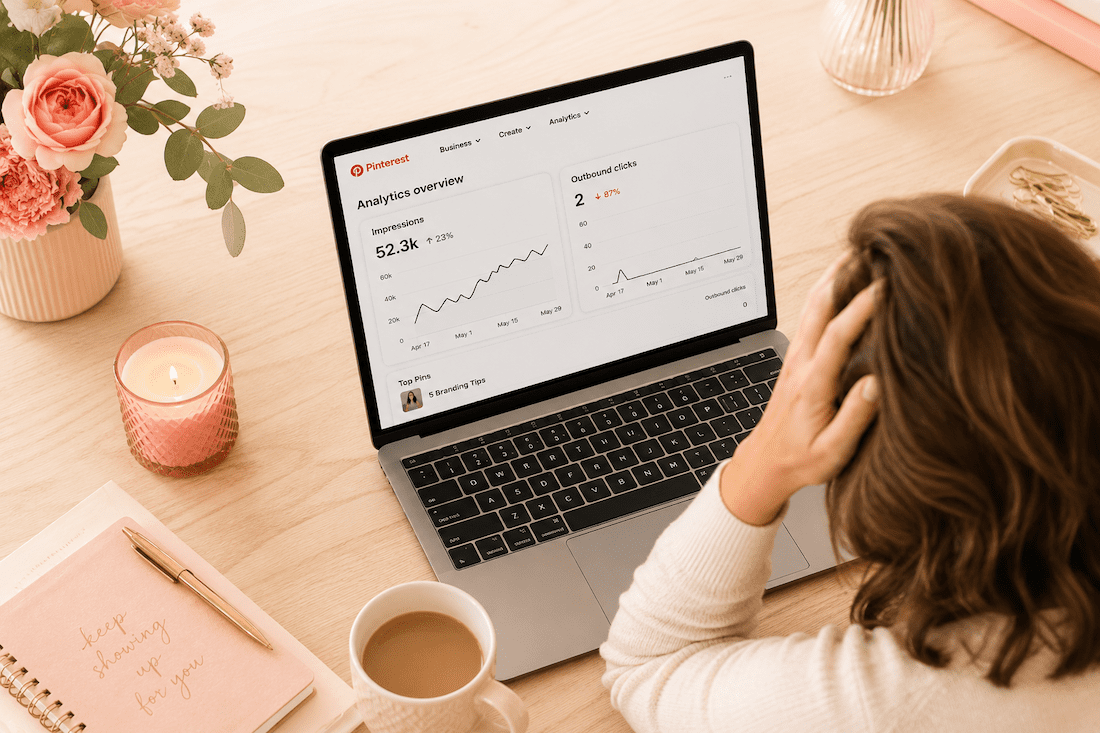
Here’s the most common scenario I see: impressions are decent, maybe 10,000, 20,000, even 50,000 monthly views, but outbound clicks are almost zero.
That’s a packaging problem, not a content problem.
Pinterest is a search engine. People don’t browse it like Instagram – they search, scroll the results, and click on the pin that most promises the best answer. Just like when you scroll on Google.
If your pin title says “My top branding tips,” that’s not a promise – that’s a label.
Compare it to “Five branding tips that helped me book clients at a higher price point.” Same content, completely different click-through rate.
The fix is rewriting your pin titles to lead with a specific outcome, not just a topic.
Problem #2: Wrong Keywords for the Wrong Stage
Not all keywords are equal. Some tell you someone is browsing. Others tell you someone is ready to solve that problem right now.
“Brand photography” is a browse keyword. Millions of people search it. Most are not ready to book.
“What to wear for a brand photoshoot” is a buyer keyword. Someone searching that is actively preparing for a session.
If all your pins target top-of-the-funnel browse keywords, you’ll get impressions from people who aren’t ready to act. Your click rate tanks as a result.
For every broad keyword you use, make sure you have at least one long-tail, intent-specific keyword to speak to someone farther along in the decision.
Problem #3: Your Pin Design Isn’t Stopping the Scroll
Pinterest is visual, and in a sea of vertical images, only certain things stop the scroll.
What doesn’t work:
- Generic stock photos
- All-white backgrounds
- Text that’s too small to read on a phone (where most people search Pinterest)
- Designs that could be anyone’s
What does work:
- Faces with direct eye contact
- Text overlay that states the outcome clearly
- A color palette consistent enough that people start to recognize your pins over time
Quick audit: pull up your last 10 pins and ask yourself honestly – would you click on them if you saw them while scrolling? If the answer is maybe or no, design needs attention before keyword strategy even matters.
Your Pinterest Strategy, On Repeat
You know Pinterest should be part of your marketing. You just don’t always know what to pin, when to pin it, or if you’re even doing it right. The Club gives you monthly trainings, live Q+A twice a month, two Pinning Sessions to get it done together, and 10 fresh Canva pin templates every month. Plus a community of women who totally get it. All for less than a tank of gas.
Free Pinterest Audit (Live on YouTube)
I’m pulling real Pinterest accounts and reviewing them live on YouTube, so you can see exactly what’s working, what’s not, and what to fix. Apply to have your account chosen. I pick from a mix of industries so even if yours isn’t selected, you’ll still learn something you can use. About 10 accounts per live. Show up, ask questions, take notes. It’s free, it’s real, and it might be exactly what your Pinterest has been missing.
Problem #4: You’re Sending Traffic to a Page That Doesn’t Convert
This one is sneaky. Your Pinterest analytics might actually look okay – impressions up, clicks coming in – but website conversions are zero.
The issue isn’t Pinterest. What happens after the click?
People click with what they think they’re going to see in mind, and they land on your blog post with nothing to do. No clear next steps, no opt-in, no offer. Just content.
Pinterest sends people to your front door. You have to invite them in.
Every single page you’re linking to from Pinterest needs one clear next step: a lead magnet, a discovery call link, a signup form. Pick one, make it obvious, and put it above the fold – meaning at the very top of that landing page.
Problem #5: You Haven’t Given It Enough Time
I know it’s not what you want to hear, but skipping this would be doing you a disservice.
Pinterest is a slow start, strong finish platform.
- The first two months almost always feel like nothing is happening, and that’s because Pinterest is indexing your content, testing it in small batches, learning who to show it to by the results of what people do in that small batch test.
- Months three and four: impressions start to rise.
- Months five and six: clicks start moving.
Beyond that, the compounding effect that Pinterest has kicks in, and the content you built six months ago keeps driving traffic without you lifting a finger.
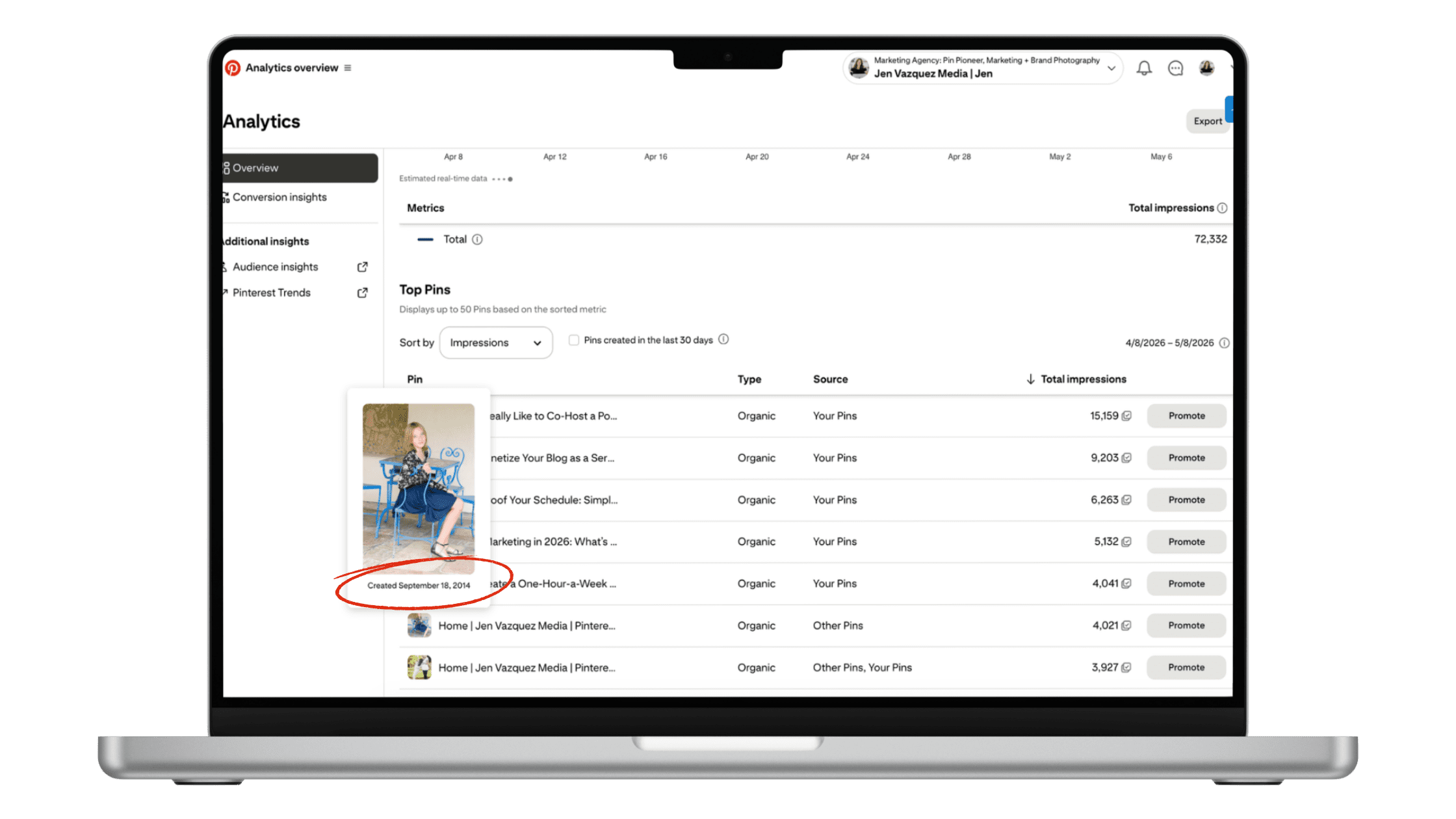
Sometimes, if there’s a topic that’s super popular in search on Pinterest, your pin might take off years later. I have pins I created in 2014 that are still driving traffic today.
Most people quit in month two or three, right before the shift. If you’ve been consistent for less than four months, keep going.
If it’s been six months of real consistency and you’re still seeing zero clicks, something structural needs to change.
It’s a Search Engine
The reality is that Pinterest absolutely works for service providers when you understand it’s a search engine, not a social media platform. But like any platform, there are specific strategies that work and common mistakes that don’t.
These five problems are the most common I see, and they’re also the easiest to fix. Start with whichever one resonated most with your current situation, implement the fix, and give it time to work.
Your future self (and your website traffic) will thank you.
Go introduce yourself on Pinterest, Instagram, or TikTok. I’ll be cheering you on from over here.