You’ve been consistent. You’ve been showing up. You’ve been posting regularly, doing all the things. And you’re still not getting the clients you want from Pinterest.
I want to say something before we dive into this: that’s not a reflection of your effort. It almost always comes down to five specific things that are very fixable. And one of them surprises almost everyone because they assume it doesn’t matter.
I’m a Pinterest Pioneer, and I’ve audited hundreds of Pinterest accounts. This is the exact checklist I run on every single one. Pull up your Pinterest account and follow along, because I’m going to walk you through each audit item so you can spot-check your own account right now.
Audit #1: Your Profile Is Invisible in Search
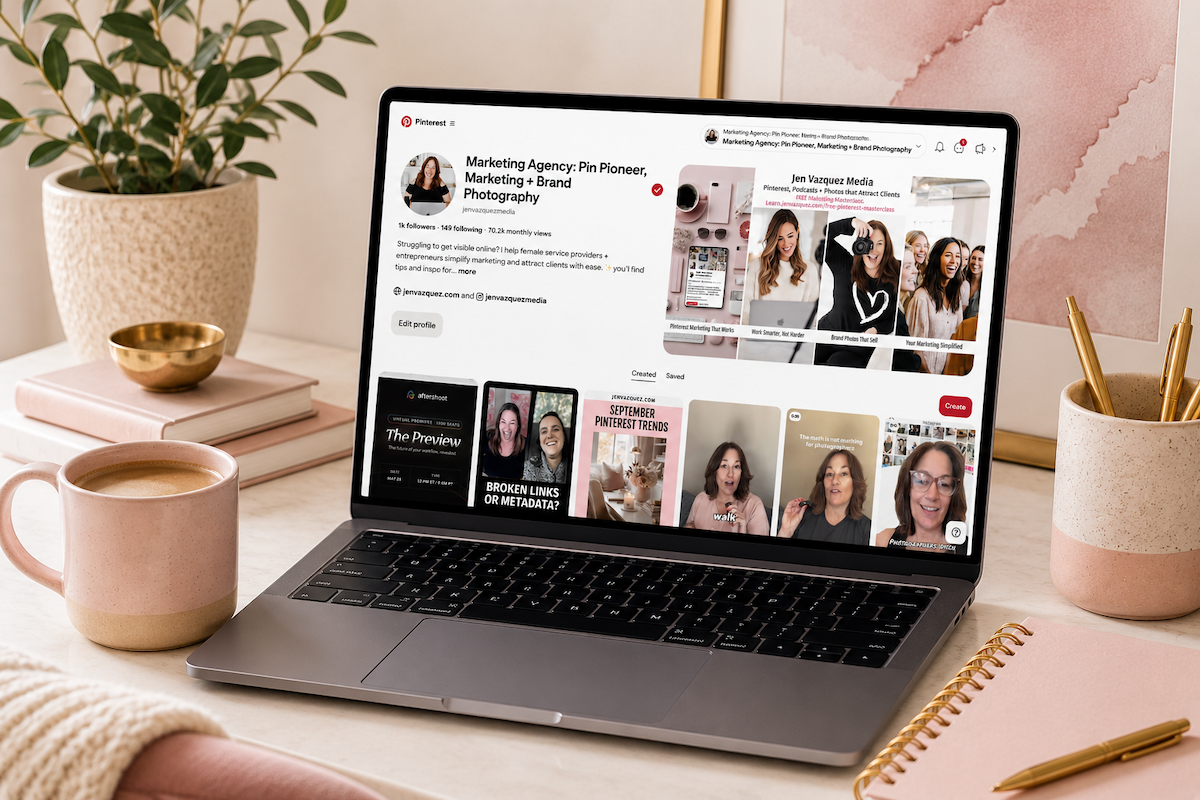
Open your Pinterest profile and look at your display name and bio.
Your display name should include your name and a keyword or two, not just your business name. Something like “Jen, brand photographer for female service providers.”
The more specific you are, the more Pinterest understands who you are and who you serve, and it will serve your content up to the appropriate people.
Pinterest indexes that display name as one of its first signals about who you are.
Your bio should read like the answer to “what do you do and who do you help,” but written the way your ideal client would describe it or type it into a search bar on Pinterest. Not the way you would introduce yourself at a networking event.
Red flag: If your bio says “Photographer, mama, coffee lover,” that’s Instagram thinking. This is a search engine, so we want to be specific.
Audit #2: The Surprise – Board Descriptions
This is the one that really surprises people.
Most people have either no board description at all or board titles named for themselves with cute names instead of for search. “My Faves” or “Good Eats” does absolutely nothing for you.
“Pinterest marketing tips for female service providers” gets indexed.
Every board title and every board description is a signal to Pinterest about what your account is all about and who to show your content to. This is why you want to be specific.
Here’s part of the problem: Pinterest doesn’t require you to add a board description. It only forces you to create a board title.
To enter that board description, you have to click on that board, click on the three dots on the top right, and edit that board. Then you can enter your board description.
You want to add a full, human-readable description of that board and what people will find there. Two to three sentences per board. You want to enter enough description that Pinterest knows who it’s for, but not so much that it’s just keyword, comma, keyword, comma, keyword.
Board count check: If you have more than 40 boards, it usually means the account is scattered and not defined and specific enough. Eight to 20 focused, relevant boards outperform 50 random boards consistently.
If you haven’t pinned to a board in more than six months, consider merging it with another board.
Pinterest Clean-up or Set-up
Ready to give your Pinterest a total refresh, but know that you don’t want to do the work? Rather have an expert do it? The Pinfluence Power Clean is for you! It’s a 21-day done-for-you Pinterest overhaul — SEO updates, optimized boards, pin templates, and a strategy call all included.
FREE 3-Minute Pinterest Audits
I’m doing Pinterest Audits on YouTube LIVE. Whether you sign up to have your account audited or you just watch, you will still learn things that will help your account. When I audit accounts, I’ll give multiple things you can do to optimize your Pinterest account. Fill out the form by clicking the button.
Pinterest Audit + Strategy Calls
Your Pinterest Could Be Bringing You Clients Right Now. If it’s not, something’s off. A Pinterest Audit gives you a personalized look at exactly what’s working, what’s not, and a clear action plan to fix it fast.
Audit #3: Your Pin Titles Are Labels, Not Promises
Pull up your five most recent pins and read the titles out loud.
Do they include a keyword phrase that your ideal client would search on Pinterest or Google? Do they make a specific promise? Would you actually click them if you saw them while scrolling?
Weak: “My process”
Strong: “How I plan a brand photo session around your marketing calendar”
Do you see the difference?
Weak: “Tips for coaches”
Strong: “How to get more coaching clients using Pinterest without posting every day”
The title is the first thing the algorithm reads and the first thing a human reads. It has to earn the click before anything else matters.
Audit #4: The Sneaky One – Links
Click the URLs in your five most recent pins and see what actually happens.
When you get there, does the page deliver on what you promised in the pin? Is there a clear next step – an opt-in, booking link, service page – or does it just go to your homepage with no direction?
Pinterest gets people to your front door. If there’s nothing inviting them inside, they’re going to leave and you’ll never know they were there.
When a person leaves Pinterest and immediately comes back to Pinterest, that’s a sign to Pinterest that the content wasn’t trustworthy, and they may throttle back on serving that content to other people.
Also, check for broken links. This happens more than people think, especially after website redesigns, and it quietly destroys your credibility with Pinterest’s algorithm.
Audit #5: The Money Metric
Monthly views feel like progress. You see that number climbing, and it feels like the metric you should be chasing.
Outbound clicks are what actually become clients.
Most people are optimizing for the wrong number and wondering why Pinterest isn’t working.
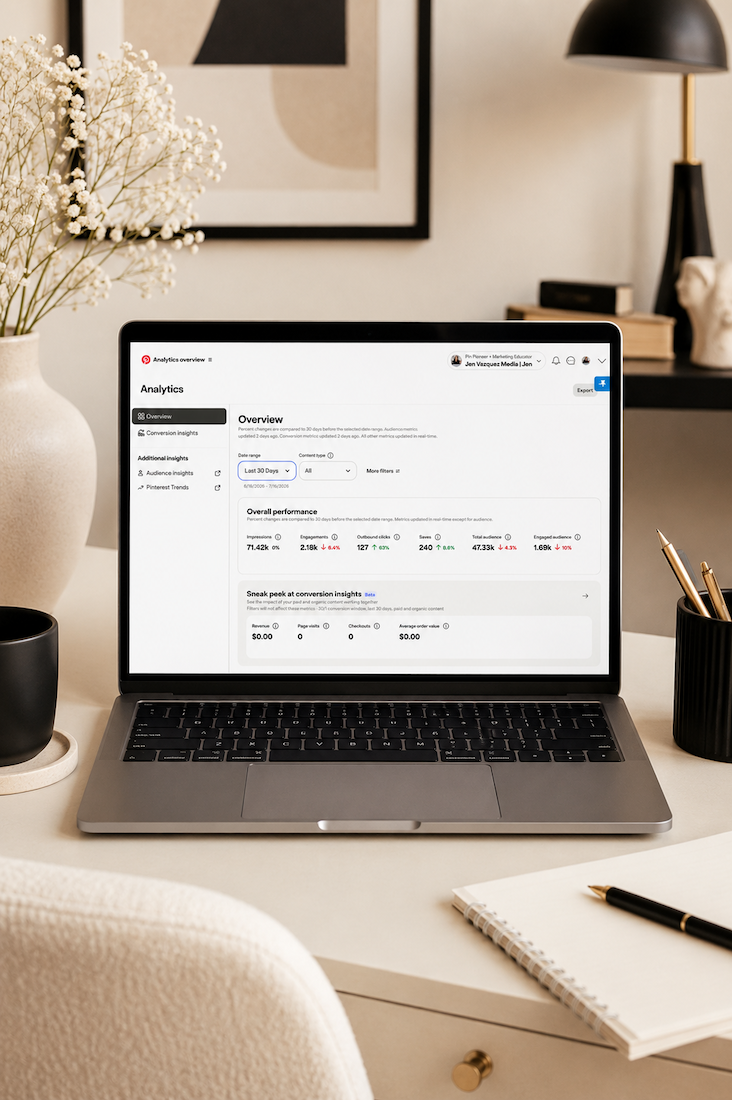
Go into Pinterest Analytics, look at your top-performing pins from the last 90 days, and sort by outbound clicks. Not by impressions, not by saves – outbound clicks.
That number represents people leaving Pinterest and landing on your website. It’s the metric most directly connected to leads, email signups, discovery calls, and clients.
Monthly views tell you how many times your pin showed up somewhere on Pinterest. Outbound clicks tell you how many people cared enough to act.
A service provider with 8,000 monthly views and 400 outbound clicks is doing better than one with 80,000 monthly views and 40 clicks every single time.
Look at what content is generating those clicks. What topics, what formats, what keywords? Are you creating more of those, or are you still pinning at random?
If you have impressions but no clicks: It’s probably a packaging or keyword problem (back to items two and three).
If you have clicks but no conversions: The destination is the problem. Work on that landing page.
If you have nothing: It may be a consistency or timing issue. Keep going and audit again in 60 days.
What to Do Next
Here’s the truth: consistent posting without a solid foundation is just creating more of the same result. Fix the foundation first.
If you ran through that audit and found more than one or two things that need fixing, you’re not alone. Most accounts I audit have at least a few of these issues.
The good news? They’re all fixable.
Even a perfect Pinterest strategy can only work as hard as your visuals allow it to. If your images aren’t stopping the scroll, none of the keywords matter.
Next week, I’m going deep on how to plan a brand photography session around your content calendar so you never start from scratch again, how to repurpose brand images on Pinterest, and how the right visual library completely changes how easy your whole marketing workflow feels.
Your Pinterest foundation matters more than how much you pin. Get these five things right, and everything else gets easier.
Go introduce yourself on Pinterest, Instagram, or TikTok. I’ll be cheering you on from over here.