Pinterest Analytics Made Easy: Turn Numbers into Business Growth
orange background with white letters saying Pinterest Analytics Made Easy: Turn Numbers into Business Growth by Jen Vazquez Media

Pinterest Analytics Made Easy: Turn Numbers into Business Growth

Hey there! I’m Jen, and just like you, I adore Pinterest for both fun and business.

Let’s be real—while creating awesome pins and engaging with your audience feels great, we all need to know if our efforts are truly paying off. That’s where Pinterest Analytics comes in, and I’m here to make it easy peasy for you. Ready to dive in? Let’s go!

Finding Your Pinterest Analytics

First things first, let’s locate those magical analytics. Open up Pinterest on your desktop—trust me, it’s easier to see all the data when you’re on a bigger screen. Make sure you’re logged into your business account. Click on your profile picture at the top right, then head over to the ‘Business Hub’ on the far left. Voila! You’ve officially entered the analytics zone.

At first glance, it might seem overwhelming. Don’t freak out. You don’t need a math degree to get this—promise!

Understanding Key Metrics

Alright, let’s break down the essential metrics you should keep an eye on:

Impressions

Think of impressions as your pin’s first impression—pun intended! It’s the number of times your pins appear on users’ screens. They could be on page five of search results, but hey, it counts.

Pin Clicks

Pin clicks are when someone taps on your pin for a closer look. Whether it’s in their feed or search results, if someone clicks through to see your pin’s full details, that’s a win in my book!

Saves

When someone loves your pin enough to save it to one of their boards, that’s a big thumbs-up. While it’s great for Pinterest’s algorithms, it’s not the full story. Saves show engagement, but you won’t always know the exact user intention behind it.

Unlock Your FREE Pinterest Marketing Resources

Dive into the Pinterest Marketing Resources Vault, packed with over 10 game-changing tools, 6 exclusive masterclasses, and exciting challenges. This free vault is your golden ticket to supercharging your marketing strategies on Pinterest. Get instant access to templates and assets designed to transform your marketing game.

Ready to work smarter, not harder? Sign up now and unleash your full potential!

Profile Visits

If your pin intrigues someone enough to check out your profile, you’re doing something right. Profile visits mean more eyes on all your pins at once, which definitely helps build your follower base.

Followers

Speaking of followers: keep track of those new fans! Growing your follower count is a clear sign that your content resonates with people.

Reactions and Comments

Likes, hearts, and comments are gold. They not only show that people appreciate your content, but they also add social proof—making other users more likely to engage too.

Outbound Clicks

These are the “money clicks.” Outbound clicks indicate that people are heading to your website, blog, or service page from your pin. This is where you turn browsers into customers.

Video Metrics

If you’re sharing video pins, you’ll want to monitor these additional stats:


  • Video Views: Total number of times your video is viewed, even for a few seconds.
  • 10-Second Plays: If someone watches your video for at least ten seconds, they’re interested—celebrate that!
  • Average Play Time: How long on average people watch your video. Use longer watch times to gauge what content is truly captivating.

The Big Picture

Pinterest Analytics isn’t just about minute-to-minute updates. It’s about seeing long-term trends too. For example, compare your current data with last year’s numbers to understand seasonal trends. Trending down this month? It might just be a slow season—don’t stress.

When it comes to business growth on Pinterest, two metrics are your BFFs: pin clicks and outbound clicks. Focus on these to really understand if your Pinterest strategy is working. But hey, don’t neglect the other metrics. Pinterest cares about them, so should you, to keep those eyes on your pins.

Embrace Change

Remember, social media is always evolving—Pinterest included. Algorithm updates, new features, and disappearing tools can feel like a whirlwind. Stay focused on your goals, and adjust your strategies based on the metrics that matter most to you.

Want to keep all these numbers in check without the headache? Check out my Pinterest Analyzer. It’s a Google spreadsheet to help you track what really matters, helping you spot trends and adapt accordingly.

Need a Little More Help?

I totally get it. Analytics can feel overwhelming. If you need more personalized advice, consider joining my Pinterest Strategy Club. We have live calls where I help you navigate your analytics and strategies in real-time. Plus, my email list is full of updates and tips to keep your Pinterest game strong.

📌 Happy pinning, my friends!

And remember, you’re not alone in this. Hit me up for more awesome resources and let’s make your Pinterest a key player in your business growth. You’ve got this! 🤗

Here is more information that may be helpful!

Don’t Forget to Pin It!

Desk flatlay with pad of paper, pen, headband wallet and macbook pro laptop with the words Boost Your Business with Pinterest Analytics by Jen Vazquez Media
white desktop flatlay with keyboard, glasses, cell phone and fruity adult beverage with word: Transform Pinterest numbers into business wins by Jen Vazquez Media
orange desktop with mackbook pro keyboard and a fruit adult beverage with the words: Pinterest Analytics: A Step-by-Step Guide
women holding a goblet with fruit out the top in a white dress with the words Your Guide to Pinterest Analytics Made Simple
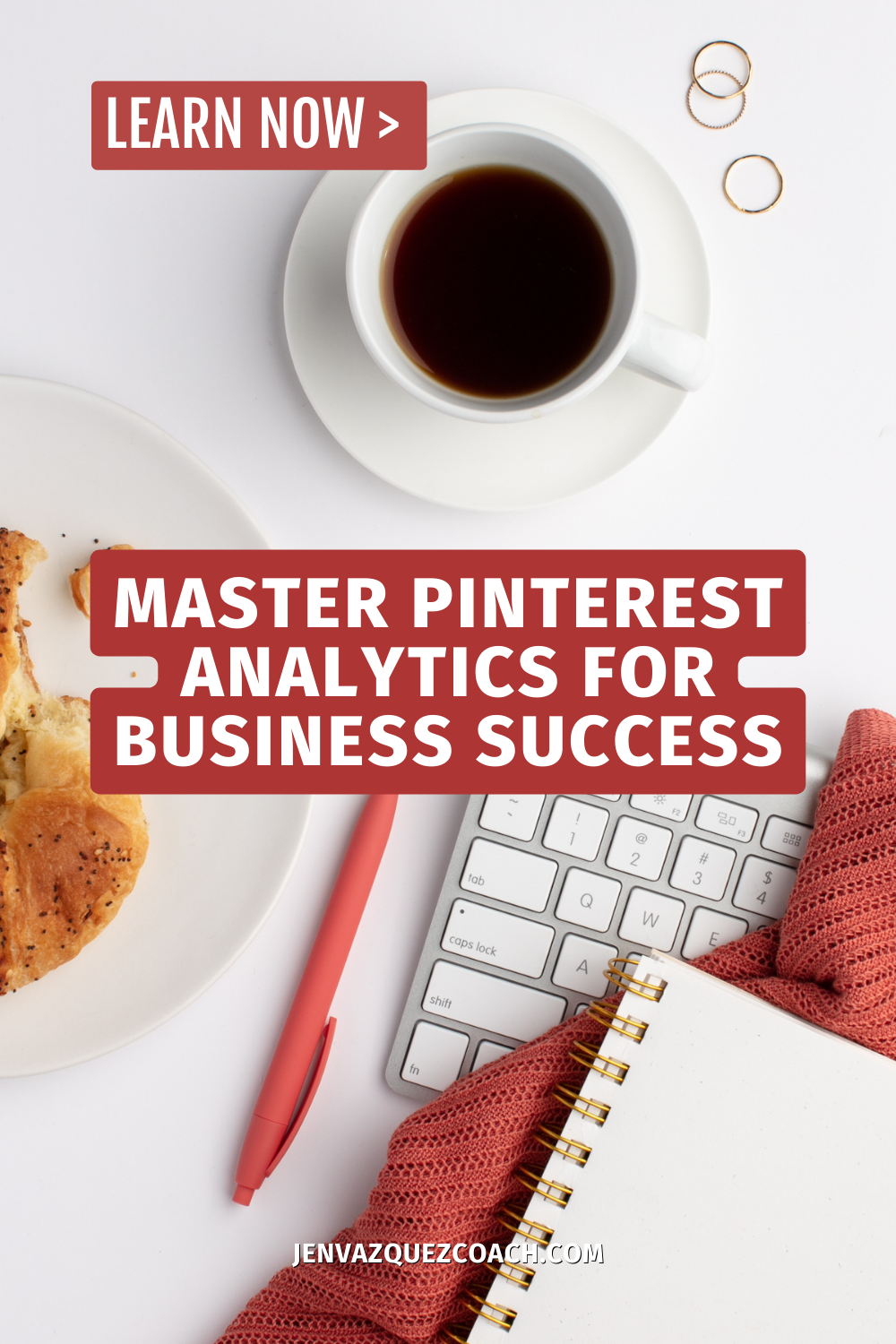
flat lay with coffee, food, apple keyboard, pen and pad of paper with words: Master Pinterest Analytics for Business Success

Pinterest Trends Weekly: Keep It Fresh

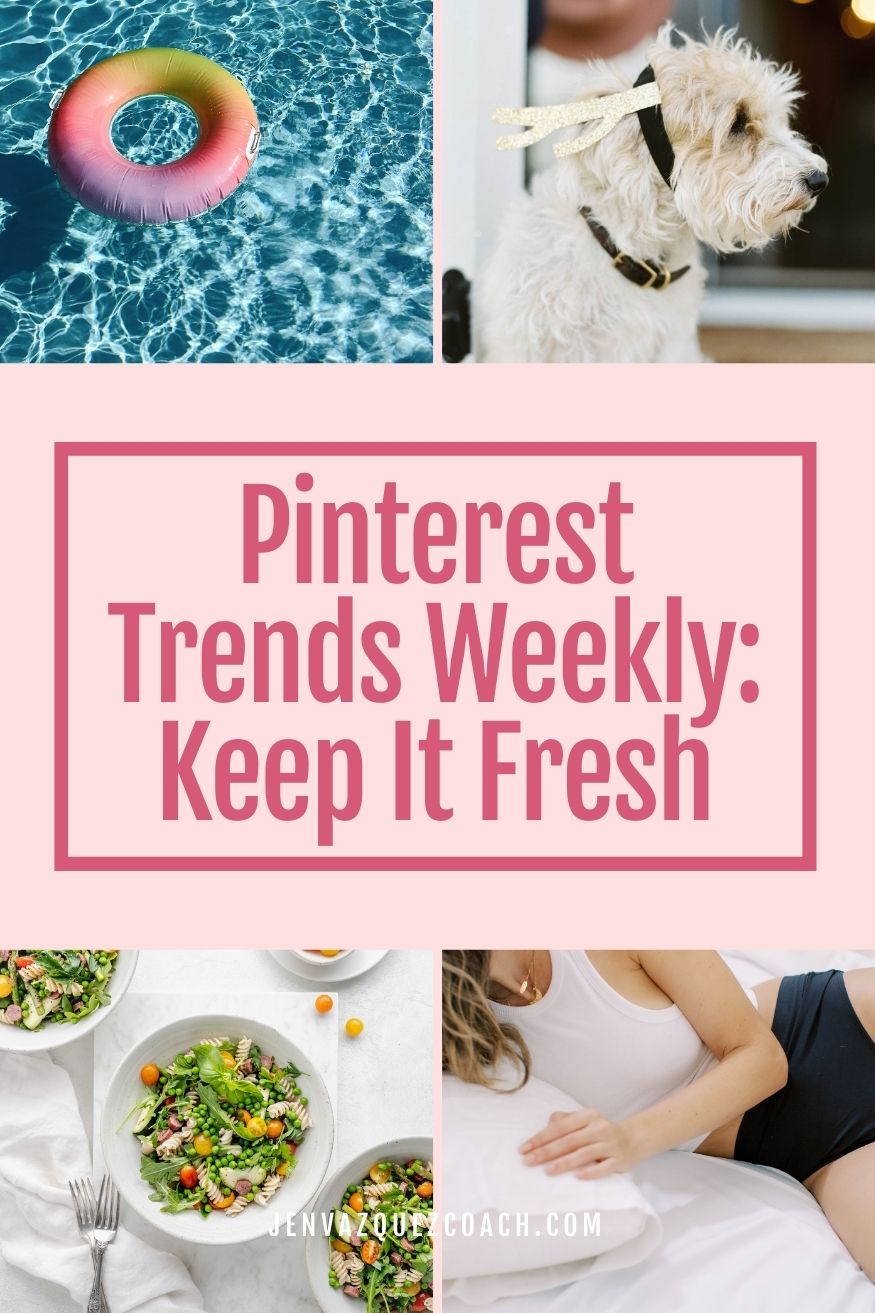
4 summer photos on a pinterest pin with text Pinterest Trends Weekly_ Keep It Fresh pin by Jen Vazquez Media

Pinterest Trends Weekly: Keep It Fresh

Welcome back to this week’s Pinterest Trends Weekly! This week, Pinterest has gathered insights around the theme “Keep it Fresh.” We’ll dive into all the trending topics, but first, let’s look at the key trends:

  • 20x increase in summer art projects
  • 50x increase in how to fall asleep quickly
  • 2x increase in clay ceramics
  • 63x increase in summer cleaning
  • 105% increase in art tools drawing
  • 3x increase in garden whimsy

What’s Behind the Trends?

Pinterest is where people look forward. More than half a billion users turn to Pinterest to find tomorrow’s ideas. By analyzing current trends, Pinterest can provide valuable insights into what might soon be trending elsewhere.

Pinterest Predicts Weekly

Every week, Pinterest Predicts Weekly highlights actionable search trends among Pinterest users across categories, regions, and demographic groups. These insights are available on Pinterest Trends, where you can discover data to market your business effectively.

Growing Trends: Something New

From seasonal food and fun to changes in daily routines, searches are growing in these key areas:

Recent Growth in Search Terms

  • Summer Art Projects: 20x increase
  • Organizational Hacks: 150% increase
  • Body Care Routine: 95% increase
  • Things to Do at Night: 45% increase
  • Summer Supper Ideas: 40% increase

Get 80 Calls To Actions For Marketing For FREE

Get Instant Access to 15+ Tools and 8 Masterclasses/Challenges for FREE!

Are you ready to supercharge your Pinterest marketing efforts and take your brand to new heights? Look no further! We’ve curated a collection of over 15 essential Pinterest marketing tools and 8 expert-led masterclasses and challenges, all designed to help you succeed on this dynamic platform.

Category Trends: Better Than Ever

Health

Searches related to improving sleep, refreshing personal spaces, and trying new crafts are trending:

  • How to Fall Asleep Quickly: 50% increase
  • High Potassium Food List: 35% increase
  • Electrolytes: 35% increase
  • Pre-Workout Breakfast: 25% increase
  • Healthy Morning Routine: 25% increase

DIY

  • Clay Ceramics: 2x increase
  • Altering Clothes: 110% increase
  • Sewing Projects for Beginners: 80% increase
  • Scrapbook Projects: 55% increase
  • Frozen Dog Treats Homemade: 50% increase

Home

  • Summer Cleaning: 63x increase
  • Home Bedroom Refresh: 75% increase
  • Household Cleaning Tips: 35% increase
  • Gnats Get Rid of in Kitchen: 30% increase
  • Storage Hacks: 30% increase

Audience Spotlight: Gen Z

Gen Z is searching for all kinds of inspiration, from health challenges to skincare and art routines:

  • Art Tools Drawing: 105% increase
  • Skincare Essentials: 95% increase
  • Quick Workout Routine: 90% increase
  • Drink Recipes (Non-Alcoholic): 65% increase
  • 30-Day Challenge Fitness: 55% increase

Moment Spotlight: In the Garden

As people spend more time outdoors, they’re searching for ways to add extra magic to their gardens:

  • Garden Whimsy: 3x increase
  • Garden Nook: 100% increase
  • Summer Garden Party: 95% increase
  • Homemade Salsa with Fresh Tomatoes: 70% increase
  • Fresh Basil Recipes: 55% increase
  • Garden Sitting Areas: 30% increase
Pinterest Trends for 6/28 Summer cleaning aesthetic

Feature Board: Summer Reset

Refresh your space for the season with our Feature Board, “Summer Reset.” Whether you’re organizing or deep cleaning, find plenty of inspiration here to keep your home fresh and clean. Check the link in the show notes to explore and follow along with all these trends.

Happy pinning!

Here is more information that may be helpful!

Don’t Forget to Pin It!

garden photo with words on a Pinterest Pin Pinterest Trends Weekly_ Keep It Fresh pin by Jen Vazquez Media
Pretty colorful summer food on a table with the words Pinterest Trends Weekly_ Keep It Fresh pin by Jen Vazquez Media
womena in black swimsuit bottoms in bed with white better going to sleep with the words Pinterest Trends Weekly_ Keep It Fresh pin by Jen Vazquez Media
three women in workout attire doing yoga with the words Pinterest Trends Weekly_ Keep It Fresh pin by Jen Vazquez Media
a swimming pool with rainbow colors floaty with the words Pinterest Trends Weekly_ Keep It Fresh pin by Jen Vazquez Media

Unveiling the Power of UTM Codes: The Key to Supercharging Your Marketing Strategy with Bonnie Conrad of Inn8ly

Unveiling the Power of UTM Codes - The Key to Supercharging Your Marketing Strategy with Bonnie Conrad Blog

Unveiling the Power of UTM Codes: The Key to Supercharging Your Marketing Strategy

Hey there! Have you ever wondered how to track the effectiveness of your marketing campaigns down to the last detail? Today, we’re diving into the world of UTM codes, powerful tracking tools that can transform your marketing strategy. Grab a coffee and get comfy, because you’re about to discover some game-changing secrets!

Welcome to Our Space!

Welcome back! If you’re new here, I’m Jen Vazquez, and I’m all about helping hyper-busy female service providers use Pinterest to book more clients, increase their income, and make a bigger impact. In this blog, I also feature experts in the marketing field to get you all the juicy details you need to know. If you’re interested in taking your marketing game to the next level, be sure to subscribe.

Today, I’m thrilled to introduce you to Bonnie Conrad from Innately. Bonnie has an inspirational journey from struggling with digital marketing to mastering it, and she’s here to share her knowledge about UTM codes.

Meet Bonnie Conrad of Inn8ly

Bonnie is a military spouse who has worked in both the public and private sectors. After leaving the corporate world, she started her own small business and faced the challenges of digital marketing head-on. Through dedication and hard work, Bonnie immersed herself in the world of digital marketing, pinpointing the key factors that distinguish valuable strategies from superficial content.

Her clients love her honest, no-frills feedback, and I know you will too. Welcome, Bonnie!

What Are UTM Codes?

Before you get scared off by the word “codes,” let me reassure you—you don’t need to be a tech wizard to use UTM codes! UTM, which stands for Urchin Tracking Module, are simple snippets of text you add to your URL to track specific elements in your marketing strategy.

Why Should You Use UTM Codes?

UTM codes can help you identify the best platforms for your content. Whether you’re using Pinterest, LinkedIn, or MailChimp, UTM codes give you precise information about where your traffic is coming from, what’s working, and what’s not. This way, you can water the flowers and prune the weeds—do more of what works and get rid of what doesn’t.

Creating UTM Codes: A Step-by-Step Guide

Using UTM codes is easier than you might think. Bonnie recommends using Google’s Campaign URL Builder, a free tool that helps you build your UTM codes. Here’s a quick rundown of the steps:

1. Source: Where is the traffic coming from? (e.g., LinkedIn post, Pinterest)
2. Medium: How did the traffic reach you? (e.g., email, banner ad)
3. Campaign: The specific marketing campaign (e.g., spring sale, blog traffic)

You can also add “term” for keywords and “content” for differentiation in A/B testing, but these are optional.

Tracking and Managing UTM Codes

To keep things organized, Bonnie suggests using a Google Sheet to track your UTM codes. This way, if you share a blog post or campaign multiple times, you won’t need to create a new code every time. For example, you can have separate UTM codes for Instagram feed posts and Instagram stories to see which generates more traffic.

Best Practices

Keep It Simple: Use clean, concise tags that are easy to understand.
Avoid Special Characters: Stick to underscores or dashes.
Be Consistent: Apply your UTM codes across all your digital marketing channels.

How UTM Codes Have Helped

Since Inn8ly started using UTM codes, they’ve seen amazing results. For instance, Bonnie shared that their average page position on Google improved drastically, thanks to targeted traffic from Pinterest. It’s all about focusing on what works and letting go of what doesn’t.

Tools and Resources

Google Sheets for tracking and Google Analytics 4 for insights are your best friends. If you’re new to these tools, there are plenty of YouTube tutorials to get you started.

Take Action Today

You don’t need to overhaul your entire marketing strategy to start seeing the benefits of UTM codes. Pick one platform or parameter and start creating codes. Trust me, once you see the data, you’ll be hooked!

Bottom Line

Marketing doesn’t have to be a guessing game. With UTM codes, you can make informed decisions that are based on hard data. So go ahead, start experimenting, and watch your marketing strategy transform!

If you found this post helpful, follow Bonnie and check out her UTM best practices checklist. It’s a fantastic resource that will guide you through the process of creating and using UTM codes effectively.

Here is more information that may be helpful!

Don’t Forget to Pin It!
The Dual Power of Blogs and Pinterest: A Must for Female Service Providers

The Dual Power of Blogs and Pinterest_ A Must for Female Service Providers by Jen Vazquez Media

The Dual Power of Blogs and Pinterest: A Must for Female Service Providers

Harnessing the dual power of blogs and Pinterest can be a game-changer for female service providers looking to elevate their brand and increase their online presence.

Blogs offer a platform to share your expertise, engage your audience, and drive traffic to your website, while Pinterest Marketing amplifies your reach with captivating visuals and a unique algorithm that prioritizes fresh content.

By integrating these two tools, you not only boost your SEO but also create a dynamic and engaging experience for your potential clients. In this guide, we’ll delve into why every female service provider should leverage both blogs and Pinterest to build a robust and thriving online business.

The Power of Blogging

The Dual Power of Blogs and Pinterest: A Must for Female Service Providers by Jen Vazquez Media - Pinterest Manager<br />

Enhancing Your Online Presence

Blogging is a cornerstone for enhancing your online presence. By consistently publishing high-quality content, you signal to search engines that your website is active and valuable. This can improve your SEO, making it easier for potential clients to find you. Effective blog posts answer common questions, provide insights, and establish your authority in your field.

Additionally, blogs offer shareable content that can be distributed across social media platforms, further extending your reach. This combination of SEO benefits and social sharing can drive significant traffic to your website. In turn, this increases your visibility and can lead to more client inquiries and conversions.

By dedicating time to blog regularly, you create a rich resource that potential clients will return to, fostering trust and establishing your brand as a go-to source of information.

Engaging Your Target Audience

Engaging your target audience through blogging is about more than just sharing information; it’s about creating a dialogue. When you write blog posts that address the specific needs, concerns, and interests of your audience, you foster a sense of connection and community. This can encourage readers to leave comments, share your posts, and return to your blog regularly.

Interactive elements like polls, questions at the end of your posts, and call-to-actions can further drive engagement. Additionally, by incorporating various content formats such as how-to guides, case studies, and personal stories, you cater to different preferences, keeping your audience interested and invested.

Engaged readers are more likely to trust your expertise and consider your services, ultimately leading to higher conversion rates. Therefore, focusing on creating engaging, relevant content is essential for building a loyal and active audience.

The Dual Power of Blogs and Pinterest: A Must for Female Service Providers by Jen Vazquez Media - Pinterest Manager<br />

Boosting SEO and Credibility

Blogging is a powerful tool for boosting both your SEO and your credibility. Regularly updated blogs provide fresh content that search engines love, helping your site rank higher in search results. This increased visibility makes it easier for potential clients to find you.

In addition to SEO benefits, blogging allows you to showcase your expertise and build authority in your field. Well-researched, informative posts demonstrate your knowledge and position you as a trusted advisor. Over time, your audience will come to see you as an expert, which can significantly enhance your credibility.

Moreover, backlinks from other reputable websites to your blog can further improve your SEO and establish your authority. Thus, by maintaining a consistent blogging schedule with high-quality content, you not only improve your search engine rankings but also build a strong, credible reputation that attracts and retains clients.

Pinterest Membership

Pinterest Strategy Club

A community membership that helps you to learn Pinterest live.  There’s a mini course to optimize your Pinterest to have it help you grow your business.  There are two live calls a month, a Pinning Session for accountability and a Q+A session. Also, Pin templates each month to download.

Harnessing Pinterest Marketing

Captivating Visual Content

Pinterest marketing thrives on captivating visual content. As a platform designed for discovery and inspiration, Pinterest prioritizes eye-catching images and graphics that grab users’ attention. For female service providers, this means creating visually appealing pins that resonate with your target audience.

High-quality images, infographics, and well-designed graphics can significantly increase engagement and shares. Additionally, Pinterest’s unique algorithm favors fresh content, so regularly updating your visual assets is key to maintaining visibility. By using rich pins, you can provide additional details directly on the pin, making your content even more informative and engaging.

Furthermore, incorporating keywords into your pin descriptions can improve your discoverability on the platform. Through captivating visuals paired with strategic descriptions, you can drive more traffic to your website and convert Pinterest users into loyal clients. Ultimately, compelling visual content on Pinterest not only enhances your brand’s appeal but also amplifies your online presence effectively.

Driving Traffic to Your Blog

Pinterest marketing is an exceptional tool for driving traffic to your blog. By creating pins that link directly to your blog posts, you provide a direct path for users to access your content. Each pin acts as a visual teaser that can entice users to click through to read more.

To maximize this traffic, ensure your pins are visually appealing and include compelling descriptions with relevant keywords. Grouping related pins into boards can also help organize your content and make it easier for users to find what interests them. Additionally, using rich pins can provide more context and make your pins more informative, further encouraging clicks.

Regularly updating your pins and staying active on the platform keeps your content fresh in the eyes of Pinterest’s algorithm, maintaining your visibility. This strategic use of Pinterest can lead to a steady stream of targeted traffic to your blog, increasing both your readership and potential client base.

Building a Loyal Audience

Building a loyal audience through Pinterest marketing involves consistent engagement and value-driven content. Pinterest users are often in the discovery phase, seeking ideas and solutions. By regularly pinning high-quality content that resonates with their needs, you can establish a following that trusts your expertise.

Create boards that cater to different aspects of your services, making it easy for users to follow the ones that interest them the most. Engage with your audience by responding to comments and repinning relevant content, fostering a sense of community. Additionally, using Pinterest Analytics to track what types of pins perform best allows you to refine your strategy and focus on what truly engages your audience.

Over time, this consistent, value-driven approach helps build a loyal audience that turns to you for inspiration and expertise. This loyalty not only drives more traffic to your blog but also increases the likelihood of converting these followers into clients.

The Dual Power of Blogs and Pinterest: A Must for Female Service Providers by Jen Vazquez Media - Pinterest Manager<br />

Here is more information that may be helpful!

Don’t Forget to Pin It!
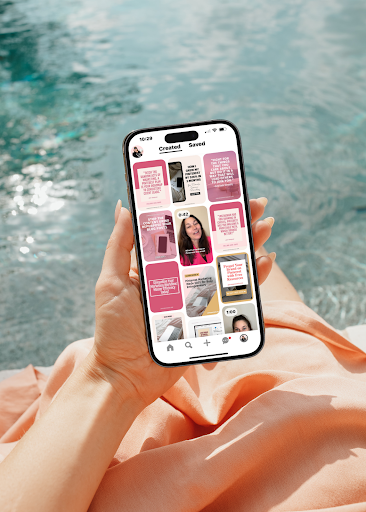
The Dual Power of Blogs and Pinterest_ A Must for Female Service Providers by Jen Vazquez Media

Maximizing Your Growth with Tailwind Communities

Maximizing Traffic with Tailwind Communities a guide for Pinterest users by Jen Vazquez Media

Maximizing Your Reach with Tailwind Communities: A Guide for Pinterest Users

Tailwind Communities (formerly known as Tailwind Tribes) are online groups that allow Pinterest users to share their pins and collaborate with others who have similar interests. These communities are a great way for service providers to reach a wider audience and get more visibility for their pins.

One of the benefits of using Tailwind communities is that they provide a targeted, engaged audience for your content. When you join a community, you’ll be able to share your pins with people who have expressed an interest in your niche. This can help you to reach more potential followers and drive traffic to your website or blog.

To get the most out of Tailwind communities, it’s important to follow the community guidelines and contribute valuable content. This means sharing high-quality pins that are relevant to the community and engaging with other members by liking, commenting, and repining their content.

You get 5 Tailwind Communities with the free Tailwind plan.  You can get that free plan here.

Should You Share Other People’s Content on Pinterest?

There is a lot of information on the internet about this topic and a lot of it may be old.  Years ago you would hear advice about sharing 80 other people’s content and 20% of your own.  I’m also hearing that you should only share your content.  Those aren’t exactly right in my opinion.  I’ll share below why, but first…

Why should you consider my opinion? I have a ton of experience marketing on Pinterest.  I not only market on Pinterest for my two businesses (starting in 2010 when Pinterest was by invitation only), but my agency manages Pinterest accounts for other businesses owners as well as a large community of businesses owners that I help on Facebook and in my paid group coaching Pinterest Strategy Academy.  

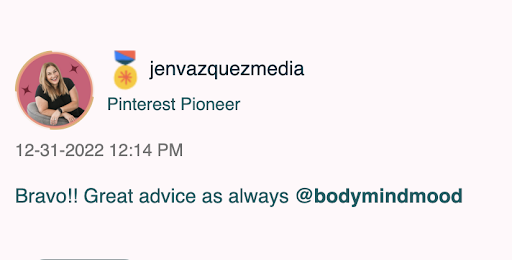
In 2022, I was selected by Pinterest to be a Pinterest Pioneer in their Ambassador Program launched in February 2022.  Pioneers bring a community spirit to the Pinterest Business Community (PBC) by engaging in the forums and chats to help fellow Pinners by sharing product knowledge, tips & tricks, and best practices. 

Every business is different but in general, it is generally a good idea to share a mix of your own content and other people’s content on Pinterest. The focus is YOUR CONTENT, but sharing other peoples content in specific situations helps to build relationships with other users, increase your visibility on the platform, and provide value to your followers.

Here are a few reasons why in specific situations it’s a good idea to share other people’s content on Pinterest:

  • Build relationships: Sharing other people’s content is a great way to show your support and build relationships with other users. When you share someone else’s content, they are likely to see your repin and may return the favor by sharing your content. This can help to build a sense of community and collaboration on Pinterest.
  • Increase your visibility: Sharing other people’s content can also help to increase your visibility on Pinterest. When you repin someone else’s content, their followers will see your repin and may decide to follow you as well. This can help to expose your content to a new audience and potentially increase your reach on the platform.
  • Provide value to your followers: Finally, sharing other people’s content can be a great way to provide value to your followers. By sharing content from a variety of sources, you can offer a wider range of information and resources to your followers. This can help to keep your followers engaged and coming back for more.
Pinterest Pioneer Jen Vazquez Media

When To Share Other People’s Content

When should you share other people’s content?  There are only two reasons I share other peoples content and I do it sparingly.  It’s very small percentage of the pins on my account.

  1. If I see good content that my followers would get benefit from and I value and trust the person who created it.  An example is in my wedding + branding photography business, I will share wedding planning content from wedding planners I trust because it will add value to my wedding clients and also my Pinterest followers.  Or I’ll pin hair and makeup artist information that would be valuable to my branding clients or Pinterest followers.
  2. I also re-share pins from my Tailwind Communities that aren’t direct competitors and the information would be valuable to my Pinterest followers.  This enables me to follow the rules for my Tailwind Communities but also provide much better reach on my Pinterest account sharing value content that is already doing well.  

Tailwind Communities Do’s and Don’ts

Tailwind communities are a great way to get more reach and mileage from the content you’ve already created and get your content in front of a larger audience. However, it’s important to follow some best practices in order to get the most out of your participation in these communities. Here are some do’s and don’ts to keep in mind:

DO:

  • Follow the community guidelines: Each community will have its own set of rules for participation. Be sure to familiarize yourself with these guidelines and follow them to avoid getting kicked out or having your content removed. 
  • Share high-quality content: Tailwind communities are a great place to share your best work. Make sure you’re sharing pins that are 2:3 ratio, visually appealing, well-written, have a call to action, and relevant to the community.
  • Repin content:  When you repin other people’s pins from the community, take a second to see who has repinned your content and if it fits one of your boards, repin their pin. It’s thoughtful and that person will likely repin more of your pins.
  • Be respectful: Remember that these communities are full of real people with their own opinions and experiences. Be respectful of others and avoid being argumentative or rude.
  • Check the Weekly Highlights:  This tab in Tailwind Communities will show you the pins that are most shared and since they are proven to be popular.  
  • Check the Already Shared checkbox:  This way you aren’t resharing content you have previously shared. 

DON’T:

  • Spam the community: No one likes a spammer. Don’t share too many pins in a short period of time, and make sure you’re sharing content that is relevant to the community.
  • Self-promote excessively: It’s okay to share your own content, but make sure you’re also sharing content from other people and engaging with their pins. If all you do is self-promote, people are likely to tune you out. I see time and time again Pinterest creators that submit a ton of pins but aren’t pinning from the community.  It’s not a good look, it’s likely you’ll get kicked out, and most people won’t repin your pins.
  • Break the rules: As mentioned above, each community will have its own set of rules. Don’t break these rules or you risk getting banned from the community.
  • Repin pins that aren’t good:  Definitely don’t pin other people’s content that isn’t something you’re community will like, that’s not a good fit, or isn’t content that you agree with.

By following these do’s and don’ts, you can get the most out of your participation in Tailwind communities and build relationships with other Pinterest users.

Tailwind Communities assessing the virality of the community by Jen Vazquez Media

How to Find the Best Communities

There is an art and science to finding the best Tailwind Communities for your business.

Research

Start by navigating to the ‘Communities’ section of your Tailwind dashboard. Select ‘Find a Community’ and type in a keyword related to your business niche.

You should see a list of related Tailwind Communities pop up. You may need to go more broad or more granular with your topic, depending on the options that appear.

Pinterest Strategy Club

A community membership that helps you to learn Pinterest live.  There’s a mini course to optimize your Pinterest to have it help you grow your business.  There are two live calls a month, a Pinning Session for accountability and a Q+A session. Also, Pin templates each month to download.

Virality Score

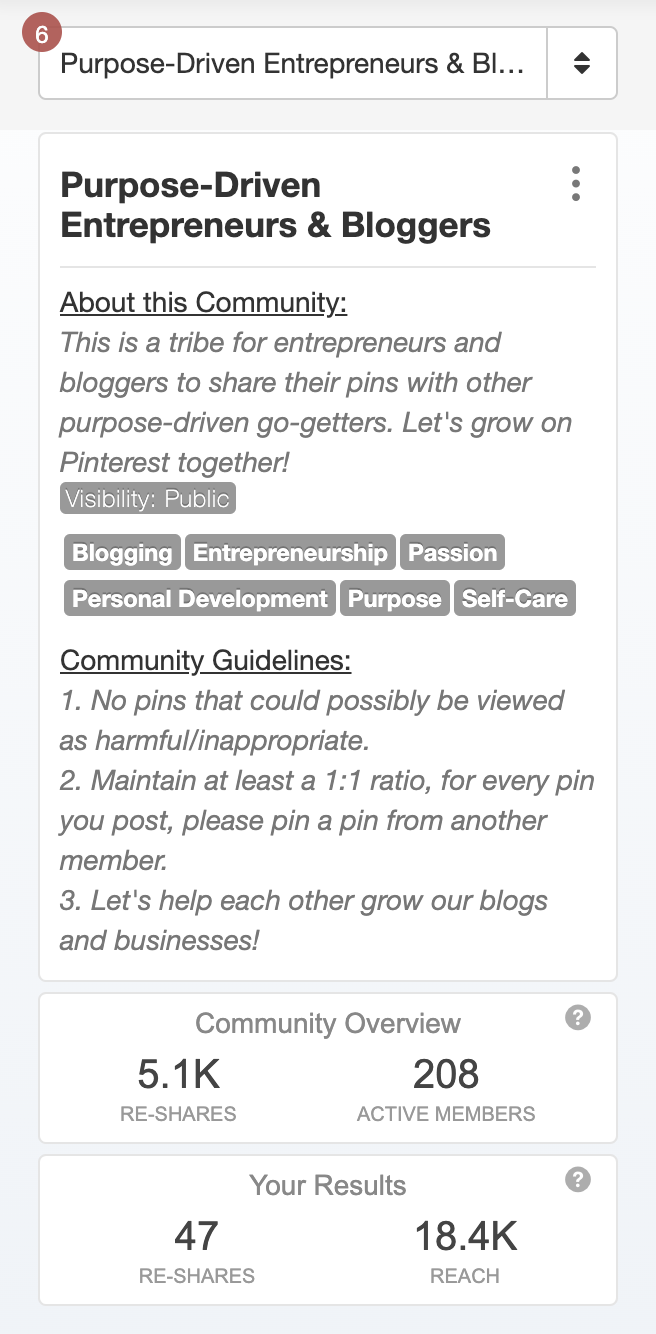
It’s important to evaluate a Community’s stats before you join. Click the ‘preview Community’ button, and you’ll be able to see its detailed stats on the left hand side of the screen. A virality score for Tailwind communities is a measure of how effectively a community’s content is being shared and spread across Pinterest. A high virality score indicates that the community’s pins are being repinned and shared by a large number of users, while a low score suggests that the content is not getting much traction.

There are a few different factors that can influence a community’s virality score. One of the most important is the quality of the content being shared. Pins that are visually appealing, well-written, and relevant to the community are more likely to be repinned and shared by other users.

Another factor that can impact a community’s virality score is the engagement level of its members. Communities with active members who are regularly liking, commenting, and repinning each other’s content are more likely to have a higher virality score.

It’s good to find out the virality by figuring out the score instead of looking at the graph and how many people are in the community. You do this by jumping into the Community and having a look at how many posts are shared in total to the group and then look at how many re-shares the posts got overall.

If you take the re-shares and divide these by the total number of posts you’ll get a virality score. Divide re-shares by # of people to get the virality score – more than 50 is good

Overall, a high virality score is a good sign that a Tailwind community is producing high-quality content that is resonating with its members and being shared widely on Pinterest.

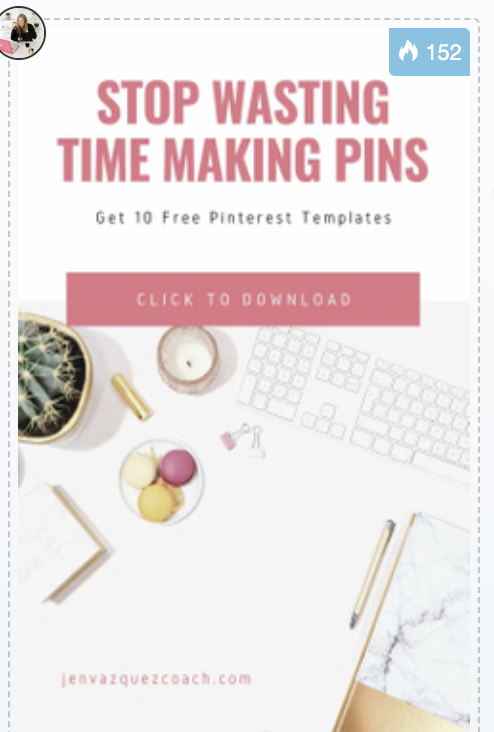
Blue Flame Number BFN by Jen Vazquez Media Pinterest Manager

Blue Flame Number (BFN)

The Blue Flame Number (also known as the BFN) is a metric used by Tailwind to measure the potential reach of a pin on Pinterest. It is based on the number of repins and shares that a pin has received, as well as the engagement level of the users who have shared it.

The Blue Flame Number is represented by a blue flame icon, with the number of flames indicating the potential reach of the pin. For example, a pin with a BFN of 50 has a higher potential reach than a pin with a BFN of 1.

The Blue Flame Number is meant to give users an idea of which pins are performing well and have the potential to go viral on Pinterest. It is important to note that the BFN is just one factor to consider when evaluating the success of a pin, and it is not the only measure of a pin’s reach or engagement.

To view the Blue Flame Number for a pin, you will need to be a member of a Tailwind community. The BFN is displayed on the pin’s thumbnail in the community feed, as well as on the pin’s detail page. You can also see the BFN for your own pins by going to your “My Pins” page and sorting the pins by BFN.

When you share a pin from a Tailwind Community, I recommend you share one that has a high BFN as it’s already popular so it should be popular on your account also!  You can read how often does the Blue Flame popularity number is updated by reading this blog on Tailwind 

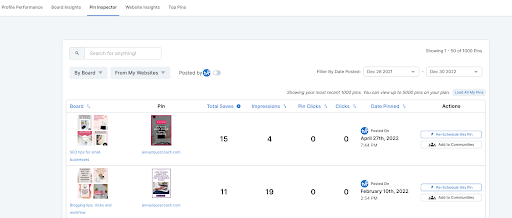
Pin Inspector in Tailwind by Jen Vazquez Media Pinterest Manager

Which Pins Should You Share to Communities?

When sharing pins to Tailwind communities, it’s important to consider the interests and preferences of the community members. Here are a few tips for choosing which pins to share:

  • Share high-quality content: Make sure you’re sharing pins that are visually appealing, well-written, and relevant to the community. This will increase the chances that your pins will be repinned and shared by other members.
  • Follow the community guidelines: Each community will have its own set of guidelines for what is acceptable to share. Make sure you familiarize yourself with these guidelines and only share content that is in line with them.
  • Pay attention to the community’s interests: Take the time to look at the types of content that are being shared in the community and try to share content that aligns with those interests. This will increase the chances that your pins will be well-received by the community.
  • Share Pins already published:  By sharing pins that are already doing well on your account, it will look more valuable and most likely have a blue flame which will be more attractive to the community members.
  • Share Pins from Pin Inspector in Tailwind:  This is a great way to share pins that are already successful and will be more likely to get re-shared.  Go to Insights in Tailwind and then Pin Inspector.  You can pick the ones with good analytics and select Add To Communities to the right of the pins.

Summary

In summary, Tailwind communities are a great way for Pinterest users to connect with like-minded individuals and increase the reach of their content. It is generally a good idea to share a mix of your own content and other people’s content on Pinterest, as this can help to build relationships, increase your visibility, and provide value to your followers.

When participating in Tailwind communities, it’s important to follow the community guidelines, share high-quality content, and engage with other members. To find the best communities for your content, it’s helpful to look for communities with a high virality score and a large number of active members.

Additionally, the Blue Flame Number can be a useful metric for identifying which pins have the potential to go viral on Pinterest. By considering these factors, you can maximize your reach and get the most out of your participation in Tailwind communities.

Don’t forget to pin it!

Maximizing Traffic with Tailwind Communities a guide for Pinterest users by Jen Vazquez Media

Here is more information that may be helpful!