


How to Build a Pinterest Strategy from Scratch for Service Providers
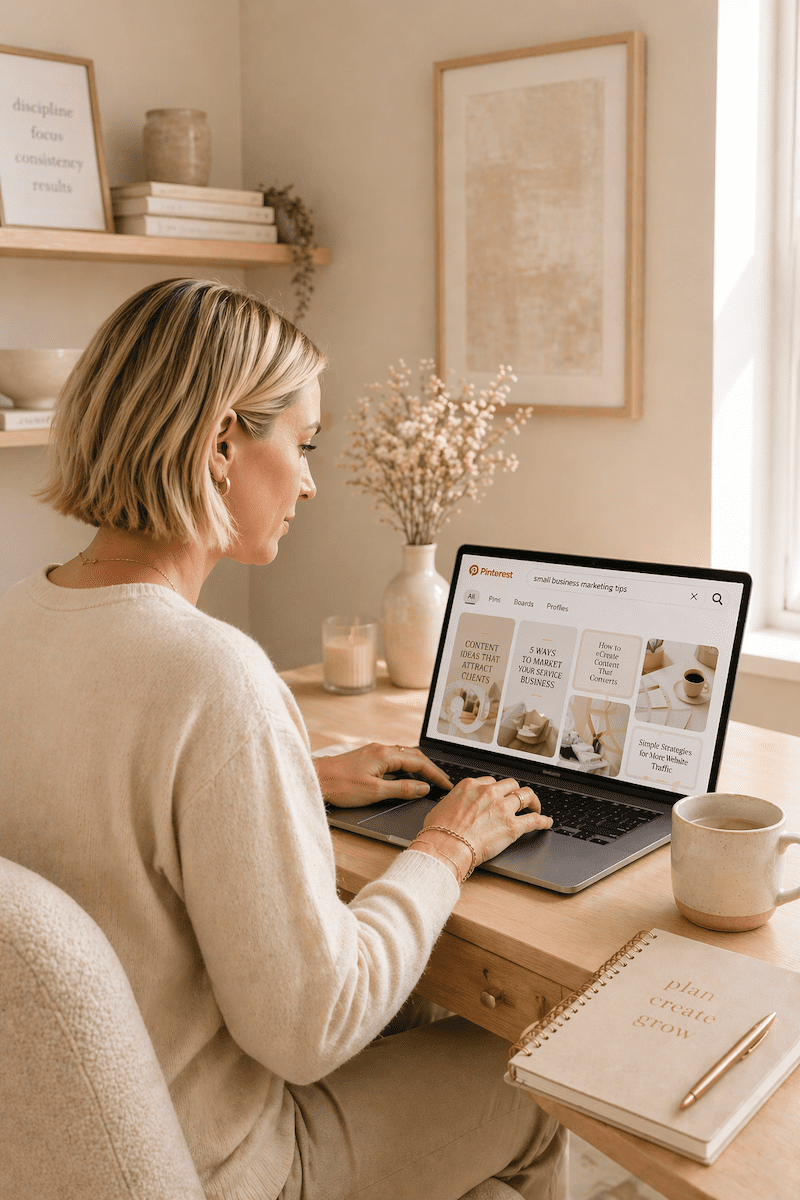
feminine desk with laptop with Pinterest on the screen and a window to a tropical beach

How to Build a Pinterest Strategy from Scratch If You’re a Service Provider

Because Almost All Pinterest Advice Is Built for Bloggers

If you’ve been putting off Pinterest because you don’t know where to start, you’re not alone. And honestly? The confusion makes sense. Almost all Pinterest advice out there is built for blogging businesses or product businesses, and it does not translate the same way when you’re selling a service.

So let’s fix that.

Pinterest is what I’ve built my business on since 2009. It’s how I grew my photography business to six figures, and it’s the reason Jen Vazquez Media even exists. I’m also a Pinterest Pioneer, which means Pinterest actually tapped me to help educate in their business community. So when I say this platform works, I am not guessing.

Let’s build your strategy.

First: Understand What Pinterest Actually Is

This is the single most important thing to understand before building anything.

Pinterest is not social media. It’s a search marketing platform.

I know that sounds like a weird thing to say, but this distinction changes everything about how you use it. Pinterest is a visual search engine. People don’t go there to scroll and see what you had for breakfast. They go there to search, to find solutions, and to discover things they’re already looking for.

That means your content doesn’t disappear in 24 hours, as it does on Instagram or TikTok. It gets indexed. It gets found over and over again, just like Google with your blogs or YouTube with your videos. Sometimes for months. Sometimes for years.

That is an extreme power that Pinterest has that none of the social media platforms actually have. And that’s why the strategy we’re building here looks completely different from anything social media teaches you.

Step 1: Clarify Your Message

Before you pin a single thing, you need to be clear on three things:

  • Who you actually serve. Get specific. If you’re trying to speak to everyone, you end up speaking to no one.
  • What problem do you solve? Not your job title, but the actual problem your client has that you can fix.
  • What outcome are they wanting? What does life look like after they work with you?

For me, it’s female service providers who want more leads and more traffic to their content. For my photography side, it’s female entrepreneurs in the Bay Area. Those are specific audiences with specific needs.

Pinterest rewards clarity. If your message is vague or confusing, your content can’t compound. It has nowhere to go.

Step 2: Optimize Your Pinterest Profile for Search

Your Pinterest profile is searchable from day one. Every word matters.

Your Display Name

Include your name plus a keyword or two about what you do. Something like: Jen | Pinterest Marketing for Service Providers. (Quick note: Pinterest doesn’t let you use the word “Pinterest” in your display name, so I use “Pin Marketing.” You gotta do what you gotta do to get found.)

Your Bio

Write your bio like a search result. What do you do? Who do you help? What will they get from following you? Use the exact words your ideal client would type into a search bar.

Pro tip: Ask your clients what they’d actually type in to find someone like you. You can also use an Instagram story with a question box to crowdsource this.

Your Link

Send people somewhere with a very clear next step. A freebie, a service page, or a landing page in the description of your Pinterest profile. Traffic without direction is just noise.

Want help with Pinterest?

If you want ongoing help while you build this out, The Club is a membership where I drop new Pinterest trainings every single month, plus live Q+As and the strategy and accountability to keep you moving forward at an affordable price, month to month.

Step 3: Build Keyword-Rich Boards

Your boards are searchable. Name them the way your ideal client would type into that search bar, not the way you’d organize a personal Pinterest account.

Skip cute board names like “My Faves” or “Inspo.” Instead, use something like:

  • Pinterest Marketing Tips for Service Providers
  • Brand Photography Ideas for Female Entrepreneurs
  • Marketing Strategies for Coaches

Every board also has a description field. Pinterest doesn’t force you to fill it in, but you absolutely should. Go back into each board, click the three dots, edit it, and write at least two to three sentences. Think about all the different things you’ll pin to that board and weave those keywords into the description.

Aim for 8 to 12 boards that are clearly relevant to your business. Not 40 random boards with a scattered focus. And if there’s a service you want to do more of, create two boards around that topic.

One more tip: every Pinterest account should have a board with your business name. Mine is “Jen Vazquez Media.” Everything I pin goes there. It helps people who search for your business name on Pinterest actually find your content and your account.

Step 4: Create Content That Answers Real Searches

Here’s the mindset shift that makes Pinterest finally click.

Stop thinking about what you want to share. Start thinking about what your ideal client is actually searching for.

Ask yourself: What does my ideal client type into Pinterest when they need what I offer?

Some examples:

  • Brand photographer: “What to wear to a brand photo session?”
  • Business coach: “How to get more clients as a coach online.”
  • Pinterest strategist: “How to use Pinterest to grow my service business.”

Your pin titles, pin descriptions, and the content you link to should all be answering those real searches. Not what sounds good to you, but what people are actually typing into the search bar.

And here’s something that surprised me: for brand photographers, the bigger search isn’t “brand photographer [city].” It’s “[city] brand photography.” The order matters. So you really want to know what your clients are searching for. Ask them. Put the question in your weekly email. Use Instagram stories. That’s the sweet spot of everything on Pinterest.

Step 5: Pin Consistently, Not Constantly

You do not need to pin 30 times a day. That advice is outdated and honestly exhausting.

For service providers, what Pinterest rewards is consistent quality content that earns engagement over time. Start with 5 to 10 pins per week. I always recommend a minimum of one pin per day.

The majority of your pins should link to your own content. It used to be years ago, the recommendation was 80% other people’s content and 20% yours. That is long gone. The only exception is if you partner with someone on something or if you value someone’s education that you don’t teach yourself.

Your pins will mostly be linking to blog posts, videos, podcast episodes, service pages, and your lead magnet. That lead magnet piece is the best way to grow your email list through Pinterest.

Consistency over time is what builds compounding traffic. Not volume.

Step 6: Connect Pinterest to Your Larger System

Pinterest is a traffic driver. It sends people somewhere. So the question is: where?

The strongest Pinterest strategies connect to a very clear path:

  • Pin to a blog post, which leads to an email sign-up for your freebie
  • Pin to a service page
  • Pin directly to a discovery call booking page

Every single pin should have a bigger purpose. Traffic without direction is just noise, and you will not convert people without a clear next step.

Common Mistakes to Avoid

  • Pinning mostly other people’s content. This builds their audience, not yours.
  • Skipping keyword research. Keywords are not optional. If Pinterest doesn’t know what your content is about, it cannot surface it in search. Period.
  • Quitting in month two or even month six. Pinterest is a slow start but a strong finish platform. Most people stop right before the compounding kicks in. Don’t be that person.
  • Treating Pinterest like Instagram. Trending audio, daily posting pressure, chasing the algorithm. None of that applies. This is a search engine. Approach it like one.
  • Following outdated advice. If any Pinterest content, even mine, is more than six months old, it could be outdated. Be thoughtful about that.

What’s a Realistic Timeline?

I always want to give you an honest average answer on this, but full disclosure, it can change depending on your business goals and your industry.

  • Months 1 and 2: Typically quiet. Pinterest is indexing your content. This is normal and does not mean it’s broken.
  • Months 3 and 4: Impressions start rising.
  • Months 5 and 6: Link clicks start moving in.
  • Beyond that: Compounding traffic. Old pins resurfacing. Content you built months ago keeps driving results.

That timeline is exactly why consistency matters more than anything else on this platform. Pinterest isn’t about going viral. It’s about showing up in the right searches until traffic compounds.

What to Learn Next

Now that your strategy foundation is in place, the single most important tactical skill you need next is knowing how to find and use keywords. Because without the right keywords, none of this works. Your content exists, but nobody finds it. That’s exactly what we’ll be covering next week.

Ready to Build Your Pinterest + SEO Visibility System?

How much time did you spend on social media this week creating content? And how many of those posts are still working for you right now, still driving traffic today?

That’s the thing about social media. You create it, it disappears, and you start over every single week.

The Quiet Growth Accelerator is a 12-week program I created with my friend and SEO expert Cinthia Pacheco. Together, we help service providers build a Pinterest + SEO visibility system that actually compounds over time. Your content keeps getting found. Your dream clients keep showing up. And you’re not chained to the posting hamster wheel to make it happen.

We’re talking done-for-you audits, a custom keyword list built for your niche, a simple two-hour-a-week system, and one-on-one support from both Cinthia and me for the entire 12 weeks.

>> CHECK OUT THE QUIET GROWTH ACCELERATOR <<

Go introduce yourself on Pinterest, Instagram, or TikTok. I’ll be cheering you on from over here! 📣

 

📌 DON’T FORGET TO PIN IT!

The Simple Marketing Workflow Every Service Provider Needs to Stop Starting Over

teacup, laptop, planner, flowers on white desk (pale pink and peach) talking about The Simple Marketing Workflow Every Service Provider Needs to Stop Starting Over with Jen Vazquez

The Simple Marketing Workflow Every Service Provider Needs to Stop Starting Over

Because Boring Marketing Is the Best Kind of Marketing

If marketing feels like you’re starting over every single week, you don’t have a content problem. You have a workflow problem. And until that’s fixed, marketing will always feel heavier than it should.

I see this pattern with almost every service-based business owner I work with. Most weeks start the same way: you sit down to work on marketing, and the very first question is “What should I post?”

That one question drains your energy so fast. Now you’re scrolling for inspiration, comparing yourself to others, and second-guessing your entire message. That’s not a strategy. That’s decision fatigue.

Decision fatigue is one of the biggest reasons marketing feels so heavy. You’re not tired because you’re doing too much. You’re tired because you’re making too many unstructured decisions every single week.

Here’s the workflow that changes that.

Step 1: One Core Piece of Content a Week

Every client I work with starts here. One long-form piece of content a week. That could be a YouTube video, a podcast episode, or a blog post. One. Not five. Not all of them. Just one.

Why? Because authority is built through depth, not volume. And depth requires focus.

Here’s a real example. Let’s say you’re a brand photographer. Instead of five random posts this week about behind the scenes, client wins, outfit tips, and gear you love, you create one piece of content: “What to Expect from Your Brand Photography Session.”

That one piece becomes:

  • A blog post
  • Two social media posts
  • Multiple Pinterest pins
  • Your email that week
  • Short video clips for social if it started as video

One anchored idea, multiple touchpoints. That’s the system.

Step 2: Repurpose with Purpose

Repurposing is not copying and pasting. It’s adapting.

YouTube gives you depth. Pinterest gives you search visibility. Email gives you the relationship — the know, like, and trust you’re building with potential clients.

Same core message, but each platform plays a different role. When you create from scratch everywhere, marketing is exhausting. When you adapt from one anchor piece, marketing is structured and simple. You just pull pieces from that one core piece of content.

The difference in how it feels? That’s everything.

Ready to Build Your Pinterest Strategy?

If you want to know exactly how to build a Pinterest strategy for your service-based business (not blogging — actual service providers), I walk through it step by step in my free masterclass.  The best part is that this masterclass is free!  

Step 3: Build a Predictable Rhythm

Pick a rhythm and stick to it. Here’s an example:

  • Monday: Make all your graphics (blog image, thumbnail, Pinterest pins)
  • Tuesday: Publish your blog, video, or podcast episode
  • Wednesday: Schedule your Pinterest pins
  • Thursday: Send your email

It’s not because those days are magic. It’s because predictability removes weekly decision-making. That alone saves mental space.

And there’s real science behind this. When you batch like-minded work together, you get more done in less time because your brain isn’t constantly switching between creative and analytical tasks.

When your workflow is boring, it’s scalable. I know that sounds funny, but it’s true. Boring means it keeps running even when you’re tired, busy, or not feeling creative.

But What If I Get Bored?

You might. But boredom is stable. Chaos isn’t.

And when it does start feeling easy? That’s actually the signal that you can level up. Maybe you go up to two core pieces of content a week. Or maybe you spend more time being creative on social media because you’ve got the foundation handled.

What If I Run Out of Ideas?

You won’t. When your content comes from real client questions (which is exactly how I created this post), you have infinite depth. Your workflow doesn’t generate ideas — it gives them a place to go.

If you’ve ever had a great idea in the middle of the night or while taking a bath, write it down. I use the notes app on my phone. When it’s time to plan your content, you already have a list to pull from.

What About Trends?

Trends can still live inside your workflow. But the workflow is your backbone, and trends are optional add-ons.

The mistake is making trends the backbone and then wondering why nothing compounds.

The Mindset Shift That Changes Everything

When clients move from random posting to a structured workflow, something specific changes. They stop asking “What should I post?” and start asking “How do we make this better?”

One question creates paralysis. The other creates momentum. And momentum is what books clients.

Build It Around Your Brain + Your Life

A good marketing workflow isn’t just built on specific days or times. It’s built around you.

When are you sharpest? For me, I would never do something hard after 3:00 PM. My brain just isn’t there. If something’s hard, I do it first thing in the morning. I also don’t write my content outlines until Sunday, because that’s when my brain feels rested enough to really think.

And I don’t work on Tuesdays — that’s grandkid day. So I don’t schedule anything heavy on Wednesdays either, because honestly, I’m exhausted from playing in the grass and rolling around on the floor with them.

Your workflow should be designed for your life, your brain, and your business goals. Not someone else’s.

Why This Workflow Pays Off on Pinterest

A good marketing workflow should feel boring — because boring is sustainable.

And one of the biggest platforms where this workflow pays off over time is Pinterest. Because Pinterest is where your content keeps working long after you publish it. But it only works if your strategy is set up correctly from the start.

Next week we’re talking about brand photography and how important it is for your marketing. And the week after that, how to build a Pinterest strategy from scratch. I’ll see you then!

📌 DON’T FORGET TO PIN IT!

feminine desk in home office with laptop and antique teacup + simple marketing workflow for service providers pin

Why Pinterest Feels Overwhelming (And How to Simplify Your Strategy)

Jen Vazquez looking overwhelmed sitting at her desk in a black shirt with a white heart on it

Why Pinterest Feels Overwhelming (And How to Simplify Your Strategy)

If Pinterest feels overwhelming, I want to gently say this:

It’s probably not Pinterest.

I help service providers simplify their marketing so it actually fits their life. And Pinterest usually only feels hard when we’re unclear — not when the platform is complicated.

Let’s break this down.

Pinterest Feels Overwhelming When Your Message Isn’t Clear

Pinterest becomes heavy when you don’t know your main message.

When you’re posting too many types of content.

When your account talks about five different things.

Clarity removes pressure. Confusion creates it.

Pinterest works best when you solve one clear problem for one clear person in a relatable way. That’s it. That’s the whole thing.

Trying to Follow Every Tip Makes It Worse

Pinterest education is everywhere.

And even something I shared last year might not apply today. The platform changes.

So when you hear rigid advice like:

  • “You need six pins per post.”
  • “You must post three times a day.”
  • “You have to follow this exact formula.”

Pause.

Numbers are guidelines, not rules.

For example, creating three to five pins for one blog can make sense — because you’re targeting different ideas within that post. But your account will need what your account needs.

No two businesses are the same.

Pinterest Isn’t the Problem. Your System Is.

If Pinterest feels like one more thing on your plate, you’re not alone. Most service providers don’t need more ideas — they need a simple plan that fits into real life. Pinterest can drive steady traffic to your site without daily posting, trends, or burnout. You just need to know what to focus on (and what to ignore). Inside The Club, I’ll show you how to turn Pinterest into a calm, clear traffic source that works in the background — so you can get leads without feeling overwhelmed.

The Platform Isn’t Asking for More — It’s Asking for Clarity

Pinterest isn’t demanding more content.

It’s asking for focus.

When you narrow your niche, refine your message, and stop pivoting constantly, the platform actually gets easier.

If Pinterest feels heavy, it’s usually a sign your strategy needs narrowing — not expanding.

Overwhelm Isn’t a Motivation Problem

Overwhelm isn’t about discipline.

It’s about decisions.

When you’re unclear about who you’re speaking to or what you’re known for, every content decision feels harder.

But when your message is clear, your marketing gets lighter.

That’s the shift.

📌 DON’T FORGET TO PIN IT!

Female business owner at a desk typing on a labtop while thinking about her Pinterest marketing strategy.
Woman holding her hair in frustration at a pink home office desk representing Pinterest overwhelm and marketing confusion.
Business owner reacting dramatically at her desk, symbolizing frustration with Pinterest marketing confusion.

Tailwind Pin Spacing Tool: Save Time and Prevent Pinterest Spam Filters

Tailwind Pin Spacing Tool: Save Time and Prevent Pinterest Spam Filters

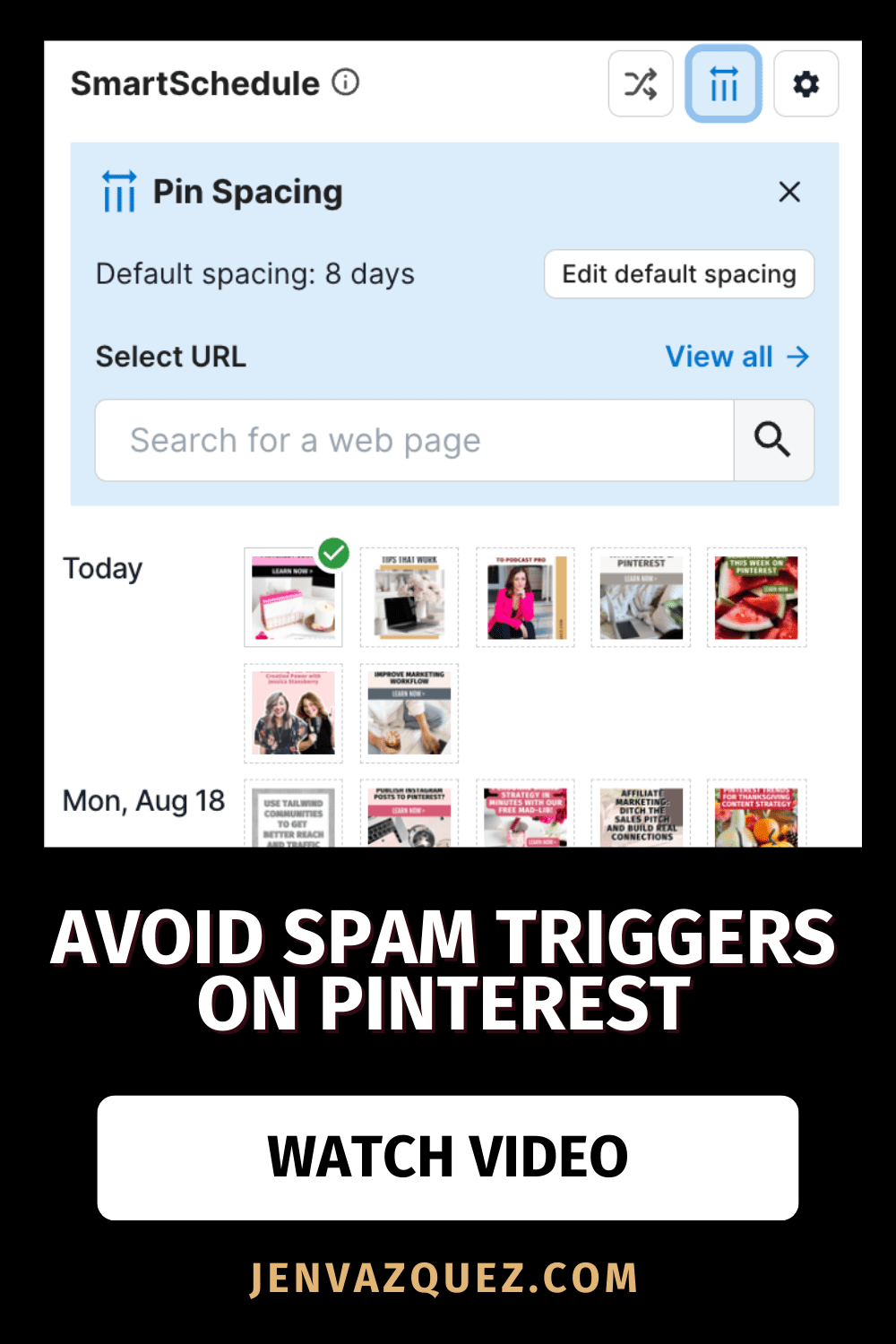
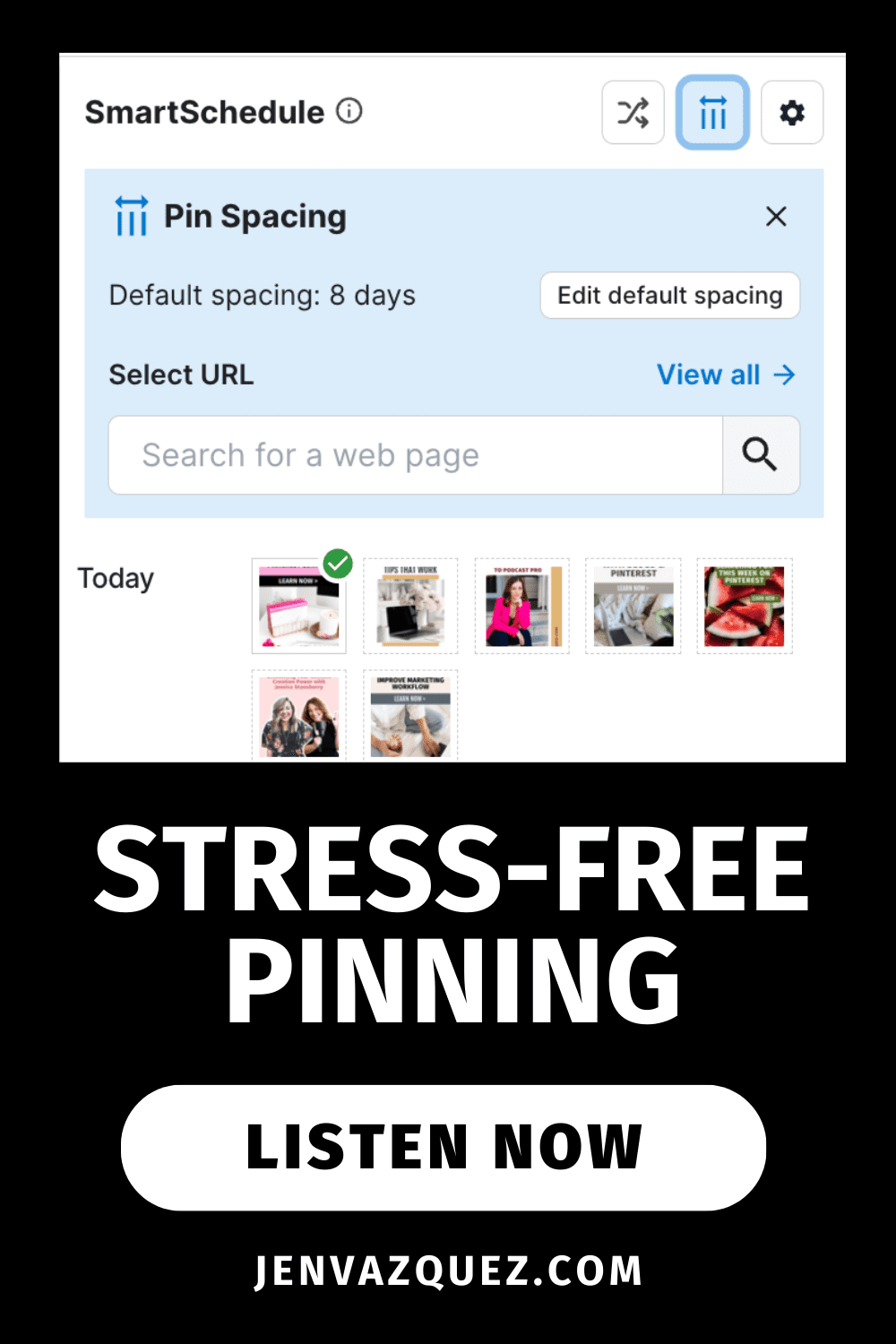
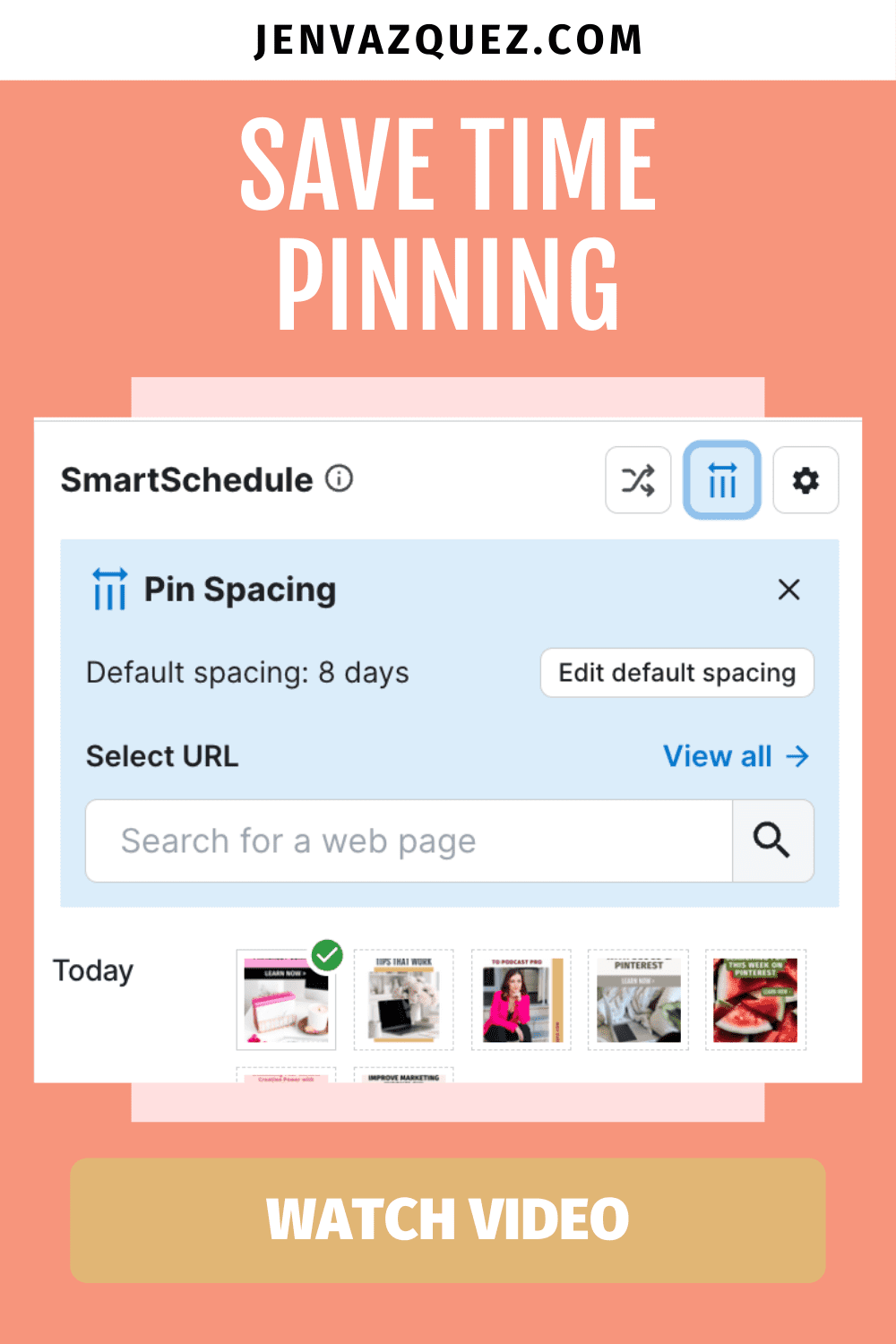
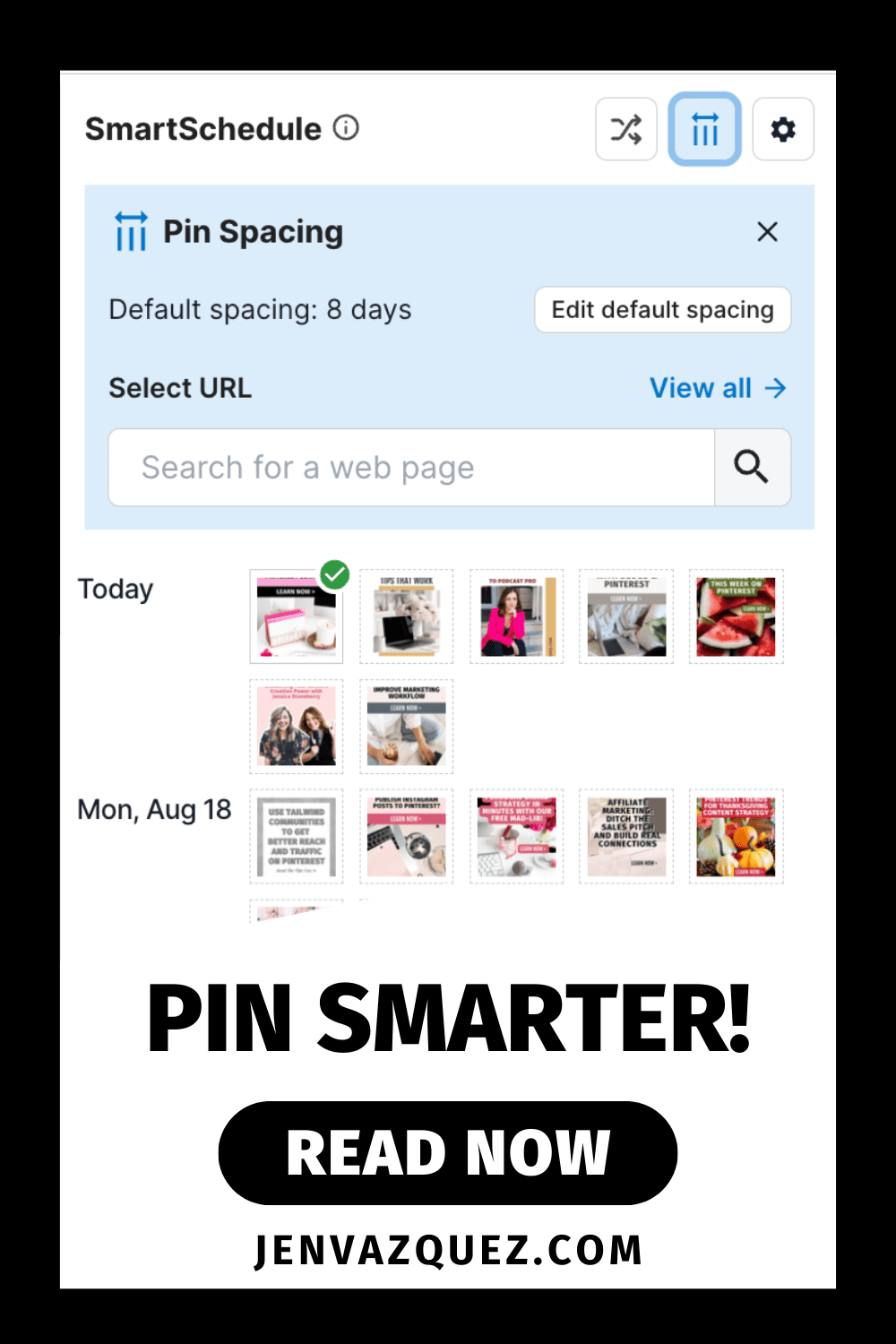
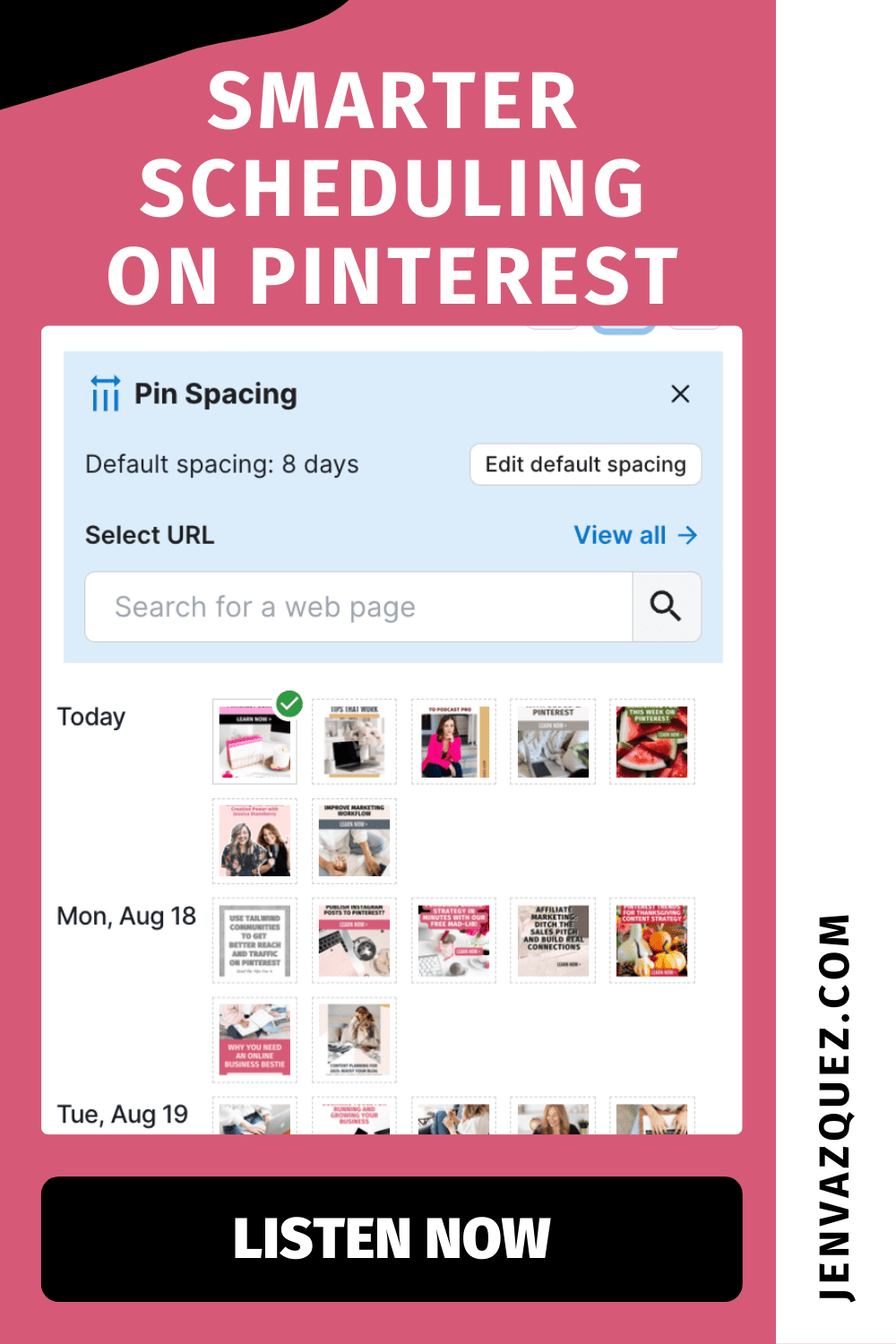
Hey there! If you’ve ever found yourself dragging and dropping pins in your Tailwind queue—just trying to make sure they don’t go out back-to-back—you’re going to love this update. Not only does bunched-up pinning look messy, but it can also trigger Pinterest’s spam filters. Enter Tailwind’s brand-new Pin Spacing Tool. And trust me, it’s going to make your day.

This update is all about saving time, protecting your content from spam triggers, and letting your Pinterest strategy run smoother without you micromanaging every detail. So, let’s dive in.

What is Pin Spacing?

Pin spacing makes sure your content is automatically spread out across your Pinterest calendar. This is especially important when you’re pinning the same URL—like a blog post, lead magnet, or landing page—multiple times.

Instead of looking spammy or duplicative, Tailwind now does the work for you. No more doubling up on pins or setting off Pinterest’s red flags. Everything is nicely spaced, stress-free.

How the Tool Works Inside Tailwind

When you’re in Tailwind’s Pin Scheduler, you’ll now see a little blue button that tells you how many days are set between pins (like six days, for example). Instead of manually dragging pins and counting days, Tailwind handles the calculations.

You can adjust your default spacing (I love six or eight days) and unlock pins so the system can automatically reorganize your schedule. If you’re pinning only once a day, you might choose a smaller number like three or four days. The key is: no more manual stress, just smarter automation.

Ready to Simplify Your Pinterest Marketing?

If you’re tired of spending hours second-guessing your Pinterest strategy, you’ll love The Club (formerly Pinterest Strategy Club). It’s where service providers like you learn how to batch once, pin smarter, and actually get leads rolling in—without stressing over the algorithm. Join us and finally make Pinterest your easiest lead-gen tool.

Customizing Pin Spacing for Campaigns or Launches

Sometimes you want your pins going out faster—like when you’re promoting a time-sensitive offer, launch, or seasonal trend. Tailwind lets you customize spacing for specific URLs.

So, if you’ve got a blog about August trends, you can change those pins to go out every three or four days so the content stays relevant without dragging on into next year. It’s flexible, smart, and keeps your strategy aligned with your goals.

Why This Matters for Your Marketing Workflow

Here’s the best part: no more second-guessing your schedule, no more wasting 20 minutes dragging pins around, and no more worrying about spam triggers. Tailwind’s Pin Spacing Tool does the heavy lifting so you can focus on creating content that converts.

PRO TIP: Combine this feature with The Club and get pinning done twice a month with a Pinterest expert for any questions you may have.  Through that work, Pinterest practically runs itself in the background. That’s exactly what I teach inside The Club—working smarter, not harder, to keep leads flowing in.

So, what do you think? Will you be using Tailwind’s Pin Spacing Tool? Drop me a comment—I can’t wait to hear how it helps simplify your workflow!

Tailwind Pin Spacing Tool: Save Time and Prevent Pinterest Spam Filters jen Vazquez media Marketing Strategy Academy

Pinterest Trends Weekly: Autumn Reset

Weekly Pinterest Trends_ Autumn Reset by Jen Vazquez media Pinterest Manager and educator

Pinterest Trends Weekly: Autumn Reset

I’m back with the latest trends from Pinterest, and this week, we’re diving into the theme of an Autumn Reset. Let’s jump right in and see what’s catching everyone’s eye!

What’s driving these trends?

Pinterest is a visionary platform where over 522 million people come each month to find inspiration and ideas. That’s more than half a billion people sharing their goals and dreams!

By keeping an eye on Pinterest trends, you can glean valuable insights into what might be trending elsewhere in the near future. Each week, Pinterest Predicts Weekly highlights actionable search trends across various categories, regions, and demographic groups.

How To Use Pinterest Trends Masterclass

Join me for a free masterclass, “How to Use Pinterest Trends” In this session, I’ll show you how to tap into the power of Pinterest Trends to boost your brand’s visibility and drive more traffic to your content. Whether you’re new to Pinterest or looking to refine your strategy, this masterclass will provide actionable tips and insights to help your business stand out. Plus, by attending live, you’ll have the opportunity to ask me questions directly and access an exclusive bonus.

\Don’t miss out—save your spot today!

What’s Trending This Week? Autumn Reset

This week, the spotlight is on ways to revamp daily and weekly rituals, set goals, and track progress. Here’s the lowdown on the latest growing search terms over the last three weeks compared to the previous three weeks:

  • Two times increase in Sunday Reset Routine
  • 90% increase in Routine Planner
  • 30% increase in Goal Board
  • 25% increase in daily habits
  • 25% increase in weekly schedule

As fall approaches

There’s also a noticeable uptick in searches for beauty, home, and food inspiration:

Beauty Trends

  • 65% increase in ways to dye your hair
  • 60% increase in fall scents
  • 40% increase in how to use a Gua Sha (A Gua Sha, in case you’re wondering, is a traditional Chinese tool used in facial massages.)
  • 35% increase in low maintenance blonde hair

Home Trends

  • 170% increase in office inspiration
  • 60% increase in household cleaning tips
  • 40% increase in outdoor learning spaces
  • 30% increase in meditation room decor

Food Trends

  • 190% increase in searches for frugal meals
  • 120% increase in college grocery lists
  • 55% increase in snack organization ideas
  • 50% increase in grab-and-go breakfast

Audience Spotlight: Millennials

Gen Y users are focusing on personal health and wellness. Here’s what they’re searching for in the past three weeks compared to the previous three weeks:

  • 65% increase in skincare essentials
  • 45% increase in monthly meal planning
  • 40% increase in inspirational books
  • 40% increase in Meatless Monday recipes
  • 25% increase in cycle syncing workouts


Moment Spotlight: Back to Work

With new routines comes a surge in searches related to office style, lunches, and desk organization:

  • Five times increase in fun work outfits
  • 40% increase in easy work lunches
  • 45% increase in casual work outfits
  • 45% increase in work desk organization
  • 30% increase in work outfits with sneakers
  • 25% increase in work from home setup

Editorial Activations and Upcoming Trends

Pinterest is letting people know they can sponsor editorial articles or shopping spotlights to align with key moments. I share this not to encourage creating ads but to inspire you to create content, like blog posts or Pinterest pins, that tie into these themes.

Upcoming Weeks to Watch

  • Sept 30 – Oct 6: Make it or break it with spooky mood projects and movie night vibes.
  • Oct 7 – 13: Spirit Week featuring homecoming aesthetics and Halloween costumes.
  • Oct 14 – 20: SPICE up your life with pumpkin spice and fall travel must-haves.
  • Oct 21 – 27: Snackable treats and routines that are easy to prep.
  • Oct 28 – Nov 3: Sugar rush with Halloween baking and party ideas.

There you have it, folks! I hope this helps you stay ahead of the curve with your content creation. Whether you’re a blogger, marketer, or Pinterest enthusiast, these insights can give you that creative spark you need.

Have a fantastic week and happy pinning!

Here is more information that may be helpful!

Don’t Forget to Pin It!

Transform Your Pinterest Marketing with Autumn Trend Insights by Jen Vazquez Media Pinterest Manager and Pinterest Education
Pinterest Trends 2024_ How to Drive Traffic with Seasonal Content by Jen Vazquez Media Pinterest Manager and Pinterest Education
Maximize Engagement_ Pinterest Marketing Tips for Fall Trends by Jen Vazquez Media Pinterest Manager and Pinterest Education
How to Use Pinterest Trends to Optimize Your Autumn Content by Jen Vazquez Media Pinterest Manager and Pinterest Education
Boost Your Pinterest Marketing with the Latest Autumn Trends How to Use Pinterest Trends to Optimize Your Autumn Content by Jen Vazquez Media Pinterest Manager and Pinterest Education