
Pinterest Marketing for Service Providers: How to Attract Clients While You Sleep

flatlay workspace for female entrepreneur jvm stock photos

Pinterest Marketing for Service Providers: How to Attract Clients While You Sleep

If you’ve been posting your heart out on Instagram chasing trends and still not seeing consistent leads, I totally get it. Here’s the truth — your dream clients are probably hanging out somewhere quieter… somewhere they’re actually looking for help, not just scrolling for entertainment.

Yep, I’m talking about Pinterest.

I’ve used Pinterest to grow my own six-figure business and helped hundreds of female service providers like photographers, wedding pros, coaches, and other creatives. And the best part? You don’t need to dance on Reels or spend every waking moment online.

In this post, I’m breaking down exactly how to use Pinterest to attract clients and build a marketing system that keeps working even when you’re not.

Create Consistent Content Without the Burnout

Pinterest loves fresh content — but that doesn’t mean you need to post every single day, but you need pins going out each day.

The secret is consistency that fits your life.

Most of my clients spend about one hour a week on Pinterest marketing using my batching system. They repurpose blog posts, videos, podcast episodes, lead magnets, and services into multiple Pins that drive traffic all week long.

You don’t have to start big — once a week is enough when it’s done strategically. Think of Pinterest as your long-game traffic engine. You post once, and it keeps bringing you visitors for months (and often years).

Pro tip: Use a scheduler like Tailwind and batch your Pins all at once. It’s like setting your marketing on cruise control.

Speak to What They’re Searching For

The magic of Pinterest is that people come to it with a goal. They’re planning, researching, or dreaming about something they want to do next.

So before you create, ask yourself this:

“What is my ideal client typing into that search bar when they’re ready to take action?”

If you’re a wedding photographer, it might be San Jose vineyard wedding inspiration.  If you’re a coach, maybe it’s how to get clients without social media.

Create content that answers these searches directly. When you solve a problem or ease a pain point, you naturally build trust — and that’s where the conversion begins.

I love using my Feel, Felt, Found storytelling method:

“I know how you feel. I’ve felt that way too. But here’s what I found that really works.”

It connects, educates, and converts all at once.

Want help with Pinterest?

The Club is where service providers learn how to make Pinterest their lead-generating bestie. You’ll get monthly action plans, keyword sessions, and strategy support to grow your traffic, leads, and visibility—without spending hours online.

Use Keywords Like a Pro

Pinterest isn’t a social media platform — it’s a visual search engine. Think of it as SEO with prettier pictures.

Your captions, titles, and even image file names help Pinterest understand who to show your content to. Here’s how to start:

  • Write down short-tail keywords like Pinterest marketing or Bay Area brand photography.
  • Then add long-tail keywords like Pinterest for service providers or how to grow your coaching business with Pinterest.

Sprinkle them naturally throughout your Pin titles, descriptions, profile, and even on the text overlay of your Pins. And remember: keywords aren’t about gaming the system — they’re about helping Pinterest connect your content with the right people.

Pro tip: Inside The Club, we do keyword brainstorm sessions a few times a year to help members find the perfect words for visibility and growth.

Make Your Visuals Work Harder

Pinterest is visual, but that doesn’t mean you need fancy designs. You just need clarity.

Here’s what works best for service providers:

  • Use your brand colors, fonts, and website address for recognition.
    Keep designs clean and text easy to read on mobile.
  • Add a headline that solves a pain point (How to Book Clients from Pinterest).
  • Include a simple call-to-action like Learn More or Download Free.

You can create gorgeous, on-brand Pins in Canva in minutes — no design degree needed.

If you want a head start, grab my Canva customizable 10 free Pin templates. 

Pro tip: Mix static and video Pins for your blogs, freebies, and services to keep your content fresh and engaging.

Convert the Clicks

Traffic is great — but it means nothing without conversions. Most Pinterest users are new to your business, so your job is to guide them toward a small win.

Here’s how to optimize for conversions:

  1. Link to related content like blogs, podcasts, or YouTube videos.
  2. Add a freebie or email opt-in to capture leads.
  3. Include a clear call-to-action (CTA) in every post — and put it in the middle of your blog since not everyone reads to the end.

Pinterest is the top of your funnel — the start of a relationship that leads to sales later.

One of my photography clients doubled her bookings just by linking her free wedding guide and inquiry form to every single Pin. No ads. No daily posting. Just a smart Pinterest system.

Ready to Bring in Clients While You Sleep?

Pinterest isn’t about luck — it’s about strategy, consistency, and systems that do the work for you.

If you’re ready to stop guessing what to post and start generating clients with ease, check out The Club, where we build your Pinterest strategy together step-by-step.

Or if you’d rather hand it off completely, explore my Pinterest Management Services and let my team handle it for you.

Either way, Pinterest can become your silent sales machine — and I’ll show you exactly how to make that happen.

DON’T FORGET TO PIN IT!

A Pin that says Stop Scrolling, Start Growing Pinterest Marketing for Service Providers
A Pin Saying "Pinterest That Converts Pinterest Marketing for Service Providers"
A Pin saying, "Attract Clients While You Sleep Pinterest Marketing for Service Providers"
A Pin saying, "One Hour a Week Strategy Pinterest Marketing for Service Providers"
A Pin saying The Silent Sales Machine Pinterest Marketing for Service Providers

Remember That Big Pinterest Update? Tailwind’s Got Your Back

maroon color background with white text saying Hey Pinners! Remember That Big Pinterest Update? Tailwind's Got Your Back by Jen Vazquez Media

Remember That Big Pinterest Update? Tailwind’s Got Your Back

Let’s be real, Pinterest gave us a little shake-up last year with that whole Simplified Pin thing. You remember they call all pins that aren’t ads Organic Pins.  That means pins can be graphics, videos, or a combination of both.

“Standard or Idea…hmm, decisions, decisions!” Well, that’s so yesterday’s news. Simplified Pins or Organic Pins (both names are used) are streamlined to make things so much easier.  There is ONE organic pin that gives us the ability to create pins however we want.

And… links are on all pins and you can add all kinds of goodies.  are here to stay, and Tailwind’s swooping in to make them work even harder for you.

Tailwind: Your Pinning Sidekick

Tailwind’s new tool is like having a Pinterest wizard on speed dial! They streamline the whole Simplified Pin process, giving your content that extra bit of magic to catch the eye of potential clients.

Even if Pinterest updates feel a bit overwhelming, Tailwind’s got you covered – they keep things fresh and easy so you can focus on showcasing your amazing services.

Get Free Pinterest and Marketing Tools!

I have a Vault of free tools to help you grow your business.  From masterclasses, to tools, and more! Check them out!

But Why Simplified Pins, Anyway?

Simplify your Pinterest game! With Simplified Pins, there’s just one amazing format to master. That means less time scratching your head and more time getting those creative juices flowing. Pinterest took all the best Pin features and rolled them into one powerhouse package – it’s a win-win for your content strategy.

Not selling products? No worries! Think of Simplified Pins as a way to showcase your expertise, share testimonials, or highlight the amazing results you get for clients. Turn those “ooh, I need that!” moments into leads and bookings.

What This Means for You, My Fabulous Pinner:

Remember when Pinterest streamlined things with Simplified Pins? Tailwind’s making the whole process even smoother with their new tool. Forget fussing over formats – now you can channel all that creative energy into awesome content. Tailwind’s got the techy stuff handled, so you can focus on designing Pins that really stand out and get your services noticed.

With Tailwind’s Simplified Pin tool, pinning becomes a breeze. Unleash your creativity, rock those ideas, and amplify your potential. Those new tools are like a secret weapon, helping you create Pins that seriously pop!

Summary

So, fire up Tailwind, unleash your inner Pinning superstar, and get ready to rock those Simplified Pins! ✨. Get your Tailwind forever free plan here!

Questions? I’m all ears! 👂 Join my private community for free education on all things Pinterest, Marketing, Repurposing, and SEO!

Sources

Here is more information that may be helpful!

Don’t Forget To Pin It!

flowers and computer with pink with text saying Hey Pinners! Remember That Big Pinterest Update? Tailwind's Got Your Back by Jen Vazquez Media
women on her cell phone in blue jeans and notepad with text saying Hey Pinners! Remember That Big Pinterest Update? Tailwind's Got Your Back by Jen Vazquez Media
women holding a phone at a table with text saying Hey Pinners! Remember That Big Pinterest Update? Tailwind's Got Your Back by Jen Vazquez Media
flowers, cell phone, notepad and coffee with text saying Hey Pinners! Remember That Big Pinterest Update? Tailwind's Got Your Back by Jen Vazquez Media

My Favorite Business Tools for Marketing Your Business

My Favorite Business Tools for Small Business Owners

My Favorite Business Tools for Marketing (and running) Your Business To Save Time

Hey there, superstar! ✨ Jen Vazquez here, ready to streamline your marketing game and give your precious energy a big ol' boost!

Let's be real – running a business is a wild ride, and finding your perfect marketing flow? That can feel like finding a needle in a haystack (while juggling flaming chainsaws... blindfolded).

But worry not! I'm here to help you ditch the overwhelm and conquer those marketing goals. I've got a Pinterest Marketing Method that works like magic, and if you're ready to completely hand Pinterest over, my trusty agency is here to take the reins. Think of us as your Pinterest Fairy Godmothers!

And hey, finding the PERFECT business tools for YOU? It's kinda like finding the perfect pair of power heels. Gotta try a few on til you find the ones that make you wanna strut!

That's why I'm spillin' the beans on my fave tools in alpha order.   You can also watch the video below if you prefer to watch than read.

NOTE:  **This post contains affiliate links, meaning that if you choose to click through and make a purchase, I will receive a small commission at no cost to you.**

AddEvent

(FREE + Paid) Click Here

We make it easy to share your events and calendars using our amazing.  add-to-calendar buttons, beautiful embeddable widgets, RSVP, and subscriber tools.

The most used and trusted add-to-calendar button on the internet since 2012.  You can add a beautiful add-to-calendar button to your website, give your users a simple way to save your event to their calendars, and increase attendance and make your event a success.

Aftershoot

(PAID!) Click Here

I know you may be thinking what - why are you sharing this??!! Well, I've been a professional photographer since 2009 and launched my Pinterest Marketing business in 2018.  Without Aftershoot, I would never have time to run a second business.

Culling:  I've been using Aftershoot to cull my images for years.  I'm shocked at how accurate it is to remove any blurry or eyes closed. I do view the closed eyes in case the photos in emotional but it takes the thousands of images I shot and gives a quarter to give to my client.  You can choose more or less too!   I've always had a problem with culling and took hours -- this works as fast as 15 minutes for 3k images! 

Editing: Right now, if you are a culling client, Aftershoot is offering free editing as it's in beta.  My images are 90% there then I fine tune a few things.  With indoor consistant light, I rarely have to make changes!

BIGVu

(FREE!) Click Here

Be concise, record with a teleprompter.  Make your videos straight-to-point, read your script scrolling down the screen. Add automatic subtitles, your logo and colors.
Connect with your audience on social media, your vlog, emails or chat messages. Plus create 10x More Videos with AI. Script, Shoot, Edit, Style and Share Videos faster than ever!

Canva

(FREE!) Click Here

This simple and amazing content creation site will help you to create all kinds of images, presentations, posters, infographics, social media images and anything you can think of. There is a free version or you can pay $12.99 per month for the pro version. 

ChatGPT

(FREE!) Click Here

Simply put, ChatGPT by OpenAi.  It is a sibling model to InstructGPT, which is trained to follow an instruction in a prompt and provide a detailed response.  I've been using it since it lauched in November 2022 and February I started paying $20 because its so much faster and I never have a problem getting in.

I use it for blogs, client emails, newsletters, creating titles for blogs and Youtube video, TikTok scripts, and Instagram reels (different).  I'm telling you this is incredible.  Here's a video on how I use it with tips and warnings to ensure you are using it correctly.

ConvertKit

(FREE! + Paid) Click Here

ConvertKit simplifies email marketing by combining powerful automation with an easy-to-use interface and it looks pretty also!

Descript

(Free+Paid) Click Here

There’s a new way to make videos and podcasts. A good way. Descript is the simple, powerful, and fun way to edit. One tool for your full workflow. Descript is the only tool you need to write, record, transcribe, edit, collaborate, and share your videos and podcasts.

Instead of a timeline type of editing, when you have a video it pulls a script.  Delete a word and the video is editing.  It is insanely cool, easy and makes it so easy to be consistent with creating videos.

Listen to my podcast about it here and I'm sharing a video soon!

Dropbox

(PAID!) Click Here

Dropbox is a file hosting service operated by the American company Dropbox, Inc., headquartered in San Francisco, California, US that offers cloud storage, file synchronization, personal cloud, and client software. 

Élevae Visuals

(PAID!) Click Here 

Élevae Visuals (formerly Social Squares) is my FAVORITE and exclusive stock photo + video company.  Most entrepreneurs can't afford to get a completely custom gallery of images to use throughout their business. 

Élevae work primarily with female entrepreneurs from all types of businesses. Their subscription provides a gallery of over 6k images that are so perfect for social media, websites, and anywhere.  They are bright, come in a variety of colors that you can search for, and fit most brands. 

There's not just images, they also offer captions and marketing tips monthly from amazing experts (I am a contributor) and an amazing community of smart women running all kinds of businesses that you can chat with in their private Facebook community.  Run, don't walk to sign up so you can put a brand forward that will book clients. 

evmux

(Free) Click Here

Evmux has a ton of great features including multistreaming, ISO video recording, multiple guests and a dedicated green room for speakers. Whether you want live stream software for Facebook Live, YouTube Live, LinkedIn Live or Twitch – Evmux has you covered. There's even a workaround so you can go live on TikTok too (although I haven't used it yet).  Create professional recorded and LIVE content all from your browser!  This is what I used for Creative Marketing Summit with recorded content and live streaming at the same time.

Fathom

(FREE+Paid) Click Here

Fathom records, transcribes, highlights, and summarizes your meetings so you can focus on the conversation. Get setup in minutes.

I've tried many notetakers (you'll see Otter in this list) but I love Fathom as I just set it and forget it as a Zoom user.  I hook it up via the apps in my Zoom and it autmatically records the video (great backup) and gives a summary but also lists the questions asked during the call.  One click and I can share it with those that were on the call.  This is a no brainer.

FG Funnels

(PAID!) Click Here

Best gift I game to my business!  Every year I give my business a gift.  It’s typically at the end of the year (for tax purposes).  Two years ago it was FG Funnels.  

FG Funnels was founded by Julie Stoian and Cathy Olson in late 2020.  A little note: Julie was actually the former VP of ClickFunnels. The platform rivals ClickFunnels, and is similar to all in one platforms like BuilderAll and Kartra.  

The system helps you build high-converting sales funnels and campaigns quickly by automating tedious tasks like creating professional-looking landing pages, sending the right follow-up emails after a purchase is made, creating a landing page for lead magnets and automatically sends nurturing campaigns, or handling onboarding new course or membership members.  You can use it for forms for high ticket items like coaching or VIP days, which turns into purchasing them, and onboarding them.

Basically FG Funnels is designed to replace most of your tools like ConvertKit, Acuity and Thinkific (MONEY SAVED!). It includes features like a funnel builder, email marketing, has a membership where you can share affiliate links, it has texting.  I'm telling you this CRM is my dream come true in terms of how it works and the price tag.  Don't wait as this baby is gonna be right up there with Kajabi soon!

FocusKeeper

(FREE!) Click Here

Focus Keeper helps you keep your productivity high avoiding burnout using the timer. Work with time. Not against it.  You can add tasks in there and see a graph of your time.  They believe you should work 25 mins then 5 min break, repeat, repeat, repeat then a longer break.  omodoro Technique, also known as the tomato timer technique or just 25 minute timer technique refers to a popular time management hack that breaks your work time into blocks of 25 minutes for maximum focus and productivity, allowing 5 minutes breaks in between sessions.

GoodNotes

(PAID!)  Click Here

It’s an amazing software I use on my ipad to handwrite notes and also open and read workbooks or other PDF’s.

Google Workspace

(PAID!) Click Here

Similar to G Suite, all Google Workspace plans provide a custom email for your business and include collaboration tools like Gmail, Calendar, Meet, Chat, Drive, Docs, Sheets, Slides, Forms, Sites, and more. For additional details, visit our plans and pricing page.

Instacart

(PAID!) Click Here

Instacart is an American delivery company that operates a grocery delivery and pick-up service in the United States and Canada. The company offers its services via a website and mobile app. The service allows customers to order groceries from participating retailers with the shopping being done by a personal shopper for you to pick up or they deliver.  This has saved me HOURS of time, energy, and effort (as well as gas) and it's my favorite hack to saving time.


LastPass

(FREE! + Paid)  Click Here

Password Management from Anywhere.  I not only use this for my business but also for my personal

Loom

(FREE!) Click Here

How to Screen Record With Loom.  Loom is the best screen recorder for Chrome, Mac, Windows, iOS, and Android. It’s quick to install, easy to use, and free.  I use it to help train my VA and to show my clients and potential clients how to do something.

Otter.ai 

(FREE!) Click Here

Automated note taking.  Still manually taking notes? Generate rich notes for meetings, interviews, lectures, and other important voice conversations with Otter, your AI-powered assistant.

Pin Generator

(FREE Trial!) Click Here

Creating pins used to take forever. We have reduced this to seconds. Create pins by grabbing images and data from any website and turn on autopilot.  I just started using this and I'm blown away -- check it out for free!

Pin Inspector 

(FREE!) Click Here

Pin Inspector Pin Inspector is the world's first Pinterest content research desktop software with 6 powerful built-in tools for easily uncovering hidden high-converting posts, videos, boards, pinners, ads and top trending searches from the massively popular social media network!  Use coupon code: PIN20 at checkout for $20 off

Disclaimer: As it’s not an “approved” pinterest tool, I don’t link it to my Pinterest specifically just in case. 

Stripe

(PAID!) Click Here

Payments infrastructure for the internet.  Millions of companies of all sizes—from startups to Fortune 500s—use Stripe’s software and APIs to accept payments, send payouts, and manage their businesses online.

Tailwind

(FREE!) Click Here

(for Pinterest and IG automation):  Save time scheduling to Pinterest and Instagram, post at the best times for engagement, grow together with Communities, get more actionable analytics.  I have been using Tailwind since February of 2018 and still tried all the competitors.  Hands down it's the best social media third party platform. 


It posts to Pinterest, Instagram and Facebook and it saves me so much time with its tool.  I love Tailwind Create and Ghostwriter.  I can do away with chatGPT and Canva because of them, but I use them for other things so not just yet.  

Full discloser, I help Tailwind with education so it is truly a favorite tool I believe in!


Tango

(FREE!) Click Here

Create stunning how-to guides in minutes, not hours. Document any process as you click, without ever taking another screenshot. Tango automatically documents any process and turns it into a step-by-step interactive walkthrough. Sound too good to be true? Here’s how they do it. Avoid hours of tedious work. Just click through your steps, and Tango will format screenshots, write descriptions, and create a shareable link to your new guide.

Voxer

(FREE!) Click Here

Voxer is a Walkie Talkie messaging app for your smartphone with live voice (like a PTT walkie talkie), text, photo and location sharing.  I use Voxer daily.  I use it to communicate effectively and easily with my VA as it’s so much easier to talk than to text.  And, I use it for all of my clients for my Pinterest Strategy Academy, VIP Days, and Agency clients. But also my female networking and coaching groups!

World Time Buddy

(FREE) Click Here

World Time Buddy is a popular visual time converter, scheduler, and world clock. Millions of people across the globe rely on our app and website to schedule meetings and events. This is the easiest to use, yet advanced, world clock app for dealing with time across multiple time zones!

Wordpress

(FREE + PAID!) Click Here

You may already be familiar with WordPress. This famous website platform boasts of providing 28% of all the websites on the globe. That’s a lot of sites! These websites are relatively easy to design, but many business owners hire a web designer to set everything up. I did mine myself with the help of Divi Plugin. Adding content and images is really easy; very similar to Microsoft Word. 

Zoom

(FREE!) Click Here

You can conduct online meetings and share screens with your clients. There is a free option with limited features and Pro plans.  You can do webinars also.  Zoom is kinda a staple since 2020.  It's a no brainer!

Summary

Give 'em a whirl and see which ones light your fire! 🔥

Remember – the right tools + my proven methods = a streamlined marketing machine that fuels your success (and lets you get back to that zone of genius)!

Let me know if you want to explore how I can help you bring this vision to life!


Don't Forget To Pin It!!

My Favorite Business Tools for Entrepreneurs

Tailwind’s Ghostwriter Review and Tutorial (Saved me 4 Hours)

Tailwind's Ghostwriter  Review and Tutorial (Saved me 4 Hours)


Tailwind’s Ghostwriter Review and Tutorial (Saved me 4 Hours)

This post contains affiliate links, meaning that if you choose to click through and make a purchase, I will receive a small commission at no cost to you. I was also compensated to create this post, though all opinions are my own.  This time savings was my result, but your result may vary. I am being paid by tailwind to create this content, however, I never share anything I don’t love!! 

Scroll to the bottom to see the video of me trying Tailwind’s Ghostwriter out for the first time!

Are you struggling to come up with engaging content that resonates with your audience? Do you find it challenging to spend hours writing blog posts for your business? Well, have no fear because I have a solution for you – Tailwind’s Ghostwriter! – using Ghostwriter by Tailwind!


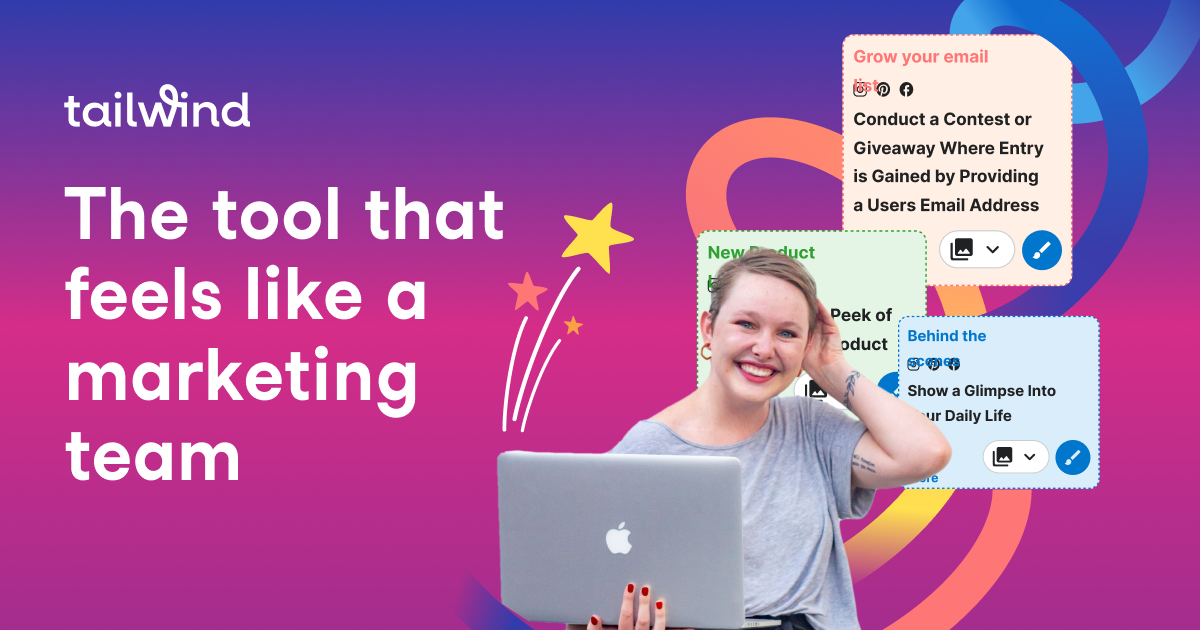
Tailwind's Ghostwriter  Review and Tutorial (Saved me 4 Hours) Tailwind Image

What is Ghostwriter?

Hey there, friend! Let me introduce you to Ghostwriter by Tailwind – the tool that’s about to make your life a whole lot easier! This little gem uses advanced AI-based technology to generate high-quality, natural-sounding content in half the time it would normally take you to write it yourself.

And let me tell you, the team at Tailwind really knows their stuff! They’ve developed Ghostwriter with their extensive knowledge of social and email marketing best practices. By incorporating this expertise into the tool’s algorithms, Ghostwriter is able to produce copy that is not only grammatically correct but also optimized for engagement and conversions.

It’s like having a pro copywriter on staff

Oh boy, do I have a treat for you! Have you heard of Ghostwriter’s advanced AI? It’s like having a personal copywriter at your fingertips, trained specifically for creating effective marketing copy for small businesses. And get this – it produces a natural-sounding copy with perfect grammar AND even optimizes it to help you reach your business goals. How cool is that?

But wait, there’s more! Have you checked out Tailwind’s Labs page? It’s a treasure trove of over 40 specialized content creation tools that can boost your productivity like crazy. The only downside is that with so many tools, it can be a little overwhelming to find the one you need. That’s why Tailwind has added a quick search bar to the top of the page – just type in a keyword like “blog” and voila! All the relevant tools will be highlighted fast.

Now, drumroll please – my new favorite content creation tool inside Ghostwriter is called “From Idea to Article” (aka blog heaven). Just choose your topic and let Ghostwriter generate an outline and content for you – complete with action-oriented language, urgency, and social proof. In just a few clicks, you’ll have a fully fleshed-out blog post that you can customize to fit your brand voice. Trust me, it’s a game-changer.

How does Tailwind’s Ghostwriter From Idea to Article work?

Hold on to your hats, folks – using Ghostwriter is an absolute breeze! You can access it from within the Tailwind platform or through the Tailwind Chrome Extension, which puts a cute little blue ghost on the bottom right of any window. It’s like having a friendly little ghost pal to help you create killer content no matter where you are on your computer. Personally, I like to use it in a Google doc, but you can use it while on the backend of your blog too.

Once you’ve selected your idea, Ghostwriter gets to work and generates an outline and content for you – complete with action-oriented language, urgency, and social proof. That means you can go from having a simple idea to a full-fledged blog post in no time flat. And get this – you can even pick from different options and styles to make sure your content is exactly what you’re looking for.

Oh, and did I mention that it’s lightning-fast? You’ll be amazed at how quickly Ghostwriter can whip up high-quality content that’s ready to publish, provided you input your personal brand voice via words.

Don’t believe me? Check out the tutorial video below and see my own surprise at just how speedy it is.

And the best part? There’s a forever free plan available, so you can try out Ghostwriter for yourself without spending a dime. But I have to be real with you – I have a feeling this plan won’t be around forever. Ghostwriter is just too valuable and too darn good to stay free for long. So sign up now and take advantage of this amazing tool while you still can!

Why use Ghostwriter?

Get ready to level up your content game with Ghostwriter by Tailwind! Here are just a few reasons why Ghostwriter is a total game-changer for your business:

Save time like a boss: Writing a blog post can take hours, but with Ghostwriter, you can cut that time in half (or even more – seriously, it’s like magic!). That means you can spend more time on the other important aspects of your business, like crafting killer products or connecting with your audience.

Boost engagement and drive clicks: Ghostwriter uses action-oriented language, urgency, and social proof to create content that your audience can’t resist. That means your content will be more engaging, and you’ll see a boost in clicks, likes, and shares.

Streamline your marketing efforts like a pro: With Ghostwriter, you can create blog posts, social media captions, and more with ease. That means you can have a consistent brand voice across all your marketing channels and save time by using one tool for all your content needs.

How I used Ghostwriter

I’ve been using Tailwind’s Ghostwriter to help with Pinterest pin titles and descriptions, I’ve used it for Instagram posts but today I put Ghostwriter to the test by using Idea to Article within Ghostwriter.  I chose the subject I was going to write myself. And I typically take between 4-5 hours from beginning to end, because writing can be hard for me.

Today, I wrote the blog with Ghostwriter on the importance of calls to action in your business. I selected the title “Five Effective Calls to Action That Will Boost Your Business Results” from several options and let Ghostwriter generate the outline and content for me.

As mentioned earlier, I was blown away by how fast and efficient it was. In just a few clicks, I had a fully fleshed-out blog post that I could customize to fit my brand voice. I was also able to add keywords and phrases to make sure they appeared in the post.

Final Thoughts

If you are you tired of spending hours writing content that doesn’t quite hit the mark OR if you are not totally comfortable with writing,, have no fear because Ghostwriter by Tailwind is here to save the day! 

With its advanced AI-based technology, you can produce high-quality content in no time, and with over 40 specialized content creation tools available, you can streamline all your marketing efforts and save time.  Plus, with their newest content creation tool from Idea to article (the quickest blog writer ever), you can increase the blogs you are producing to get better visibility with google and get more eyeballs on your content.  All of that can lead to more clients!

Don’t forget, the forever free plan is available right now, you can try it out risk-free! 

So, don’t let content creation stress you out any longer. Say hello to Ghostwriter by Tailwind and level up your content game today! Give it a try and let me know how it works for you or if you have any questions in my private free marketing Facebook group!

Here is more information that may be helpful!

Don’t Forget to Pin It!

Tailwind's Ghostwriter  Review and Tutorial (Saved me 4 Hours)

Pinterest Audit and Strategy Sessions

Sometimes In Business you need to get a little support to get to the next level without having to go through trial and error!

That’s what I’m here for. Like a coach for an athlete, I will coach you to cut through the crap and get to the next level. i.e. work smarter, not harder!

Explode your organic traffic, grow your leads and increase sales with powerful Pinterest marketing strategies.

INCLUDES:

Account Audit: Before we start the call, I’ll evaluate your Pinterest profile for brand cohesion, keyword optimization, and overall effectiveness. I’ll check that your account has everything that we include in our account management service, and if not, you’ll get an action list with clear steps for improvement so that you’ll be proud of your Pinterest presence and will see the results.

Consult Call (60 minutes): Come with any questions or doubts you have. Here’s some of the topics we’ll discuss: 

  • Profile and website optimization
  • SEO/keyword planning
  • Content marketing tactic
  • Tailwind (how to get it set up or make it more effective)
  • Pinterest Analytics or Tailwind Insights
  • Tailwind Smartloop

If you’re not sure where to start, we’ll discuss and outline a solid plan to get your Pinterest profile set up or make it more effective!

BONUS: You’ll get a video recording of the session to refer back to and let your questions and ideas flow without the need to take notes during the call. I will also create an audit summary with what we discussed and your next steps and/or goals.

If you’d like to ask any questions, click here. If you want to cut through the learning curve and mistakes and get your Pinterest working hard FOR you, click below!

Feel free to share this information with the pins below:

Pinterest Audit and Strategy Session 3
Pinterest Audit and Strategy Session 6
Pinterest Audit and Strategy Session 8
Pinterest Audit and Strategy Session 4
Pinterest Audit and Strategy Session 1
Pinterest Audit and Strategy Session 2
Pinterest Audit and Strategy Session 7
Pinterest Audit and Strategy Session 5