How to Build a Pinterest Strategy from Scratch for Service Providers

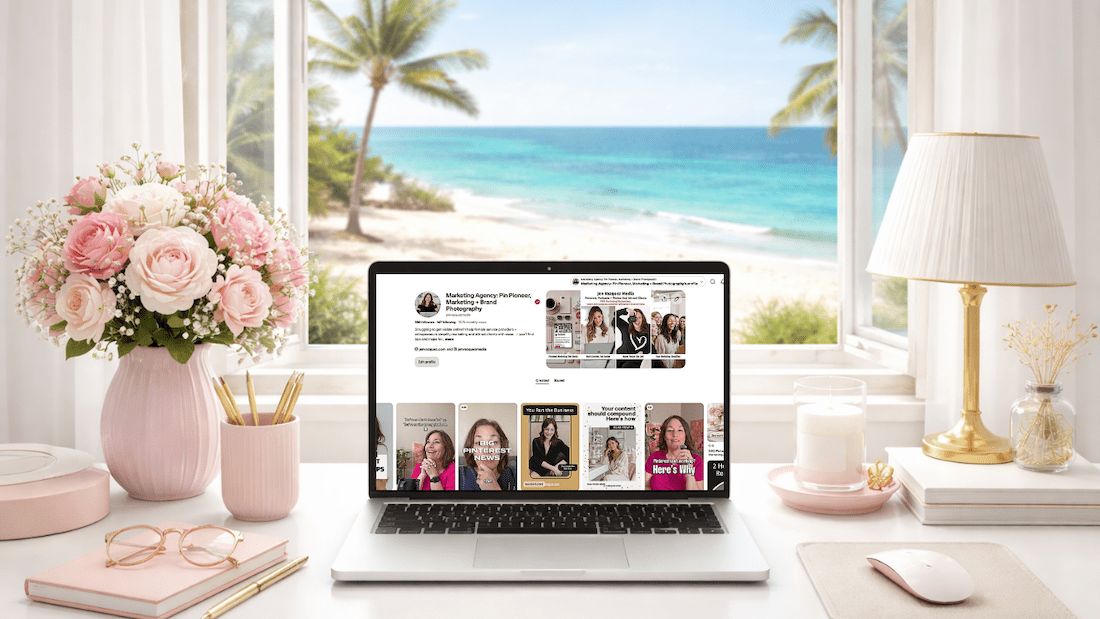
feminine desk with laptop with Pinterest on the screen and a window to a tropical beach

How to Build a Pinterest Strategy from Scratch If You’re a Service Provider

Because Almost All Pinterest Advice Is Built for Bloggers

If you’ve been putting off Pinterest because you don’t know where to start, you’re not alone. And honestly? The confusion makes sense. Almost all Pinterest advice out there is built for blogging businesses or product businesses, and it does not translate the same way when you’re selling a service.

So let’s fix that.

Pinterest is what I’ve built my business on since 2009. It’s how I grew my photography business to six figures, and it’s the reason Jen Vazquez Media even exists. I’m also a Pinterest Pioneer, which means Pinterest actually tapped me to help educate in their business community. So when I say this platform works, I am not guessing.

Let’s build your strategy.

First: Understand What Pinterest Actually Is

This is the single most important thing to understand before building anything.

Pinterest is not social media. It’s a search marketing platform.

I know that sounds like a weird thing to say, but this distinction changes everything about how you use it. Pinterest is a visual search engine. People don’t go there to scroll and see what you had for breakfast. They go there to search, to find solutions, and to discover things they’re already looking for.

That means your content doesn’t disappear in 24 hours, as it does on Instagram or TikTok. It gets indexed. It gets found over and over again, just like Google with your blogs or YouTube with your videos. Sometimes for months. Sometimes for years.

That is an extreme power that Pinterest has that none of the social media platforms actually have. And that’s why the strategy we’re building here looks completely different from anything social media teaches you.

Step 1: Clarify Your Message

Before you pin a single thing, you need to be clear on three things:

  • Who you actually serve. Get specific. If you’re trying to speak to everyone, you end up speaking to no one.
  • What problem do you solve? Not your job title, but the actual problem your client has that you can fix.
  • What outcome are they wanting? What does life look like after they work with you?

For me, it’s female service providers who want more leads and more traffic to their content. For my photography side, it’s female entrepreneurs in the Bay Area. Those are specific audiences with specific needs.

Pinterest rewards clarity. If your message is vague or confusing, your content can’t compound. It has nowhere to go.

Step 2: Optimize Your Pinterest Profile for Search

Your Pinterest profile is searchable from day one. Every word matters.

Your Display Name

Include your name plus a keyword or two about what you do. Something like: Jen | Pinterest Marketing for Service Providers. (Quick note: Pinterest doesn’t let you use the word “Pinterest” in your display name, so I use “Pin Marketing.” You gotta do what you gotta do to get found.)

Your Bio

Write your bio like a search result. What do you do? Who do you help? What will they get from following you? Use the exact words your ideal client would type into a search bar.

Pro tip: Ask your clients what they’d actually type in to find someone like you. You can also use an Instagram story with a question box to crowdsource this.

Your Link

Send people somewhere with a very clear next step. A freebie, a service page, or a landing page in the description of your Pinterest profile. Traffic without direction is just noise.

Want help with Pinterest?

If you want ongoing help while you build this out, The Club is a membership where I drop new Pinterest trainings every single month, plus live Q+As and the strategy and accountability to keep you moving forward at an affordable price, month to month.

Step 3: Build Keyword-Rich Boards

Your boards are searchable. Name them the way your ideal client would type into that search bar, not the way you’d organize a personal Pinterest account.

Skip cute board names like “My Faves” or “Inspo.” Instead, use something like:

  • Pinterest Marketing Tips for Service Providers
  • Brand Photography Ideas for Female Entrepreneurs
  • Marketing Strategies for Coaches

Every board also has a description field. Pinterest doesn’t force you to fill it in, but you absolutely should. Go back into each board, click the three dots, edit it, and write at least two to three sentences. Think about all the different things you’ll pin to that board and weave those keywords into the description.

Aim for 8 to 12 boards that are clearly relevant to your business. Not 40 random boards with a scattered focus. And if there’s a service you want to do more of, create two boards around that topic.

One more tip: every Pinterest account should have a board with your business name. Mine is “Jen Vazquez Media.” Everything I pin goes there. It helps people who search for your business name on Pinterest actually find your content and your account.

Step 4: Create Content That Answers Real Searches

Here’s the mindset shift that makes Pinterest finally click.

Stop thinking about what you want to share. Start thinking about what your ideal client is actually searching for.

Ask yourself: What does my ideal client type into Pinterest when they need what I offer?

Some examples:

  • Brand photographer: “What to wear to a brand photo session?”
  • Business coach: “How to get more clients as a coach online.”
  • Pinterest strategist: “How to use Pinterest to grow my service business.”

Your pin titles, pin descriptions, and the content you link to should all be answering those real searches. Not what sounds good to you, but what people are actually typing into the search bar.

And here’s something that surprised me: for brand photographers, the bigger search isn’t “brand photographer [city].” It’s “[city] brand photography.” The order matters. So you really want to know what your clients are searching for. Ask them. Put the question in your weekly email. Use Instagram stories. That’s the sweet spot of everything on Pinterest.

Step 5: Pin Consistently, Not Constantly

You do not need to pin 30 times a day. That advice is outdated and honestly exhausting.

For service providers, what Pinterest rewards is consistent quality content that earns engagement over time. Start with 5 to 10 pins per week. I always recommend a minimum of one pin per day.

The majority of your pins should link to your own content. It used to be years ago, the recommendation was 80% other people’s content and 20% yours. That is long gone. The only exception is if you partner with someone on something or if you value someone’s education that you don’t teach yourself.

Your pins will mostly be linking to blog posts, videos, podcast episodes, service pages, and your lead magnet. That lead magnet piece is the best way to grow your email list through Pinterest.

Consistency over time is what builds compounding traffic. Not volume.

Step 6: Connect Pinterest to Your Larger System

Pinterest is a traffic driver. It sends people somewhere. So the question is: where?

The strongest Pinterest strategies connect to a very clear path:

  • Pin to a blog post, which leads to an email sign-up for your freebie
  • Pin to a service page
  • Pin directly to a discovery call booking page

Every single pin should have a bigger purpose. Traffic without direction is just noise, and you will not convert people without a clear next step.

Common Mistakes to Avoid

  • Pinning mostly other people’s content. This builds their audience, not yours.
  • Skipping keyword research. Keywords are not optional. If Pinterest doesn’t know what your content is about, it cannot surface it in search. Period.
  • Quitting in month two or even month six. Pinterest is a slow start but a strong finish platform. Most people stop right before the compounding kicks in. Don’t be that person.
  • Treating Pinterest like Instagram. Trending audio, daily posting pressure, chasing the algorithm. None of that applies. This is a search engine. Approach it like one.
  • Following outdated advice. If any Pinterest content, even mine, is more than six months old, it could be outdated. Be thoughtful about that.

What’s a Realistic Timeline?

I always want to give you an honest average answer on this, but full disclosure, it can change depending on your business goals and your industry.

  • Months 1 and 2: Typically quiet. Pinterest is indexing your content. This is normal and does not mean it’s broken.
  • Months 3 and 4: Impressions start rising.
  • Months 5 and 6: Link clicks start moving in.
  • Beyond that: Compounding traffic. Old pins resurfacing. Content you built months ago keeps driving results.

That timeline is exactly why consistency matters more than anything else on this platform. Pinterest isn’t about going viral. It’s about showing up in the right searches until traffic compounds.

What to Learn Next

Now that your strategy foundation is in place, the single most important tactical skill you need next is knowing how to find and use keywords. Because without the right keywords, none of this works. Your content exists, but nobody finds it. That’s exactly what we’ll be covering next week.

Ready to Build Your Pinterest + SEO Visibility System?

How much time did you spend on social media this week creating content? And how many of those posts are still working for you right now, still driving traffic today?

That’s the thing about social media. You create it, it disappears, and you start over every single week.

The Quiet Growth Accelerator is a 12-week program I created with my friend and SEO expert Cinthia Pacheco. Together, we help service providers build a Pinterest + SEO visibility system that actually compounds over time. Your content keeps getting found. Your dream clients keep showing up. And you’re not chained to the posting hamster wheel to make it happen.

We’re talking done-for-you audits, a custom keyword list built for your niche, a simple two-hour-a-week system, and one-on-one support from both Cinthia and me for the entire 12 weeks.

>> CHECK OUT THE QUIET GROWTH ACCELERATOR <<

Go introduce yourself on Pinterest, Instagram, or TikTok. I’ll be cheering you on from over here! 📣

 

📌 DON’T FORGET TO PIN IT!

Why Pinterest Courses Don’t Work for Service-Based Business Owners

Why Pinterest Courses Don’t Work for Service-Based Business Owners

And What Actually Gets Results

If you’ve taken a Pinterest course and still aren’t seeing traffic or clients from Pinterest, you’re not alone. And the problem probably isn’t you.

Most Pinterest courses don’t actually work the way people expect them to. Not because the strategies inside them are wrong. But because Pinterest success requires something that courses just really can’t provide.

After working with service-based business owners since 2018, I kept seeing the same pattern over and over. People would take Pinterest courses from really well-known educators, learn the strategy, understand the basics — but when it came time to actually implement that strategy in their own business? Things would stall.

Let’s talk about why that happens.

The Real Problem with Pinterest Courses

There are a lot of really smart educators teaching Pinterest. And many Pinterest courses contain great information. I’m not knocking other educators at all.

But the issue isn’t the information. It’s not the strategy. It’s what happens after the course ends.

Most Pinterest courses follow a pretty similar structure. You learn keyword strategies, pin design, scheduling strategies, and content planning. You go through the lessons, take in the information, feel excited about the possibilities. Then you sit down to apply it to your own business — and that’s when the questions start:

  • Am I using the right keywords?
  • Am I finding the keywords the right way?
  • How many pins should I be posting? (This varies wildly — anywhere from 1 to 20 pins a day depending on your business and industry.)
  • Why isn’t my traffic growing yet?
  • Is Pinterest supposed to take this long?
  • Should I change my strategy?

Most courses can’t answer those questions. Not because they’re bad courses — but because every business is different, and courses rarely provide personalized feedback. 

Sure, some have a community where you can ask a question. But it’s really hard to answer a specific Pinterest question about your business without knowing everything about your business and your ideal client.

A Real Example: Why a Pinterest Course Didn’t Work for My Client

Let me share a story from one of my clients. We’ll call her Lisa.

Before working with me, Lisa had purchased a very well-known Pinterest course. She went through the entire program — not once, but twice — because she thought she missed something the first time. She followed the strategy exactly as it was taught.

And it still wasn’t working for her.

This wasn’t because the course was bad. The problem was that she had no way to get feedback specific to her business.

Most Pinterest Courses Are Built for Bloggers

When we started digging into Lisa’s strategy, something became really clear. The course she’d taken was heavily built around a blogging business model. That works great if you are a blogger focused on ad revenue or affiliate traffic.

But Lisa was a service-based business owner. Her goal wasn’t just traffic — it was booking clients.

Most Pinterest courses advertise themselves as being for everyone or for creatives. But the examples and strategies inside are often designed with bloggers in mind. Service-based business owners operate very differently, and that mismatch can make implementation really confusing.

Ready to See How Pinterest Can Actually Work for You?

I just created a free Pinterest masterclass that walks through the strategy step by step. Inside, I’m going to cover:

  • How Pinterest drives long-term traffic
  • The biggest mistakes business owners make on the platform
  • How to build a strategy that works for you and your business — and actually brings in leads

What Happened When We Changed Her Approach

Once Lisa joined my program, we shifted the focus from learning more information to actually implementing a strategy that worked for her business, her goals, and her life.

She didn’t want to be pinning all week long. She wanted a specific time block, and she could only give about an hour.

The Follow-Up Question That Changes Everything

One of the first things I asked her to do was start asking new clients a deeper question. And this is a mistake almost everyone makes.

When you ask a new client “How did you find me?” and they say something like Instagram or TikTok — that’s not usually the full story.

I started doing this research with my own clients back in 2021. What I found was that about 83% of the time, the quick answer wasn’t the real answer.

When Lisa started asking follow-up questions, the real story came out. Many of these people had actually found her through Pinterest, a Google search, or a blog post. But when people think about where they found you, they usually give credit to the platform they were on when they decided to reach out.

That actually makes sense, right? Someone discovers you on Pinterest, clicks through to your website, reads your content, and then goes and follows you on Instagram. When they finally reach out, they think “I found her on Instagram.”

But Pinterest and search were doing the actual discovery work. They were doing the heavy lifting.

From 5 Hours a Week to 3 Hours a Month

During the seven months Lisa worked with me, we focused on refining her Pinterest strategy. Not starting over. Not guessing. Refining — because she had support and guidance on what to adjust.

She worked on Pinterest three times a month, only an hour each time. Three hours a month total.

We also created a simple marketing workflow that dramatically cut her marketing time. Before working together, she was spending about five hours every week trying to keep up with marketing. Most of that was on social media, and very little on Pinterest — because she had so many unanswered questions.

After we streamlined things, she only needed three hours a month. And with that extra time? She now spends it volunteering at her child’s school.

That’s the kind of result most business owners actually want. Not just traffic — but a marketing system that works without taking over their life.

Pinterest Success Isn’t an Information Problem

This experience reinforced something I’ve believed for years. Pinterest success usually isn’t an information problem — it’s an implementation problem.

Most business owners already have access to more information than they could ever use. You can go to YouTube University, read blogs, take courses, listen to podcasts, even ask AI tools. Information is everywhere.

But execution is where most people struggle. Sometimes they’re just a couple of questions away from getting it right — once they have somebody who actually understands their business and goals.

Pinterest success requires three things:

  • Knowledge
  • Implementation
  • Consistency

Courses usually provide the first one. But the other two are where most people need the most help.

Why I Built My Membership Instead of a Course

This is exactly why I created my Pinterest membership back in 2018. When everyone was telling me to “make a Pinterest course,” I said no.

I wanted to create something different. A space where business owners could actually implement what they learned — with real support.

Inside the membership, we do live trainings, live Q+A sessions, and live masterclasses. When someone gets stuck, they can ask questions and I can even share my screen and show them exactly what I’m talking about. We’re not just typing in a community and hoping we get the right answer.

We address strategy adjustments as your business changes, your goals shift, or your available time changes. And when motivation starts to drop, there’s built-in accountability to keep going.

The goal isn’t just to learn Pinterest. The goal is to actually use Pinterest to bring in clients.

How Pinterest Actually Works (It’s Not Social Media)

If Pinterest has felt confusing, slow, or like it just hasn’t worked the way you expected — it’s usually because Pinterest operates very differently than social media.

Pinterest isn’t about trends the way TikTok or Instagram are. You don’t have to constantly post to stay visible.

Pinterest is about creating searchable content that compounds over time. Think about it — whenever you search for something on Google, Pinterest results come up almost every single time.

That’s the power of the platform. Your content keeps working for you long after you hit publish.

Pinterest courses aren’t necessarily bad. But courses alone typically aren’t enough to create real results. Pinterest isn’t just about learning a strategy — it’s about implementing that strategy consistently until it compounds. That’s the part most business owners need support with.

Ready to See How Pinterest Can Actually Work for You?

I just created a free Pinterest masterclass that walks through the strategy step by step. Inside, I’m going to cover:

  • How Pinterest drives long-term traffic
  • The biggest mistakes business owners make on the platform
  • How to build a strategy that works for you and your business — and actually brings in leads

📌 DON’T FORGET TO PIN IT!

women sitting at desk in feminine home office we're talking about Why Pinterest Courses Don't Work for Service-Based Business Owners

Stop Making These Pinterest Mistakes if You Want More Leads

Stop Making These Pinterest Mistakes if You Want More Leads on Marketing Strategy Academy by Jen Vazquez Media

Are you on Pinterest but not seeing the traffic or leads you thought you would? You’re pinning, you’re posting, but it feels like you’re shouting into the void. I get it—and you’re not alone. Most service providers make the exact same mistakes on Pinterest, and those mistakes are literally costing them clients.

The good news? Every single one is totally fixable. Today, I’m breaking down the five biggest Pinterest mistakes I see all the time and showing you what to do instead—so your pins finally start bringing in the traffic and sales you’ve been dreaming about.

I’m Jen Vazquez, a Pinterest Pioneer who’s been using Pinterest since the beta days back in 2009. I grew my photography business to six figures with it before launching my Pinterest marketing agency. Since then, I’ve helped hundreds of service providers turn Pinterest into their lead-generating machine. And let me tell you: it’s not about working harder—it’s about avoiding these simple mistakes.

Let’s dive in!

Mistake #1: Treating Pinterest Like Social Media

This is one of the biggest mistakes I see: treating Pinterest like Instagram or TikTok. But here’s the thing—Pinterest is not social media. It’s a visual search engine.

People don’t go to Pinterest to scroll mindlessly. They go there with intention: searching for how to plan a wedding timeline, how to create a morning routine for moms, or how to solve a problem. They’re closer to making a purchase because they’re actively researching.

The fix: Think of Pinterest like Google, but prettier and friendlier. Use keyword-rich titles, descriptions, and board names. Don’t just pin pretty photos—optimize everything so your content shows up when someone is searching for exactly what you offer.

Mistake #2: Ignoring Your Website Connection

You can send all the traffic in the world from Pinterest, but if your website isn’t set up to convert, that traffic goes nowhere. Another huge mistake? Not claiming your website on Pinterest.

That’s like setting up shop in the middle of town but forgetting to put your address on the map. Without claiming your site, your pins look less trustworthy, you miss out on analytics, and you lose authority in Pinterest’s algorithm.

The fix: Claim your website in your Pinterest settings. It takes just a couple of minutes, and it unlocks analytics gold—showing you exactly what’s working so you can double down on it.

Mistake #3: Inconsistent Pinning

Raise your hand if this sounds familiar: you go all-in on Pinterest for a week or two, scheduling pins like a pro… and then life happens. Suddenly, it’s been three months since your last pin.

Pinterest notices the inconsistency, and it doesn’t reward it.

The fix: Commit to pinning consistently. Set aside one hour a week to batch and schedule pins. Repurpose content you already have—blog posts, podcasts, videos, and Instagram. And remember: Pinterest is a long game. A pin you create today can drive traffic years from now.

💡 QUICK NOTE: If you’re nodding along thinking, “This all makes sense, but I honestly don’t have the time to do Pinterest myself,” that’s exactly why I offer Pinterest Management services. My team and I handle strategy, pin design, and scheduling so you can focus on serving your clients while your Pinterest works in the background to drive leads. Click here to explore management options →

Mistake #4: Using the Wrong Images

Pinterest is visual, which means your images matter. Horizontal photos, tiny text, or pretty-but-illegible fonts blend right into the feed.

The fix: Use vertical (2:3 ratio) pins with bold fonts, high-contrast colors, and clear text overlays that tell people exactly why they should click. Remember: most people are on mobile, so your pin needs to be legible in seconds. Think of your pin as a mini ad for your content—pretty matters, but clickable matters more.

Mistake #5: No Clear Call to Action

Even if you’ve nailed everything else, you’ll still lose people if your landing page is a dead end. I see it all the time—clicking through to a blog post with no freebie, no opt-in, no next step. That’s like inviting someone into your store and then walking away.

The fix: Always add a clear call to action. Whether it’s downloading a checklist, booking a free call, or watching a video, tell people exactly what to do next. Pinterest traffic converts better than any other social platform—but only if you guide people into your funnel.

✨ Need help with ideas? I’ve put together a list of 80 different calls to action you can use for your pins, blogs, and landing pages. It’s totally free, and it’ll give you endless inspiration for guiding your audience to the next step. Grab the free list here →

Final Thoughts

Those are the five mistakes that might be stealing your Pinterest traffic and leads. The best part? They’re all super easy to fix. Once you treat Pinterest like the search engine it is, stay consistent, and guide people with clear CTAs, your account starts working for you 24/7—for years to come.

Seriously, Pinterest is the platform that keeps giving—even while you’re on vacation, maternity leave, or spending time with your kids. That’s the kind of marketing that truly supports your business and your life.


DON’T FORGET TO PIN IT!

How to Monetize Your Blog as a Service Provider

soft neutrals home office with northern california beach vibes with Pinterest on the macbook pro.  How to Monetize Your Blog as a Service Provider by Jen Vazquez Media Pinterest Expert

Hey there! Have you ever hit publish on a blog post and thought, “Okay… now what?”

Maybe you’re getting some Pinterest traffic (yay for that 🎉), or maybe you’re writing regularly but still not seeing the leads or income you were hoping for. Today, we’re going to fix that.

This post is all about how to monetize your blog as a service provider—whether you’re a photographer, coach, wedding pro, yoga teacher, or any other creative female entrepreneur. And don’t worry—none of these tips are pushy, sleazy, or gross. Let’s turn that blog of yours into a 24/7 lead machine!

Your Blog Is Your Silent Salesperson

Here’s something people don’t always say out loud: Pinterest drives traffic, but your blog is where the conversions happen.
Your blog isn’t just for sharing tips—it’s your content home base. The only one you own. It’s your most loyal employee, working even when you’re off playing with your kids or watching your favorite show.

But… if you don’t tell people what to do next, that traffic goes nowhere.

Tip 1: Add Clear Calls to Action (CTAs)

Every blog post should tell your reader what to do next—like booking a discovery call, grabbing your freebie, joining your newsletter, or hopping into your Facebook group.

Pro tip: Don’t just drop a CTA at the bottom. Sprinkle it throughout—

  • One up top
  • One in the middle (especially after a juicy tip!)
  • One at the end
  • Maybe even a polite little popup (but test it on phones so it’s not annoying!)

Tip 2: Promote Your Services Like a Story

Instead of turning your blog into a billboard, weave your services into the post.

Example: If you’re writing about planning a stress-free wedding, mention a real client who avoided chaos thanks to your help. Then add a CTA for your services. When you show how you helped someone, it feels natural—not pushy.

Want to stop guessing and start growing on Pinterest?

Join the Pinterest Strategy Club, where smart service providers like you get weekly strategy drops, monthly trend breakdowns, and behind-the-scenes peeks at what’s actually working.

Get the clarity, confidence, and consistency you need—without doing it alone. Start pinning with purpose!

Tip 3: Use Affiliate Links (But Keep It Real)

Only promote what you actually use and love. No random Amazon lists.
For me, that looks like:

  • Tailwind (for Pinterest scheduling)
  • Canva (for everything design)
  • RecurPost (for repurposing content like a boss)

If tools are part of your workflow, share them honestly. Your readers will thank you.

Bonus Tip: Start with What’s Already Working

Pull up your top 3 blog posts in Google Analytics.
Ask:

  • Do they have CTAs?
  • Are they linking to a freebie, service, or another blog post?
  • Can you add a testimonial or a case study?

One of my wedding photographer clients did this and added a lead magnet to one post and a client story to another. In just a few months, she grew her email list by 40+ and booked two new clients—all from blog traffic.

You don’t need a huge audience. You just need to guide the traffic you already have.

Your Homework (You Know I Love Homework!)

✅ Audit your top 3 blog posts
✅ Add calls to action
✅ Link to services, freebies, or other helpful blog posts
✅ Create a new post on a similar topic from a fresh angle

Marketing is just saying the same thing in 85,000 different ways until people take action. So start where the traffic already is.

And if all of this feels like a lot? You’re not alone. Inside my Pinterest Strategy Club, we cover blog strategy, repurposing, and how to guide traffic into leads. Or if you want to hand it off, check out my Pinterest Management Services—I’ll handle the strategy, give you blog ideas, and keep your Pinterest working for you.

Let me know in the comments: is this something you’re going to try? And come back to tell me how it went! I’ll be cheering you on 💪

DON’T FORGET TO PIN IT!

Pinterest pin with words: How to Monetize Your Blog as a Service Provider by Jen Vazquez Media Pinterest Expert
Pinterest Pin with an image of a macbook pro with Pinterest on it and the words: How to Monetize Your Blog as a Service Provider by Jen Vazquez Media Pinterest Expert
Black Pinterest Pin with image of macbook pro with pinterest on the screen and words: How to Monetize Your Blog as a Service Provider by Jen Vazquez Media Pinterest Expert
Pink Pinterest pin with an image of a macbook pro with Pinterest on the screen in a light and airy home hoffice with words: How to Monetize Your Blog as a Service Provider by Jen Vazquez Media Pinterest Expert
Pinterest pin with words: How to Monetize Your Blog as a Service Provider by Jen Vazquez Media Pinterest Expert

Mastering Pinterest SEO: A Beginner’s Guide to Boosting Your Visibility

Pinterest on cell social squares photo

Mastering Pinterest SEO: A Beginner’s Guide to Boosting Your Visibility

When most people think of Pinterest, they picture beautifully curated boards filled with recipes, DIY projects, and outfit ideas. But for businesses and creators, Pinterest is so much more—it’s a visual search engine with massive potential for driving organic traffic to your website. If you’re not optimizing your Pinterest presence, you’re missing out on a key opportunity to grow your audience.

In this guide, we’ll break down the essential strategies for mastering Pinterest SEO, even if you’re just starting out. By the end, you’ll know exactly how to optimize your profile, pins, and boards to enhance discoverability and drive results.

1. Understanding Pinterest as a Search Engine

Pinterest isn’t just a social media platform; it’s a powerful search engine where users actively seek inspiration, ideas, and solutions.

Think of Pinterest users as proactive searchers, not passive scrollers. They’re typing in keywords like “wedding decor ideas,” “easy weeknight dinners,” or “how to start a podcast.” When you optimize your content with the right keywords, you’re positioning your business to be found by these eager searchers.

Key takeaway: Treat Pinterest like Google but with a visual twist—keywords are your best friend.

2. Optimizing Your Pinterest Profile for SEO

Your Pinterest profile is the foundation of your SEO strategy. A well-optimized profile tells Pinterest (and users) exactly who you are and what value you provide.

Profile Name and Bio:

  • Use a clear, keyword-rich profile name.
    Example: Instead of “Jane Doe,” try “Jane Doe | Wedding Photographer in San Francisco.”
  • Write a concise bio that highlights what you do and includes a primary keyword.
    Example: “Helping brides plan their dream weddings with stunning inspiration and expert tips.”

Profile Picture: Choose a professional and branded profile picture that aligns with your business. Remember people buy from people..

Claim Your Website: Claiming your website not only boosts your credibility but also unlocks valuable insights in Pinterest Analytics. Go to Settings > Claim > Enter your website URL to get started.  You can watch my video on how to do it here.

3. Researching and Using Keywords

Keywords are the backbone of Pinterest SEO. They guide users to your content.

How to Research Keywords:

  • Use the Pinterest search bar to explore popular suggestions. For example, type in “meal planning,” and Pinterest will have a drop down menu and you should grab all those phrases (long tail keywords)..
  • Utilize tools like Pinterest Trends, Google Keyword Planner, or Answer the Public for deeper insights.

Where to Use Keywords:

  • Pin titles and descriptions: Add relevant keywords naturally to describe the content.
    Example: Instead of “My Favorite Dinner,” use “Quick and Easy Dinner Recipes for Busy Weeknights.”
  • Board titles and descriptions: Optimize your board names like “Budget-Friendly Home Decor Ideas” instead of “My Home Stuff.”
  • Profile bio and alt text: Incorporate keywords to describe your images and brand.
  • The Name of Your Pin Graphic: People don’t think about this but what you name a pin that you create is also searchable with those keywords. 
  • Text On The Pin Graphic:  Yes Pinterest can read the words on your pin graphic so use keywords there.

FREE Pinterest Marketing Tools

Get Instant Access to 21+ Tools and 8 Masterclasses for FREE!

Are you ready to effectively use Pinterest marketing to grow your business? Look no further! We’ve curated a collection of over 15 essential Pinterest marketing tools and 8 expert-led masterclasses and challenges, all designed to help you succeed on this dynamic platform.

4. Creating SEO-Friendly Pins

Your pins are the heart of your Pinterest strategy. Make them count.

Design Tips for High-Performing Pins:

Writing Optimized Titles and Descriptions:

  • Titles should be clear, engaging, and keyword-rich.
    Example: “5 Tips for DIY Wedding Centerpieces” is more effective than “DIY Wedding.”
  • Write descriptions that tell a story and include keywords naturally.

5. Optimizing Pinterest Boards for SEO

Your boards are more than a place to save pins—they’re another opportunity to showcase your expertise.

Name Boards Strategically: Instead of generic names like “weddings,” go for specific, searchable names like “Spring Weddings in California”

Write Detailed Board Descriptions: Describe what users can find in the board using relevant keywords.
Example: “Explore modern kitchen designs with sleek appliances, innovative layouts, and space-saving solutions” And use all the 500 characters you are allowed to use different keywords that will result in more eyeballs on your content.

6. Tracking Your SEO Success on Pinterest

Once you’ve optimized your profile and content, track your progress to see what’s working.

Using Pinterest Analytics:

  • Monitor key metrics like impressions, pin clicks, saves, and the most important for businesses using Pinterest to market their business, outbound clicks. Get your free Pinterest Analyzer here.
  • Analyze your top-performing pins to identify trends.

Adjust Your Strategy:

  • Experiment with different keywords and pin designs.
  • See the pins in analytics that get the most outbound clicks and create more pins to that content with new images and keywords
  • Repin high-performing content (after a few months) to keep it active.  This should be done sparingly. Fresh new content is what Pinterest and Pinterest users crave.

7. Common Pinterest SEO Mistakes to Avoid

  • Keyword stuffing: Avoid overloading descriptions with just keywords. It looks spammy and doesn’t help rankings. Write a description that is something your best friend could read and understand.
  • Ignoring trends: Stay updated on Pinterest Trends to discover what’s popular.
  • Neglecting old content: If you have boards you have’t pinned to in 6 months, make pins for that board or consider merging it with another board that is used often.

Take the First Step Toward Pinterest Success

Pinterest SEO may seem overwhelming at first, but by starting with these basics, you’ll be well on your way to driving organic traffic and growing your audience. Remember, it’s all about consistency—optimize your profile, use keywords effectively, and track your results.

Ready to take your Pinterest strategy to the next level?

 Let’s work together to create a tailored plan that drives leads and saves you time.

Don’t Forget to Pin It!