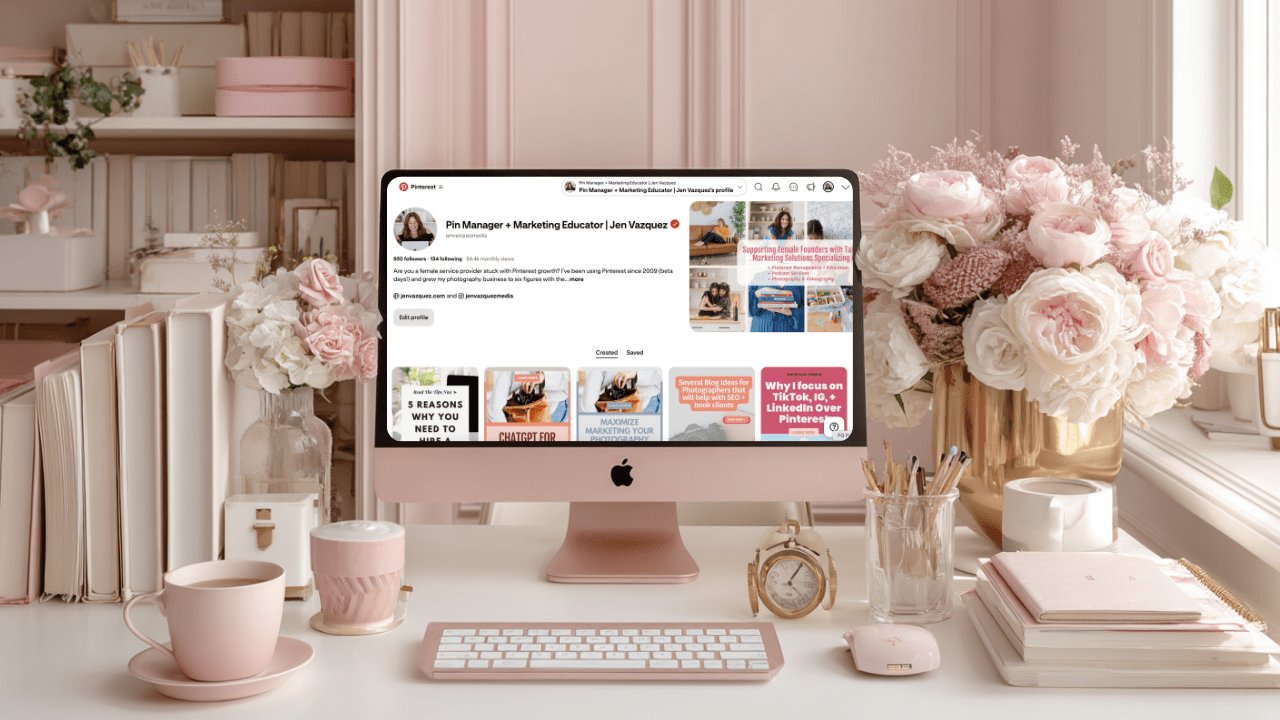
Pinterest Tips That Actually Work in 2026 (and What to Stop Doing)

If Pinterest feels slower than it used to — or you’re doing all the “right” things and still not seeing traction — you’re not alone.

Pinterest has changed. And it will keep changing. That’s just how platforms evolve. The good news? Once you understand how it’s changed, everything gets a whole lot simpler.

I’m Jen. I help service providers use Pinterest in a calm, realistic way that fits real life — not hustle culture. Today we’re cutting through the noise and talking about what actually works on Pinterest right now, plus what to stop doing so you don’t burn yourself out for no reason.

Over the past year, Pinterest has shifted in a big way. Not scary. More like… clarity. Most frustration I see comes from using advice that worked years ago but doesn’t line up with how Pinterest works today. So let’s reset and focus on what matters now.

Pinterest Tips That Actually Work in 2026 (and What to Stop Doing) on Marketing Strategy Academy with Jen Vazquez

Pinterest Tips That Actually Work in 2026 (and What to Stop Doing)

If Pinterest feels slower than it used to — or you’re doing all the “right” things and still not seeing traction — you’re not alone.

Pinterest has changed. And it will keep changing. That’s just how platforms evolve. The good news? Once you understand how it’s changed, everything gets a whole lot simpler.

I’m Jen. I help service providers use Pinterest in a calm, realistic way that fits real life — not hustle culture. Today we’re cutting through the noise and talking about what actually works on Pinterest right now, plus what to stop doing so you don’t burn yourself out for no reason.

Over the past year, Pinterest has undergone a significant shift. Not scary. More like… clarity. The most frustration I see comes from using advice that worked years ago but doesn’t align with how Pinterest works today. So let’s reset and focus on what matters now.

Stop Treating Pinterest Like Social Media

Pinterest is not Instagram.

Posting more does not equal better results. Posting with purpose does.

What to stop doing:

  • Posting just to post
  • Uploading random graphics with no clear topic
  • Treating Pinterest like a social feed with links slapped on

What works instead is clarity.

Pinterest wants to understand:

  • Who is this pin for?
  • What problem does it solve?
  • Where does it send someone next?

If those three things are clear, Pinterest can actually place your content in front of the right people. Clear topics. Clear visuals. Clear intent. That’s it.

Fresh Pins Still Matter — Just Not Like They Used To

Yes, fresh pins still matter. No, volume is not the goal anymore.

Fresh now means:

  • A new image or layout
  • One clear topic
  • A useful idea

It does not mean logging into Pinterest every single day. You can batch and schedule in advance and still have pins going out daily. That’s actually the most strategic way to save time and get results.

It also doesn’t mean creating constant brand-new content. One of the best strategies is creating new pins for content that’s already working.

Every time I post, I look at my top five to ten blog posts or products in Google Analytics. Those get new pins. I also create pins for whatever new content is going out that week.

Old content + new pins is where the magic is. No trend chasing required.

Saves Matter More Than Clicks

This one is a big mindset shift.

Pinterest is watching saves. Not just clicks.

A save tells Pinterest, “This is useful. This is worth showing again.” If someone saves your pin but doesn’t click right away, that is not a failure. That’s Pinterest learning who to show it to next.

Focus on:

  • Step-by-step lists
  • Clear takeaways
  • Teaching pins

If people save it or click it, you’re doing it right.

Grab the Free Pinterest Resources Vault

If you want simple, no-fluff help with Pinterest, the Resources Vault is packed with free guides and tools to help you get clear, get organized, and stop guessing what to do next.

Pinterest Tips That Actually Work in 2026 (and What to Stop Doing)

Want Pinterest to Feel Simpler Every Week?

If you don’t want to guess what to post, when to post, or whether you’re doing it “right,” The Club is a membership where I help you keep Pinterest simple and consistent. You’ll get clear strategy, easy templates, and ongoing support so Pinterest fits into your real life — not the other way around.

Stop Overthinking Keywords

Keywords are still the most important part of Pinterest success. But they do not need to be complicated.

Use natural phrases. Clear language. The exact words your ideal client would type into a search bar.

An easy way to find keywords? Ask. Put a question box on Instagram Stories and ask, “If you were looking for this, what would you type into Google or Pinterest?”

Simple always wins.

Don’t be cute. Be clear.

“Pinterest tips for service providers” will always outperform something vague or clever. Say exactly what it is. Word for word.

Consistency Beats Intensity

Pinterest rewards steady behavior.

That might look like:

  • One blog a week
  • Five to seven pins a week
  • Staying on the same topic over time

What doesn’t work is a burst of energy followed by disappearing and starting over.

You don’t need to hustle. You need a plan. Pinterest loves rhythm.

And next week, we’re talking about what Pinterest wants from your content in January and how it can work for you all year long.

📌 DON’T FORGET TO PIN IT!
Pinterest Tips That Actually Work in 2026 (and What to Stop Doing)

Pinterest Marketing for Service Providers: How to Attract Clients While You Sleep

flatlay workspace for female entrepreneur jvm stock photos

Pinterest Marketing for Service Providers: How to Attract Clients While You Sleep

If you’ve been posting your heart out on Instagram chasing trends and still not seeing consistent leads, I totally get it. Here’s the truth — your dream clients are probably hanging out somewhere quieter… somewhere they’re actually looking for help, not just scrolling for entertainment.

Yep, I’m talking about Pinterest.

I’ve used Pinterest to grow my own six-figure business and helped hundreds of female service providers like photographers, wedding pros, coaches, and other creatives. And the best part? You don’t need to dance on Reels or spend every waking moment online.

In this post, I’m breaking down exactly how to use Pinterest to attract clients and build a marketing system that keeps working even when you’re not.

Create Consistent Content Without the Burnout

Pinterest loves fresh content — but that doesn’t mean you need to post every single day, but you need pins going out each day.

The secret is consistency that fits your life.

Most of my clients spend about one hour a week on Pinterest marketing using my batching system. They repurpose blog posts, videos, podcast episodes, lead magnets, and services into multiple Pins that drive traffic all week long.

You don’t have to start big — once a week is enough when it’s done strategically. Think of Pinterest as your long-game traffic engine. You post once, and it keeps bringing you visitors for months (and often years).

Pro tip: Use a scheduler like Tailwind and batch your Pins all at once. It’s like setting your marketing on cruise control.

Speak to What They’re Searching For

The magic of Pinterest is that people come to it with a goal. They’re planning, researching, or dreaming about something they want to do next.

So before you create, ask yourself this:

“What is my ideal client typing into that search bar when they’re ready to take action?”

If you’re a wedding photographer, it might be San Jose vineyard wedding inspiration.  If you’re a coach, maybe it’s how to get clients without social media.

Create content that answers these searches directly. When you solve a problem or ease a pain point, you naturally build trust — and that’s where the conversion begins.

I love using my Feel, Felt, Found storytelling method:

“I know how you feel. I’ve felt that way too. But here’s what I found that really works.”

It connects, educates, and converts all at once.

Want help with Pinterest?

The Club is where service providers learn how to make Pinterest their lead-generating bestie. You’ll get monthly action plans, keyword sessions, and strategy support to grow your traffic, leads, and visibility—without spending hours online.

Use Keywords Like a Pro

Pinterest isn’t a social media platform — it’s a visual search engine. Think of it as SEO with prettier pictures.

Your captions, titles, and even image file names help Pinterest understand who to show your content to. Here’s how to start:

  • Write down short-tail keywords like Pinterest marketing or Bay Area brand photography.
  • Then add long-tail keywords like Pinterest for service providers or how to grow your coaching business with Pinterest.

Sprinkle them naturally throughout your Pin titles, descriptions, profile, and even on the text overlay of your Pins. And remember: keywords aren’t about gaming the system — they’re about helping Pinterest connect your content with the right people.

Pro tip: Inside The Club, we do keyword brainstorm sessions a few times a year to help members find the perfect words for visibility and growth.

Make Your Visuals Work Harder

Pinterest is visual, but that doesn’t mean you need fancy designs. You just need clarity.

Here’s what works best for service providers:

  • Use your brand colors, fonts, and website address for recognition.
    Keep designs clean and text easy to read on mobile.
  • Add a headline that solves a pain point (How to Book Clients from Pinterest).
  • Include a simple call-to-action like Learn More or Download Free.

You can create gorgeous, on-brand Pins in Canva in minutes — no design degree needed.

If you want a head start, grab my Canva customizable 10 free Pin templates. 

Pro tip: Mix static and video Pins for your blogs, freebies, and services to keep your content fresh and engaging.

Convert the Clicks

Traffic is great — but it means nothing without conversions. Most Pinterest users are new to your business, so your job is to guide them toward a small win.

Here’s how to optimize for conversions:

  1. Link to related content like blogs, podcasts, or YouTube videos.
  2. Add a freebie or email opt-in to capture leads.
  3. Include a clear call-to-action (CTA) in every post — and put it in the middle of your blog since not everyone reads to the end.

Pinterest is the top of your funnel — the start of a relationship that leads to sales later.

One of my photography clients doubled her bookings just by linking her free wedding guide and inquiry form to every single Pin. No ads. No daily posting. Just a smart Pinterest system.

Ready to Bring in Clients While You Sleep?

Pinterest isn’t about luck — it’s about strategy, consistency, and systems that do the work for you.

If you’re ready to stop guessing what to post and start generating clients with ease, check out The Club, where we build your Pinterest strategy together step-by-step.

Or if you’d rather hand it off completely, explore my Pinterest Management Services and let my team handle it for you.

Either way, Pinterest can become your silent sales machine — and I’ll show you exactly how to make that happen.

DON’T FORGET TO PIN IT!

A Pin that says Stop Scrolling, Start Growing Pinterest Marketing for Service Providers
A Pin Saying "Pinterest That Converts Pinterest Marketing for Service Providers"
A Pin saying, "Attract Clients While You Sleep Pinterest Marketing for Service Providers"
A Pin saying, "One Hour a Week Strategy Pinterest Marketing for Service Providers"
A Pin saying The Silent Sales Machine Pinterest Marketing for Service Providers

How to Brand Your Pinterest Profile to Attract Clients (Step-by-Step)

How to Brand Your Pinterest Profile to Attract Clients (Step-by-Step) by Jen Vazquez Media

Did you know you’ve got just 2.5 seconds to grab someone’s attention on Pinterest before they scroll right past you? Yep—blink, and they’re gone. If your Pinterest profile isn’t working for you, you’re missing out on dream clients finding you. Today, I’m walking you through step by step how to brand your Pinterest profile so it instantly says who you are, what you do, and why people should smash that follow button.

I’ve been helping service providers turn Pinterest into a lead-generating machine for years, and these are the exact steps that will give your profile a glow-up that attracts clients like crazy.

Step 1: Your Pinterest Profile Image

Your profile photo is your handshake. It needs to be clear, bright, professional, and—most importantly—show your face. Not standing in front of a house, not a blurry selfie, but a polished headshot that feels approachable.

  • If you’re a business coach → smiling headshot in your brand colors.
  • If you’re a yoga teacher → calm, approachable pose in a simple space.
  • If you’re a photographer → a professional headshot or one of your own brand portraits.

And pro tip: use this same profile photo everywhere—Instagram, LinkedIn, Pinterest. That way, people know they’ve found the right account when they bounce from one platform to the next.

Step 2: Pinterest Profile Cover Image

This is your billboard. In 2.5 seconds, your cover image should scream what you do.

  • Photographers: show yourself photographing a wedding or family session.
  • Coaches: a brand shot of you speaking on stage or with a client.
  • Yoga teachers: a peaceful image of you leading a class.

The goal is for someone to land on your profile and instantly think, “I know exactly what she does—and I need that.”

Step 3: Your Pinterest Profile Text

Think of your Pinterest profile as your brand promise. In one or two sentences, share who you help and how. Sprinkle in keywords so Pinterest knows who to show you to.

Examples:

  • Business coach: “Helping women entrepreneurs scale without burnout using smart strategies.”
  • Yoga teacher: “Guiding busy women to find balance through simple yoga practices.”
  • Photographer: “Capturing timeless images for couples who want to relive their love story.”

A client of mine, an adventure wedding photographer, used keywords like “hiking,” “wilderness,” and “adventure” in her profile—and it skyrocketed her bookings because she attracted the exact type of couples she wanted.

👉 Quick note: if writing keyword-rich bios or pin descriptions makes you want to bang your head against the desk, my tool Pin Copy Pro GPT has your back. It takes your brand info and turns it into Pinterest-perfect titles, descriptions, and bios—no blank page stress.

Step 4: Branded Boards

Think of boards as your store aisles. Keep them neat, on brand, and updated. Don’t let dead boards sit there gathering dust. Merge them or archive them. Ideas:

  • Business coach → Marketing workflows, Positivity hacks
  • Yoga teacher → Morning flows, Stress relief stretches
  • Photographer → Engagement photo ideas, Wedding photography tips, Brand photography inspiration

And don’t forget board descriptions! They’re your secret weapon for keywords and search visibility.

Step 5: Branded Pins

Pins are where the magic happens. And yes, even if you’re a photographer who loves clean images, you need to add text overlays. That text is what allows Pinterest to know who to serve your pins to. Examples:

  • Business coach → “3 Steps to Scale With Ease”
  • Yoga teacher → “Morning Yoga for Energy”
  • Photographer → “Bay Area Weddings”

Pro tip: Create most pins in your brand colors, but make 1–2 that stand out in the feed. If everyone’s using pastels, go bold with black, yellow, or another eye-catching color. Standing out = more clicks.

Step 6: Connect It All Together

When your profile image, cover photo, text, boards, and pins all feel aligned, you create a seamless brand experience. That’s what makes someone instantly think, “She gets me. Follow.”

Now it’s your turn—head to your Pinterest profile and ask yourself: Would my dream client know who I am and what I do in the first 2.5 seconds?

If you want support, my team can take care of it with Pinfluence Power Clean (a full Pinterest setup/cleanup). Or, if you’d like to DIY with guidance, join The Club—my Pinterest strategy membership. 

And don’t forget to share this with a biz bestie who needs a Pinterest glow-up!

DON’T FORGET TO PIN IT!
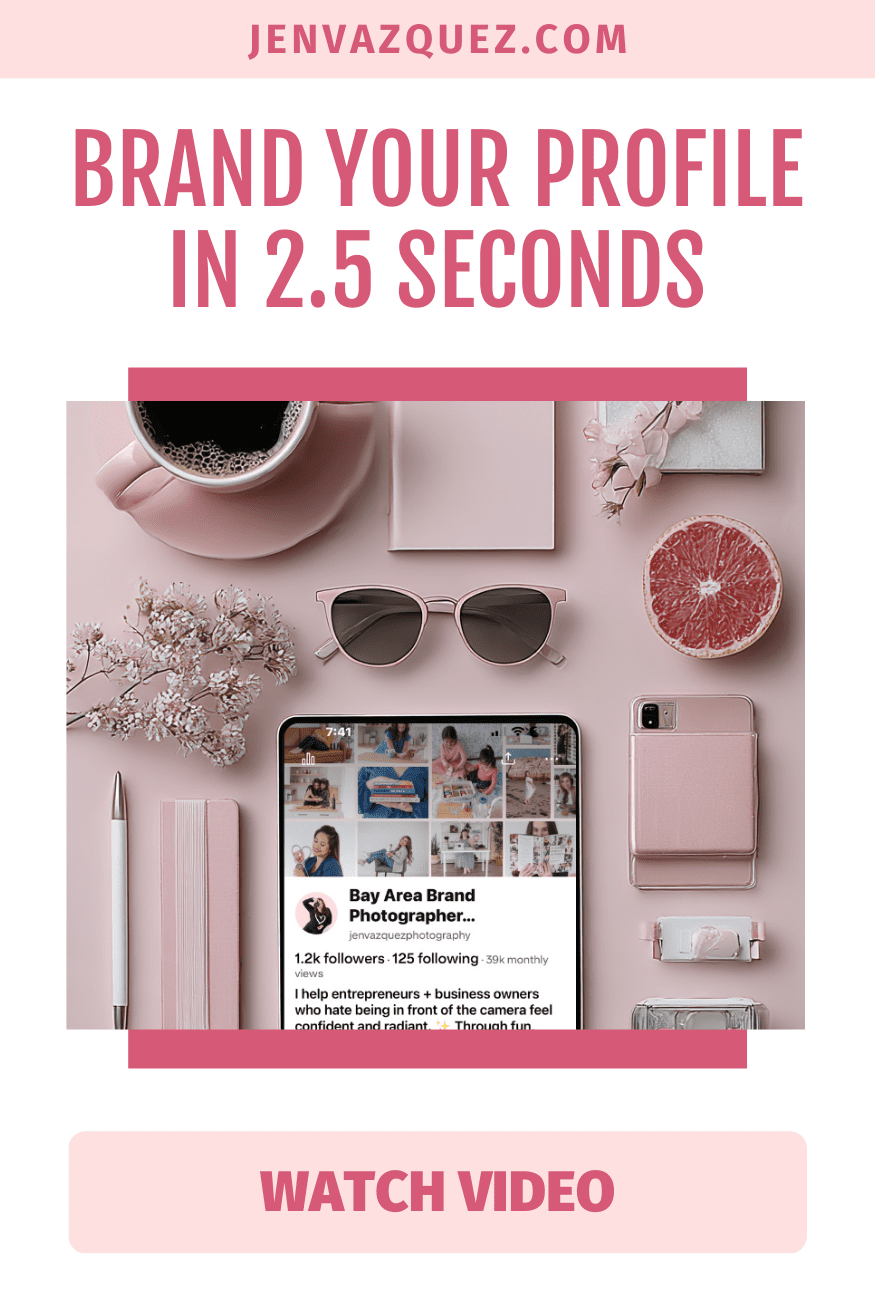
Brand Your Profile in 2.5 Seconds How to Brand Your Pinterest Profile to Attract Clients (Step-by-Step) on Marketing Strategy Academy Podcast by Jen Vazquez Media
Pinterest Pins That Pop How to Brand Your Pinterest Profile to Attract Clients (Step-by-Step) on Marketing Strategy Academy Podcast by Jen Vazquez Media
Pinterest Boards That Book How to Brand Your Pinterest Profile to Attract Clients (Step-by-Step) on Marketing Strategy Academy Podcast by Jen Vazquez Media
Pinterest Profile Glow-Up How to Brand Your Pinterest Profile to Attract Clients (Step-by-Step) on Marketing Strategy Academy Podcast by Jen Vazquez Media
Stop the Scroll Fast How to Brand Your Pinterest Profile to Attract Clients (Step-by-Step) on Marketing Strategy Academy Podcast by Jen Vazquez Media

Stop Making These Pinterest Mistakes if You Want More Leads

Stop Making These Pinterest Mistakes if You Want More Leads on Marketing Strategy Academy by Jen Vazquez Media

Are you on Pinterest but not seeing the traffic or leads you thought you would? You’re pinning, you’re posting, but it feels like you’re shouting into the void. I get it—and you’re not alone. Most service providers make the exact same mistakes on Pinterest, and those mistakes are literally costing them clients.

The good news? Every single one is totally fixable. Today, I’m breaking down the five biggest Pinterest mistakes I see all the time and showing you what to do instead—so your pins finally start bringing in the traffic and sales you’ve been dreaming about.

I’m Jen Vazquez, a Pinterest Pioneer who’s been using Pinterest since the beta days back in 2009. I grew my photography business to six figures with it before launching my Pinterest marketing agency. Since then, I’ve helped hundreds of service providers turn Pinterest into their lead-generating machine. And let me tell you: it’s not about working harder—it’s about avoiding these simple mistakes.

Let’s dive in!

Mistake #1: Treating Pinterest Like Social Media

This is one of the biggest mistakes I see: treating Pinterest like Instagram or TikTok. But here’s the thing—Pinterest is not social media. It’s a visual search engine.

People don’t go to Pinterest to scroll mindlessly. They go there with intention: searching for how to plan a wedding timeline, how to create a morning routine for moms, or how to solve a problem. They’re closer to making a purchase because they’re actively researching.

The fix: Think of Pinterest like Google, but prettier and friendlier. Use keyword-rich titles, descriptions, and board names. Don’t just pin pretty photos—optimize everything so your content shows up when someone is searching for exactly what you offer.

Mistake #2: Ignoring Your Website Connection

You can send all the traffic in the world from Pinterest, but if your website isn’t set up to convert, that traffic goes nowhere. Another huge mistake? Not claiming your website on Pinterest.

That’s like setting up shop in the middle of town but forgetting to put your address on the map. Without claiming your site, your pins look less trustworthy, you miss out on analytics, and you lose authority in Pinterest’s algorithm.

The fix: Claim your website in your Pinterest settings. It takes just a couple of minutes, and it unlocks analytics gold—showing you exactly what’s working so you can double down on it.

Mistake #3: Inconsistent Pinning

Raise your hand if this sounds familiar: you go all-in on Pinterest for a week or two, scheduling pins like a pro… and then life happens. Suddenly, it’s been three months since your last pin.

Pinterest notices the inconsistency, and it doesn’t reward it.

The fix: Commit to pinning consistently. Set aside one hour a week to batch and schedule pins. Repurpose content you already have—blog posts, podcasts, videos, and Instagram. And remember: Pinterest is a long game. A pin you create today can drive traffic years from now.

💡 QUICK NOTE: If you’re nodding along thinking, “This all makes sense, but I honestly don’t have the time to do Pinterest myself,” that’s exactly why I offer Pinterest Management services. My team and I handle strategy, pin design, and scheduling so you can focus on serving your clients while your Pinterest works in the background to drive leads. Click here to explore management options →

Mistake #4: Using the Wrong Images

Pinterest is visual, which means your images matter. Horizontal photos, tiny text, or pretty-but-illegible fonts blend right into the feed.

The fix: Use vertical (2:3 ratio) pins with bold fonts, high-contrast colors, and clear text overlays that tell people exactly why they should click. Remember: most people are on mobile, so your pin needs to be legible in seconds. Think of your pin as a mini ad for your content—pretty matters, but clickable matters more.

Mistake #5: No Clear Call to Action

Even if you’ve nailed everything else, you’ll still lose people if your landing page is a dead end. I see it all the time—clicking through to a blog post with no freebie, no opt-in, no next step. That’s like inviting someone into your store and then walking away.

The fix: Always add a clear call to action. Whether it’s downloading a checklist, booking a free call, or watching a video, tell people exactly what to do next. Pinterest traffic converts better than any other social platform—but only if you guide people into your funnel.

✨ Need help with ideas? I’ve put together a list of 80 different calls to action you can use for your pins, blogs, and landing pages. It’s totally free, and it’ll give you endless inspiration for guiding your audience to the next step. Grab the free list here →

Final Thoughts

Those are the five mistakes that might be stealing your Pinterest traffic and leads. The best part? They’re all super easy to fix. Once you treat Pinterest like the search engine it is, stay consistent, and guide people with clear CTAs, your account starts working for you 24/7—for years to come.

Seriously, Pinterest is the platform that keeps giving—even while you’re on vacation, maternity leave, or spending time with your kids. That’s the kind of marketing that truly supports your business and your life.


DON’T FORGET TO PIN IT!
How to Build a Pinterest Keyword Strategy That Actually Works for Service Providers

How to Build a Pinterest Keyword Strategy That Actually Works for Service Providers<br />
 by Jen Vazquez Media

How to Build a Pinterest Keyword Strategy That Actually Works for Service Providers

If you’re a service-based business owner, here’s the truth: Pinterest can be your secret weapon, but only if you’re using the right keywords. Unlike Instagram or TikTok, Pinterest isn’t a social platform—it’s a visual search engine. That means your dream clients are searching for exactly what you offer. The question is—are you showing up in those searches?

Why Pinterest SEO Matters for Service Providers

Pinterest isn’t just for recipes and DIY inspo. It’s a powerhouse search engine where people are actively planning and looking for services—yes, even local ones. As a coach, photographer, or wedding pro, this is huge. Your content can drive traffic not just for weeks, but for years. I still get leads today from a pin I created ten years ago. That’s the magic of Pinterest SEO and keywords—evergreen content that works on autopilot.

What Long-Tail Keywords Actually Do for You

Short-tail keywords like “Pinterest marketing” are crazy competitive. But long-tail keywords—like “Pinterest marketing tips for wedding photographers”—narrow your reach to exactly who you want to work with. They have less competition, attract clients closer to booking, and they even boost your visibility on Google since Pinterest ranks so well there.

How to Find the Right Keywords Without Guessing

Start by searching the way your client would:

  • Use the search bar and jot down Pinterest’s auto-suggest results.
  • Pay attention to those colorful “search bubbles” (keyword gold!).
  • Check Pinterest Trends (trends.pinterest.com) to see what’s gaining traction.

And here’s a biggie—ditch your industry lingo. Clients aren’t searching for “eSessions,” they’re searching for “engagement photos San Jose.” Speak their language, not yours.

Build a Keyword Bank to Save Your Sanity

Once you gather ideas, build a keyword bank. This could be a simple doc where you list your core topics (like coaching, brand photography, marketing workflows, or AI) and all the variations you find in searches. A keyword bank means no second-guessing when it’s time to pin—you just grab what you need and keep moving.

Want to make it even easier? Grab my free keyword builder inside the Pinterest Vault.

Turn Pinterest Into Your Lead Machine

Stop guessing what to post on Pinterest and start seeing real results. With Pinfluence, I’ll optimize your profile, boards, and keywords so your content works on autopilot. Think of it as a power clean for your Pinterest—done-for-you SEO, a keyword bank you can actually use, and a strategy that attracts dream clients month after month.

Where to Use Keywords on Pinterest

Keywords aren’t just for pin titles and descriptions (though they’re essential there). Use them in:

  • Your board titles and descriptions
  • Your Pinterest profile (yes—even your name!)
  • The file name of your Canva graphics before uploading
    Basically, if it’s text, it’s searchable on Pinterest. Use it wisely, but keep it natural—remember, you’re writing for humans, not robots.

Make Pinterest Work for You on Autopilot

When you create a keyword-rich strategy upfront, you don’t need to overthink every single pin. Your content consistently appears in searches, generating leads while you focus on serving your clients. That’s how you market smarter, not harder.

So the next time you sit down to pin, ask yourself: Am I showing up for the keywords my dream clients are searching? If the answer’s no, let’s fix that. Check out Pinfluence here, and let’s turn your Pinterest into a lead-generating machine.

DON’T FORGET TO PIN IT!
Long-Tail Keywords Win How to Build a Pinterest Keyword Strategy That Actually Works for Service Providers | Jen Vazquez
Evergreen Pin Power How to Build a Pinterest Keyword Strategy That Actually Works for Service Providers | Jen Vazquez
Pinterest for Service Pros How to Build a Pinterest Keyword Strategy That Actually Works for Service Providers on Marketing Strategy Academy with Jen Vazquez
Pinterest SEO Secrets How to Build a Pinterest Keyword Strategy That Actually Works for Service Providers |  Jen Vazquez
Pinterest Keyword Bank How to Build a Pinterest Keyword Strategy That Actually Works for Service Providers | Jen Vazquez