Why Your Pinterest Isn’t Getting Clicks: 5 Problems Every Service Provider Needs to Fix

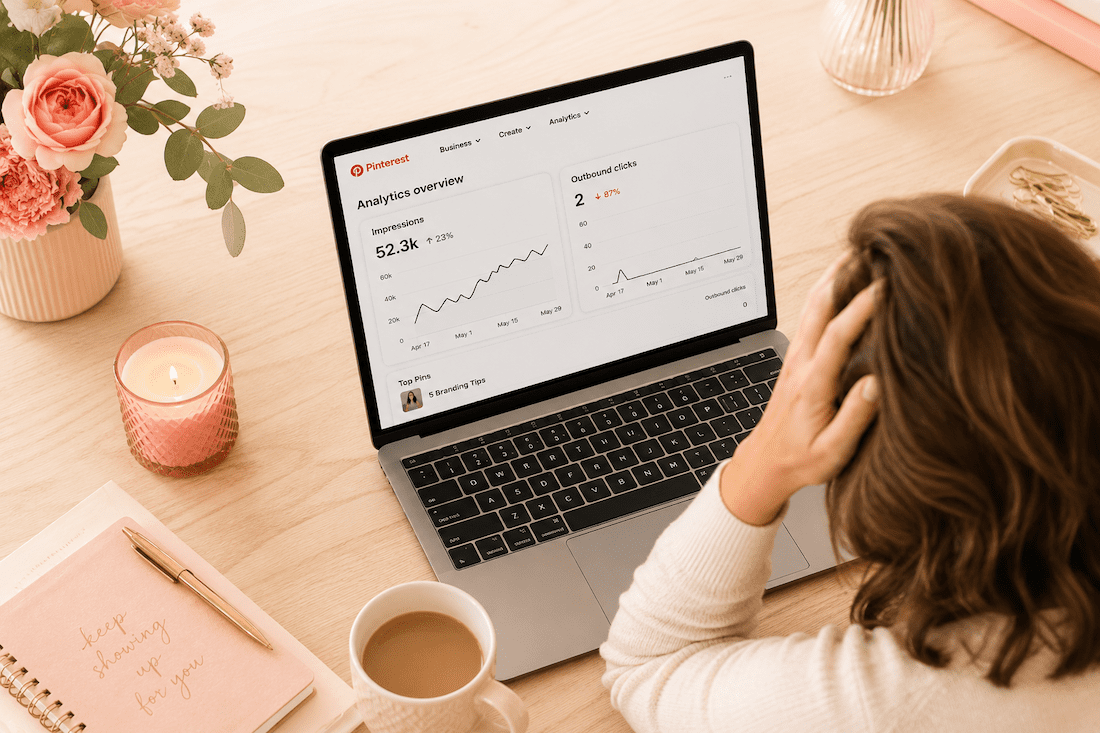
photo of laptop and pinterest analytics on the screen with 0 outbound clicks for a blog: You're pinning consistently but getting zero website clicks? Here are the 5 most common Pinterest problems every service provider faces and exactly how to fix them.

Why Your Pinterest Isn’t Getting Clicks: 5 Problems Every Service Provider Needs to Fix

You’ve been pinning consistently, your boards are set up, and you’re posting regularly – but you’re still getting almost no website clicks. Here’s what’s actually wrong.

You’ve been pinning consistently. Your boards are set up. You’re posting regularly, maybe even writing keyword-rich descriptions.

But you’re still getting almost no clicks to your website.

If that’s you, I want you to know something: it’s not Pinterest, and it’s probably not even your content.

I’ve been on Pinterest since 2009 as a Pinterest Pioneer, back when it was in beta, and I built my photography business using that platform. So when someone comes to me and tells me Pinterest doesn’t work for service providers, I always ask the same question: which of these five things is happening?

Because almost every single click problem comes back to one of these five issues.

Ready to fix your Pinterest strategy?

Get 25+ free Pinterest tools, keyword guides, and templates in the Visibility Vault – specifically built for service providers.

Problem #1: Your Pin Titles Aren’t Triggering the Click

Here’s the most common scenario I see: impressions are decent, maybe 10,000, 20,000, even 50,000 monthly views, but outbound clicks are almost zero.

That’s a packaging problem, not a content problem.

Pinterest is a search engine. People don’t browse it like Instagram – they search, scroll the results, and click on the pin that most promises the best answer. Just like when you scroll on Google.

If your pin title says “My top branding tips,” that’s not a promise – that’s a label.

Compare it to “Five branding tips that helped me book clients at a higher price point.” Same content, completely different click-through rate.

The fix is rewriting your pin titles to lead with a specific outcome, not just a topic.

Problem #2: Wrong Keywords for the Wrong Stage

Not all keywords are equal. Some tell you someone is browsing. Others tell you someone is ready to solve that problem right now.

“Brand photography” is a browse keyword. Millions of people search it. Most are not ready to book.

“What to wear for a brand photoshoot” is a buyer keyword. Someone searching that is actively preparing for a session.

If all your pins target top-of-the-funnel browse keywords, you’ll get impressions from people who aren’t ready to act. Your click rate tanks as a result.

For every broad keyword you use, make sure you have at least one long-tail, intent-specific keyword to speak to someone farther along in the decision.

Problem #3: Your Pin Design Isn’t Stopping the Scroll

Pinterest is visual, and in a sea of vertical images, only certain things stop the scroll.

What doesn’t work:

  • Generic stock photos
  • All-white backgrounds
  • Text that’s too small to read on a phone (where most people search Pinterest)
  • Designs that could be anyone’s

What does work:

  • Faces with direct eye contact
  • Text overlay that states the outcome clearly
  • A color palette consistent enough that people start to recognize your pins over time

Quick audit: pull up your last 10 pins and ask yourself honestly – would you click on them if you saw them while scrolling? If the answer is maybe or no, design needs attention before keyword strategy even matters.

Your Pinterest Strategy, On Repeat

You know Pinterest should be part of your marketing. You just don’t always know what to pin, when to pin it, or if you’re even doing it right. The Club gives you monthly trainings, live Q+A twice a month, two Pinning Sessions to get it done together, and 10 fresh Canva pin templates every month. Plus a community of women who totally get it. All for less than a tank of gas.

Free Pinterest Audit (Live on YouTube)

I’m pulling real Pinterest accounts and reviewing them live on YouTube, so you can see exactly what’s working, what’s not, and what to fix. Apply to have your account chosen. I pick from a mix of industries so even if yours isn’t selected, you’ll still learn something you can use. About 10 accounts per live. Show up, ask questions, take notes. It’s free, it’s real, and it might be exactly what your Pinterest has been missing.

Problem #4: You’re Sending Traffic to a Page That Doesn’t Convert

This one is sneaky. Your Pinterest analytics might actually look okay – impressions up, clicks coming in – but website conversions are zero.

The issue isn’t Pinterest. What happens after the click?

People click with what they think they’re going to see in mind, and they land on your blog post with nothing to do. No clear next steps, no opt-in, no offer. Just content.

Pinterest sends people to your front door. You have to invite them in.

Every single page you’re linking to from Pinterest needs one clear next step: a lead magnet, a discovery call link, a signup form. Pick one, make it obvious, and put it above the fold – meaning at the very top of that landing page.

Problem #5: You Haven’t Given It Enough Time

I know it’s not what you want to hear, but skipping this would be doing you a disservice.

Pinterest is a slow start, strong finish platform.

  • The first two months almost always feel like nothing is happening, and that’s because Pinterest is indexing your content, testing it in small batches, learning who to show it to by the results of what people do in that small batch test.
  • Months three and four: impressions start to rise.
  • Months five and six: clicks start moving.

Beyond that, the compounding effect that Pinterest has kicks in, and the content you built six months ago keeps driving traffic without you lifting a finger.

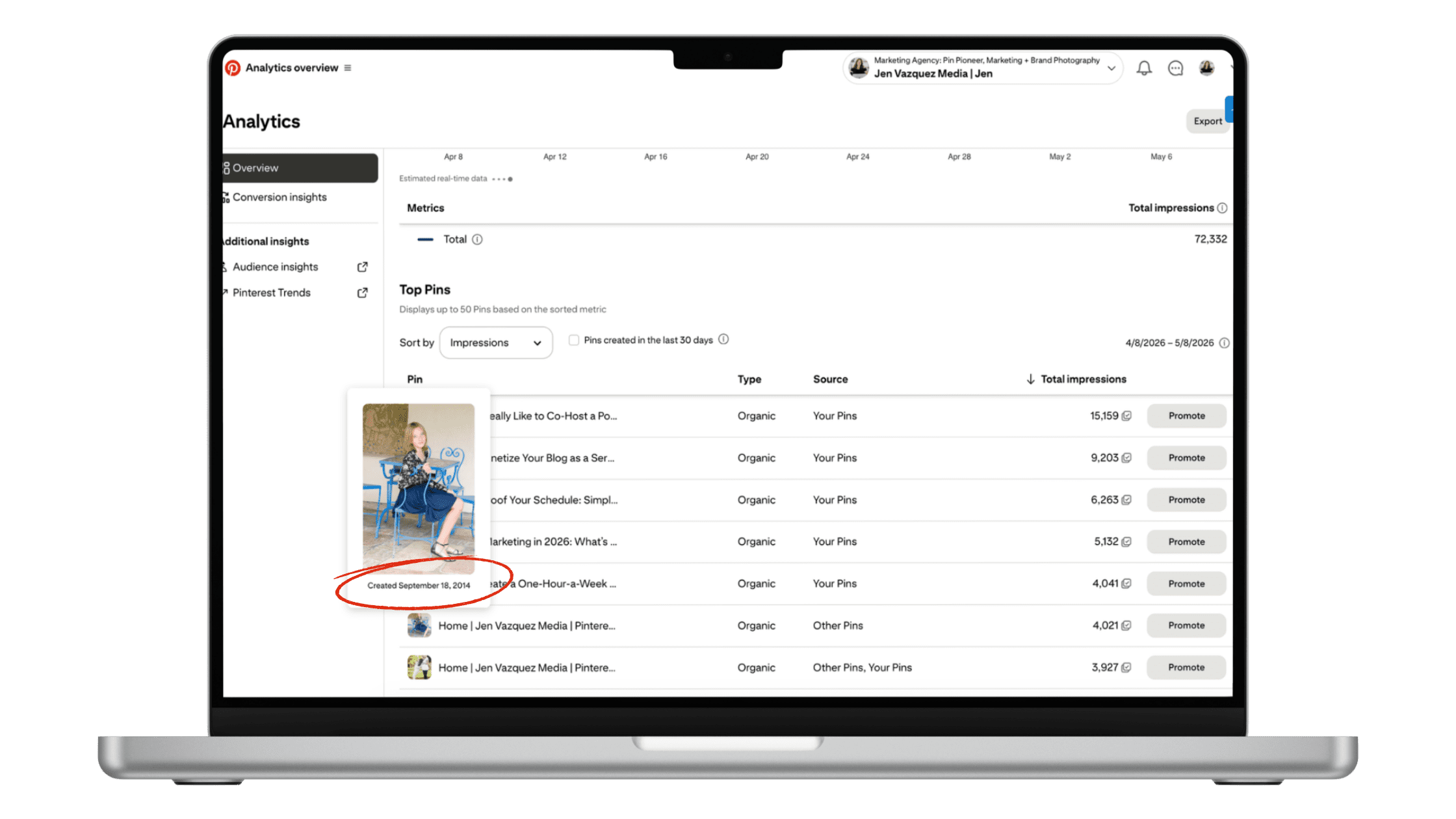
This is an image on a laptop of a Pinterest pin in Pinterest analytics from 2026. The pin is from 2014 and it's still driving traffic 12 years later!

Sometimes, if there’s a topic that’s super popular in search on Pinterest, your pin might take off years later. I have pins I created in 2014 that are still driving traffic today.

Most people quit in month two or three, right before the shift. If you’ve been consistent for less than four months, keep going.

If it’s been six months of real consistency and you’re still seeing zero clicks, something structural needs to change.

It’s a Search Engine

The reality is that Pinterest absolutely works for service providers when you understand it’s a search engine, not a social media platform. But like any platform, there are specific strategies that work and common mistakes that don’t.

These five problems are the most common I see, and they’re also the easiest to fix. Start with whichever one resonated most with your current situation, implement the fix, and give it time to work.

Your future self (and your website traffic) will thank you.

Go introduce yourself on Pinterest, Instagram, or TikTok. I’ll be cheering you on from over here.

📌 DON’T FORGET TO PIN IT!

Why You Need to Join the Pinterest Business Community (PBC)

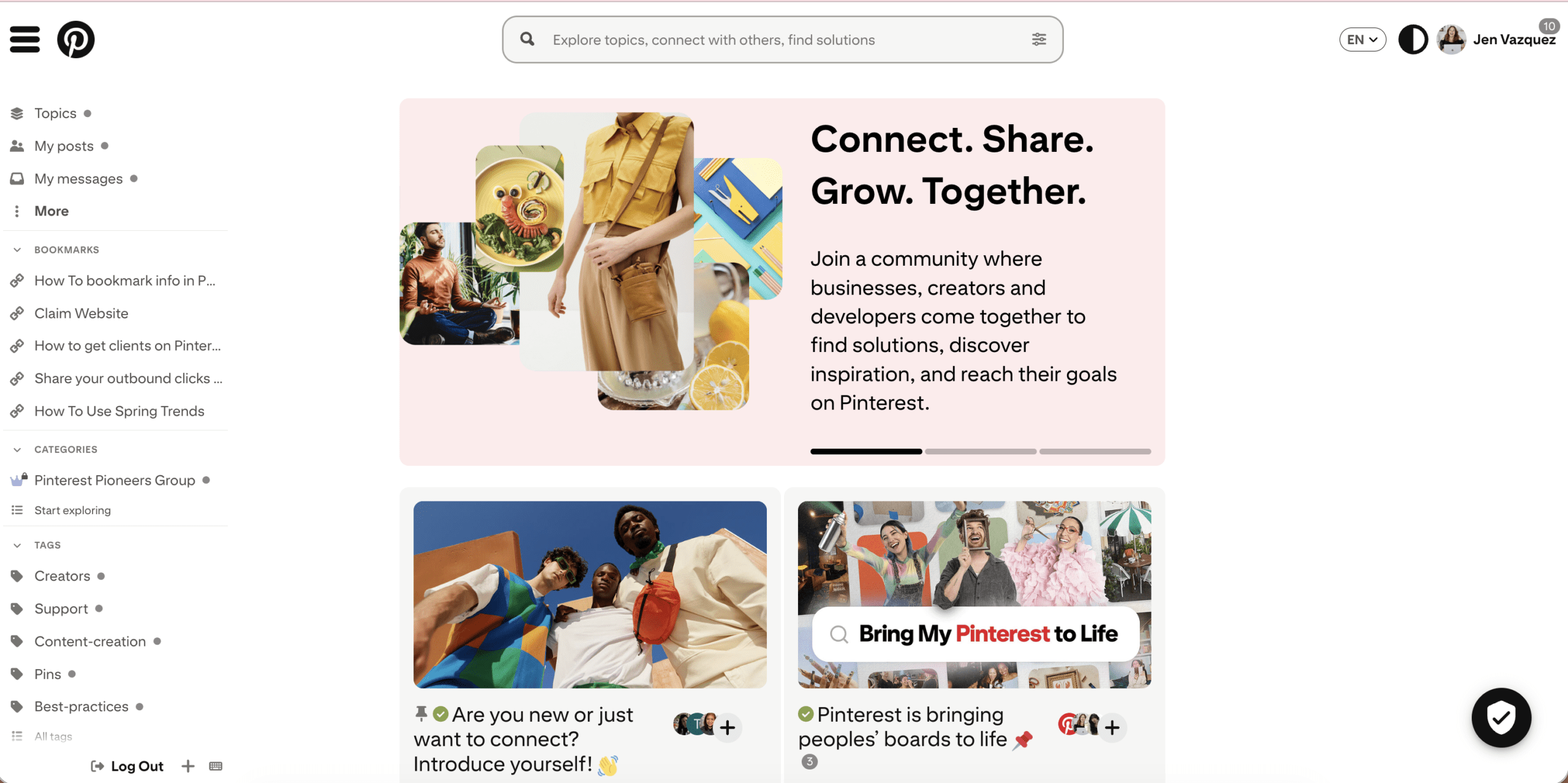
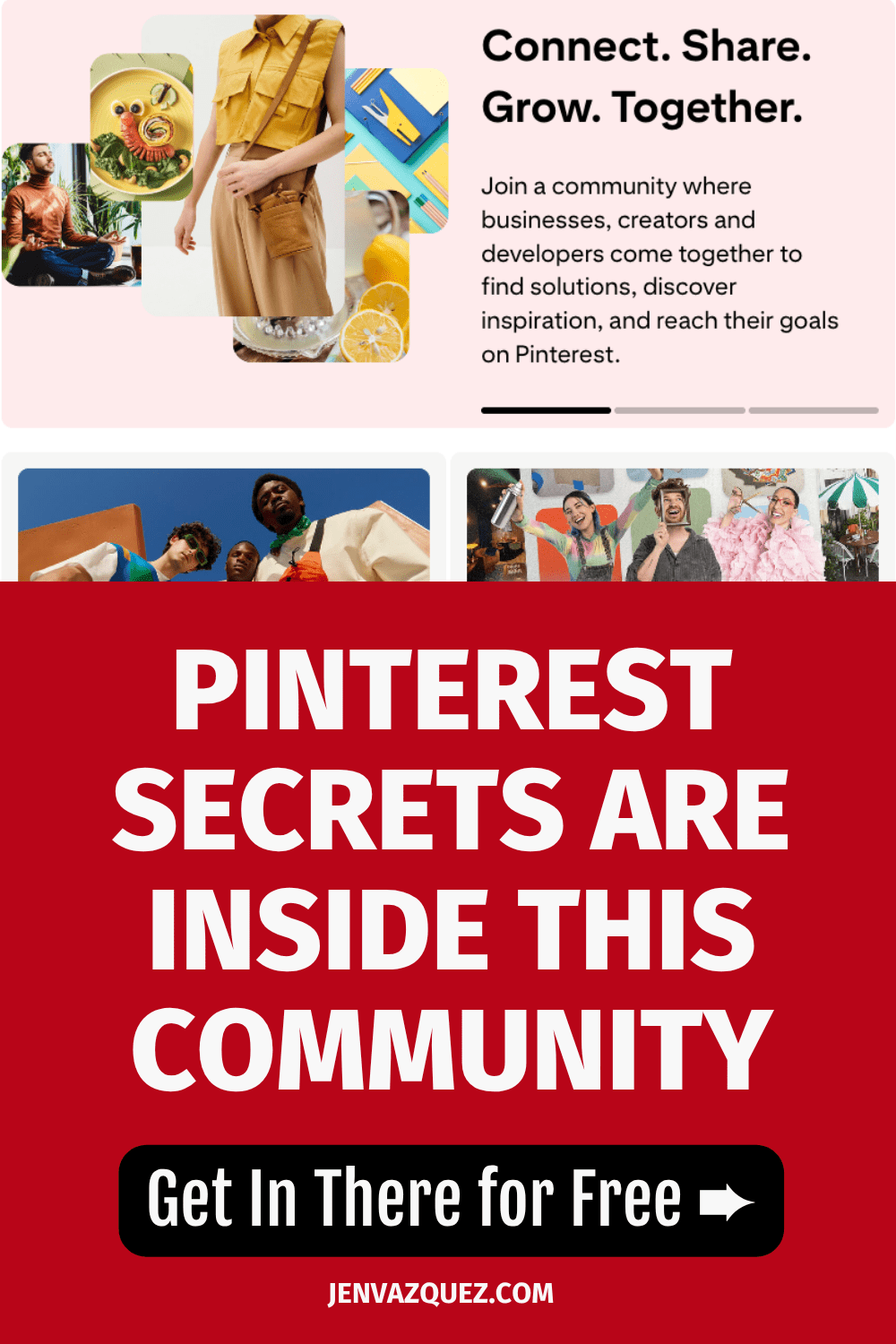
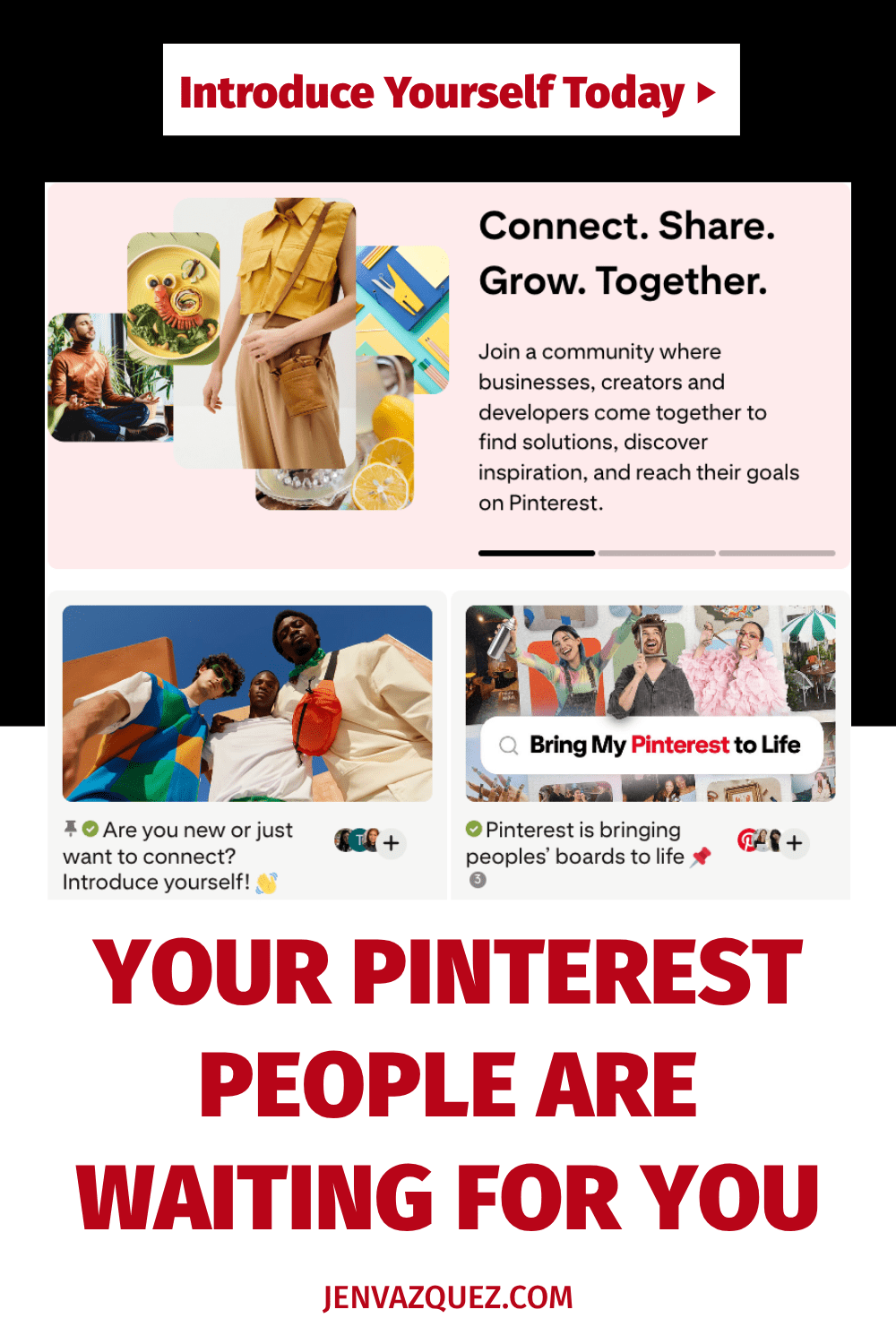
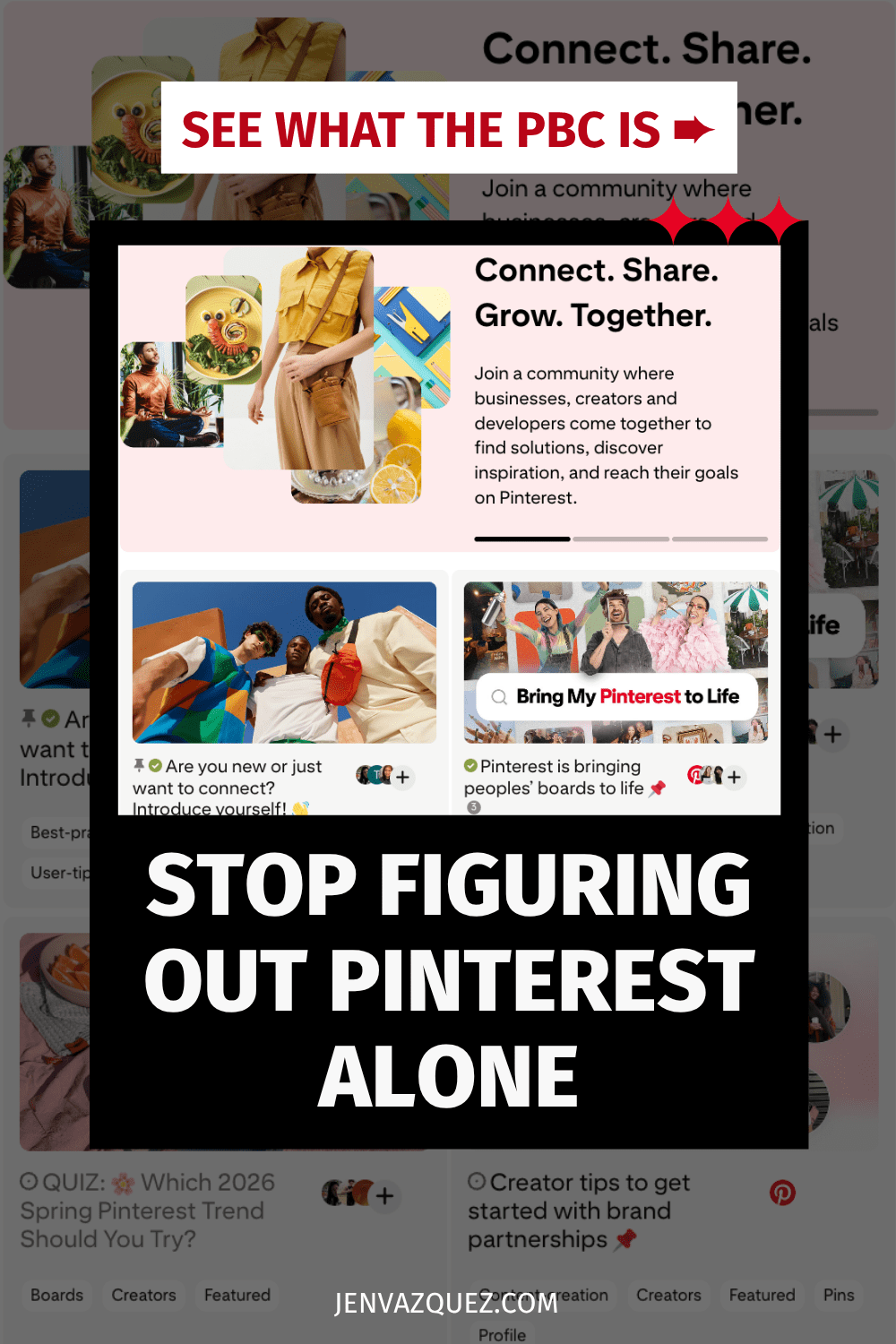
An image of the Pinterest Business Community

Why You Need to Join the Pinterest Business Community (PBC)

If you’re using Pinterest for your business, this free community might be the best-kept secret you’re sleeping on.

Okay, real talk. When I first started using Pinterest to grow my photography business back in 2009, I was pretty much winging it. There wasn’t a whole community of business owners talking strategy, sharing what was working, or helping each other troubleshoot. You just… figured it out alone.

That’s why I’m genuinely excited every time I get to tell someone about the Pinterest Business Community — because it’s the resource I wish had existed when I was starting out.

Let me break down what it is and why you should be in there.

What Is the Pinterest Business Community?

The Pinterest Business Community (PBC) officially launched in 2019 as a dedicated space for creators, business owners, and marketers to connect, ask questions, and share real Pinterest strategies that actually work.

It’s not a Facebook group. It’s not just another place to dump your links and hope someone clicks. It’s an actual community run by Pinterest, designed to help you level up how you’re using the platform for your business.

Whether you’re brand new to Pinterest or you’ve been pinning for years, there’s always something to learn and someone to connect with.

Why You Should Join the PBC

You’ll finally have people to talk Pinterest with.

If you’re like most of my clients, you’re surrounded by people who either don’t use Pinterest at all or who use it the way everyone does — casually scrolling for recipes and home inspo. The PBC is full of business owners who are using Pinterest with purpose. To grow visibility, drive traffic, and bring in leads without relying on social media alone. That’s your people.

You’ll get real answers to real questions.

The PBC already has tons of helpful conversations about topics like product pins, video pins, SEO strategy, pin design, and more. You can search by topic or just browse what other members are talking about. And if you have a question that isn’t answered yet? Ask it. That’s the whole point.

You’ll get behind-the-scenes info that isn’t always shared elsewhere.

One of the best things about the PBC is that you’ll find platform updates and insights that don’t always make it into your regular news feed. When Pinterest makes changes (and they do), the PBC is usually one of the first places those conversations happen.

Want Expert Help?

The Club is Jen’s monthly membership with live coaching, fresh strategy, and a community of female service providers who are done winging it. The Club is a monthly membership you can join and stop at anytime.

You can make a real difference for someone else.

Here’s something I really love about this community. If you’ve been using Pinterest for a while and you’ve figured some things out, you have the ability to help someone who’s just starting. Sharing what you know and helping another business owner avoid the mistakes you made? That’s a good use of five minutes.

How to Get Started

If you’re new to the PBC, here’s where I’d start:

Check out the Community Guidelines first to learn about how things work. The vibe is helpful conversations, not self-promotion, and that’s actually what makes it so good.

Head to the Introduce Yourself section and share what you do. People do connect and network in there, so don’t skip this step.

Keep your PBC profile updated so other members can find you, know what you’re about, and reach out if there’s a connection to be made.

And honestly? Don’t be shy. Ask your questions, share your wins, jump into conversations. That’s how you get the most out of it.

One Last Thing

Pinterest is a search engine, not social media. The strategies that work here are different from what you’re doing on Instagram or TikTok. Join the free community with other businesses using Pinterest.  Don’t forget to say “Hi!” to me!

Go introduce yourself on Pinterest, Instagram, or TikTok. I’ll be cheering you on from over here! 📣


📌 DON’T FORGET TO PIN IT!

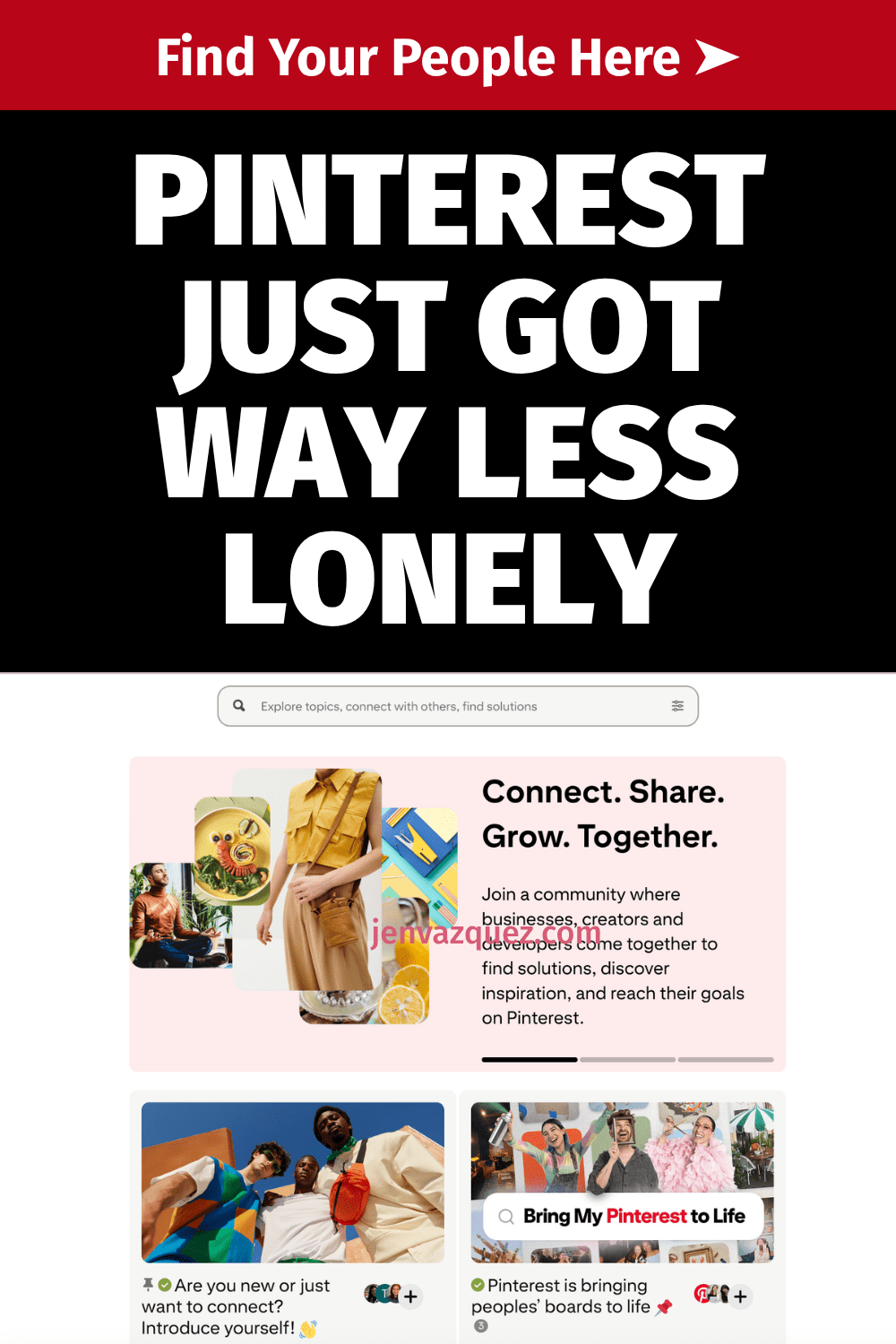
graphic with words The Free Pinterest Community You Are Missing

How to Build a Pinterest Strategy from Scratch for Service Providers

feminine desk with laptop with Pinterest on the screen and a window to a tropical beach

How to Build a Pinterest Strategy from Scratch If You’re a Service Provider

Because Almost All Pinterest Advice Is Built for Bloggers

If you’ve been putting off Pinterest because you don’t know where to start, you’re not alone. And honestly? The confusion makes sense. Almost all Pinterest advice out there is built for blogging businesses or product businesses, and it does not translate the same way when you’re selling a service.

So let’s fix that.

Pinterest is what I’ve built my business on since 2009. It’s how I grew my photography business to six figures, and it’s the reason Jen Vazquez Media even exists. I’m also a Pinterest Pioneer, which means Pinterest actually tapped me to help educate in their business community. So when I say this platform works, I am not guessing.

Let’s build your strategy.

First: Understand What Pinterest Actually Is

This is the single most important thing to understand before building anything.

Pinterest is not social media. It’s a search marketing platform.

I know that sounds like a weird thing to say, but this distinction changes everything about how you use it. Pinterest is a visual search engine. People don’t go there to scroll and see what you had for breakfast. They go there to search, to find solutions, and to discover things they’re already looking for.

That means your content doesn’t disappear in 24 hours, as it does on Instagram or TikTok. It gets indexed. It gets found over and over again, just like Google with your blogs or YouTube with your videos. Sometimes for months. Sometimes for years.

That is an extreme power that Pinterest has that none of the social media platforms actually have. And that’s why the strategy we’re building here looks completely different from anything social media teaches you.

Step 1: Clarify Your Message

Before you pin a single thing, you need to be clear on three things:

  • Who you actually serve. Get specific. If you’re trying to speak to everyone, you end up speaking to no one.
  • What problem do you solve? Not your job title, but the actual problem your client has that you can fix.
  • What outcome are they wanting? What does life look like after they work with you?

For me, it’s female service providers who want more leads and more traffic to their content. For my photography side, it’s female entrepreneurs in the Bay Area. Those are specific audiences with specific needs.

Pinterest rewards clarity. If your message is vague or confusing, your content can’t compound. It has nowhere to go.

Step 2: Optimize Your Pinterest Profile for Search

Your Pinterest profile is searchable from day one. Every word matters.

Your Display Name

Include your name plus a keyword or two about what you do. Something like: Jen | Pinterest Marketing for Service Providers. (Quick note: Pinterest doesn’t let you use the word “Pinterest” in your display name, so I use “Pin Marketing.” You gotta do what you gotta do to get found.)

Your Bio

Write your bio like a search result. What do you do? Who do you help? What will they get from following you? Use the exact words your ideal client would type into a search bar.

Pro tip: Ask your clients what they’d actually type in to find someone like you. You can also use an Instagram story with a question box to crowdsource this.

Your Link

Send people somewhere with a very clear next step. A freebie, a service page, or a landing page in the description of your Pinterest profile. Traffic without direction is just noise.

Want help with Pinterest?

If you want ongoing help while you build this out, The Club is a membership where I drop new Pinterest trainings every single month, plus live Q+As and the strategy and accountability to keep you moving forward at an affordable price, month to month.

Step 3: Build Keyword-Rich Boards

Your boards are searchable. Name them the way your ideal client would type into that search bar, not the way you’d organize a personal Pinterest account.

Skip cute board names like “My Faves” or “Inspo.” Instead, use something like:

  • Pinterest Marketing Tips for Service Providers
  • Brand Photography Ideas for Female Entrepreneurs
  • Marketing Strategies for Coaches

Every board also has a description field. Pinterest doesn’t force you to fill it in, but you absolutely should. Go back into each board, click the three dots, edit it, and write at least two to three sentences. Think about all the different things you’ll pin to that board and weave those keywords into the description.

Aim for 8 to 12 boards that are clearly relevant to your business. Not 40 random boards with a scattered focus. And if there’s a service you want to do more of, create two boards around that topic.

One more tip: every Pinterest account should have a board with your business name. Mine is “Jen Vazquez Media.” Everything I pin goes there. It helps people who search for your business name on Pinterest actually find your content and your account.

Step 4: Create Content That Answers Real Searches

Here’s the mindset shift that makes Pinterest finally click.

Stop thinking about what you want to share. Start thinking about what your ideal client is actually searching for.

Ask yourself: What does my ideal client type into Pinterest when they need what I offer?

Some examples:

  • Brand photographer: “What to wear to a brand photo session?”
  • Business coach: “How to get more clients as a coach online.”
  • Pinterest strategist: “How to use Pinterest to grow my service business.”

Your pin titles, pin descriptions, and the content you link to should all be answering those real searches. Not what sounds good to you, but what people are actually typing into the search bar.

And here’s something that surprised me: for brand photographers, the bigger search isn’t “brand photographer [city].” It’s “[city] brand photography.” The order matters. So you really want to know what your clients are searching for. Ask them. Put the question in your weekly email. Use Instagram stories. That’s the sweet spot of everything on Pinterest.

Step 5: Pin Consistently, Not Constantly

You do not need to pin 30 times a day. That advice is outdated and honestly exhausting.

For service providers, what Pinterest rewards is consistent quality content that earns engagement over time. Start with 5 to 10 pins per week. I always recommend a minimum of one pin per day.

The majority of your pins should link to your own content. It used to be years ago, the recommendation was 80% other people’s content and 20% yours. That is long gone. The only exception is if you partner with someone on something or if you value someone’s education that you don’t teach yourself.

Your pins will mostly be linking to blog posts, videos, podcast episodes, service pages, and your lead magnet. That lead magnet piece is the best way to grow your email list through Pinterest.

Consistency over time is what builds compounding traffic. Not volume.

Step 6: Connect Pinterest to Your Larger System

Pinterest is a traffic driver. It sends people somewhere. So the question is: where?

The strongest Pinterest strategies connect to a very clear path:

  • Pin to a blog post, which leads to an email sign-up for your freebie
  • Pin to a service page
  • Pin directly to a discovery call booking page

Every single pin should have a bigger purpose. Traffic without direction is just noise, and you will not convert people without a clear next step.

Common Mistakes to Avoid

  • Pinning mostly other people’s content. This builds their audience, not yours.
  • Skipping keyword research. Keywords are not optional. If Pinterest doesn’t know what your content is about, it cannot surface it in search. Period.
  • Quitting in month two or even month six. Pinterest is a slow start but a strong finish platform. Most people stop right before the compounding kicks in. Don’t be that person.
  • Treating Pinterest like Instagram. Trending audio, daily posting pressure, chasing the algorithm. None of that applies. This is a search engine. Approach it like one.
  • Following outdated advice. If any Pinterest content, even mine, is more than six months old, it could be outdated. Be thoughtful about that.

What’s a Realistic Timeline?

I always want to give you an honest average answer on this, but full disclosure, it can change depending on your business goals and your industry.

  • Months 1 and 2: Typically quiet. Pinterest is indexing your content. This is normal and does not mean it’s broken.
  • Months 3 and 4: Impressions start rising.
  • Months 5 and 6: Link clicks start moving in.
  • Beyond that: Compounding traffic. Old pins resurfacing. Content you built months ago keeps driving results.

That timeline is exactly why consistency matters more than anything else on this platform. Pinterest isn’t about going viral. It’s about showing up in the right searches until traffic compounds.

What to Learn Next

Now that your strategy foundation is in place, the single most important tactical skill you need next is knowing how to find and use keywords. Because without the right keywords, none of this works. Your content exists, but nobody finds it. That’s exactly what we’ll be covering next week.

Ready to Build Your Pinterest + SEO Visibility System?

How much time did you spend on social media this week creating content? And how many of those posts are still working for you right now, still driving traffic today?

That’s the thing about social media. You create it, it disappears, and you start over every single week.

The Quiet Growth Accelerator is a 12-week program I created with my friend and SEO expert Cinthia Pacheco. Together, we help service providers build a Pinterest + SEO visibility system that actually compounds over time. Your content keeps getting found. Your dream clients keep showing up. And you’re not chained to the posting hamster wheel to make it happen.

We’re talking done-for-you audits, a custom keyword list built for your niche, a simple two-hour-a-week system, and one-on-one support from both Cinthia and me for the entire 12 weeks.

>> CHECK OUT THE QUIET GROWTH ACCELERATOR <<

Go introduce yourself on Pinterest, Instagram, or TikTok. I’ll be cheering you on from over here! 📣


📌 DON’T FORGET TO PIN IT!