Why AI + SEO Are Changing the Way Female Founders Get Found Online

37 | Why AI + SEO Are Changing the Way Female Founders Get Found Online on Marketing Duo Podcast with Cinthia Pacheco of Digital Bloom IQ and Jen of Jen Vazquez Media

37 | Why AI + SEO Are Changing the Way Female Founders Get Found Online

Hey there! Welcome back to the Marketing Duo Podcast blog recap. Today, Cinthia (SEO expert from Digital Bloom IQ) and I (Pinterest strategist from Jen Vazquez Media) are diving into a hot topic that’s shaping the future of your business visibility: how AI is changing search and what that means for your content strategy.

The Big Shift in SEO and Content Creation

For years, we’ve been told to obsess over keywords—stuff them into titles, headers, and every nook and cranny of our websites. But let’s be real: Google and other search engines are way smarter now. And with AI tools reading and understanding content in full sentences and paragraphs, the focus has shifted.

Instead of stressing about whether you’ve added the perfect 2–3 words, think about intent. What’s the value behind your blog or podcast episode? What question are you actually answering for your audience? That’s what both humans and AI care about.

Why Intent Matters More Than Keywords

Here’s the deal: keywords aren’t disappearing. They’re still a compass that guides your content. But intent is the real gold. Are you helping someone find a solution, make a decision, or get inspired? That’s how your content will stand out in 2026 and beyond.

When you write with intent, you stop playing the guessing game of keyword density and start building content that genuinely connects—and ranks.

Introducing the Search + AI Foundation Setup

Cinthia and her team just launched something game-changing: the Search and AI Foundation Setup. It’s a hands-on, low-cost service designed to give your website that foundational SEO and AI visibility boost.

Here’s what clients get:

  • A customized keyword strategy built around their offers and audience
  • SEO-optimized site pages that start working for them
  • A blog and content plan tied to real search demand
  • Set up that aligns with AI search tools (including ChatGPT)
  • Tracking and reporting so they can see the results

Think of it as planting roots for your business online. In just six months, her team sets up the essentials so your site is ready to start ranking—without you having to lift a finger. You can sit back, focus on your clients, and let the experts do the heavy lifting.

And the best part? It’s built for solo business owners and service providers who don’t have time (or budget) for a full-blown agency retainer.  Sign up now!

Why This Matters for Female Service Providers

If you’re a coach, photographer, wedding pro, or creative service provider—you already wear a thousand hats. The last thing you need is to get buried in SEO jargon or waste hours trying to “game the system.”

This foundational setup takes the overwhelm off your plate, while still making sure your business is discoverable in both traditional search and AI-driven search. And honestly? That visibility leads directly to more clients and revenue.

Ready to Get Found in 2026?

This is your chance to get ahead of the curve instead of playing catch-up. Whether you’re brand new or have been in business for years but keep tweaking your offers, the Search and AI Foundation Setup helps you stay visible no matter what changes in the online world.  

Don’t forget to check out the amazing Search and AI Foundation Setup.

DON’T FORGET TO PIN IT!
Stop Obsessing Over Keywords Why AI + SEO Are Changing the Way Female Founders Get Found Online on Marketing Strategy Academy Podcast by Jen Vazquez Media
Future-Proof Your Biz Why AI + SEO Are Changing the Way Female Founders Get Found Online on Marketing Strategy Academy Podcast by Jen Vazquez Media
Hands-Off SEO Help Why AI + SEO Are Changing the Way Female Founders Get Found Online on Marketing Strategy Academy Podcast by Jen Vazquez Media
Get Found in 2026 Why AI + SEO Are Changing the Way Female Founders Get Found Online on Marketing Strategy Academy Podcast by Jen Vazquez Media
Content That Connects Why AI + SEO Are Changing the Way Female Founders Get Found Online on Marketing Strategy Academy Podcast by Jen Vazquez Media

How to Brand Your Pinterest Profile to Attract Clients (Step-by-Step)

How to Brand Your Pinterest Profile to Attract Clients (Step-by-Step) by Jen Vazquez Media

Did you know you’ve got just 2.5 seconds to grab someone’s attention on Pinterest before they scroll right past you? Yep—blink, and they’re gone. If your Pinterest profile isn’t working for you, you’re missing out on dream clients finding you. Today, I’m walking you through step by step how to brand your Pinterest profile so it instantly says who you are, what you do, and why people should smash that follow button.

I’ve been helping service providers turn Pinterest into a lead-generating machine for years, and these are the exact steps that will give your profile a glow-up that attracts clients like crazy.

Step 1: Your Pinterest Profile Image

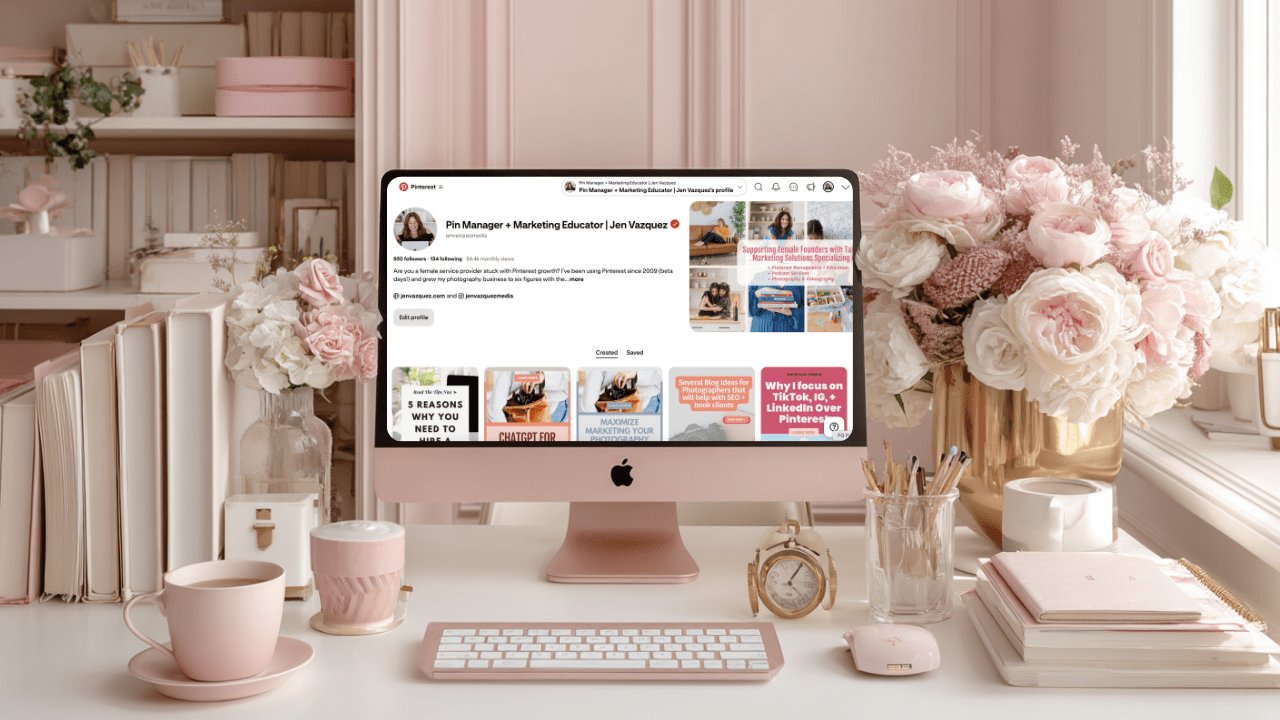
Your profile photo is your handshake. It needs to be clear, bright, professional, and—most importantly—show your face. Not standing in front of a house, not a blurry selfie, but a polished headshot that feels approachable.

  • If you’re a business coach → smiling headshot in your brand colors.
  • If you’re a yoga teacher → calm, approachable pose in a simple space.
  • If you’re a photographer → a professional headshot or one of your own brand portraits.

And pro tip: use this same profile photo everywhere—Instagram, LinkedIn, Pinterest. That way, people know they’ve found the right account when they bounce from one platform to the next.

Step 2: Pinterest Profile Cover Image

This is your billboard. In 2.5 seconds, your cover image should scream what you do.

  • Photographers: show yourself photographing a wedding or family session.
  • Coaches: a brand shot of you speaking on stage or with a client.
  • Yoga teachers: a peaceful image of you leading a class.

The goal is for someone to land on your profile and instantly think, “I know exactly what she does—and I need that.”

Step 3: Your Pinterest Profile Text

Think of your Pinterest profile as your brand promise. In one or two sentences, share who you help and how. Sprinkle in keywords so Pinterest knows who to show you to.

Examples:

  • Business coach: “Helping women entrepreneurs scale without burnout using smart strategies.”
  • Yoga teacher: “Guiding busy women to find balance through simple yoga practices.”
  • Photographer: “Capturing timeless images for couples who want to relive their love story.”

A client of mine, an adventure wedding photographer, used keywords like “hiking,” “wilderness,” and “adventure” in her profile—and it skyrocketed her bookings because she attracted the exact type of couples she wanted.

👉 Quick note: if writing keyword-rich bios or pin descriptions makes you want to bang your head against the desk, my tool Pin Copy Pro GPT has your back. It takes your brand info and turns it into Pinterest-perfect titles, descriptions, and bios—no blank page stress.

Step 4: Branded Boards

Think of boards as your store aisles. Keep them neat, on brand, and updated. Don’t let dead boards sit there gathering dust. Merge them or archive them. Ideas:

  • Business coach → Marketing workflows, Positivity hacks
  • Yoga teacher → Morning flows, Stress relief stretches
  • Photographer → Engagement photo ideas, Wedding photography tips, Brand photography inspiration

And don’t forget board descriptions! They’re your secret weapon for keywords and search visibility.

Step 5: Branded Pins

Pins are where the magic happens. And yes, even if you’re a photographer who loves clean images, you need to add text overlays. That text is what allows Pinterest to know who to serve your pins to. Examples:

  • Business coach → “3 Steps to Scale With Ease”
  • Yoga teacher → “Morning Yoga for Energy”
  • Photographer → “Bay Area Weddings”

Pro tip: Create most pins in your brand colors, but make 1–2 that stand out in the feed. If everyone’s using pastels, go bold with black, yellow, or another eye-catching color. Standing out = more clicks.

Step 6: Connect It All Together

When your profile image, cover photo, text, boards, and pins all feel aligned, you create a seamless brand experience. That’s what makes someone instantly think, “She gets me. Follow.”

Now it’s your turn—head to your Pinterest profile and ask yourself: Would my dream client know who I am and what I do in the first 2.5 seconds?

If you want support, my team can take care of it with Pinfluence Power Clean (a full Pinterest setup/cleanup). Or, if you’d like to DIY with guidance, join The Club—my Pinterest strategy membership. 

And don’t forget to share this with a biz bestie who needs a Pinterest glow-up!

DON’T FORGET TO PIN IT!

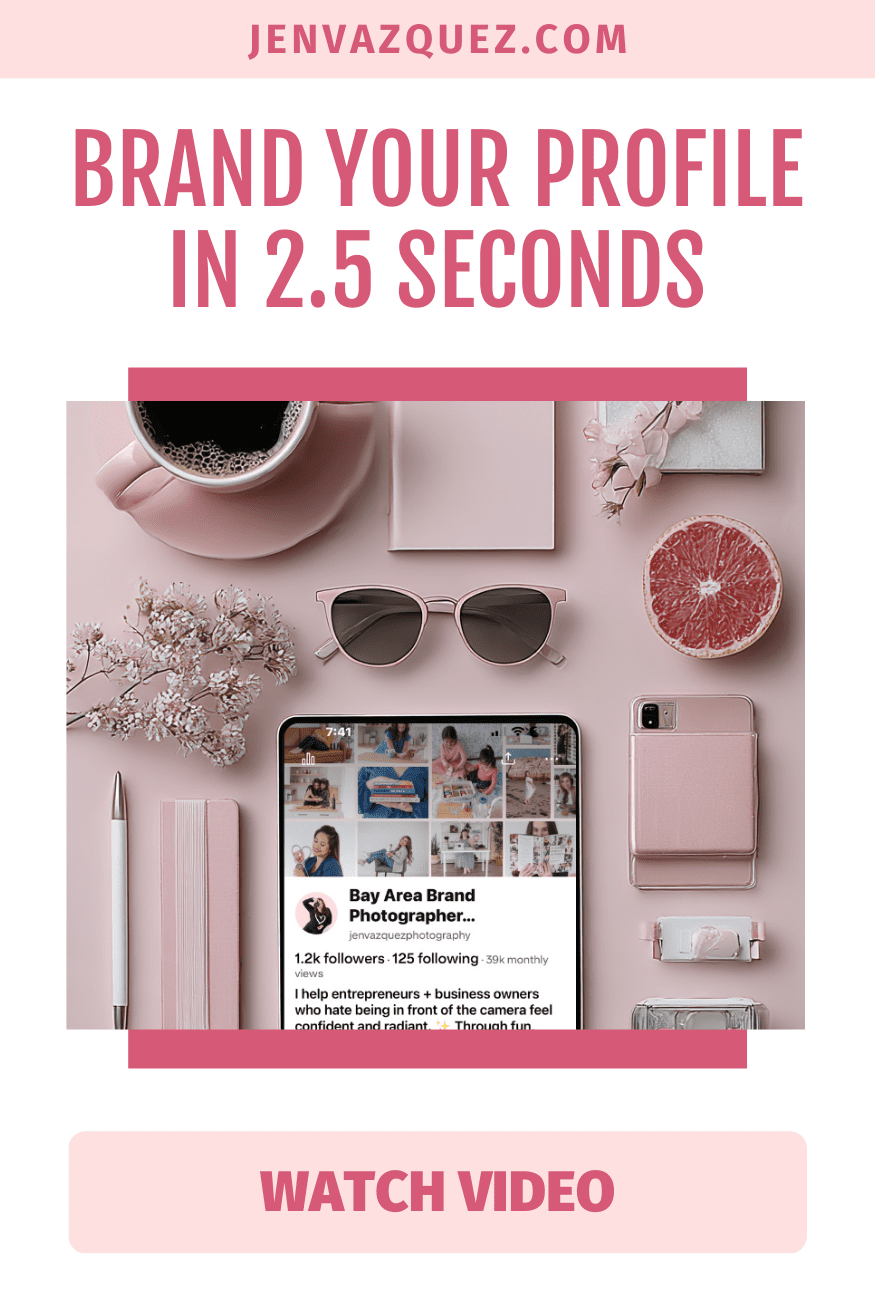
Brand Your Profile in 2.5 Seconds How to Brand Your Pinterest Profile to Attract Clients (Step-by-Step) on Marketing Strategy Academy Podcast by Jen Vazquez Media
Pinterest Pins That Pop How to Brand Your Pinterest Profile to Attract Clients (Step-by-Step) on Marketing Strategy Academy Podcast by Jen Vazquez Media
Pinterest Boards That Book How to Brand Your Pinterest Profile to Attract Clients (Step-by-Step) on Marketing Strategy Academy Podcast by Jen Vazquez Media
Pinterest Profile Glow-Up How to Brand Your Pinterest Profile to Attract Clients (Step-by-Step) on Marketing Strategy Academy Podcast by Jen Vazquez Media
Stop the Scroll Fast How to Brand Your Pinterest Profile to Attract Clients (Step-by-Step) on Marketing Strategy Academy Podcast by Jen Vazquez Media

Stop Making These Pinterest Mistakes if You Want More Leads

Stop Making These Pinterest Mistakes if You Want More Leads on Marketing Strategy Academy by Jen Vazquez Media

Are you on Pinterest but not seeing the traffic or leads you thought you would? You’re pinning, you’re posting, but it feels like you’re shouting into the void. I get it—and you’re not alone. Most service providers make the exact same mistakes on Pinterest, and those mistakes are literally costing them clients.

The good news? Every single one is totally fixable. Today, I’m breaking down the five biggest Pinterest mistakes I see all the time and showing you what to do instead—so your pins finally start bringing in the traffic and sales you’ve been dreaming about.

I’m Jen Vazquez, a Pinterest Pioneer who’s been using Pinterest since the beta days back in 2009. I grew my photography business to six figures with it before launching my Pinterest marketing agency. Since then, I’ve helped hundreds of service providers turn Pinterest into their lead-generating machine. And let me tell you: it’s not about working harder—it’s about avoiding these simple mistakes.

Let’s dive in!

Mistake #1: Treating Pinterest Like Social Media

This is one of the biggest mistakes I see: treating Pinterest like Instagram or TikTok. But here’s the thing—Pinterest is not social media. It’s a visual search engine.

People don’t go to Pinterest to scroll mindlessly. They go there with intention: searching for how to plan a wedding timeline, how to create a morning routine for moms, or how to solve a problem. They’re closer to making a purchase because they’re actively researching.

The fix: Think of Pinterest like Google, but prettier and friendlier. Use keyword-rich titles, descriptions, and board names. Don’t just pin pretty photos—optimize everything so your content shows up when someone is searching for exactly what you offer.

Mistake #2: Ignoring Your Website Connection

You can send all the traffic in the world from Pinterest, but if your website isn’t set up to convert, that traffic goes nowhere. Another huge mistake? Not claiming your website on Pinterest.

That’s like setting up shop in the middle of town but forgetting to put your address on the map. Without claiming your site, your pins look less trustworthy, you miss out on analytics, and you lose authority in Pinterest’s algorithm.

The fix: Claim your website in your Pinterest settings. It takes just a couple of minutes, and it unlocks analytics gold—showing you exactly what’s working so you can double down on it.

Mistake #3: Inconsistent Pinning

Raise your hand if this sounds familiar: you go all-in on Pinterest for a week or two, scheduling pins like a pro… and then life happens. Suddenly, it’s been three months since your last pin.

Pinterest notices the inconsistency, and it doesn’t reward it.

The fix: Commit to pinning consistently. Set aside one hour a week to batch and schedule pins. Repurpose content you already have—blog posts, podcasts, videos, and Instagram. And remember: Pinterest is a long game. A pin you create today can drive traffic years from now.

💡 QUICK NOTE: If you’re nodding along thinking, “This all makes sense, but I honestly don’t have the time to do Pinterest myself,” that’s exactly why I offer Pinterest Management services. My team and I handle strategy, pin design, and scheduling so you can focus on serving your clients while your Pinterest works in the background to drive leads. Click here to explore management options →

Mistake #4: Using the Wrong Images

Pinterest is visual, which means your images matter. Horizontal photos, tiny text, or pretty-but-illegible fonts blend right into the feed.

The fix: Use vertical (2:3 ratio) pins with bold fonts, high-contrast colors, and clear text overlays that tell people exactly why they should click. Remember: most people are on mobile, so your pin needs to be legible in seconds. Think of your pin as a mini ad for your content—pretty matters, but clickable matters more.

Mistake #5: No Clear Call to Action

Even if you’ve nailed everything else, you’ll still lose people if your landing page is a dead end. I see it all the time—clicking through to a blog post with no freebie, no opt-in, no next step. That’s like inviting someone into your store and then walking away.

The fix: Always add a clear call to action. Whether it’s downloading a checklist, booking a free call, or watching a video, tell people exactly what to do next. Pinterest traffic converts better than any other social platform—but only if you guide people into your funnel.

✨ Need help with ideas? I’ve put together a list of 80 different calls to action you can use for your pins, blogs, and landing pages. It’s totally free, and it’ll give you endless inspiration for guiding your audience to the next step. Grab the free list here →

Final Thoughts

Those are the five mistakes that might be stealing your Pinterest traffic and leads. The best part? They’re all super easy to fix. Once you treat Pinterest like the search engine it is, stay consistent, and guide people with clear CTAs, your account starts working for you 24/7—for years to come.

Seriously, Pinterest is the platform that keeps giving—even while you’re on vacation, maternity leave, or spending time with your kids. That’s the kind of marketing that truly supports your business and your life.


DON’T FORGET TO PIN IT!

3 Pinterest Mistakes That Are Costing You Traffic (and How to Fix Them)

3 Pinterest Mistakes That Are Costing You Traffic (and How to Fix Them)<br />
 on Marketing Strategy Academy with host Jen Vazquez Media

3 Pinterest Mistakes That Are Costing You Traffic

If you’re spending time on Pinterest but not getting the traffic or leads you hoped for, you’re not alone. Most service providers make the same three mistakes—and the good news? They’re 100% fixable. Today, we’re breaking them down so you can start turning those pins into clicks (and clients).

Mistake #1: Vague, Generic Pin Titles

Pinterest needs clarity, not mystery. If your pin says “My Morning Routine” or “Wedding Tips”, it’s competing with thousands of other vague titles. Instead, use keyword-rich titles that match exactly what your dream client is searching for.

Examples:

  • Instead of Wedding Tips, use 5 Things to Include in Your Fall Wedding Timeline
  • Instead of Brand Photography Session, use What to Wear for Your Brand Photoshoot: 5 Easy Outfit Ideas

Quick Fix: 

Use Pinterest’s search bar to see what people are typing in your niche. Then mirror that language for your titles so your pins stand out in search.

Mistake #2: Linking Pins to Your Homepage

If your pin leads to your homepage instead of the exact content it promises, you’re losing people fast. When someone clicks for Brand Photoshoot Ideas but lands on a generic homepage, they’ll click away in seconds.

Quick Fix:

Always link your pins to:

  • A dedicated blog post
  • A free lead magnet landing page
  • A service page or contact form

The key is to make the destination match the promise of the pin. It’s better for your audience and for Pinterest’s algorithm.

Want Pinterest to bring you leads while you’re off living your life?

That’s exactly what happens inside The Club. You’ll get simple, proven Pinterest workflows that fit your schedule, so you can grow your traffic, leads, and sales without the marketing overwhelm.

Mistake #3: Inconsistent or Random Pinning

Pinning in bursts and then disappearing tells Pinterest you’re not consistent, and the platform rewards consistency.

Quick Fix:

Batch your pinning once a week. Choose one piece of content (blog, video, podcast, or freebie) and create 3–5 different pins for it. Use Tailwind or Pinterest’s native scheduler to drip them out over the week. This keeps your account active without daily effort.

Your Next Steps

If you’ve made these mistakes, you’re in good company. Pinterest is forgiving, and fixing these now will get you back on track.

Checklist:

  • Write specific, keyword-rich titles
  • Link every pin to matching content
  • Create a weekly batching and scheduling workflow

With these small tweaks, your traffic can grow steadily and with less effort. If you want a ready-made Pinterest workflow that saves time and gets results, that’s exactly what we do in The Club. 

DON’T FORGET TO PIN IT!

3 Pinterest Mistakes That Are Tanking Your Traffic (and How to Fix Them Fast) by Jen Vazquez Media

Would You Rather: Pinterest vs. SEO Edition (You’ll Be Surprised What We’d Choose!)

Would You Rather: Pinterest vs. SEO Edition (You’ll Be Surprised What We’d Choose!)

In this lighthearted—but super insightful—episode of The Marketing Duo Podcast, we (Jen Vazquez of Jen Vazquez Media and Cinthia Pacheco of Digital Bloom IQ) challenged each other to a playful game of “Would You Rather?” focused entirely on our zones of genius: Pinterest and SEO.

It was honest, funny, and filled with real takeaways that female founders and service providers will love—especially if you’re trying to work smarter, not harder. Below, we’re recapping the juiciest moments, including our answers and what they reveal about how we actually approach marketing in 2025.

Would You Rather Create Only Static Pins or Only Video Pins for a Year?

Jen’s answer: Static pins—100%. Not only do they drive more engagement on Pinterest overall, but because she’s set up her Instagram to auto-post to Pinterest, her Reels are covered. That’s a huge time-saver. Plus, standard pins are the foundational workhorses of Pinterest—they live longer, rank higher, and click through better than most video pins.

Takeaway: If you haven’t claimed your Instagram on Pinterest yet, do it now. And never underestimate the power of static content that converts for years.

Would You Rather Have One Viral Pin With No Clicks or a Quiet Pin That Gets 1,000 Subscribers?

Jen’s answer: Easy. The quiet pin wins. Viral pins may look sexy on the outside, but if they don’t drive clicks or bring in leads, they’re not helping your business. In fact, they can skew your analytics and mess up your strategy.

Cinthia agreed, adding that this is where understanding platform intent really matters. Pinterest is a search engine—not a social platform—so engagement metrics look different and shouldn’t be your #1 goal.

Would You Rather Repin Old Content or Create a New Pin Style Every Week?

Jen’s answer: New pin styles, all the way. Repinning isn’t what it used to be. Instead, create five fresh pins linking to the same piece of content, using different angles and keywords to test what performs best.

Takeaway: Pinterest prioritizes new, fresh content. If you’ve got a high-performing pin, don’t repin it—replicate it in smarter, more strategic ways.

Would You Rather Give Up Tailwind or Give Up Canva?

Jen’s answer: As painful as it sounds… Canva would go. Tailwind saves Jen 5+ hours per client every week, especially with scheduling and Tailwind Create. While she adores Canva, she could always fall back on Adobe tools if needed.

Takeaway: Automation wins. If a tool saves you hours every week, it’s probably worth keeping, even over something as beloved as Canva.

Would You Rather Talk Only About Pinterest Aesthetics or Pinterest Analytics?

Jen’s answer: Analytics. Always. Knowing what’s actually working helps her and her clients take action and achieve better results. Aesthetics might be fun, but data drives strategy, and strategy brings leads.

Takeaway: Pretty pins are great, but if they don’t perform, they’re just decoration. Prioritize insights over image.

✨ Want to Grow on Pinterest Without the Guesswork?

Inside Pinterest Strategy Club, you’ll get the exact strategies I use with my clients to grow their traffic, leads, and visibility — without spending hours figuring it all out yourself. From monthly keyword guides to pin templates and strategy sessions, it’s your shortcut to consistent Pinterest growth.

🎯 Ready to simplify your Pinterest marketing and finally see results? Join Pinterest Strategy Club and get instant access.

Would You Rather Write 10 SEO Blog Posts in a Week or Audit 10 Websites Back-to-Back?

Cinthia’s answer: Website audits. They’re dynamic, surprising, and incredibly valuable. Blog writing is great, but sometimes it’s not the highest-ROI task for the moment. Audits reveal what’s closest to the dollar and provide clients with clear steps to take.

Takeaway: Audits aren’t just about fixing issues—they’re about revealing opportunities. Don’t sleep on them.

Would You Rather Give Up Google Analytics or Search Console?

Cinthia’s answer: Google Analytics. It’s helpful, but Search Console tells you what people are searching for, which drives SEO strategy. Plus, you can hook up Search Console inside Google Analytics, so she’d still get some of that data.

Jen added: For most service providers, Search Console is more understandable and directly helpful for content planning.

Would You Rather Work on a Niche with Low Competition and No Passion, or High Competition and Lots of Passion?

Cinthia’s answer: Passion all day. Competition just means you need a better strategy—and she teaches a diversified approach anyway. Passion fuels long-term consistency, which is more important than chasing easy keywords you don’t care about.

Takeaway: SEO isn’t just numbers. Your motivation matters. Choose what lights you up, then get strategic.

Would You Rather Speak at a Beginner SEO Workshop or an Advanced SEO Panel?

Cinthia’s answer: Advanced SEO panel. It’s out of her comfort zone, but that’s where growth happens. Speaking on trending topics like AIO (AI Optimization) forces her to stay sharp and push herself.

Takeaway: Stretching your skills creates confidence and thought leadership—even if it’s scary.

Would You Rather Fix 5,000 Broken Links or 500 Pages with Duplicate Metadata?

Cinthia’s answer: Duplicate metadata—barely. Both are tedious, but easier to batch and fix with tools. Bonus? AI tools like ChatGPT can help you write meta descriptions when used strategically.

Takeaway: Modern tools make “boring SEO” tasks more manageable. Don’t do it all by hand—work smart.

We wrapped the episode with a few bonus questions and some great client stories about ethical marketing, knowing when to pivot strategies, and why trust leads to client loyalty.

This wasn’t just a fun game. It was a masterclass in how real service providers like you can use SEO and Pinterest in smart, sustainable ways. No fluff, no hype—just strategy you can trust.

DON’T FORGET TO PIN IT!

Would You Rather Pinterest vs. SEO Edition (You’ll Be Surprised What We’d Choose!) on Marketing Duo Podcast