Why Pinterest Courses Don’t Work for Service-Based Business Owners

Why Pinterest Courses Don’t Work for Service-Based Business Owners

And What Actually Gets Results

If you’ve taken a Pinterest course and still aren’t seeing traffic or clients from Pinterest, you’re not alone. And the problem probably isn’t you.

Most Pinterest courses don’t actually work the way people expect them to. Not because the strategies inside them are wrong. But because Pinterest success requires something that courses just really can’t provide.

After working with service-based business owners since 2018, I kept seeing the same pattern over and over. People would take Pinterest courses from really well-known educators, learn the strategy, understand the basics — but when it came time to actually implement that strategy in their own business? Things would stall.

Let’s talk about why that happens.

The Real Problem with Pinterest Courses

There are a lot of really smart educators teaching Pinterest. And many Pinterest courses contain great information. I’m not knocking other educators at all.

But the issue isn’t the information. It’s not the strategy. It’s what happens after the course ends.

Most Pinterest courses follow a pretty similar structure. You learn keyword strategies, pin design, scheduling strategies, and content planning. You go through the lessons, take in the information, feel excited about the possibilities. Then you sit down to apply it to your own business — and that’s when the questions start:

  • Am I using the right keywords?
  • Am I finding the keywords the right way?
  • How many pins should I be posting? (This varies wildly — anywhere from 1 to 20 pins a day depending on your business and industry.)
  • Why isn’t my traffic growing yet?
  • Is Pinterest supposed to take this long?
  • Should I change my strategy?

Most courses can’t answer those questions. Not because they’re bad courses — but because every business is different, and courses rarely provide personalized feedback. 

Sure, some have a community where you can ask a question. But it’s really hard to answer a specific Pinterest question about your business without knowing everything about your business and your ideal client.

A Real Example: Why a Pinterest Course Didn’t Work for My Client

Let me share a story from one of my clients. We’ll call her Lisa.

Before working with me, Lisa had purchased a very well-known Pinterest course. She went through the entire program — not once, but twice — because she thought she missed something the first time. She followed the strategy exactly as it was taught.

And it still wasn’t working for her.

This wasn’t because the course was bad. The problem was that she had no way to get feedback specific to her business.

Most Pinterest Courses Are Built for Bloggers

When we started digging into Lisa’s strategy, something became really clear. The course she’d taken was heavily built around a blogging business model. That works great if you are a blogger focused on ad revenue or affiliate traffic.

But Lisa was a service-based business owner. Her goal wasn’t just traffic — it was booking clients.

Most Pinterest courses advertise themselves as being for everyone or for creatives. But the examples and strategies inside are often designed with bloggers in mind. Service-based business owners operate very differently, and that mismatch can make implementation really confusing.

Ready to See How Pinterest Can Actually Work for You?

I just created a free Pinterest masterclass that walks through the strategy step by step. Inside, I’m going to cover:

  • How Pinterest drives long-term traffic
  • The biggest mistakes business owners make on the platform
  • How to build a strategy that works for you and your business — and actually brings in leads

What Happened When We Changed Her Approach

Once Lisa joined my program, we shifted the focus from learning more information to actually implementing a strategy that worked for her business, her goals, and her life.

She didn’t want to be pinning all week long. She wanted a specific time block, and she could only give about an hour.

The Follow-Up Question That Changes Everything

One of the first things I asked her to do was start asking new clients a deeper question. And this is a mistake almost everyone makes.

When you ask a new client “How did you find me?” and they say something like Instagram or TikTok — that’s not usually the full story.

I started doing this research with my own clients back in 2021. What I found was that about 83% of the time, the quick answer wasn’t the real answer.

When Lisa started asking follow-up questions, the real story came out. Many of these people had actually found her through Pinterest, a Google search, or a blog post. But when people think about where they found you, they usually give credit to the platform they were on when they decided to reach out.

That actually makes sense, right? Someone discovers you on Pinterest, clicks through to your website, reads your content, and then goes and follows you on Instagram. When they finally reach out, they think “I found her on Instagram.”

But Pinterest and search were doing the actual discovery work. They were doing the heavy lifting.

From 5 Hours a Week to 3 Hours a Month

During the seven months Lisa worked with me, we focused on refining her Pinterest strategy. Not starting over. Not guessing. Refining — because she had support and guidance on what to adjust.

She worked on Pinterest three times a month, only an hour each time. Three hours a month total.

We also created a simple marketing workflow that dramatically cut her marketing time. Before working together, she was spending about five hours every week trying to keep up with marketing. Most of that was on social media, and very little on Pinterest — because she had so many unanswered questions.

After we streamlined things, she only needed three hours a month. And with that extra time? She now spends it volunteering at her child’s school.

That’s the kind of result most business owners actually want. Not just traffic — but a marketing system that works without taking over their life.

Pinterest Success Isn’t an Information Problem

This experience reinforced something I’ve believed for years. Pinterest success usually isn’t an information problem — it’s an implementation problem.

Most business owners already have access to more information than they could ever use. You can go to YouTube University, read blogs, take courses, listen to podcasts, even ask AI tools. Information is everywhere.

But execution is where most people struggle. Sometimes they’re just a couple of questions away from getting it right — once they have somebody who actually understands their business and goals.

Pinterest success requires three things:

  • Knowledge
  • Implementation
  • Consistency

Courses usually provide the first one. But the other two are where most people need the most help.

Why I Built My Membership Instead of a Course

This is exactly why I created my Pinterest membership back in 2018. When everyone was telling me to “make a Pinterest course,” I said no.

I wanted to create something different. A space where business owners could actually implement what they learned — with real support.

Inside the membership, we do live trainings, live Q+A sessions, and live masterclasses. When someone gets stuck, they can ask questions and I can even share my screen and show them exactly what I’m talking about. We’re not just typing in a community and hoping we get the right answer.

We address strategy adjustments as your business changes, your goals shift, or your available time changes. And when motivation starts to drop, there’s built-in accountability to keep going.

The goal isn’t just to learn Pinterest. The goal is to actually use Pinterest to bring in clients.

How Pinterest Actually Works (It’s Not Social Media)

If Pinterest has felt confusing, slow, or like it just hasn’t worked the way you expected — it’s usually because Pinterest operates very differently than social media.

Pinterest isn’t about trends the way TikTok or Instagram are. You don’t have to constantly post to stay visible.

Pinterest is about creating searchable content that compounds over time. Think about it — whenever you search for something on Google, Pinterest results come up almost every single time.

That’s the power of the platform. Your content keeps working for you long after you hit publish.

Pinterest courses aren’t necessarily bad. But courses alone typically aren’t enough to create real results. Pinterest isn’t just about learning a strategy — it’s about implementing that strategy consistently until it compounds. That’s the part most business owners need support with.

Ready to See How Pinterest Can Actually Work for You?

I just created a free Pinterest masterclass that walks through the strategy step by step. Inside, I’m going to cover:

  • How Pinterest drives long-term traffic
  • The biggest mistakes business owners make on the platform
  • How to build a strategy that works for you and your business — and actually brings in leads

📌 DON’T FORGET TO PIN IT!

Why Pinterest Works Better When Your Strategy Is Boring (And Simple)

Why Pinterest Works Better When Your Strategy Is Boring (And Simple) on Marketing Strategy Academy Podcast with Jen Vazquez

Why Pinterest Works Better When Your Strategy Is Boring (And Simple)

Pinterest works best when it’s boring — in the best way.

And if your Pinterest strategy feels complicated, scattered, or hard to keep up with, here’s the good news: it’s probably not because Pinterest is changing. It’s because your plan is trying to do too much.

Hey, I’m Jen. I help service providers use Pinterest in a simple, steady way that actually fits real life. No hustle. No guessing. Just clear systems that work over time.

And one of the biggest mistakes I see? People trying to make Pinterest exciting.

More pins.
More formats.
More ideas.
More tweaks.

Pinterest doesn’t reward intensity. It rewards clarity.

Pinterest Doesn’t Want More Content — It Wants Clear Content

Pinterest is a search engine, not a social platform. Its job is to understand content well enough to place it in front of the right people.

That means Pinterest is always trying to answer three questions:

Who is this for?
What problem does it solve?
What happens after someone clicks?

When those answers are clear, Pinterest knows exactly where your content belongs. When they’re not, things stall — no matter how often you post.

This is why throwing more content at the platform usually doesn’t fix the problem. It just adds noise.

Why Repeating Topics Works Better Than Chasing New Ideas

If you’ve ever felt like you’re talking about the same things over and over again, that’s actually a good sign.

Repeating topics helps Pinterest understand what you’re known for. It builds context. It creates patterns.

One strong pin that clearly solves a problem will almost always outperform five rushed pins that try to say too much.

Pinterest wants consistency, not constant creativity.

Consistency Beats Bursts of Effort Every Time

Big bursts of Pinterest activity followed by long breaks don’t help the algorithm learn your content.

What works better is a steady, repeatable plan you can keep up with — even when life gets busy.

Pinterest isn’t asking you to do more. It’s asking you to decide:

What am I known for?
Who am I helping?
What do I want this content to do?

When you answer those questions once and stick with them, Pinterest gets a whole lot easier.

Simple Pinterest Plans Are the Ones That Last

If your strategy feels calm, clear, and a little boring, you’re probably doing it right.

Pinterest works best when it has time to learn your content and trust it. That’s how you build traffic that grows quietly in the background instead of burning you out.

And if you want help building a marketing plan that actually works long-term — without constant guessing — the Creative Marketing Summit is a great place to start.

It’s a free, online event happening at the end of February, and it’s focused on simplifying your marketing instead of piling more onto your plate.

Grab your free ticket at creativemarketingsummit.com.


📌 DON’T FORGET TO PIN IT!

Pinterest Tips That Actually Work in 2026 (and What to Stop Doing)

If Pinterest feels slower than it used to — or you’re doing all the “right” things and still not seeing traction — you’re not alone.

Pinterest has changed. And it will keep changing. That’s just how platforms evolve. The good news? Once you understand how it’s changed, everything gets a whole lot simpler.

I’m Jen. I help service providers use Pinterest in a calm, realistic way that fits real life — not hustle culture. Today we’re cutting through the noise and talking about what actually works on Pinterest right now, plus what to stop doing so you don’t burn yourself out for no reason.

Over the past year, Pinterest has shifted in a big way. Not scary. More like… clarity. Most frustration I see comes from using advice that worked years ago but doesn’t line up with how Pinterest works today. So let’s reset and focus on what matters now.

Pinterest Tips That Actually Work in 2026 (and What to Stop Doing) on Marketing Strategy Academy with Jen Vazquez

Pinterest Tips That Actually Work in 2026 (and What to Stop Doing)

If Pinterest feels slower than it used to — or you’re doing all the “right” things and still not seeing traction — you’re not alone.

Pinterest has changed. And it will keep changing. That’s just how platforms evolve. The good news? Once you understand how it’s changed, everything gets a whole lot simpler.

I’m Jen. I help service providers use Pinterest in a calm, realistic way that fits real life — not hustle culture. Today we’re cutting through the noise and talking about what actually works on Pinterest right now, plus what to stop doing so you don’t burn yourself out for no reason.

Over the past year, Pinterest has undergone a significant shift. Not scary. More like… clarity. The most frustration I see comes from using advice that worked years ago but doesn’t align with how Pinterest works today. So let’s reset and focus on what matters now.

Stop Treating Pinterest Like Social Media

Pinterest is not Instagram.

Posting more does not equal better results. Posting with purpose does.

What to stop doing:

  • Posting just to post
  • Uploading random graphics with no clear topic
  • Treating Pinterest like a social feed with links slapped on

What works instead is clarity.

Pinterest wants to understand:

  • Who is this pin for?
  • What problem does it solve?
  • Where does it send someone next?

If those three things are clear, Pinterest can actually place your content in front of the right people. Clear topics. Clear visuals. Clear intent. That’s it.

Fresh Pins Still Matter — Just Not Like They Used To

Yes, fresh pins still matter. No, volume is not the goal anymore.

Fresh now means:

  • A new image or layout
  • One clear topic
  • A useful idea

It does not mean logging into Pinterest every single day. You can batch and schedule in advance and still have pins going out daily. That’s actually the most strategic way to save time and get results.

It also doesn’t mean creating constant brand-new content. One of the best strategies is creating new pins for content that’s already working.

Every time I post, I look at my top five to ten blog posts or products in Google Analytics. Those get new pins. I also create pins for whatever new content is going out that week.

Old content + new pins is where the magic is. No trend chasing required.

Saves Matter More Than Clicks

This one is a big mindset shift.

Pinterest is watching saves. Not just clicks.

A save tells Pinterest, “This is useful. This is worth showing again.” If someone saves your pin but doesn’t click right away, that is not a failure. That’s Pinterest learning who to show it to next.

Focus on:

  • Step-by-step lists
  • Clear takeaways
  • Teaching pins

If people save it or click it, you’re doing it right.

Grab the Free Pinterest Resources Vault

If you want simple, no-fluff help with Pinterest, the Resources Vault is packed with free guides and tools to help you get clear, get organized, and stop guessing what to do next.

Pinterest Tips That Actually Work in 2026 (and What to Stop Doing)

Want Pinterest to Feel Simpler Every Week?

If you don’t want to guess what to post, when to post, or whether you’re doing it “right,” The Club is a membership where I help you keep Pinterest simple and consistent. You’ll get clear strategy, easy templates, and ongoing support so Pinterest fits into your real life — not the other way around.

Stop Overthinking Keywords

Keywords are still the most important part of Pinterest success. But they do not need to be complicated.

Use natural phrases. Clear language. The exact words your ideal client would type into a search bar.

An easy way to find keywords? Ask. Put a question box on Instagram Stories and ask, “If you were looking for this, what would you type into Google or Pinterest?”

Simple always wins.

Don’t be cute. Be clear.

“Pinterest tips for service providers” will always outperform something vague or clever. Say exactly what it is. Word for word.

Consistency Beats Intensity

Pinterest rewards steady behavior.

That might look like:

  • One blog a week
  • Five to seven pins a week
  • Staying on the same topic over time

What doesn’t work is a burst of energy followed by disappearing and starting over.

You don’t need to hustle. You need a plan. Pinterest loves rhythm.

And next week, we’re talking about what Pinterest wants from your content in January and how it can work for you all year long.

📌 DON’T FORGET TO PIN IT!
Pinterest Tips That Actually Work in 2026 (and What to Stop Doing)

What to Pin in Q4 for January Leads: Pinterest Strategy for Service Providers

Plan Ahead for January Pinterest in Q4 — Set Up for 2026 Success by Jen Vazquez Media on Marketing Strategy Academy Podcast

Pinterest in Q4 — Set Up for 2026 Success

If you want January leads, the time to act is right now. Pinterest users plan one to two months ahead, so what you pin in November sets up your visibility and traffic for December and January.

I’m Jen Vazquez, Pinterest Pioneer and marketing strategist. In this post, I’ll show you exactly what to pin in Q4 so you can roll into 2026 with steady visibility, qualified leads, and a refreshed Pinterest account that actually works for you.

By the end, you’ll know what content themes to focus on, how to repurpose what you already have, and which quick updates make the biggest impact before the year ends.

Why Pinterest in Q4 Matters

Pinterest search behavior always runs ahead of the calendar. While most people are slowing down, Pinterest users are ramping up searches for organization, planning, and New Year goals.

This is your perfect window to refresh your top-performing pins and create new content around:

  • Goal setting
  • Systems and productivity
  • Marketing visibility

Think of it like planting seeds now for a strong first-quarter harvest.

What to Pin Right Now

Here are four content types that perform best this time of year:

1. Year-End Reflection + Planning Posts

People love recap content. Try blog roundups like “My 5 Favorite Sessions of the Year,” “What I Learned in 2025,” or “Best Venues for 2026 Weddings.” These posts perform well because they’re both personal and shareable.

2. New Year Preparation

Checklists, workflows, and productivity tips are major traffic drivers in Q4. Take time to update your freebies, refresh your lead magnets, and make sure all your opt-ins are current and visually aligned with your brand.

3. Fresh Start Themes

Everyone’s thinking “new year, new me.” Share content about brand updates, website refreshes, decluttering workflows, or marketing resets. Service providers—like designers, coaches, and photographers—can tie this directly to their offers.

4. Evergreen Service Content

Pins that highlight what you do—your signature services, offers, and client transformations—keep driving traffic year-round. Make sure they link to your core pages or blogs with strong calls to action.

Quick Win: Update, Don’t Start From Scratch

You don’t need to reinvent the wheel. You can easily update old blogs or pins to make them feel current:

  • Refresh content with new insights or visuals.
  • Add internal links to other blogs or services.
  • Update the publish date (but don’t change the URL!).

Pinterest sees fresh updates as active content—which means more reach for less effort.

How to Repurpose for Holiday Traffic

Most of your existing content can be re-angled for Q4 searches. Try turning holiday or seasonal blogs into “Planning for 2026” posts.

Example: swap “Holiday Marketing Tips” for “Marketing Systems for 2026.”

You can also update your Pinterest boards with new covers and keywords to signal that your content is current and relevant. This helps boost visibility before the January search surge hits.

Build Your Q1 Pinterest Plan

Here’s a simple framework to stay consistent this month:

Week 1: Take your top 20 performing pins and create new designs for the same blogs or services. Use the same keywords but swap the image.
Week 2: Create 5 new pins that highlight your evergreen services.
Week 3: Design 3 “2026 planning” pins that link to your existing planning or goal-setting content.
Week 4: Review your analytics to see which pins get saves and clicks—then make more of that type.

This rhythm keeps you consistent and sets you up for a smooth January without extra posting stress.

Simplify with a Pinterest Refresh

If your account feels outdated or disorganized (or you don’t have one yet), this is the perfect time for a quick reset.

My Pinfluence Power Clean is a 21-day Pinterest refresh where my team and I:

  • Update your profile and optimize boards
  • Create branded pin templates
  • Schedule your first month of content

You’ll walk away with a refreshed account that attracts 2026 leads—without doing it all yourself.

Your Action Step

This week, refresh a few of your best pins and create five new ones pointing to your January offers. 

Use my free Organic Pins Checklist to make sure your pins include all 10 must-have elements for performance.

Next week, I’ll show you how to read your Pinterest analytics so you can make smart content decisions for 2026.

Thanks for hanging out with me today — you crushed it just by showing up for your business!

📌 DON’T FORGET TO PIN IT!

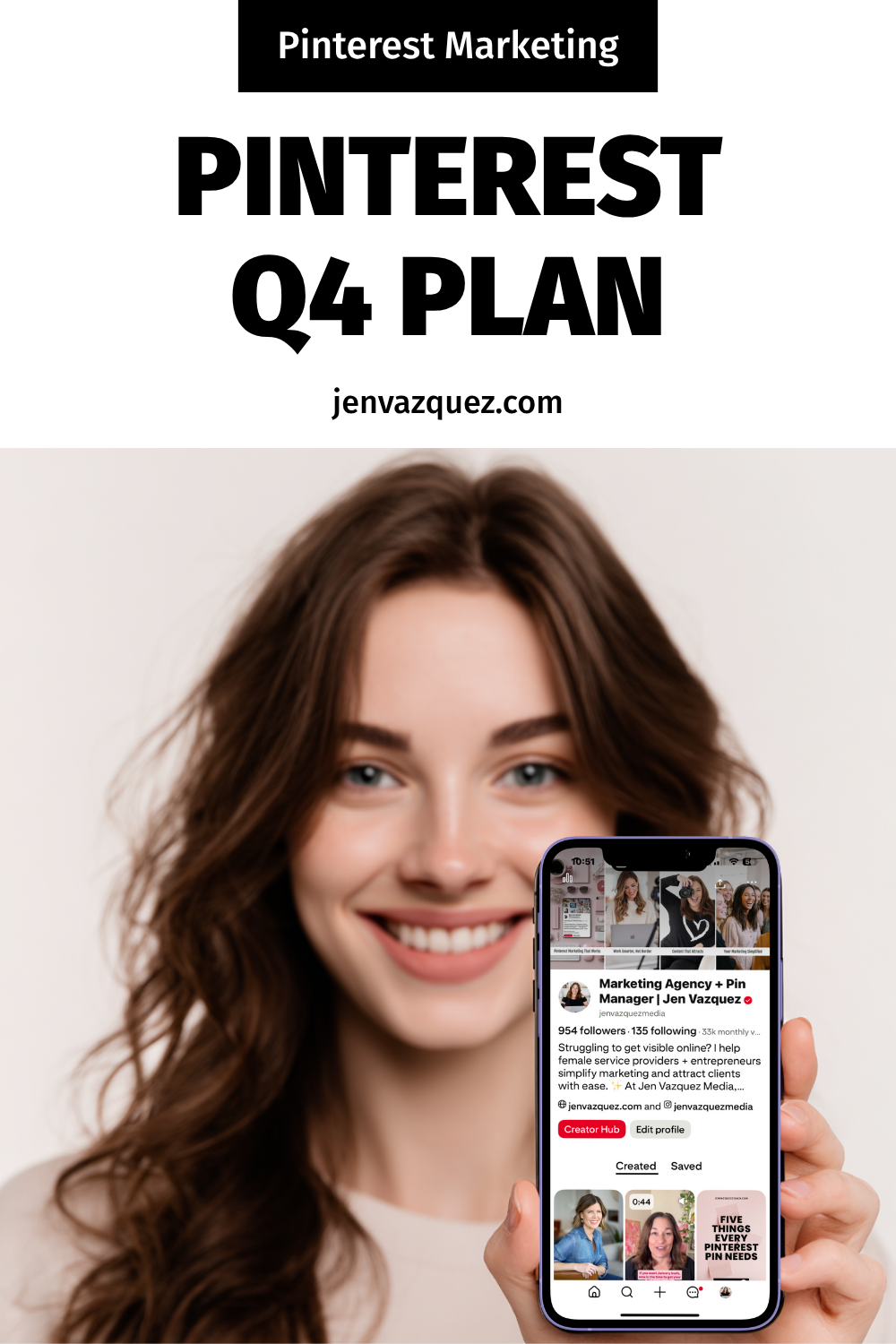
Pinterest Q4 Plan Pinterest in Q4 — Set Up for 2026 Success by Jen Vazquez Media
Pinterest Refresh Tips Pinterest in Q4 — Set Up for 2026 Success by Jen Vazquez Media on Marketing Strategy Academy Podcast
What to Pin This Quarter Pinterest in Q4 — Set Up for 2026 Success by Jen Vazquez Media on Marketing Strategy Academy Podcast
Pinterest Power Clean Pinterest in Q4 — Set Up for 2026 Success by Jen Vazquez Media on Marketing Strategy Academy Podcast
Plan Ahead for January Pinterest in Q4 — Set Up for 2026 Success by Jen Vazquez Media on Marketing Strategy Academy Podcast

How to Create a One-Hour-a-Week Pinterest Workflow That Grows Your Business on Autopilot

female work from home laptop notebook cell jvm stock image How to Create a One-Hour-a-Week Pinterest Workflow That Grows Your Business on Autopilot

How to Create a One-Hour-a-Week Pinterest Workflow That Grows Your Business on Autopilot

Hey there! If marketing your business feels like a full-time job on top of your actual job—it’s not you, it’s your system.

I’m Jen Vazquez, Pinterest Pioneer and marketing strategist helping service-based business owners simplify their marketing so it finally works for them, not against them.

Today, I’m showing you how to build a one-hour-a-week Pinterest workflow that keeps your content visible and driving traffic long after you post it.

Why Marketing Feels So Hard

Let’s be honest—most business owners are out here doing everything manually. Daily posting, writing captions, keeping up with trends… it’s exhausting.

And worse? It doesn’t actually build long-term visibility.

Pinterest flips that entire system on its head. It lets you create once, repurpose smartly, and let your pins do the heavy lifting for months (sometimes years!).

Instead of chasing the algorithm, you’ll build a system that compounds results—I call it The Pin + Attract Method.

Step 1: Pin with Purpose

Start with one core piece of content each week. That could be a YouTube video, a podcast episode, or a blog post. Everything begins from there.

This core content becomes your visibility engine—you’ll pull keywords, quotes, and visuals from it to create fresh pins that all lead back to the same place.

Step 2: Batch + Schedule

Batching is your new best friend. Use a scheduler like Tailwind (there’s a free plan to test it out!) or Pinterest’s built-in scheduler.

Spend one focused session each week scheduling your pins. That way, your visibility runs on autopilot while you’re busy serving clients or, you know, actually living your life.

Step 3: Repurpose for Search

Now the fun part—turn that single core piece of content into several pins with new visuals and new titles.

Use different keywords for each pin to test what performs best. Pinterest doesn’t reward volume—it rewards consistency. Showing up weekly builds visibility naturally, and soon you’ll have a snowball effect of traffic coming your way.

Step 4: Build Your One-Hour Workflow

Here’s exactly how to break it down:

  • 10 minutes: Review your analytics to see what’s performing. If you do Pinterest analytics monthly, you can save these 10 minutes.
  • 20 minutes: Create or repurpose pins from your core content.
  • 15 minutes: Write keyword-rich titles and descriptions (Psst—my Pin Copy GPT can help you do this in one minute).
  • 15 minutes: Schedule it all out for the week.

Once you get into this rhythm, Pinterest quietly works in the background while you focus on your clients—or your family.

Real-Life Examples

One of my photography clients switched from daily Instagram posting to this one-hour Pinterest workflow.

We optimized her best blog posts, created five fresh pins for each, and within 60 days, she started booking new clients directly from Pinterest—without increasing her workload.

Another client takes all of her Pinterest pins and repurposes them as Instagram stories, driving even more traffic to her blog. That’s what I call calm visibility—your content keeps working even when you log off.

Your Action Plan This Week

Download my Pinterest for Service Providers Checklist—it walks you through this entire workflow step-by-step.

Then, block off one hour this week, follow the checklist, and watch your visibility grow.

If you want extra accountability and monthly live trainings, check out my Club—it’s where you’ll get the support and systems you need to keep showing up consistently and attract leads while you sleep.

And next Wednesday, I’m diving into what to pin now to set up your 2026 success—so make sure to subscribe so you don’t miss it.

Don’t forget to Pin it! 📌

pink desk with pink accessories and words How to Create a One-Hour-a-Week Pinterest Workflow That Grows Your Business on Autopilot by Jen Vazquez Media
pink feminine desk setup with words How to Create a One-Hour-a-Week Pinterest Workflow That Grows Your Business on Autopilot by Jen Vazquez Media
How to Create a One-Hour-a-Week Pinterest Workflow That Grows Your Business on Autopilot by Jen Vazquez Media