How to Create a One-Hour-a-Week Pinterest Workflow That Grows Your Business on Autopilot

female work from home laptop notebook cell jvm stock image How to Create a One-Hour-a-Week Pinterest Workflow That Grows Your Business on Autopilot

How to Create a One-Hour-a-Week Pinterest Workflow That Grows Your Business on Autopilot

Hey there! If marketing your business feels like a full-time job on top of your actual job—it’s not you, it’s your system.

I’m Jen Vazquez, Pinterest Pioneer and marketing strategist helping service-based business owners simplify their marketing so it finally works for them, not against them.

Today, I’m showing you how to build a one-hour-a-week Pinterest workflow that keeps your content visible and driving traffic long after you post it.

Why Marketing Feels So Hard

Let’s be honest—most business owners are out here doing everything manually. Daily posting, writing captions, keeping up with trends… it’s exhausting.

And worse? It doesn’t actually build long-term visibility.

Pinterest flips that entire system on its head. It lets you create once, repurpose smartly, and let your pins do the heavy lifting for months (sometimes years!).

Instead of chasing the algorithm, you’ll build a system that compounds results—I call it The Pin + Attract Method.

Step 1: Pin with Purpose

Start with one core piece of content each week. That could be a YouTube video, a podcast episode, or a blog post. Everything begins from there.

This core content becomes your visibility engine—you’ll pull keywords, quotes, and visuals from it to create fresh pins that all lead back to the same place.

Step 2: Batch + Schedule

Batching is your new best friend. Use a scheduler like Tailwind (there’s a free plan to test it out!) or Pinterest’s built-in scheduler.

Spend one focused session each week scheduling your pins. That way, your visibility runs on autopilot while you’re busy serving clients or, you know, actually living your life.

Step 3: Repurpose for Search

Now the fun part—turn that single core piece of content into several pins with new visuals and new titles.

Use different keywords for each pin to test what performs best. Pinterest doesn’t reward volume—it rewards consistency. Showing up weekly builds visibility naturally, and soon you’ll have a snowball effect of traffic coming your way.

Step 4: Build Your One-Hour Workflow

Here’s exactly how to break it down:

  • 10 minutes: Review your analytics to see what’s performing. If you do Pinterest analytics monthly, you can save these 10 minutes.
  • 20 minutes: Create or repurpose pins from your core content.
  • 15 minutes: Write keyword-rich titles and descriptions (Psst—my Pin Copy GPT can help you do this in one minute).
  • 15 minutes: Schedule it all out for the week.

Once you get into this rhythm, Pinterest quietly works in the background while you focus on your clients—or your family.

Real-Life Examples

One of my photography clients switched from daily Instagram posting to this one-hour Pinterest workflow.

We optimized her best blog posts, created five fresh pins for each, and within 60 days, she started booking new clients directly from Pinterest—without increasing her workload.

Another client takes all of her Pinterest pins and repurposes them as Instagram stories, driving even more traffic to her blog. That’s what I call calm visibility—your content keeps working even when you log off.

Your Action Plan This Week

Download my Pinterest for Service Providers Checklist—it walks you through this entire workflow step-by-step.

Then, block off one hour this week, follow the checklist, and watch your visibility grow.

If you want extra accountability and monthly live trainings, check out my Club—it’s where you’ll get the support and systems you need to keep showing up consistently and attract leads while you sleep.

And next Wednesday, I’m diving into what to pin now to set up your 2026 success—so make sure to subscribe so you don’t miss it.

Don’t forget to Pin it! 📌

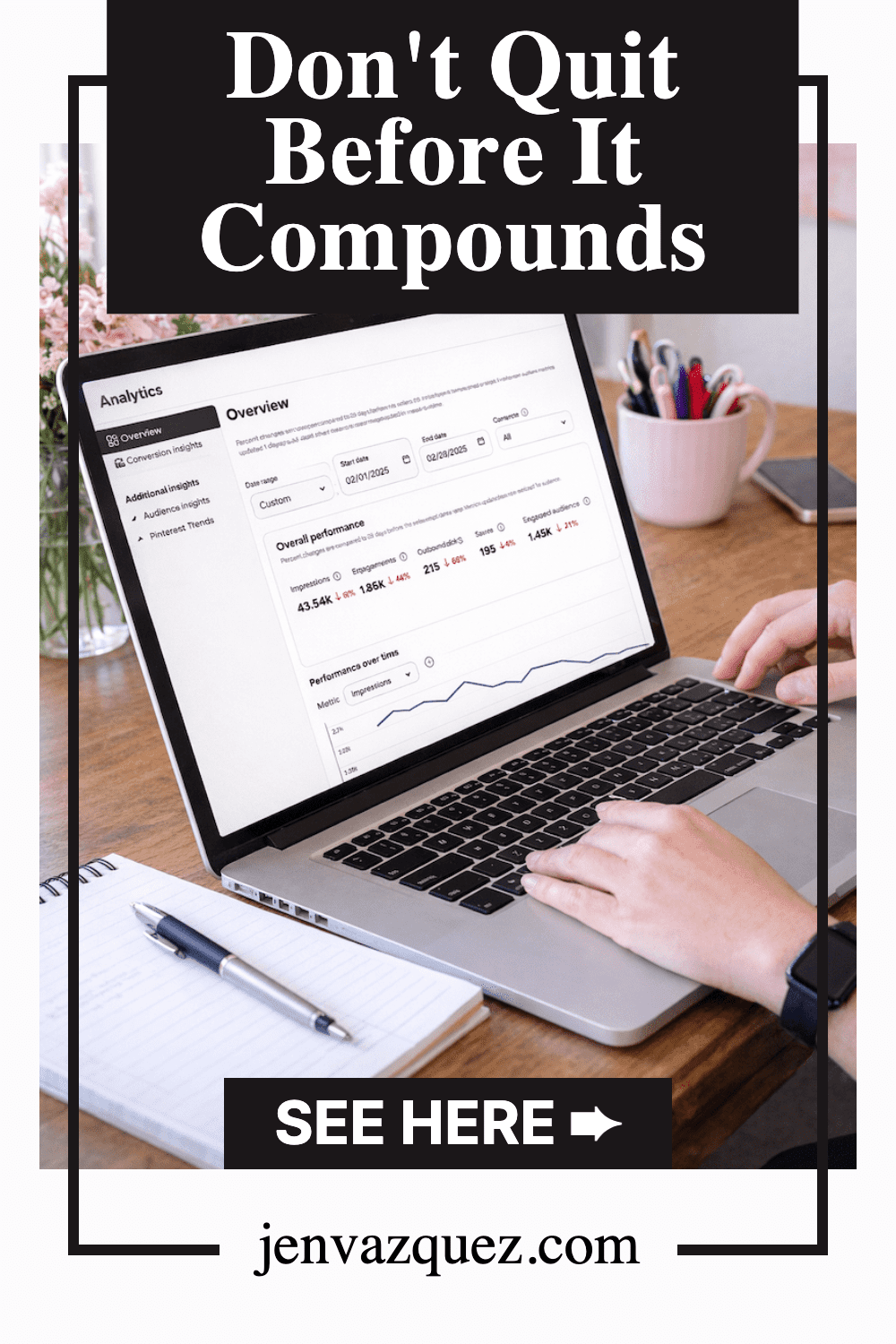
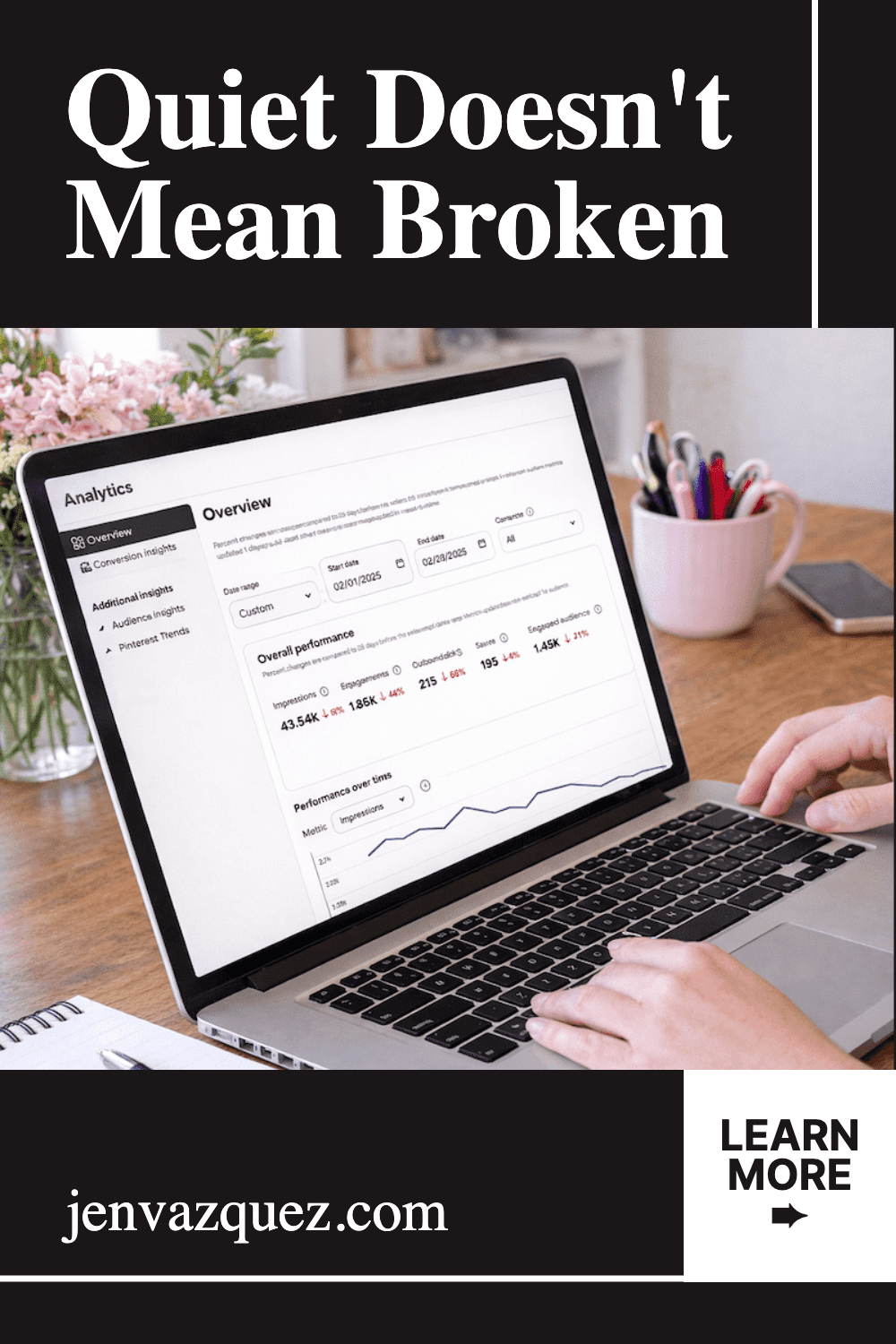
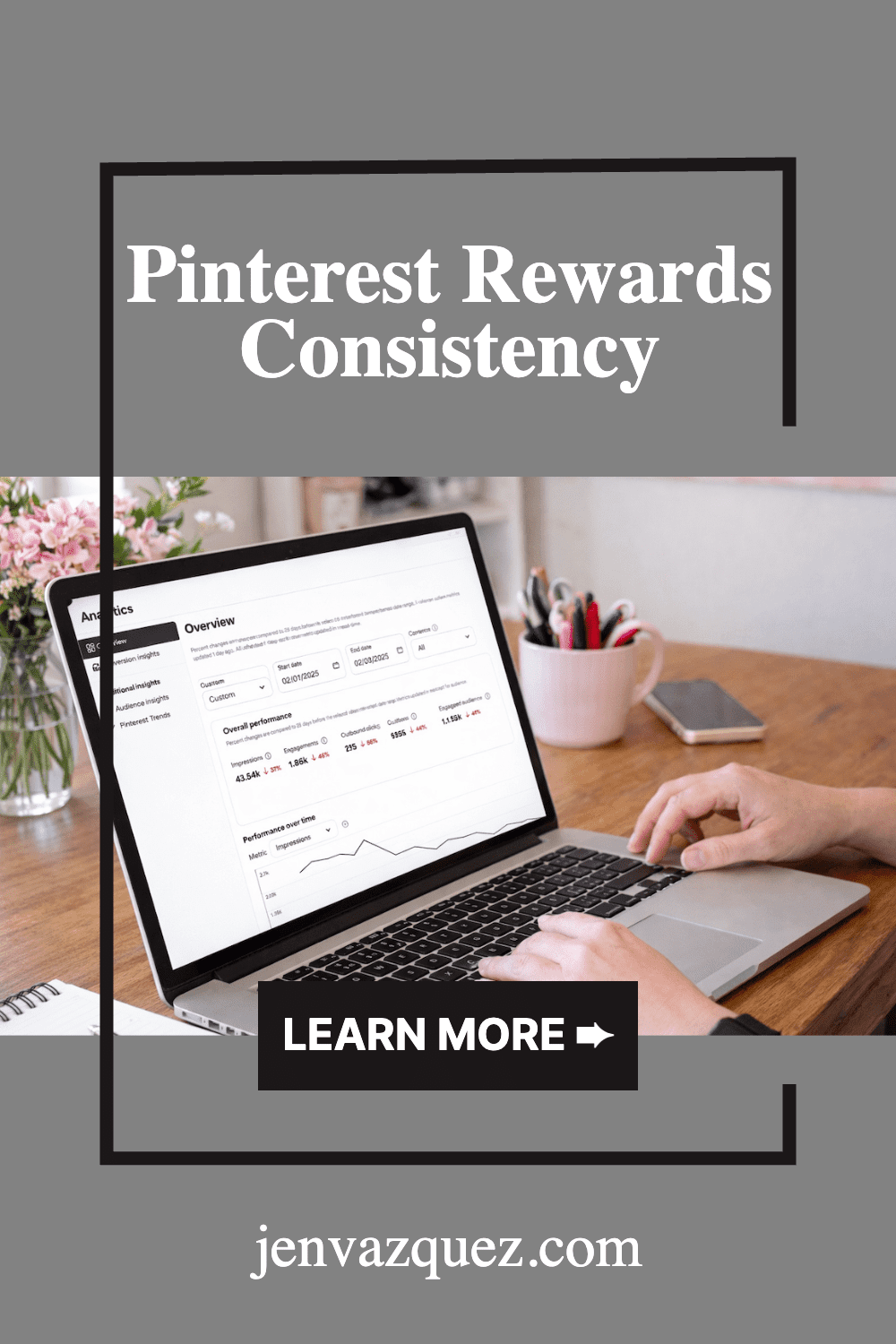
pink desk with pink accessories and words How to Create a One-Hour-a-Week Pinterest Workflow That Grows Your Business on Autopilot by Jen Vazquez Media
pink feminine desk setup with words How to Create a One-Hour-a-Week Pinterest Workflow That Grows Your Business on Autopilot by Jen Vazquez Media
How to Create a One-Hour-a-Week Pinterest Workflow That Grows Your Business on Autopilot by Jen Vazquez Media

When Business Gets Hard: How to Turn a Client Loss into a Creative Comeback

female entrepreneur desk with pinks and beige 4 jvm stock image

When Business Gets Hard: How to Turn a Client Loss into a Creative Comeback

We’ve all had those gut-punch moments in business — when a client leaves, a launch flops, or the money feels tight.

Yep, I’ve been there too (more than once).

But here’s the truth: the difference between businesses that keep growing and those that stall isn’t avoiding problems — it’s knowing how to move through them calmly and creatively.

In this episode of The Marketing Duo Podcast, Cinthia from Digital Bloom IQ and I talk honestly about what happens behind the scenes when business gets bumpy — and how we turn those moments into momentum.

When Things Don’t Go Your Way

You know that feeling — the “I can’t breathe” panic when a client cancels or revenue drops.
The first thing I do? Step away.

I’ll go outside, grab a cup of tea, and give myself permission to feel it.
Then, I start thinking like a CEO again.

You can’t problem-solve from panic.
Once you give your nervous system a break, your creativity comes back online — and that’s when the best ideas show up.

Reframe the “Problem”

Cinthia shared a perfect example: one of her agency services wasn’t profitable. Instead of ditching it, she looked closer and found a tool that automated most of the manual work.

That “problem” turned into a better, more profitable service.

When things go sideways, ask yourself:

➡️ What’s the real issue here?
➡️ Is there a faster, easier, or smarter way to handle it?
➡️ Could this roadblock actually reveal an opportunity?

Sometimes the fix is already waiting for you — it just needed a shake-up to show itself.

Work Closest to the Dollar

When business slows down, I focus on what I can control.

Here’s my go-to plan:

  1. Cut unnecessary expenses. Do you really need that subscription or nice-to-have app? Simplify first.
  2. Reopen proven offers. For me, that means launching family mini-sessions or offering a limited-time promo on my go-to service.
  3. Follow up. I reach out to warm leads who said “not yet.” A friendly check-in can quickly turn into new bookings.

Those three moves instantly make me feel more grounded and back in charge.

Are You Overwhelmed By Social Media

If you’re tired of pouring hours into social media and still wondering where your next lead is coming from, you’re not alone. So many amazing business owners are feeling that same burnout. That’s exactly why we created The Quiet Growth Accelerator — a 12-week program that helps you simplify your marketing with SEO and Pinterest so your visibility grows quietly in the background. Doors close November 1st — join us and finally take a breath.

Marketing Momentum Starts Small

You don’t need a major launch to recover. One new blog post, a fresh Reel, or a podcast pitch can open new doors.

Even the tiniest action builds momentum.

And remember — discomfort often leads to innovation. When things get uncomfortable, that’s where creativity starts to bloom.

The Mindset Shift That Changes Everything

Losing clients doesn’t mean you failed. It means you’re being invited to grow, adjust, and realign.

Sometimes, the business that comes after a loss is better than what came before.

So take a breath.
Look at your numbers.
Send that follow-up email.
And keep moving forward with confidence — you’ve got this.

Don’t forget to Pin it for later — because tough moments in business are easier when you’ve got a calm comeback plan waiting for you.

Pin with words: When Business Gets Hard: How to Turn a Client Loss into a Creative Comeback<br />
Pin with words: When Business Gets Hard: How to Turn a Client Loss into a Creative Comeback by Marketing Duo Podcast<br />

Pinterest Marketing for Service Providers: How to Attract Clients While You Sleep

flatlay workspace for female entrepreneur jvm stock photos

Pinterest Marketing for Service Providers: How to Attract Clients While You Sleep

If you’ve been posting your heart out on Instagram chasing trends and still not seeing consistent leads, I totally get it. Here’s the truth — your dream clients are probably hanging out somewhere quieter… somewhere they’re actually looking for help, not just scrolling for entertainment.

Yep, I’m talking about Pinterest.

I’ve used Pinterest to grow my own six-figure business and helped hundreds of female service providers like photographers, wedding pros, coaches, and other creatives. And the best part? You don’t need to dance on Reels or spend every waking moment online.

In this post, I’m breaking down exactly how to use Pinterest to attract clients and build a marketing system that keeps working even when you’re not.

Create Consistent Content Without the Burnout

Pinterest loves fresh content — but that doesn’t mean you need to post every single day, but you need pins going out each day.

The secret is consistency that fits your life.

Most of my clients spend about one hour a week on Pinterest marketing using my batching system. They repurpose blog posts, videos, podcast episodes, lead magnets, and services into multiple Pins that drive traffic all week long.

You don’t have to start big — once a week is enough when it’s done strategically. Think of Pinterest as your long-game traffic engine. You post once, and it keeps bringing you visitors for months (and often years).

Pro tip: Use a scheduler like Tailwind and batch your Pins all at once. It’s like setting your marketing on cruise control.

Speak to What They’re Searching For

The magic of Pinterest is that people come to it with a goal. They’re planning, researching, or dreaming about something they want to do next.

So before you create, ask yourself this:

“What is my ideal client typing into that search bar when they’re ready to take action?”

If you’re a wedding photographer, it might be San Jose vineyard wedding inspiration.  If you’re a coach, maybe it’s how to get clients without social media.

Create content that answers these searches directly. When you solve a problem or ease a pain point, you naturally build trust — and that’s where the conversion begins.

I love using my Feel, Felt, Found storytelling method:

“I know how you feel. I’ve felt that way too. But here’s what I found that really works.”

It connects, educates, and converts all at once.

Want help with Pinterest?

The Club is where service providers learn how to make Pinterest their lead-generating bestie. You’ll get monthly action plans, keyword sessions, and strategy support to grow your traffic, leads, and visibility—without spending hours online.

Use Keywords Like a Pro

Pinterest isn’t a social media platform — it’s a visual search engine. Think of it as SEO with prettier pictures.

Your captions, titles, and even image file names help Pinterest understand who to show your content to. Here’s how to start:

  • Write down short-tail keywords like Pinterest marketing or Bay Area brand photography.
  • Then add long-tail keywords like Pinterest for service providers or how to grow your coaching business with Pinterest.

Sprinkle them naturally throughout your Pin titles, descriptions, profile, and even on the text overlay of your Pins. And remember: keywords aren’t about gaming the system — they’re about helping Pinterest connect your content with the right people.

Pro tip: Inside The Club, we do keyword brainstorm sessions a few times a year to help members find the perfect words for visibility and growth.

Make Your Visuals Work Harder

Pinterest is visual, but that doesn’t mean you need fancy designs. You just need clarity.

Here’s what works best for service providers:

  • Use your brand colors, fonts, and website address for recognition.
    Keep designs clean and text easy to read on mobile.
  • Add a headline that solves a pain point (How to Book Clients from Pinterest).
  • Include a simple call-to-action like Learn More or Download Free.

You can create gorgeous, on-brand Pins in Canva in minutes — no design degree needed.

If you want a head start, grab my Canva customizable 10 free Pin templates. 

Pro tip: Mix static and video Pins for your blogs, freebies, and services to keep your content fresh and engaging.

Convert the Clicks

Traffic is great — but it means nothing without conversions. Most Pinterest users are new to your business, so your job is to guide them toward a small win.

Here’s how to optimize for conversions:

  1. Link to related content like blogs, podcasts, or YouTube videos.
  2. Add a freebie or email opt-in to capture leads.
  3. Include a clear call-to-action (CTA) in every post — and put it in the middle of your blog since not everyone reads to the end.

Pinterest is the top of your funnel — the start of a relationship that leads to sales later.

One of my photography clients doubled her bookings just by linking her free wedding guide and inquiry form to every single Pin. No ads. No daily posting. Just a smart Pinterest system.

Ready to Bring in Clients While You Sleep?

Pinterest isn’t about luck — it’s about strategy, consistency, and systems that do the work for you.

If you’re ready to stop guessing what to post and start generating clients with ease, check out The Club, where we build your Pinterest strategy together step-by-step.

Or if you’d rather hand it off completely, explore my Pinterest Management Services and let my team handle it for you.

Either way, Pinterest can become your silent sales machine — and I’ll show you exactly how to make that happen.

DON’T FORGET TO PIN IT!

A Pin that says Stop Scrolling, Start Growing Pinterest Marketing for Service Providers
A Pin Saying "Pinterest That Converts Pinterest Marketing for Service Providers"
A Pin saying, "Attract Clients While You Sleep Pinterest Marketing for Service Providers"
A Pin saying, "One Hour a Week Strategy Pinterest Marketing for Service Providers"
A Pin saying The Silent Sales Machine Pinterest Marketing for Service Providers

Pinterest Marketing in 2026: What’s Working Now for Time-Strapped Service Providers

female entreprenur typing on laptop with marketing stats jvm stock image

Pinterest Marketing in 2026

If you’ve been wondering whether Pinterest is still worth it for growing your business in 2026, the answer is a big, sparkly yes.

Pinterest remains one of the most powerful and low-stress platforms for showcasing your content to people actively searching for inspiration, information, and solutions.

Unlike Instagram or TikTok—where your content disappears in 24 hours or less—Pinterest quietly works for you in the background, bringing in leads, website traffic, and email subscribers long after you hit publish.

For service providers, photographers, coaches, and other creatives, this is gold. You’re not chasing trends; you’re building a system that keeps your business visible 24/7, even while you’re spending time with family or focusing on client work.

However, Pinterest in 2026 doesn’t resemble what it was like five years ago. The platform has matured, users are savvier, and the algorithm now rewards quality and consistency over quantity. That’s where my Pin + Attract Method comes in.

It’s the same system I use for my Pinterest management clients and inside The Club to turn pins into paying clients without the constant hustle or guesswork. Let’s walk through exactly how to make Pinterest work for your business this year.

1. Start with a Strong Foundation

Before you pin anything, your Pinterest business account needs to clearly tell the platform who you are and who you help. When Pinterest understands your business, it knows which users to show your pins to—meaning better reach, higher click-through rates, and a steady stream of the right kind of traffic.

Here’s what to focus on:

Switch to a business account. If you’re still using a personal account, it’s time to upgrade. A business account gives you access to analytics, Ad Manager (even if you never run ads), and advanced audience insights.

Claim your website and socials. This connects your content and gives Pinterest extra trust signals that you’re legitimate. Here’s a video to share how to do that.

Use a professional photo and banner. Your banner should tell people in 2.5 seconds who you are and who you help. Your photo should look confident, approachable, and aligned with your brand. If you’re a photographer, use one of your own branded images.

Write a keyword-rich bio. Use natural phrases that your ideal clients would search for, such as “Helping photographers and coaches attract dream clients using Pinterest marketing made simple.”

Create boards that mirror your offers. Think of each board like a mini SEO category.

  • For coaches: Pinterest strategy for coaches, lead generation tips, small business workflows, marketing mindset.
  • For photographers: brand photography tips, posing ideas, Pinterest for photographers, and client wardrobe inspiration.

Keep ten to fifteen well-optimized boards instead of fifty you rarely use. Always prioritize quality over clutter.

2. Do Smart Pinterest Keyword Research

Pinterest is a visual search engine, not a social network, which means SEO is everything. Your keywords are the bridge between your content and your ideal clients.

Here’s how to find the best ones:

Use Pinterest’s search bar 

Pretend you’re your client. Type in what they’d look for, like “YouTube strategy,” and pay attention to the suggested phrases that pop up. Those are your top keywords.

Check Pinterest Trends 

Go to trends.pinterest.com or access it through your Analytics tab. This free tool shows what’s gaining traction in your niche and when those topics peak. If something peaks in December, you’ll want to start pinning about it by October.

Group your keywords by theme

For coaches: business mindset, client attraction, evergreen funnels.
For photographers: brand photography, posing ideas, and client experience.

Sprinkle your keywords throughout your account

Include them in your bio, board titles, board descriptions, pin titles, and pin descriptions. Make sure they align with your landing page or blog post content. Write for humans, not robots—use natural sentences instead of keyword stuffing.

Pro tip: Ask your audience on Instagram. Post a story question like “If you were looking for this, what would you type into Pinterest or Google?” Then add their responses to your keyword list.  If you don’t have a keyword list, get my Keyword Builder free.

And if you’d like help getting started, you can download my free Pinterest Keyword Builder. It’s one of my favorite tools to help you organize, save, and track your best keywords.

3. Clarify Your Content Pillars

You can’t pin everything under the sun, and that’s actually a good thing. Focus on three to four content pillars—the topics you want to be known for and that connect directly to your services and client needs.

If you’re a photographer, your pillars might include brand photography ideas, posing and confidence tips, Pinterest marketing, and workflow systems.

If you’re a coach, maybe your pillars are mindset, productivity, list growth, and content repurposing.

Pinterest rewards consistency. When it sees you pinning around similar themes regularly, it knows who to show your content to.

Even if you’re not a blogger, you still need blog-style content. This is what feeds Pinterest fresh ideas to share, and it helps boost your visibility on Google, too.

4. Create Fresh Content Consistently

This is where most people fall off. They stop creating new content and assume Pinterest isn’t working—but Pinterest rewards freshness. That means new images, new titles, new keywords, and new URLs.

You don’t need to pin manually every day, but you do need to have pins going out daily.

Here’s my recommendation:

  • Blog weekly, even if it’s short.
  • Batch your pinning once a week or once a month.
  • Repurpose existing content like YouTube videos, podcast episodes, lead magnets, and Instagram carousels or stories into new pins.

Think of it this way: one piece of content can become five pins.

Pro tip: Create a secret Pinterest board just for content ideas. Anytime inspiration strikes, save it there so you never start from scratch.

5. Design Scroll-Stopping Pins

Pinterest is visual first, so design matters. Strong pins have three things in common:

  1. Bright, clear images with minimal clutter.
  2. Readable text overlays using bold, simple fonts.
  3. Clarity and curiosity in the title.

For example, instead of “Pinterest Marketing,” use “How to Get Clients from Pinterest in 2026 for photographers.”

Keep your branding consistent—use your brand colors, fonts, and URL. But don’t be afraid to test new designs. Search your target keyword and notice which pins stand out visually. Try four on-brand designs and one “wild card” that looks different from the feed to capture attention.

Also, experiment with both vertical static images and video pins. Video performs especially well in 2026 for educational and tutorial-style content.

To help make pins faster, snag my free customizable Pinterest Pin templates here. Or simply use Tailwind’s Create.

6. Commit to a Consistent Pinning Schedule

Pinterest loves consistency, but that doesn’t mean you have to manually post every day. Scheduling tools like Tailwind make this effortless.

Tailwind allows you to batch a week or even a month of pins in one sitting and automatically publish them for you. It’s one of my favorite tools for saving time and staying consistent. There’s even a free plan you can try—grab the link below to test it out.

For 2026, here’s what’s working best:

  • Minimum: 1–3 pins per day
  • Ideal: 5–10 pins per day
  • High-volume bloggers: up to 20–30 pins per day (not necessary for most service providers)

What matters most is showing up regularly, not pinning 100 pins one day and nothing the next.

Pro tip: Schedule your new content first, then sprinkle in your best-performing older pins once or twice a month for variety.

7. Track, Tweak, and Celebrate Wins

Most business owners skip this part, but tracking your Pinterest data is what helps you grow faster.

Pinterest is a search-based platform, so it takes time to see results—but it compounds beautifully over time.

Check your analytics monthly and look for:

  • Top-performing pins (which visuals and keywords drive the most clicks)
  • Outbound clicks (which pins send the most traffic to your site)
  • Engagement rate (which pins are being saved most often)

Don’t panic if your numbers fluctuate. That’s normal, especially with seasonal behavior. Weddings peak in spring, while coaching and goal-setting content tends to spike in January.

Use Pinterest Trends to plan ahead, so your content is ready before your audience starts searching.

Bonus: Integrate Pinterest into Your Workflow

Pinterest shouldn’t feel like an afterthought. When you build it directly into your marketing routine, it becomes your most consistent traffic driver.

Here’s a simple example:

  • Write a blog post and create three to five pins for it.
  • Record a podcast episode and post a short blog-style recap with a pin graphic.
  • Launch a freebie and design a dedicated pin just for it.

When Pinterest becomes part of your workflow, it stops feeling like extra work and starts consistently driving leads.

Ready to make Pinterest your 2026 lead machine?

If this clarity is exactly what you’ve been craving—but you’d rather not do it alone—you’ve got options:

Let’s turn your pins into paying clients—all year long. 💖

DON’T FORGET TO PIN IT!

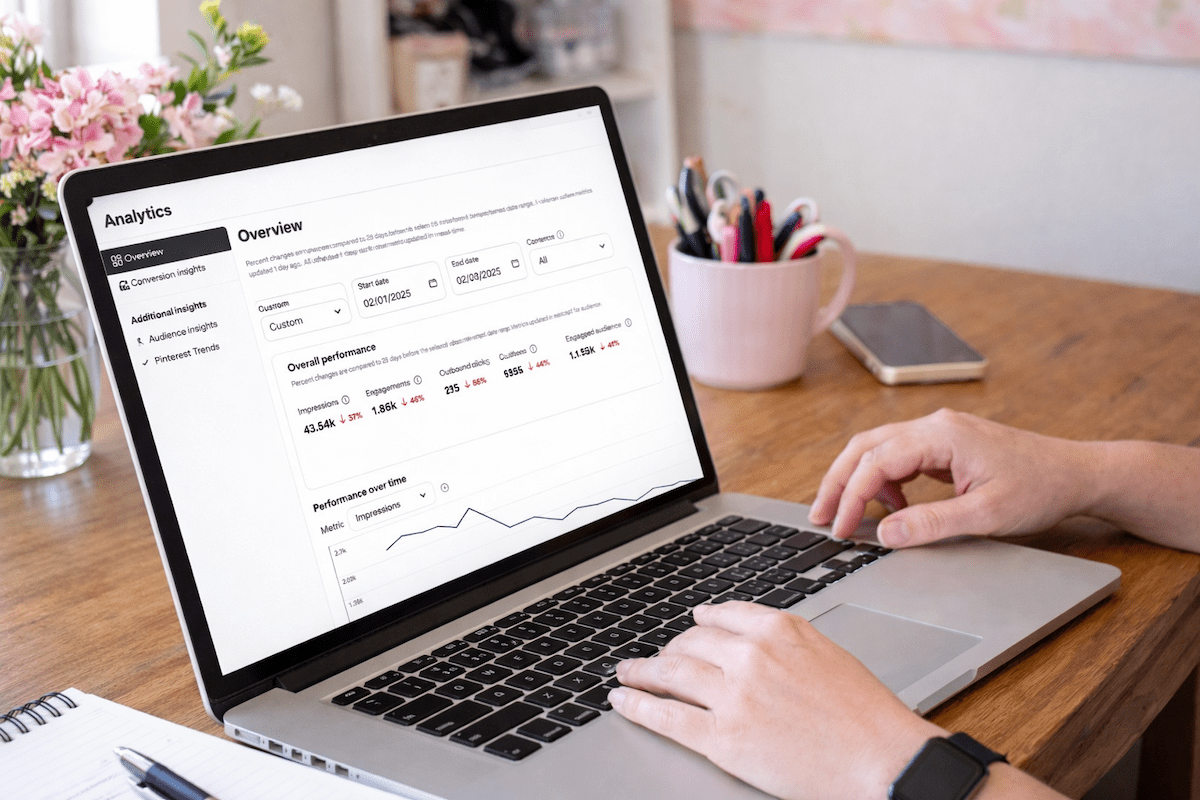
feminine desk with laptop and analytics on the screen with pink accessories and green plants
women typing on laptop with analytics on a desk with pink flowers
feminine office with laptop with marketing analytics on it, pink accessories and green plants
feminine desk with laptop and analytics on the screen with pink accessories and green plants

Try Jeff Bezos’ 1-Hour Morning Rule with Us: The 30-Day Clarity Challenge

women in bed with white bedding reading a book jvm stock image

Try Jeff Bezos’ 1-Hour Morning Rule with Us: The 30-Day Clarity Challenge

If you’re an ambitious female founder who wants to work smarter (not harder), you’re in the right place. Today I’m sharing the simple, science-backed morning shift I’m testing for 30 days: one screen-free hour right after waking. 

I’m doing it with my co-host, Cinthia Pacheco of Digital Bloom IQ, and I built a Morning Clarity Tracker so we can actually measure how it impacts focus, mood, creativity, and productivity.  We have a free tracker at the bottom!

Why the morning matters (and why I’m changing mine)

Mornings have a special energy. When I roll over and start scrolling news, my day is basically cooked. I’ve been craving more clarity, creativity, and protected time to set the tone before I dive into client work and content. So I’m trying the “one-hour rule”: at the bare minimum, no phone/screens for the first hour after waking.

The one-hour rule (the simple version)

No email, no social, no TV, no news apps—no passive scrolling. Emergencies only if needed. You can still use your device to press play on music or an audiobook without falling into a feed. The goal is zero screen-to-face time so your brain can boot up without cortisol spikes.

Replacement activities menu (pick 1–3)

Instead of scrolling, try:

  • Move your body: light stretching, yoga, a walk outside, or a quick dance session.
  • Nourishing breakfast and real conversation (phones away).
  • Read or listen to a book—educational, inspirational, or purely joyful.
  • Gratitude or brain-dump journaling (3–5 things you’re grateful for + any ideas rushing in).
  • Music to set the vibe.
  • Meditation or breathwork (start with 5–10 minutes; box breathing works wonders).

Plan your 1–3 activities the night before so you don’t replace scrolling with decision fatigue.

How I’m tracking it (because data > vibes)

I created a Morning Clarity Tracker (super easy drop-downs) to log:

  • Wake-up time
  • Activities you chose
  • How you felt (calm, restless, energized, etc.)
  • Any slip-ups (no shame, just notes)
  • Quick reflections

We’ll compare our weekly notes to phone Screen Time or Digital Wellbeing stats so we can see the impact, not just guess.

Weekly check-ins (adjust without judgment)

At the end of each week, ask:

  • Did avoiding screens help my clarity, mood, and energy?
  • Was I more productive?
  • What activities lit me up—and which can I skip?
  • Do my Screen Time screenshots show progress?

Tweak as needed. If an hour spikes your stress, try 30 minutes and build from there.

End-of-month reflection (make it real)

After 30 days, review:

  • Focus, creativity, productivity, and mental health
  • Whether you actually stuck with it (and why)
  • If you’ll keep going—and how to adapt it to your real life

If it “worked” but you still resist it, journal on what’s underneath that. Sometimes the mindset shift is the real work.

Day 1: honest results from both of us

I set up my phone the night before with only Audible open so I could tap play eyes-closed. Full transparency: I felt anxious at first—like I was “wasting” my early work time. Around the 38-minute mark, the anxiety dropped and the rest of the hour felt amazing. Cinthia journaled, ate without multitasking (progress!), and felt noticeably calmer. We’re calling that a win.

Guardrails that help (because…phones are sticky)

  • Phone Screen Time schedules (or apps like Opal) to block socials late at night and early AM
  • Zero notifications except true emergencies
  • A playlist you can start hands-free
  • Accountability—do this with a friend (hi, Voxer buddies)

Try it with us

Pick your 1–3 activities, print or copy the tracker, and give yourself grace. If you slip, note it and keep going. We’ll share a mid-month check-in and a 30-day results episode so you can compare notes with us. 

If you found this helpful, share it with a fellow founder who could use a calmer, clearer morning.

UPDATE: What Happened After 30 Days (Our Honest Results)

If you’ve been wondering, “Okay, but did this actually work for you two?” — here’s the real talk.

Cinthia and I did the Morning Clarity Challenge for all of October. That meant:
No phone, no email, no social, no news, and no work for the first hour of the day. Just the Morning Clarity Tracker, simple habits, and a lot of curiosity.

What changed for us

Here’s what we noticed over the month:

  • The phone habit broke faster than we expected: The first few days felt weird. We both had that “reach for my phone” reflex. But after about 5 days, it was already easier to leave the phone on the nightstand and just start the day.
  • Mornings felt calmer (and our families felt it too): Cinthia found she was way more present with her daughter during breakfast instead of half-listening while scrolling. My husband even said, “Mornings feel easier now. You seem more relaxed.” That was a big sign this was working.
  • We stopped starting the day in panic mode: Before, I would wake up and go straight into email or news — which often meant stress before I even got out of bed. Now, I check urgent things the night before, and my mornings feel like my time again.
  • It became a habit, not a fight: By the middle of the month, we weren’t forcing it. It was just “how we do mornings now.” I even stretched that first hour into two on slower days so I could listen to a book and ease into work.
  • We only “broke” it once: There was one day in October where I slipped and started the day with client messages and email. Guess what? My whole day felt off. That one day was enough proof that the new way was better.

How the tracker helped

The Morning Clarity Tracker wasn’t just a cute extra — it helped us see patterns:

  • Which activities made us feel calm, happy, or focused
  • Which ones we could skip
  • How our mood and energy lined up with less screen time
  • How often we actually stuck to the one-hour rule

When we looked back at notes and phone Screen Time, the data matched how we felt:
Less morning scrolling = more calm, better focus, and nicer mornings for everyone around us.

What We’re Trying Next: 1 Screen-Free Hour at Night

We loved the morning change so much that we’re now testing a night-time version in November.

The goal: One hour at night with no TV, no doom scroll, no social apps — just rest, real life, and winding down.

Here’s what that looks like for us:

  • Pick a “screens off” time: We’re starting with something simple like 10:00 PM. For you, it might be 9:30 PM or even 11:00 PM if you’re usually up late. You can always move it earlier later.
  • Make it a house rule (with some flex): For me and my husband, that looks like:

    • TV off at a set time
    • Phones down unless it’s a true emergency
    • Weekend “free nights” where we can watch a show or play games without rules

  • Swap in real rest, not more noise: Some ideas we’re trying:

    • Reading or listening to a book with phones set aside
    • Talking with our partners instead of zoning out side-by-side on screens
    • Light planning for the next day so mornings feel smoother
    • Simple, quiet hobbies that help our brain slow down

  • Use tools to help your future self: Cinthia uses an app called Opal to block Instagram, WhatsApp, and other time-suck apps after a certain hour. You can also use built-in Screen Time limits on your phone to do the same thing.

The point isn’t to be perfect.
The point is to give your brain and body a real “off” ramp at the end of the day so you’re not going to sleep wired and waking up tired.

Want to Join Us for the Evening Screen-Free Hour?

If you loved the idea of the Morning Clarity Challenge, this is the next step:

  1. Pick your evening “screens off” time for the next 30 days.
  2. Choose 2–3 simple replacement habits (read, talk, stretch, journal, or just rest).
  3. Use the same Morning Clarity Tracker or a fresh page to jot down:

    • What time you turned screens off
    • What you did instead
    • How you felt that night and the next morning

We’ll be checking back in on the podcast with our results, what worked, what didn’t, and how this ties into working smarter as female founders — not burning out on our phones.

👉 Scroll up, grab the tracker from Episode 40, and try the morning and/or evening challenge with us. 

Small shifts like this can quietly change how your whole day feels. 💛

📌 DON’T FORGET TO PIN IT!

Try Jeff Bezos’ 1-Hour Morning Rule with Us: The 30-Day Clarity Challeng

How to Handle Bad Google Reviews (Without Hurting Your Business)

How to Handle Bad Google Reviews (Without Hurting Your Business)

How to Handle Bad Google Reviews

We’ve all been there—your heart sinks the second you see that one-star review. It’s like a gut punch, right? But here’s the truth: negative reviews aren’t as bad as they seem. In fact, they can actually help your ranking on Google.

Google wants to see that you’re an active, legitimate business—and real businesses get all kinds of reviews, not just glowing ones. A mix of positive and negative reviews shows activity, credibility, and authenticity. As long as the majority of your feedback is good, a few bad ones can actually boost your visibility.

What Really Matters: How You Respond

As a consumer, I don’t immediately skip a business with bad reviews—I read them. What makes the biggest impression is how that business responds. Are they defensive or rude? Or do they show professionalism, empathy, and a willingness to make things right?

If someone leaves a negative review, thank them for the feedback (even if it’s hard to swallow). Respond with transparency, calmness, and care. Something like:

“Thanks so much for your feedback. We’ve reached out privately to make this right and appreciate you bringing it to our attention.”

That’s it—simple, thoughtful, and professional.

When Emotions Run High—Step Away

We all get triggered sometimes, especially when our business is personal. But emotional responses rarely help. If you feel charged, step away. Nothing is so urgent that you can’t take a few hours—or even a day—to cool down.

When you’re ready, use AI (yep, ChatGPT totally works here) to help you craft a neutral, polished response. You’ll be amazed how level-headed it can sound when your brain is still steaming.

Turning Reviews Into a Growth Strategy

Negative reviews can highlight opportunities for improvement—but positive reviews? Those are marketing gold. Don’t just wait for them to appear—ask for them!

Here’s what I do: every quarter, I reach out to clients whose results are shining (especially those with killer Pinterest analytics) and send them a direct review link from my Google Business Profile. I make it easy by including a few highlights they can copy and paste into their review.

Want to make it even easier? Give them a snippet from your last conversation or testimonial video and say:

“Would you mind pasting this into my Google Business Profile? Here’s the link!”

It takes them seconds, and the impact lasts for years.

Jen’s Photographer Hack: Reviews That Drive Bookings

When I was a wedding photographer, I used reviews strategically. I’d visit venues I loved, take photos, write a blog post about them, and then leave a Google review saying how beautiful the space was—complete with photos I’d taken.

Those images not only showcased my work but also linked me to that venue, which led to actual bookings. And because photos get “extra credit” in Google reviews, it helped boost my visibility too.

So whether you’re a local business or an online service provider—show up, stay active, and use reviews (good and bad) to your advantage.

Final Thoughts: Feedback = Visibility

At the end of the day, reviews—positive or negative—are signals that you’re visible, relevant, and worth talking about. So don’t fear them. Instead, use them as fuel to show your professionalism, your growth, and your commitment to serving your clients.

Negative reviews aren’t the end of the story—they’re just part of the journey.

DON’T FORGET TO PIN IT!

How to Handle Bad Reviews Like a Pro How to Handle Bad Google Reviews (Without Hurting Your Business) on Marketing Duo Podcast
Your Google Review Strategy Starts Here How to Handle Bad Google Reviews (Without Hurting Your Business) on Marketing Duo Podcast
Turn Negative Reviews Into SEO Wins How to Handle Bad Google Reviews (Without Hurting Your Business) on Marketing Duo Podcast
The Secret Power of Bad Reviews How to Handle Bad Google Reviews (Without Hurting Your Business) on Marketing Duo Podcast
Respond Without the Drama How to Handle Bad Google Reviews (Without Hurting Your Business) on Marketing Duo Podcast