Most of our potential clients are on Instagram these days, but they are also on Pinterest. I teach my students to use a marketing strategy that enables them to reuse content (why reinvent the wheel) and help grow Instagram followers and engagement by using Pinterest.
Why does Pinterest work so well? Because it’s the most link-friendly social platform out there. The referral traffic to your website, podcast, youtube channel is awesome but the referral traffic to Instagram is amazing!
So let’s grow your engagement and following on Instagram! Read below for the 5 steps!
#1: Claim Your Instagram Account on Pinterest
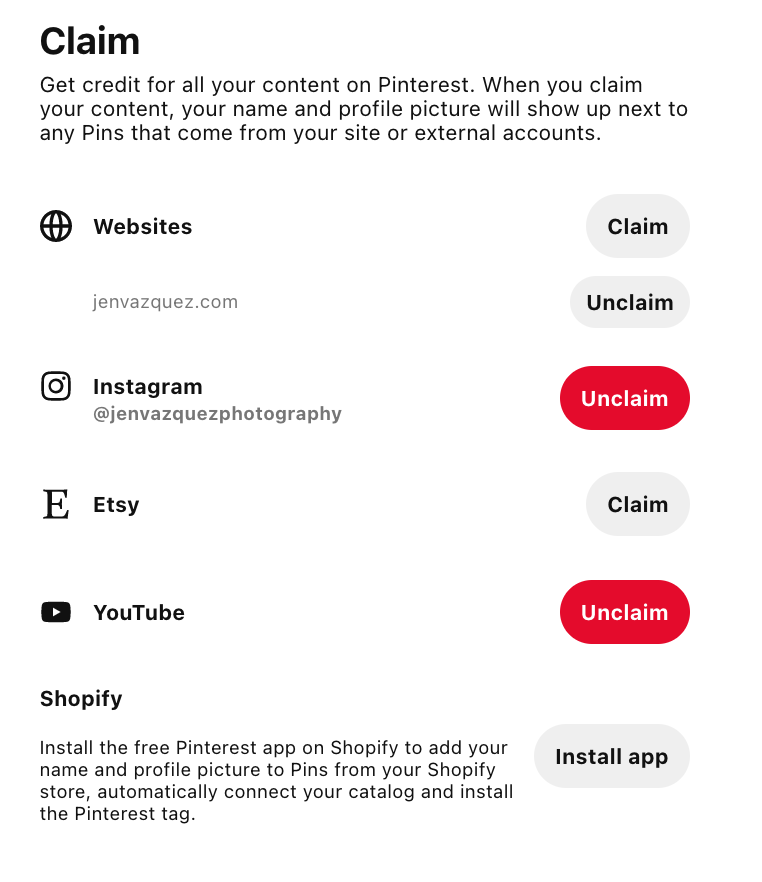
It’s important for you to claim your Instagram account in your Pinterest account as your first step. Doing so allows you to get much better analytics including Instagram info.
You should also claim your website on Pinterest. This is similar and again gives you so much analytics.
One of my favorite sayings is by Dan Zarrella “Marketing without data is like driving with your eyes closed.”
Because Instagram posts have an average lifespan of 24-72 hours, utilizing that content by sharing on Pinterest, you are lengthening the life of an Instagram post that you spent time creating.
You can also drive more traffic and engagement to your Instagram account. Win-Win!
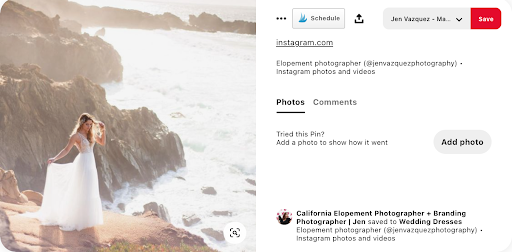
#2: To Grow Instagram, take your popular posts, reels and IGTV and publish to Pinterest
Using Pinterest to grow Instagram is smart. You are already spending time, energy, blood, sweat, and sometimes tears creating a ton of content for Instagram.
Get engagement on Instagram and have that content last longer and spread by sharing on Pinterest.
You’ll want to share the content to all the boards that make sense.
Pinterest is all about FRESH IMAGES. Utilizing your Instagram content is fresh and your Pinterest analytics will grow also!
Video is king – so Reels and IGTV do very well. Definitely share those first!
Pinterest (like Instagram) keeps changing things, but right now video length is 4 seconds – 15 minutes. The sweet spot for best performing video length is 15-60 seconds. To stay up to date, check out Pinterest’s help guide updated video creative specs.
#3: Share Your Instagram Stories
Instagram stories are fleeting and go away in 24 hours. So a good way to use them is to save them in your highlights, or auto-save stories to your phone like I do. I have an album on my iPhone and I pop them in there each day. When I spend my 30-60 minutes a week working on Pinterest, I can just go to that album and post away.
Since Stories don’t have a link, you can use my workaround. Here’s how to do it:
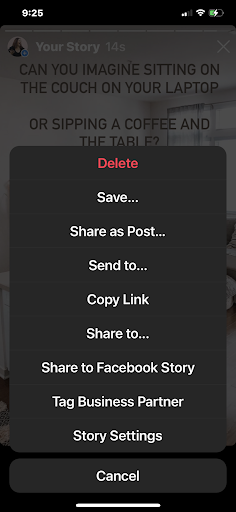
When you are on a story, tap the 3 dots on the bottom right:
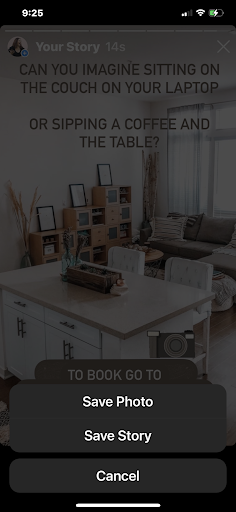
Then tap SAVE
Then you’ll choose PHOTO or STORY which is all the stories in an MP4 file. Choose STORY and crop the video to the one you want. Or perhaps you create several stories of your day, then don’t crop because it will be a great video.
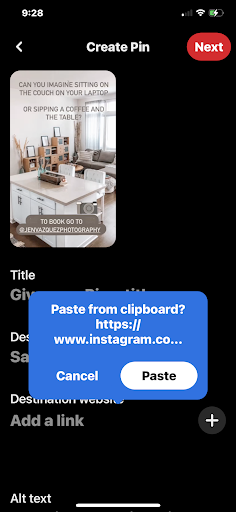
Go to Pinterest and upload. It will ask to use the Instagram link — um yes, please! If it doesn’t work, then include the link directly to your Instagram profile.
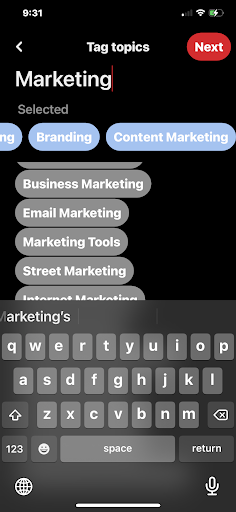
Then because it’s a video it will ask you to choose tags. Think hashtags or keywords and try different combinations. For this branding shoot, I use Photography, Branding, Content Marketing, Creative Photography.
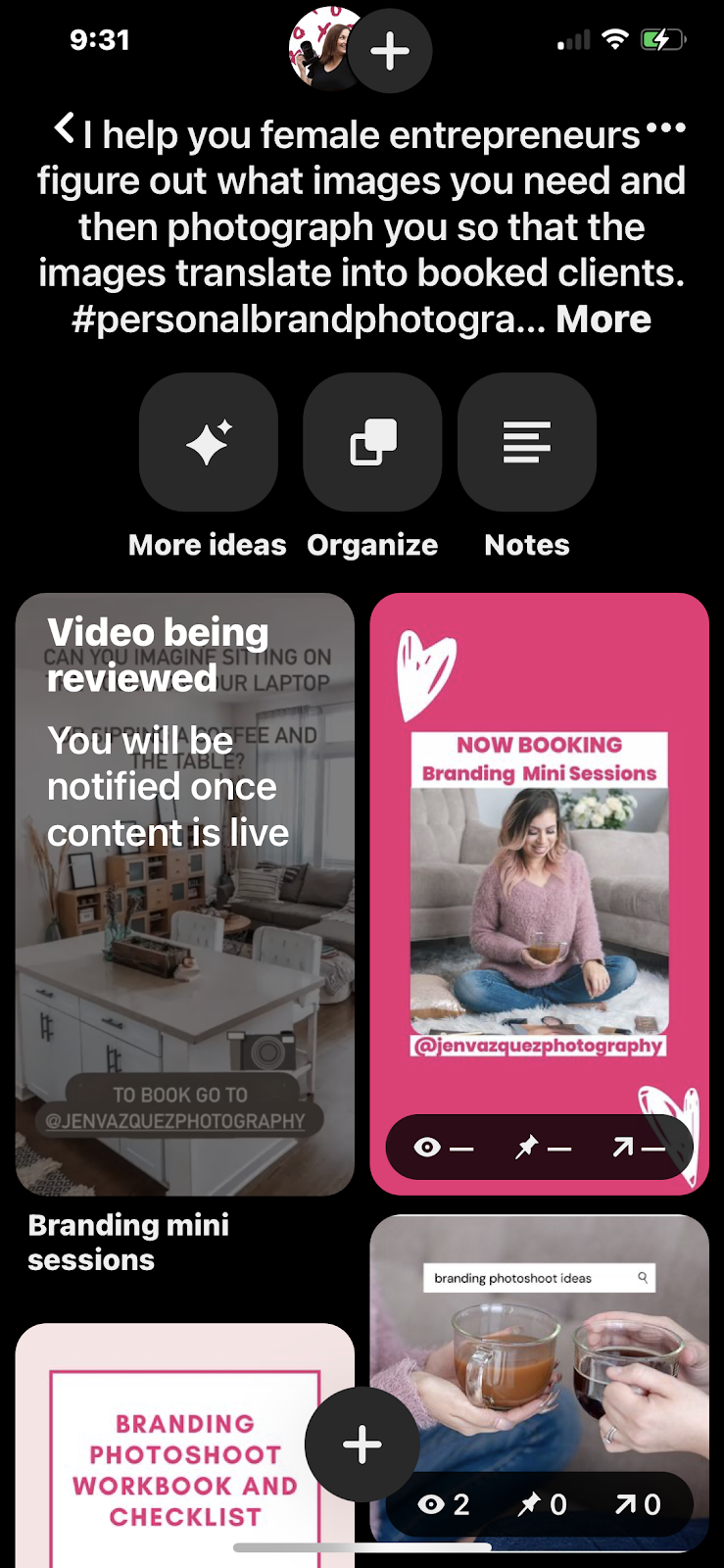
Videos require reviews — don’t panic. It typically is approved within a few hours to 24 hours.
#4: Keywords are important
Pinterest is a visual search engine and is very powerful! If you ever do a search on Google, you’ll notice one of the top three posts is almost always Pinterest. That’s because using keywords (an SEO term on Pinterest) is super effective on google too.
What are Keywords or SEO? It’s really simple! It is what your ideal client is typing on their keyboard to find your content.
A lot of people use cutesy names in the title or description of Pins and Boards. You want to be super-specific. Instead of saying “yum yum” as a board title. You should say “gluten-free recipes you’ll love” or “Easy and simple recipes for busy moms”.
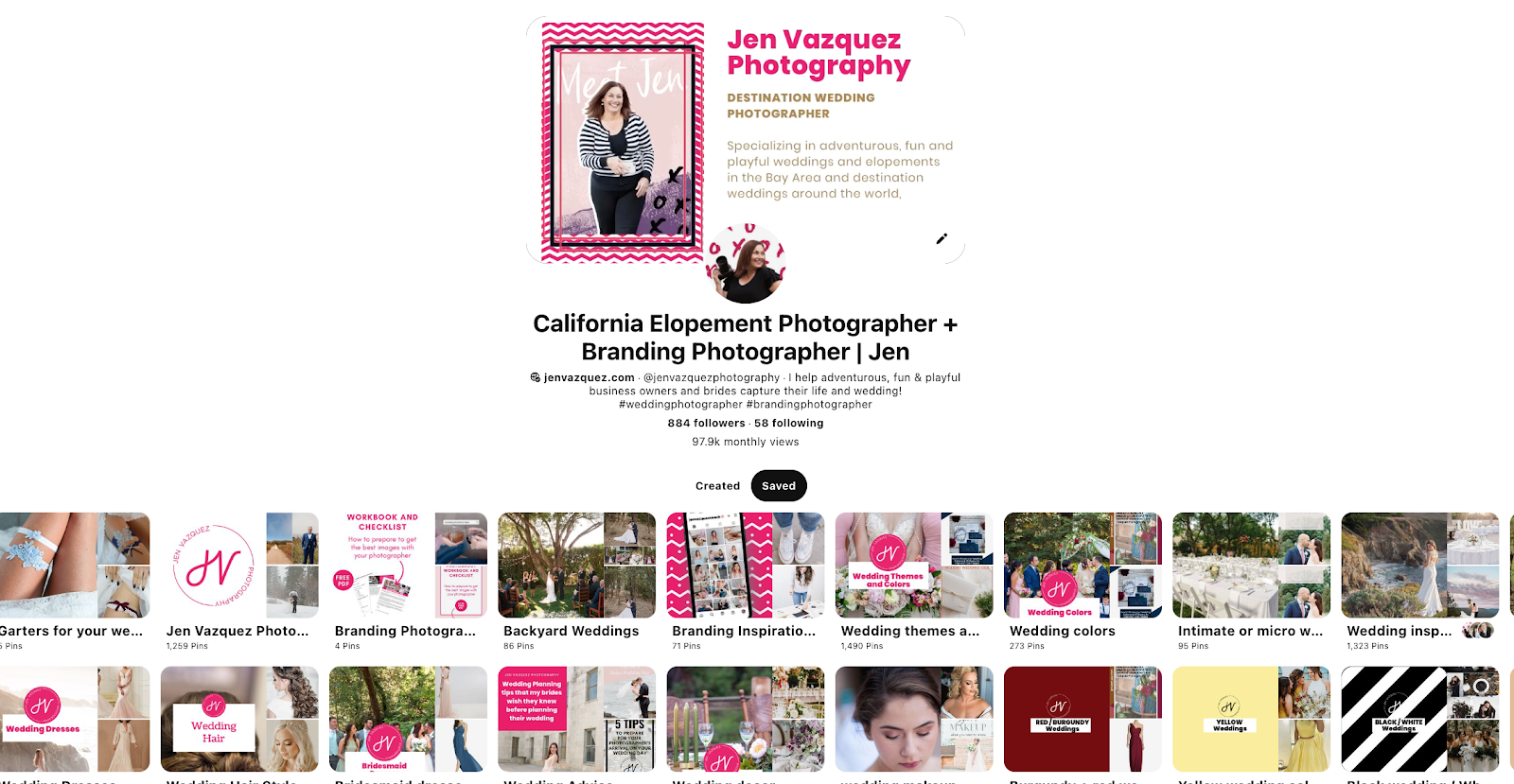
Add these keywords EVERYWHERE – use them in Instagram posts, and pin titles, pin descriptions, board titles, board descriptions, and your Pinterest Profile — also include a keyword in your name (under your image). I have “California elopement photographer + branding photographer | Jen” because ‘elopements and branding’ is what my ideal clients are looking for. I keep my name because people buy from people.
ALSO use 2-3 hashtags on each pin, board, and your Pinterest profile. But, unlike Instagram, you want to use broad hashtags. For me it’s #wedding #elopement #photographer
#5: Where to start?
That’s easy! Use your Instagram Insights of course!
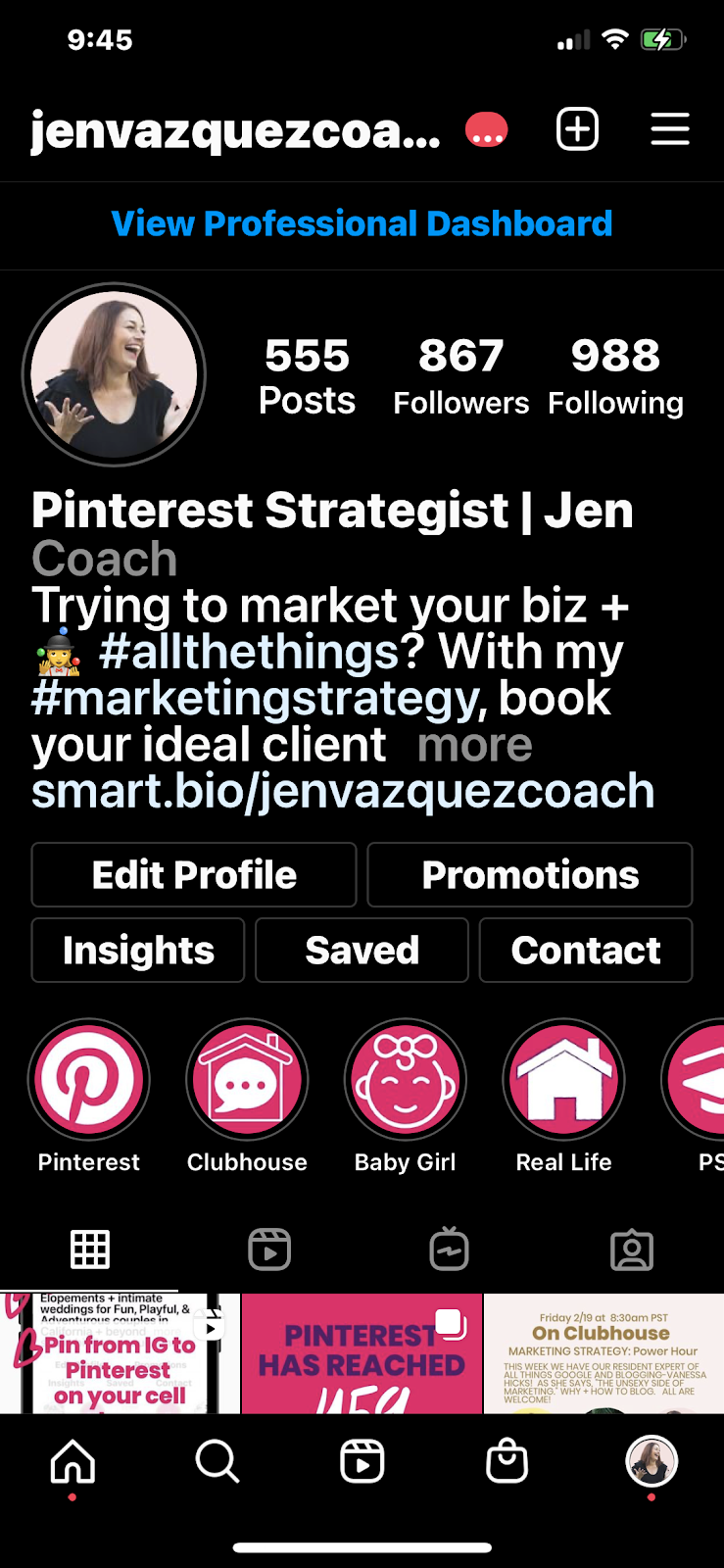
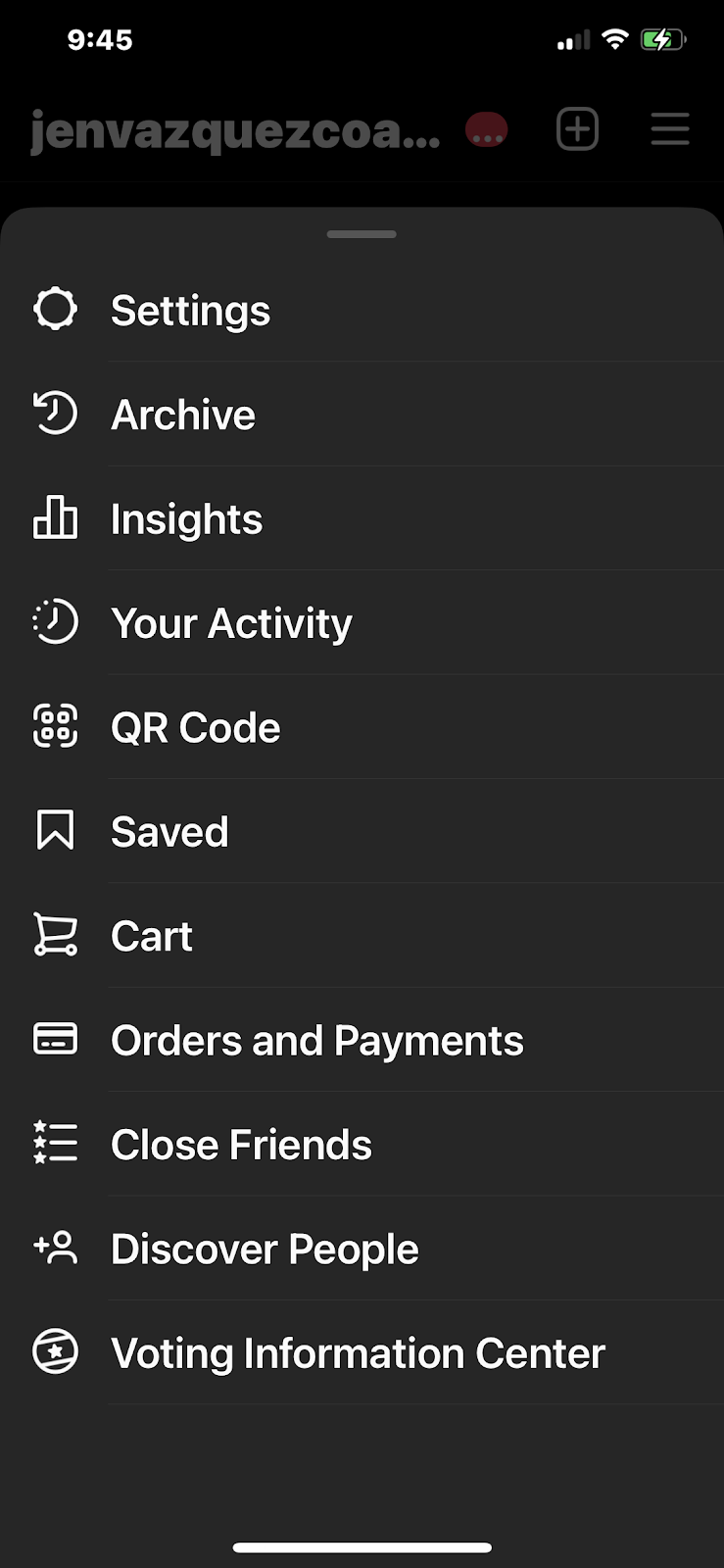
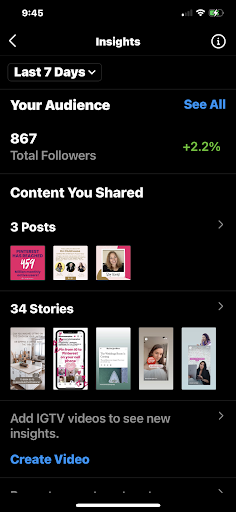
Start by clicking the three lines on the top right then click INSIGHTS
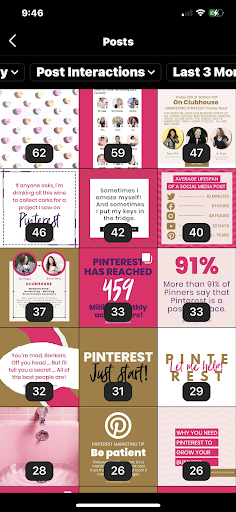
Click the arrow to the right of posts. Then select Post Interactions and 3 months. You can select more or less but I always suggest for the first time select three. Then do 1 year and see what posts are to the top. Those posts a year old will now get more traction because of Pinterest and more engagement and potential business on Instagram!
Summary
Pinterest and Instagram are the biggest social media platforms that are focused on images and video. If you use them together, you can create a powerhouse for marketing and also save a ton of time while repurposing your best content.
NOTE: Make sure you really know how your clients found you. Many of my clients ask, “how did you find me?”. Clients / potential clients will always say the last place they were when they decided to contact you. It is usually Instagram.
I always follow up casually with an “Oh awesome, was it with a hashtag or did someone refer you”? You want to know that hashtag of course or who referred them, but you are also digging. 70% of the time when I do that with my clients/potential clients say oh no it was a google search or they found me on Pinterest.
It just took one little extra question, and information that would be valuable to confirm how your marketing is working.
Now….. WHO is going to be pinning their Instagram content to Pinterest now? I thought so!!
If you need help with Pinterest, shoot me an email HERE.
Feel free to share this information with the pins below:
If you know that you need to utilize the power of free marketing that Pinterest offers? I have something special for you! Check out my Pinterest Academy by simply clicking the button below:
Pinterest Academy
If you know that Pinterest is a free marketing tool and you want to utilize it to grow your traffic to your website, Youtube channel, podcast, Instagram or some other content, join this membership to pin consistently, get free training and the support of myself and the whole group to help you move your business forward!
Sometimes In Business you need to get a little support to get to the next level without having to go through trial and error!
That’s what I’m here for. Like a coach for an athlete, I will coach you to cut through the crap and get to the next level. i.e. work smarter, not harder!
Explode your organic traffic, grow your leads and increase sales with powerful Pinterest marketing strategies.
INCLUDES:
Account Audit: Before we start the call, I’ll evaluate your Pinterest profile for brand cohesion, keyword optimization, and overall effectiveness. I’ll check that your account has everything that we include in our account management service, and if not, you’ll get an action list with clear steps for improvement so that you’ll be proud of your Pinterest presence and will see the results.
Consult Call (60 minutes): Come with any questions or doubts you have. Here’s some of the topics we’ll discuss:
Profile and website optimization
SEO/keyword planning
Content marketing tactic
Tailwind (how to get it set up or make it more effective)
Pinterest Analytics or Tailwind Insights
Tailwind Smartloop
If you’re not sure where to start, we’ll discuss and outline a solid plan to get your Pinterest profile set up or make it more effective!
BONUS: You’ll get a video recording of the session to refer back to and let your questions and ideas flow without the need to take notes during the call. I will also create an audit summary with what we discussed and your next steps and/or goals.
If you’d like to ask any questions, click here. If you want to cut through the learning curve and mistakes and get your Pinterest working hard FOR you, click below!
Today we are discussing all Pinterest, why you should use Pinterest as a wedding photographer, and the basic settings.
What is Pinterest?
Pinterest is a visual discovery engine for finding ideas like recipes, home and style inspiration, and more.
People say it’s a social media site, but it’s a REALLY GOOD search engine and highly used by brides.
Pins
Pins are ideas that people on Pinterest create, find, and save from around the web. If you click through the Pin, you can visit the website to learn how to make it or where to buy it. As you discover Pins you love, click the red Save button to save them to your boards.
Boards
Collections of Pins in an organized and specific way.
Why use Pinterest as a Wedding Photographer
Why should you use Pinterest as a wedding photographer?
Traffic — the purchase of using Pinterest is to drive traffice to your website.
Free Marketing — You don’t have to pay for Pinterest at all. So, it’s a free marketing platform that returns more visitors than Instagram or Facebook.
This leads to booking brides — anytime you have more visitors to your website, you have more opportunities to book a client.
Pinterest is the highest referrer to my website. More than IG and more that FB. Many photographers I start working with say that IG is the biggest referrer to their website. After we work together for a couple months on Pinterest, Pinterest is always higher.
Bottom line
If you want MORE traffic, start spending some time on Pinterest. Writing blog posts is the easiest way to create content for Pinterest AND as a wedding photographer, this is the best way to get your information out to google and future brides. I had a bride book me from North Carolina and Los Angeles due to a blog post.
TIP: If you create Youtube videos for your wedding photography business for brides, you can pin Youtube’s also!
Step by Step setting up Pinterest
Business not Personal: The first thing you need to do is to switch your personal account to a business account. The main reason is Pinterest analytics. There are zero reasons not to make it business – It’s free. Go do it now.
If you turn your personal Pinterest to Business
Make sure to make all personal boards private. Private boards don’t have analytics and aren’t see on your Pinterest Board. If you have boards that have a lot of followers or pins, but it’s not for your business, archive that board. Then you retain the analytics and can access it, but no one can see it.
Need Help on How to Change Personal to Business or Create Business: Just go here
Profile
Username:
This should be your business name and typically whatever your social media sites use.
You have 3-30 spaces for your name. Sometimes you can’t use a long name, so you can shorten a part of it.
Bottom Line: You want to choose exactly what you have for other social media sites, unless it’s too long then you shorten it.
Profile Picture:
This should never be your logo or worse yet a selfie.
This is your chance to immediately let people know who you are and being a photographer it should be good. You are the face of the company.
Use a shoulder up photo as it’s a super tiny circle image.
Consider an image of you and your camera so it’s very quickly apparent what you do.
Profile Name.
What I’ve seen from research and trial and error myself, is that you want to use this type of look. COMPANY NAME | TOPIC.
Here’s an example of mine: Jen Vazquez | Destination Wedding Photographer
Your profile name and description are also very important SEO. When Pinterest analyzes the pins you share, it doesn’t only look at the pin’s description. It also looks at the name and description of the board it was pinned to and the profile it was shared by. Your profile name and description should tell Pinterest exactly who you are and what you do and bonus points for who you serve (i.e. what kind of brides)
Profile Description (Bio):
You only have 160 characters to describe what your business and the boards are about. Make sure you are very descriptive because each word helps to be found on searches on Pinterest and other search engines. It’s SEO for your Pinterest boards.
Think of questions like, what do you do, who do you do it for, what you help with, what you provide, and anything that will help to drive traffic (think FREE tips to planning your wedding).
Profile Cover:
Your profile cover is auto-populated but you can choose what you want to populate.
You can choose what you want, but I always recommend to choose either the most popular board (you’ll find that in Pinterest analytics) or Recent Activity which is Pins people saved from your claimed website and linked accounts or what I use (jen vazquez photography california wedding photographer)
Sign up for my Private Facebook Group to see the video live!
Over the next few weeks, we’ll go over boards, how to create pins, how to pin from your blog to drive traffic, and how to use Tailwind in my Private Facebook Group – click the button above to join and see the LIVE video!